
















What is Keebye?
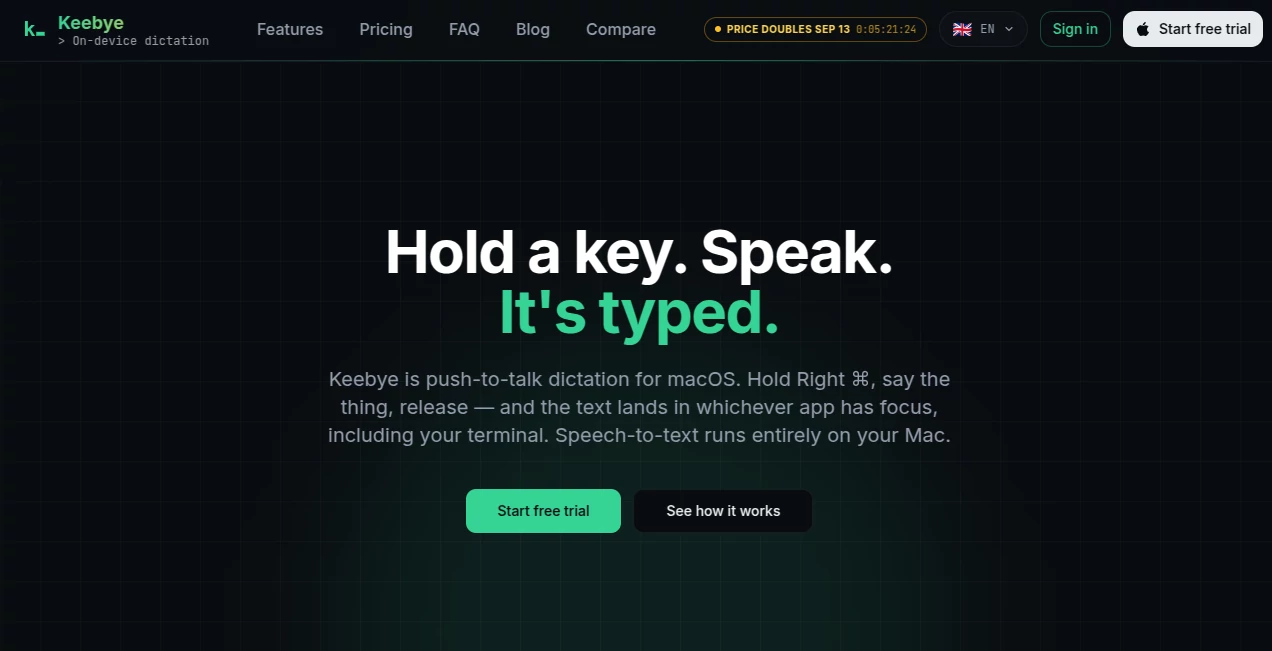
Keebye is a macOS voice dictation tool designed for people who spend much of their day switching between terminals, coding environments, communication apps, and AI-powered workflows. Instead of opening a separate transcription window or reaching for a microphone button, users can hold a keyboard shortcut, speak naturally, and release the key to insert the resulting text wherever the cursor is focused.
What makes the approach particularly interesting is that speech processing happens directly on the Mac. This makes the tool a practical option for developers, AI builders, and other users who want the convenience of voice input without sending recordings to a cloud transcription service.
The workflow feels especially natural when several tasks are running at once. For example, a developer can keep one terminal busy with an AI coding agent while dictating instructions into another window, responding to a Slack message, or drafting a quick note without constantly switching between typing and speaking.
Key Features
User Interface
The interface is intentionally lightweight. Rather than taking over the screen, the application works from the macOS menu bar and relies on a configurable keyboard shortcut for dictation. The default action uses the Right Command key, while Fn and Right Option can also be configured.
Users can hold the shortcut while speaking or tap it to toggle a longer dictation session. Pressing Esc cancels the current recording. This simple interaction makes the feature easy to use without interrupting the application currently in focus.
Accuracy & Performance
Speech recognition is processed locally using an English-tuned default engine, with additional options available for multilingual dictation and Apple's native speech engine. The multilingual Canary engine supports 25 languages, while the custom dictionary can be used for product names, technical terminology, acronyms, and project-specific vocabulary.
There is also a cleanup layer that removes common fillers, repeated words, false starts, capitalization issues, and punctuation problems. Users can optionally enable a local language-model polishing step when they want more refined transcripts.
The system processes an utterance when the user releases the hotkey rather than displaying a live word-by-word transcription. On Apple Silicon, short prompt-sized dictations are designed to arrive quickly, although the first transcription after launching the application may take longer while the microphone and model initialize.
Capabilities
- Push-to-talk voice dictation using a configurable keyboard shortcut.
- On-device speech-to-text processing.
- Offline transcription after the required speech model has been downloaded.
- Support for a multilingual engine covering 25 languages.
- Custom dictionaries for technical terms and product-specific vocabulary.
- Rule-based cleanup for fillers, repetitions, capitalization, and punctuation.
- Optional local-LLM polishing that keeps processing on the device.
- Text insertion into applications that accept keyboard input.
- Terminal-aware insertion for development environments.
- Support for SSH and tmux through synthetic typing.
- Local text-only transcription history with automatic deletion after 30 days.
- Protection against accidental insertion into password fields.
The terminal support is one of the more specialized aspects of the product. Text can be pasted using terminal-aware chunking, while synthetic typing can be used in SSH sessions, tmux environments, and situations where ordinary clipboard insertion is less convenient.
Security & Privacy
Privacy is a central part of the architecture. Audio is processed on the Mac rather than being uploaded to a remote transcription service. The network is used for activities such as downloading speech models, checking application updates, and validating the user's plan, but not for transmitting recorded audio.
The application also states that it does not use telemetry or analytics. Dictation history is stored as text locally and is automatically removed after 30 days. Secure password fields are deliberately excluded from text insertion, adding another useful safeguard for users who frequently work across sensitive applications.
Use Cases
The most obvious use case is software development. A developer working with tools such as Claude Code, Cursor, VS Code, iTerm2, or another terminal can dictate instructions without leaving the current workflow. This can be particularly useful when several coding tasks or AI-agent sessions are running simultaneously.
It can also help with everyday communication. Users can focus a Slack conversation, email composer, documentation page, or project-management application and dictate a response instead of typing every sentence manually.
Another practical scenario is hands-busy work. Someone reviewing code while walking around the office, eating lunch, or temporarily away from the keyboard can still capture thoughts and instructions through voice and have the text inserted into the active application.
For developers working with remote machines, SSH, or tmux, the terminal-focused insertion methods make voice input more useful than a conventional dictation application that only expects users to type into standard document fields.
Pros and Cons
Pros
- Speech processing takes place locally on the Mac.
- Audio is not uploaded to a cloud transcription service.
- Works offline after the speech model is downloaded.
- Designed specifically for keyboard-heavy workflows.
- Useful support for terminals, SSH, and tmux.
- Custom dictionary support is valuable for technical vocabulary.
- Supports 25 languages through the multilingual engine.
- Includes a full-featured 14-day trial without requiring a card.
- Local text history is automatically deleted after 30 days.
Cons
- The current advertised platform is macOS.
- It does not provide live word-by-word transcription.
- The application is still in early access.
- The multilingual functionality requires switching to the appropriate speech engine.
- Users who only need basic dictation may find Apple's built-in solution sufficient.
Pricing Plans
The product offers a 14-day full-featured trial with no credit card required. The trial provides on-device English dictation, the push-to-talk workflow, terminal-aware insertion, a custom dictionary, and local text history.
The Pro plan is listed at $149.99 per month when billed monthly, with an annual billing option of $1,200. Pro adds the multilingual Canary model, on-device local-LLM polishing, and continued access to the full application after the trial period.
A Pro Lifetime option is also listed at $1,500 as a one-time payment. It provides lifetime access to the Pro feature set rather than requiring an ongoing subscription.
Pricing and promotional displays can change, so users should check the current plan information before purchasing.
How to Use It
- Sign up for an account and join the early-access process.
- Install the macOS application when the build becomes available.
- Choose the preferred speech engine and download the required model.
- Configure the preferred push-to-talk key, such as Right Command, Fn, or Right Option.
- Focus the application or terminal where the text should appear.
- Hold the shortcut and speak naturally.
- Release the key to transcribe and insert the text.
- Use the custom dictionary and cleanup settings to improve results for recurring terminology.
Comparison with Similar Tools
Voice dictation is a crowded category, and established products such as Wispr Flow and Superwhisper already provide capable speech-to-text workflows. The distinction here is not simply another general-purpose dictation interface. The product is designed around a narrower audience: people who work heavily with terminals, coding tools, and multiple parallel AI-agent workflows.
For someone who mainly dictates emails or long documents, a general dictation application may be enough. A developer who regularly works inside SSH sessions, tmux panes, terminals, and AI coding environments may appreciate the more specialized insertion behavior.
The on-device approach is another meaningful difference. Rather than making cloud transcription the default and local processing an optional feature, the architecture is built around local speech recognition. That gives privacy-conscious users a clear reason to consider it, especially when dictating proprietary code, project terminology, or internal instructions.
Conclusion
Keebye takes a focused approach to voice input by combining local speech recognition with a workflow designed around developers and people managing several digital tasks at once. Its strongest qualities are not flashy features but practical details: a simple push-to-talk interaction, terminal-aware text insertion, offline operation, custom vocabulary, and local processing.
For macOS users who frequently move between coding tools, terminals, AI agents, and communication applications, voice can become more than an accessibility feature or a convenient alternative to typing. It can become another way to keep several workstreams moving. The 14-day trial provides a straightforward way to see whether that workflow actually fits into everyday work before committing to a paid plan.
Frequently Asked Questions (FAQ)
Does audio leave the Mac?
No. Speech-to-text processing runs on the Mac, and the service states that recorded audio is not uploaded. Network access is used for model downloads, updates, and plan validation rather than cloud audio transcription.
Can it work without an internet connection?
Yes. Once the required speech model has been downloaded, transcription can run locally without an internet connection.
How many languages are supported?
The optional multilingual Canary engine supports 25 languages. Users can also use Apple's native speech engine in the language supported by their macOS configuration.
Can it be used inside a terminal?
Yes. Terminal-aware insertion is one of its notable features. Synthetic typing can also be used in SSH and tmux sessions.
Can I add technical terms to the dictionary?
Yes. The custom dictionary allows users to define how product names, acronyms, technical terms, and other project-specific words should be written in the final transcript.
Does it work on Windows?
The advertised platform is macOS. A Windows version may exist in development, but there is currently no shipped Windows build being promoted by the service.
Is there a free version?
There is no permanent free plan. Instead, users receive a 14-day full-featured trial without needing to provide a payment card.
What happens to dictation history?
Transcription history is stored locally as text and is automatically deleted after 30 days.
Can it type into password fields?
No. Secure password fields are deliberately excluded from insertion, preventing dictated text from being entered into protected password inputs.
Who is it best suited for?
It is particularly suited to developers, AI builders, technical teams, and macOS users who frequently work across terminals, coding environments, AI-agent sessions, and communication applications.