Kilo AI
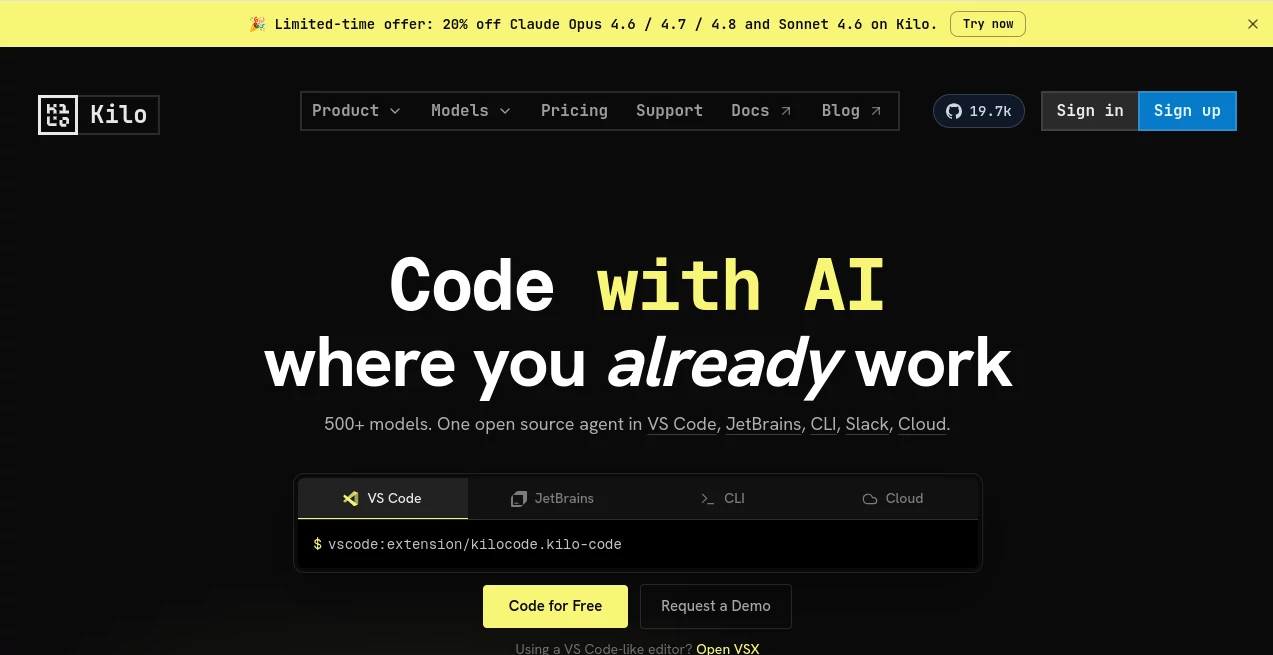
What is Kilo AI?
I’ve tried quite a few AI coding tools over the past couple of years, and most of them eventually feel limiting — either locked to one model, tied to a specific IDE, or just not quite smart enough when the codebase gets complex. Then I started using this one and it quickly became my daily driver. It sits right inside VS Code, JetBrains, the terminal, or even Slack, and it actually understands the full context of my project. The best part? It’s open source, supports over 500 models, and doesn’t force you into one vendor’s ecosystem. It feels like a true pair programmer rather than just an autocomplete tool.
Introduction
Modern development moves fast, and good AI assistance should keep up without getting in the way. This platform delivers a flexible, open-source coding agent that works exactly where you already work. Whether you prefer the comfort of your favorite IDE, the speed of the terminal, or the convenience of chatting in Slack, it’s there with you. It shines at understanding large codebases, planning features, debugging tricky issues, and shipping production-ready code. Developers at innovative companies have embraced it because it respects their workflow instead of forcing a new one. For anyone tired of fragmented tools or vendor lock-in, it feels like a breath of fresh air.
Key Features
User Interface
The experience stays out of your way until you need it. In VS Code or JetBrains, you get a clean sidebar and natural chat interface that feels like talking to a knowledgeable teammate. Switch between specialized modes (Code, Architect, Debug) with a simple command, and the agent adapts its behavior instantly. In the terminal or Slack, it remains just as responsive. Everything is designed to keep you in flow rather than pulling you into yet another dashboard.
Accuracy & Performance
It consistently impresses with how well it grasps project context and produces working code on the first or second try. Whether refactoring across multiple files or architecting a new feature, the suggestions feel thoughtful and grounded in your actual codebase. Performance stays snappy even on larger projects, and the open nature means you can bring your own keys or use local models when privacy or cost matters most. Developers often mention how much less time they now spend on repetitive tasks or debugging loops.
Capabilities
Multiple intelligent modes let you tackle different parts of development: writing and refactoring code, planning complex features, or hunting down bugs with deep context. It supports over 500 models through various providers, works across VS Code, JetBrains, CLI, Slack, and cloud agents, and even includes KiloClaw for persistent autonomous agents. You can run scheduled tasks, connect to external tools, and maintain full control over your setup. The open-source foundation means the community keeps improving it rapidly.
Security & Privacy
Because it’s open source and supports local models plus bring-your-own-key options, you stay in full control of your code and data. Enterprise users appreciate the security transparency and flexible deployment choices. It never forces cloud-only usage if you prefer running things locally or on your own infrastructure.
Use Cases
A solo developer building a SaaS product uses it to go from idea to working feature faster than ever before. A team of engineers collaborates in real time with the agent helping maintain consistency across the codebase. A developer switching stacks gets intelligent guidance and code examples tailored to their existing knowledge. Even non-engineers in technical roles use the Slack integration to get quick help without leaving their usual communication tools. It adapts naturally to different team sizes and working styles.
Pros and Cons
Pros:
- Truly open source with strong community momentum and transparency.
- Works seamlessly across your favorite environments without forcing changes.
- Excellent context understanding for large, real-world codebases.
- Flexible model support — bring your own keys or use local models.
- Multiple specialized modes that actually match different development tasks.
Cons:
- Requires some initial setup for advanced features or self-hosting.
- The sheer number of options can feel overwhelming for absolute beginners.
Pricing Plans
The core experience is available for free with open-source models and generous usage. Paid plans unlock faster access to premium models, higher limits, cloud agents, and priority support. Many developers find the free tier already transformative, while teams upgrade for better performance and collaboration features. The pricing stays reasonable and transparent, especially compared to closed-source alternatives.
How to Use Kilo
Install the extension in VS Code or JetBrains, or use the CLI version for terminal work. Open a chat with the agent, describe what you need — from small refactors to full feature planning — and watch it work with your codebase. Switch modes as needed (Code for implementation, Architect for planning, Debug for troubleshooting). For ongoing tasks, set up cloud agents or connect via Slack. The learning curve is gentle, and you’ll likely find yourself relying on it daily within the first week.
Comparison with Similar Tools
Many popular coding assistants are tied to one company’s models or feel limited in scope. This one stands out with its open-source foundation, broad model support, and genuine multi-environment presence. It gives developers real choice and control instead of lock-in, while delivering strong performance across different workflows. For teams and individuals who value flexibility and transparency, it often becomes the preferred option.
Conclusion
AI coding tools have come a long way, but few feel as natural and empowering as this one. It respects your existing setup, understands real codebases, and adapts to how you actually work. Whether you’re shipping features faster, learning new technologies, or leading a team, it becomes a reliable partner rather than just another plugin. In a crowded space, its combination of openness, capability, and developer-first design makes it stand out as one of the smartest choices available today.
Frequently Asked Questions (FAQ)
Is it really open source?
Yes — fully open source under Apache 2.0 with active community contributions.
Which IDEs does it support?
VS Code, JetBrains suite, plus strong CLI and Slack integration.
Can I use my own API keys?
Absolutely — bring your own keys from any supported provider with no markup.
Does it work with large codebases?
Yes — it’s specifically designed to understand and work across entire projects.
Is there a free version?
Yes — core functionality is free and very capable for individual developers.
AI Code Assistant , AI Developer Docs , AI Code Generator , AI Developer Tools .
These classifications represent its core capabilities and areas of application. For related tools, explore the linked categories above.

Kilo AI Alternatives Product

cznull

Fugte

AutoChangelog

Devplan

Workik

KaneAI

Nimbalyst

Ito AI

AI Complianc…