
Kronus Ritual
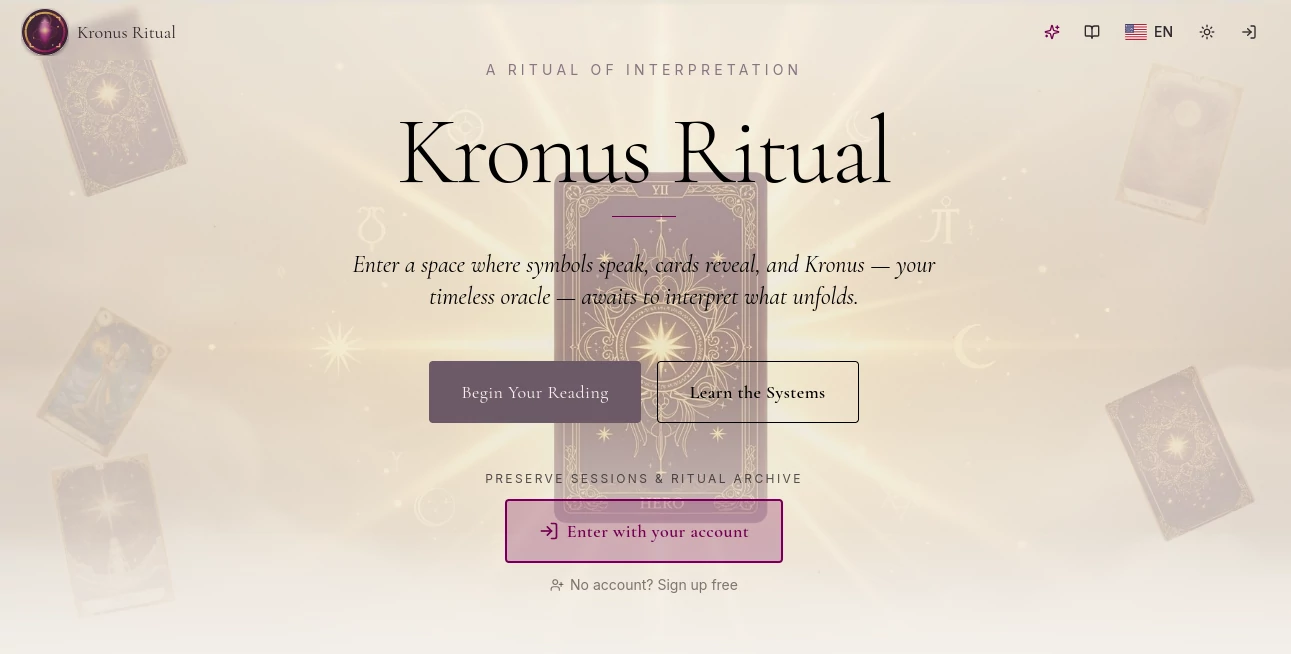
What is Kronus Ritual?
Managing repetitive work, organizing knowledge, and keeping projects moving can quickly become overwhelming. This platform introduces a refreshing approach by allowing anyone to create intelligent AI agents without writing a single line of code. Whether you are a founder, professor, marketer, contractor, or software developer, the experience is designed to adapt to your profession instead of forcing you into a generic workflow.
One of the most impressive aspects is its ability to learn how you work. During setup, it asks about your role, daily responsibilities, and preferred tools before generating personalized AI agents tailored to your needs. The result feels less like using another productivity application and more like collaborating with a capable digital teammate that remembers previous conversations, understands context, and continuously becomes more helpful over time.
Built around local execution, persistent memory, and multiple interfaces, it combines privacy with flexibility. Users can interact through a browser dashboard, Telegram, or a developer-friendly terminal, making it suitable for both technical and non-technical audiences.
Key Features
User Interface
The interface is remarkably approachable. Beginners can interact using plain English through a clean dashboard, while experienced users have access to powerful terminal commands. Mobile users can even communicate with their AI agents through Telegram, creating a seamless experience across different devices.
Accuracy & Performance
Instead of treating every conversation as a fresh start, the system stores important information in persistent memory. This allows AI agents to remember previous decisions, personal preferences, project details, and recurring workflows, resulting in more accurate responses and far less repetition.
Capabilities
- Create personalized AI agents without programming.
- Generate profession-specific workflows automatically.
- Store long-term contextual memory.
- Automate repetitive business tasks.
- Support team collaboration with multiple AI agents.
- Integrate with popular productivity environments.
- Access AI agents from desktop, browser, terminal, or Telegram.
- Perform document reviews, content creation, research, and project assistance.
- Provide customizable personas for specialized tasks.
- Support developers with advanced workflow automation.
Security & Privacy
Privacy is one of its strongest selling points. The platform runs locally by default, allowing users to keep sensitive information on their own machines instead of sending everything to external servers. This architecture makes it particularly attractive for organizations handling confidential documents, internal knowledge, or customer information.
Use Cases
- Automating marketing content creation.
- Managing research projects and academic workflows.
- Reviewing contracts and business documents.
- Supporting software development teams.
- Organizing project management tasks.
- Creating AI assistants for customer support.
- Maintaining long-term organizational knowledge.
- Helping founders monitor company operations.
Pros and Cons
Pros
- No coding knowledge required.
- Personalized AI agents based on profession.
- Persistent memory significantly improves productivity.
- Runs locally for enhanced privacy.
- Supports multiple interfaces including Telegram.
- Open-source approach encourages transparency.
Cons
- Some advanced workflows may require initial configuration.
- Power users may need time to explore all available capabilities.
- Feature availability may depend on the connected AI model.
Pricing Plans
The platform is available as an open-source solution and can be used with an existing Claude subscription. Users benefit from powerful AI agent capabilities without paying additional platform licensing costs, making it an attractive option for individuals and teams looking for cost-effective automation.
How to Use Kronus
Getting started is straightforward. Install the application, answer a few questions about your profession and daily workflow, and allow the system to generate personalized AI agents. From there, simply interact through the dashboard, Telegram, or terminal using natural language. As you continue working, the AI agents gradually build contextual memory, making every future interaction smarter and more efficient.
Comparison with Similar Tools
Many AI assistants focus on answering prompts or generating text, but this solution emphasizes persistent memory, personalized workflows, and autonomous AI agents that evolve alongside the user. Instead of providing isolated conversations, it creates assistants that genuinely understand ongoing projects and professional routines. Combined with local execution and multi-interface accessibility, it offers a more comprehensive productivity experience than many conventional AI chat platforms.
Conclusion
For professionals seeking more than a traditional chatbot, this platform delivers an impressive balance between simplicity and power. Personalized AI agents, long-term memory, local privacy, and support for multiple interaction methods create an experience that feels genuinely practical for everyday work. From managing projects to reviewing documents or coordinating teams, it offers a modern approach to intelligent automation that can easily fit into almost any professional environment.
Frequently Asked Questions (FAQ)
Does it require programming knowledge?
No. AI agents can be created and customized using plain English without writing code.
Can it remember previous conversations?
Yes. Persistent memory allows AI agents to retain context, preferences, and project history across sessions.
Is my data stored securely?
Yes. The platform operates locally by default, helping users maintain greater control over sensitive information.
Who can benefit from using it?
Developers, founders, marketers, educators, contractors, researchers, and virtually anyone looking to automate repetitive knowledge work.
Can multiple AI agents work together?
Yes. Users can create specialized AI agents that collaborate on different tasks and workflows simultaneously.
AI Workflow Management , AI Project Management , AI Productivity Tools , AI Team Collaboration .
These classifications represent its core capabilities and areas of application. For related tools, explore the linked categories above.

Kronus Ritual Alternatives Product

Meet-Ting

ekstrakt
LaunchBoard
Graph Maker

Syncity AI

Coresite

TokenCalcula…

AllInOneTools
Yorph AI