
LessonPlanGenerator
What is LessonPlanGenerator?
Creating high-quality lesson plans can be one of the most time-consuming responsibilities for educators. From aligning objectives with standards to preparing activities, assessments, and differentiation strategies, planning often takes hours that could be spent teaching or supporting students. This platform was designed to simplify that process by helping educators generate classroom-ready lesson plans in under a minute.
Built specifically for teachers, homeschool educators, and educational organizations, the tool focuses on producing structured lesson plans that are practical, standards-aligned, and adaptable to different learning needs. Instead of starting with a blank page, users can generate complete lessons that include objectives, instructional activities, assessments, and learning supports.
What makes the experience particularly appealing is the balance between speed and educational quality. Teachers can quickly move from an idea or topic to a polished lesson plan while maintaining control over instructional goals and classroom requirements.
Key Features
User Interface
The interface is clean, intuitive, and designed with busy educators in mind. Users simply enter information such as subject, grade level, lesson topic, duration, and instructional preferences. The workflow is straightforward and minimizes unnecessary complexity, making it accessible even for first-time users.
Navigation is smooth, and generated lesson plans can be reviewed, edited, and exported with minimal effort. The platform prioritizes usability, allowing teachers to focus on content rather than learning a complicated system.
Accuracy & Performance
One of the strongest aspects of the platform is its ability to generate standards-aligned lesson plans quickly. Educational frameworks and curriculum expectations are considered during generation, helping educators create plans that support classroom accountability and curriculum compliance.
Performance is impressive, with complete lesson plans generated in seconds rather than hours. The output is structured, coherent, and suitable for immediate classroom use while still allowing customization when needed.
Capabilities
- Generate complete lesson plans within seconds.
- Create standards-aligned learning objectives.
- Develop instructional activities and classroom exercises.
- Include assessment strategies and evaluation methods.
- Provide differentiation support for diverse learners.
- Support accommodations for various educational needs.
- Export lesson plans to PDF and Google Docs formats.
- Assist classroom teachers, homeschool educators, and schools.
The inclusion of differentiated instruction support is particularly valuable. Educators can quickly generate accommodations and extensions that help meet the needs of struggling learners, advanced students, and multilingual classrooms.
Security & Privacy
Educational tools often handle sensitive planning materials, making privacy an important consideration. The platform utilizes secure account management and modern payment processing systems for subscription services. Teachers can create, store, and access lesson plans while maintaining confidence that their information is handled responsibly.
Organizations and schools also benefit from enterprise-focused options that support account management, team collaboration, and administrative oversight.
Use Cases
- Classroom teachers creating daily and weekly lesson plans.
- New educators looking for planning support and structure.
- Homeschool families developing customized learning experiences.
- Department heads seeking curriculum consistency.
- Schools aiming to reduce teacher workload.
- Substitute teacher preparation and lesson documentation.
- Curriculum planning across multiple grade levels.
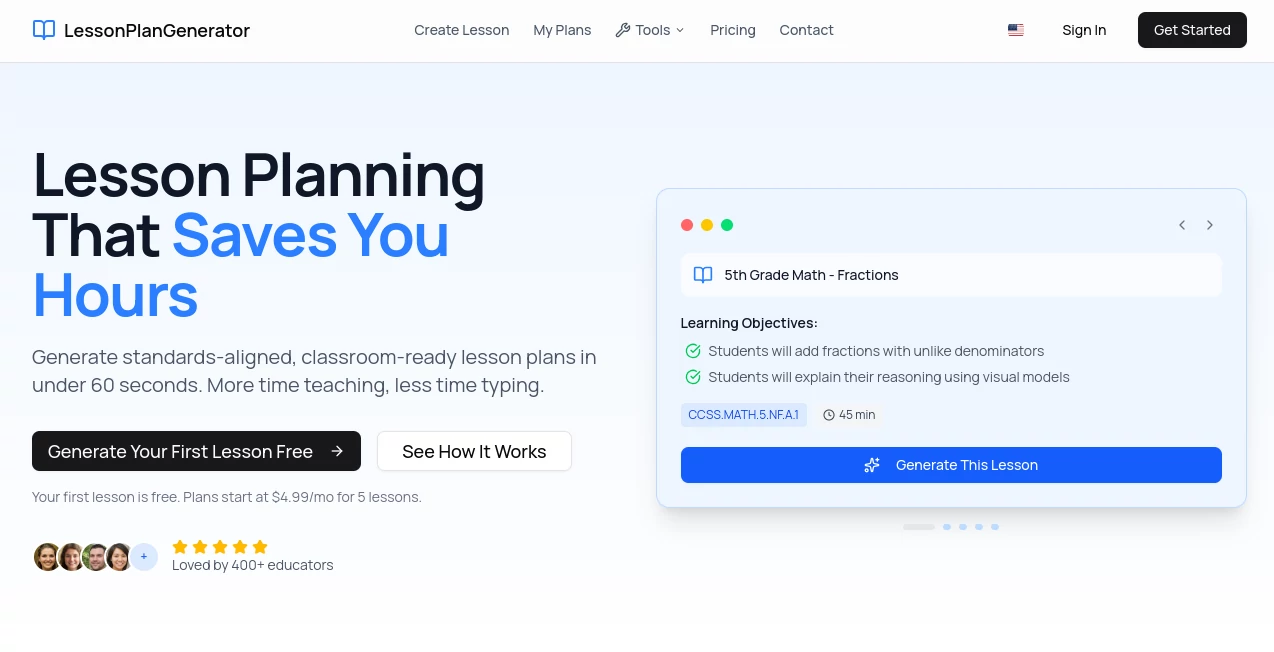
A practical example would be a fifth-grade mathematics teacher preparing a lesson on fractions. Instead of spending an evening building objectives, activities, and assessments from scratch, the teacher can generate a complete lesson framework and spend more time refining delivery and student engagement.
Pros and Cons
Pros
- Extremely fast lesson creation process.
- Standards-aligned educational structure.
- Differentiation features included.
- Simple and beginner-friendly interface.
- Supports multiple educational environments.
- Export options improve workflow efficiency.
- Affordable pricing compared to traditional curriculum resources.
Cons
- Generated lessons may still benefit from teacher customization.
- Advanced educators may want additional instructional flexibility.
- Internet access is required for generation and management.
- Some premium capabilities require a paid subscription.
Pricing Plans
The platform offers a flexible pricing structure suitable for individual teachers and educational organizations.
- Free Plan: Includes a limited number of lesson plans each week with access to templates, standards alignment, differentiation support, and export functionality.
- Pro Plan: Provides unlimited lesson generation, advanced editing tools, priority support, and full access to platform capabilities.
- Credit Packs: Available for educators who need additional lesson plans without subscribing.
- School Plans: Designed for teams and institutions requiring larger lesson-generation volumes and collaboration features.
- Enterprise Solutions: Custom options for districts and large educational organizations.
How to Use LessonPlanGenerator
Getting started is simple and requires only a few steps.
- Choose the subject, grade level, and lesson topic.
- Specify lesson duration and instructional preferences.
- Add standards or learner support requirements if needed.
- Generate the lesson plan.
- Review and customize the content.
- Export the finished lesson to your preferred format.
- Use the lesson directly in the classroom.
The entire process is designed to reduce preparation time while maintaining instructional quality.
Comparison with Similar Tools
Many lesson planning platforms focus solely on generating basic outlines. This solution distinguishes itself through its emphasis on standards alignment, built-in differentiation, and educator-focused workflow.
Compared with generic AI writing tools, the platform delivers outputs specifically structured for classroom instruction. Rather than requiring extensive prompting and editing, educators receive organized lesson plans that include objectives, activities, assessments, and learner supports.
Its combination of speed, educational relevance, and ease of use makes it particularly appealing for teachers who need practical results without a steep learning curve.
Conclusion
For educators searching for a faster and more efficient way to plan lessons, this platform offers a compelling solution. It transforms a traditionally time-intensive task into a streamlined process while maintaining educational quality and flexibility.
The ability to generate standards-aligned lesson plans, incorporate differentiated instruction, and export ready-to-use materials can significantly reduce teacher workload. Whether used by classroom teachers, homeschool families, or entire schools, the platform provides meaningful value by giving educators something they always need more of: time.
Frequently Asked Questions (FAQ)
Can beginners use this platform effectively?
Yes. The interface is designed to be simple and accessible, making it suitable for both experienced educators and first-year teachers.
Does it support standards-based lesson planning?
Yes. The platform includes standards alignment features that help educators create lessons that meet curriculum requirements.
Can lesson plans be exported?
Yes. Generated lesson plans can be exported to formats such as PDF and Google Docs for easy sharing and printing.
Is there a free version available?
Yes. Users can access a free plan that includes a limited number of lesson generations each week.
Who can benefit from using this tool?
Classroom teachers, homeschool educators, schools, curriculum coordinators, and educational organizations can all benefit from its lesson planning capabilities.
AI Knowledge Management , AI Content Generator , AI Productivity Tools , AI Education Assistant .
These classifications represent its core capabilities and areas of application. For related tools, explore the linked categories above.
LessonPlanGenerator details
Website unavailable — View Alternatives
Pricing
- Free
Apps
- Web App
Categories

LessonPlanGenerator Alternatives Product

Agent Grid

NepVox

PineBill

BetterAntisp…

GPT Image 2

Ask Bishop

eesel AI

Claude and C…

Classroom Sc…