LettiB
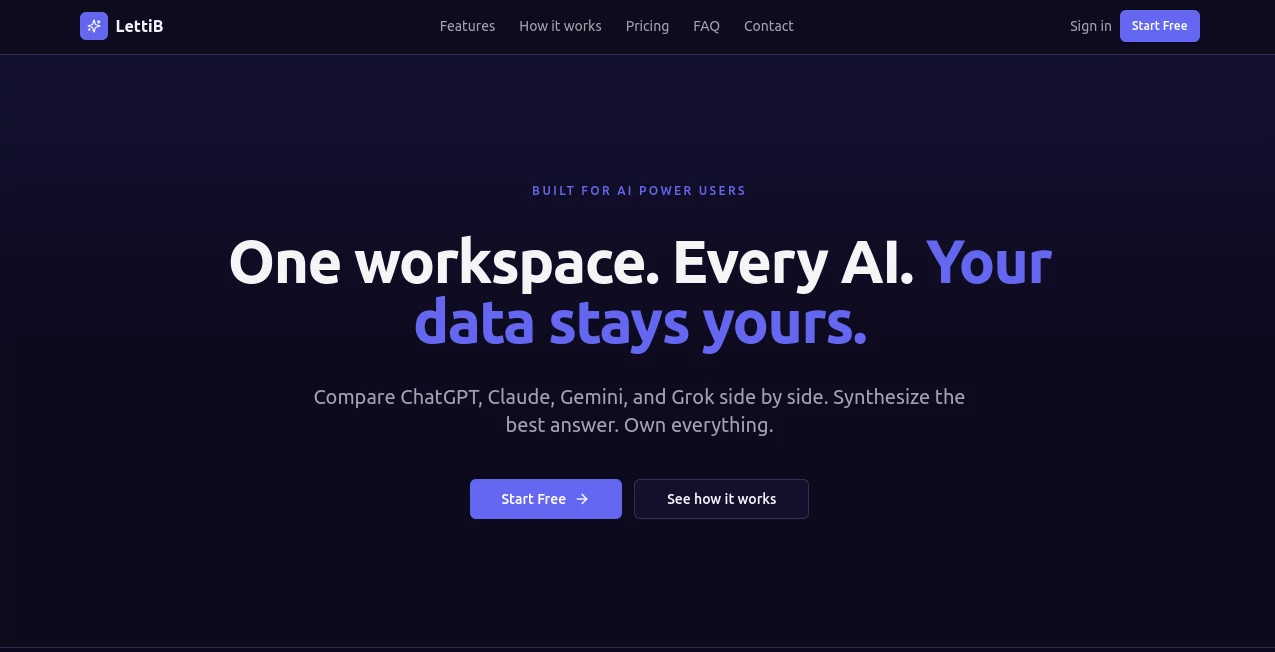
What is LettiB?
Managing emails, meetings, follow-ups, and scheduling requests can easily consume a large portion of the workday. Modern professionals need more than a traditional inbox—they need intelligent assistance that can handle repetitive communication and organization tasks without constant supervision.
This platform introduces a refreshing approach to productivity by combining autonomous email management, smart scheduling, calendar coordination, and AI-powered assistance into a single experience. Instead of spending hours responding to routine messages or negotiating meeting times, users can focus on strategic work while intelligent automation handles the administrative burden behind the scenes.
Whether used by busy executives, remote teams, entrepreneurs, or consultants, the platform helps reduce inbox overload and creates a smoother workflow that feels remarkably natural.
Key Features
User Interface
The interface is designed with simplicity in mind. Conversations, schedules, reminders, and communication tasks are presented in an organized environment that feels familiar while introducing powerful automation capabilities. Users can quickly review ongoing activities, approve suggested actions, and stay informed without feeling overwhelmed.
Accuracy & Performance
The system understands conversation history, scheduling preferences, and contextual information to deliver highly relevant responses. By maintaining awareness of ongoing discussions and previous interactions, it can assist with tasks while preserving consistency across communication channels.
Capabilities
- Autonomous email handling and organization.
- Smart meeting scheduling and calendar coordination.
- Automated follow-ups and communication management.
- Voice-assisted task execution for selected workflows.
- Daily summaries and productivity briefings.
- Collaborative communication support for teams.
- Cross-platform accessibility across devices.
- Context-aware assistance that understands ongoing conversations.
Security & Privacy
Privacy remains a major focus. Sensitive information is protected through modern security practices and encrypted data handling. Users retain control over their communications while benefiting from advanced automation capabilities. This balance between convenience and protection makes the platform suitable for professional environments where confidentiality matters.
Use Cases
- Managing a crowded inbox without manually reviewing every message.
- Scheduling meetings without lengthy email exchanges.
- Coordinating calendars across multiple stakeholders.
- Supporting sales teams with faster communication workflows.
- Assisting executives with daily task management.
- Reducing administrative overhead for entrepreneurs and consultants.
- Keeping distributed teams aligned through collaborative communication.
Pros and Cons
Pros
- Significantly reduces email management workload.
- Automates scheduling and calendar coordination.
- Provides intelligent contextual understanding.
- Supports collaboration across teams.
- Strong focus on privacy and secure communication.
- Accessible across multiple devices and platforms.
Cons
- Advanced automation may require initial setup and customization.
- Users accustomed to traditional workflows may need a short adjustment period.
- Some features may depend on integrations with external services.
Pricing Plans
Pricing structures may evolve over time. Interested users should review the official pricing page for the latest information regarding available plans, trial options, feature limits, and enterprise offerings.
How to Use Lettib
Getting started is straightforward. Create an account, connect your email and calendar services, and configure your preferences. Once connected, the platform begins analyzing communication patterns and scheduling needs.
Users can review suggested actions, approve automated workflows, manage meeting requests, and monitor communication activities from a centralized dashboard. Over time, the system becomes increasingly effective at understanding priorities and reducing manual effort.
Comparison with Similar Tools
Many productivity platforms focus on either email management or scheduling. What makes this solution particularly attractive is its ability to combine multiple communication workflows within a unified environment.
Unlike basic email assistants that only draft responses, it can participate in broader workflow management, coordinate meetings, assist with communication tasks, and help maintain organizational momentum. This creates a more comprehensive productivity experience for professionals who rely heavily on communication.
Conclusion
For professionals seeking a smarter way to manage communication, scheduling, and daily coordination, this platform delivers an impressive blend of automation and usability. It transforms repetitive administrative tasks into streamlined workflows while keeping users in control of important decisions.
The result is a cleaner inbox, better-organized schedules, fewer interruptions, and more time available for meaningful work. As workplace communication continues to grow in complexity, solutions like this are becoming increasingly valuable for maintaining productivity without sacrificing quality or responsiveness.
Frequently Asked Questions (FAQ)
What does this platform primarily automate?
It automates email management, scheduling, calendar coordination, and various communication-related tasks.
Can it help schedule meetings automatically?
Yes. It can coordinate availability, suggest meeting times, and reduce the need for back-and-forth scheduling emails.
Is it suitable for teams?
Yes. Collaboration features make it useful for teams that manage shared communication workflows.
Does it support privacy and secure data handling?
Yes. Security and privacy are important priorities, with measures designed to protect user information.
Who can benefit most from using it?
Executives, entrepreneurs, consultants, remote teams, sales professionals, and anyone who manages large volumes of email and meetings can benefit significantly.
AI Productivity Tools , AI Email Assistant , AI Meeting Assistant , AI Scheduling .
These classifications represent its core capabilities and areas of application. For related tools, explore the linked categories above.

LettiB Alternatives Product

Fina Money

AI Wire

Maestra

Jamy.ai | Au…

Markdown to …

Automaited

Hairstyle An…

DocReplacer

AIDeckly