LIA
What is LIA?
Modern music production is becoming faster, smarter, and more collaborative, but most producers still want complete control over every note they create. This platform bridges that gap by bringing natural language interaction directly into the production workflow without taking creative ownership away from the artist. Instead of producing finished audio that cannot easily be modified, it generates editable MIDI, builds arrangements, and performs production tasks inside a real digital audio workstation.
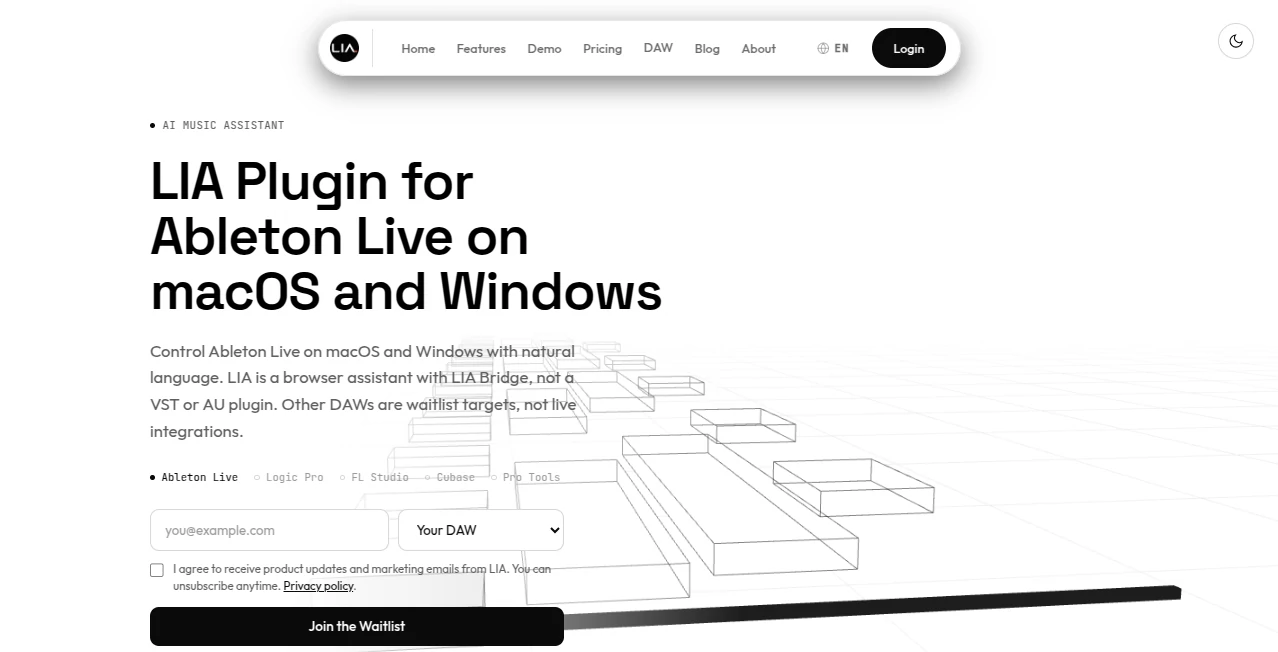
Designed primarily for Ableton Live users, it works through a dedicated bridge application while remaining accessible from any modern web browser. Producers can simply describe ideas, request melodies, create drum patterns, generate basslines, or refine arrangements using everyday language. Every result remains fully editable, allowing creators to shape every detail exactly the way they want.
This approach feels less like replacing musicians and more like collaborating with an experienced production partner. Whether building a track from scratch or overcoming creative blocks during a session, the assistant keeps the workflow smooth while leaving every artistic decision in human hands.
Key Features
User Interface
The interface is intentionally simple and approachable. Users interact through a browser-based chat that accepts both typed and spoken commands. The companion bridge connects directly with Ableton Live, allowing requests to appear instantly inside the project. Since everything happens through natural language, even beginners can create sophisticated arrangements without navigating complicated menus.
Accuracy & Performance
The assistant focuses on generating editable MIDI rather than rendered audio, making every suggestion practical and flexible. Drum grooves, chord progressions, melodies, basslines, and structural changes can all be refined repeatedly through conversation, creating an efficient production cycle while preserving precision and creative freedom.
Capabilities
- Generate editable MIDI clips directly inside Ableton Live.
- Create drum patterns, melodies, basslines, and chord progressions.
- Build beats from simple natural language prompts.
- Use reference tracks or musical styles for inspiration.
- Support multilingual text and voice commands.
- Provide mix suggestions including EQ, compression, and levels.
- Enable conversational refinement of generated ideas.
- Offer remote production workflows on supported plans.
- Allow mobile browser access for flexible music creation.
- Maintain complete editing control inside the DAW.
Security & Privacy
The service is designed to respect creators' ownership of their projects. Audio files remain under the producer's control, while only limited session information is used to provide contextual assistance. Project ownership stays with the user, and generated material can be edited, modified, or removed at any time during production.
Use Cases
- Creating complete song ideas in minutes.
- Producing beats for electronic music.
- Generating MIDI inspiration during writer's block.
- Rapidly sketching melodies and harmonies.
- Experimenting with different musical genres.
- Teaching beginners music production techniques.
- Speeding up repetitive production workflows.
- Building arrangements through conversational editing.
Pros and Cons
Pros
- Editable MIDI instead of fixed audio output.
- Natural language interaction makes production easier.
- Excellent integration with Ableton Live.
- Voice control is available on supported plans.
- Works across desktop and mobile browsers.
- Suitable for beginners and experienced producers alike.
- Creative control always remains with the producer.
Cons
- Live integration currently focuses on Ableton Live.
- Some advanced features require paid subscriptions.
- Other DAWs are still awaiting future integration.
Pricing Plans
A free plan allows new users to explore the workflow with limited trial productions. Paid subscriptions start with Starter and continue through Pro, Studio, and Studio Max tiers, each adding higher production limits, voice interaction, remote workflows, and additional collaboration features. A limited Founder program is also available for early supporters seeking premium access and roadmap participation.
How to Use LIA
- Create an account and access the browser interface.
- Install the companion bridge application.
- Connect the bridge with Ableton Live.
- Open an existing project or start a new session.
- Describe the music you want using natural language.
- Review the generated MIDI clips inside your project.
- Edit, expand, or refine ideas through additional prompts.
- Finish production using your preferred instruments and effects.
Comparison with Similar Tools
Many AI music platforms focus on producing completed audio tracks, which often limits creative editing after generation. This solution follows a different philosophy by keeping everything inside the production environment as editable MIDI. Instead of replacing musicians with one-click songs, it functions as an intelligent production assistant that accelerates workflow while preserving artistic flexibility. For producers who rely on Ableton Live, this creates a far more practical experience than traditional music generators.
Conclusion
For music producers who value creativity as much as efficiency, this assistant offers an impressive balance between automation and artistic freedom. Its conversational workflow removes repetitive production tasks while preserving complete control over every note, clip, and arrangement. Rather than replacing the producer, it acts as an intelligent collaborator capable of accelerating songwriting, beat creation, and session development. The result is a modern production experience that feels both natural and genuinely empowering.
Frequently Asked Questions (FAQ)
Can beginners use this assistant?
Yes. Natural language commands make it accessible even for users with limited production experience.
Does it generate editable MIDI?
Yes. All generated musical ideas remain editable inside the DAW.
Does it replace music producers?
No. It assists with production while leaving all creative decisions to the user.
Can it be controlled with voice?
Yes. Voice interaction is available on supported subscription plans.
Does it support mobile devices?
Yes. Users can access the browser interface from both desktop and mobile devices for supported workflows.
AI Audio Enhancer , AI Music Generator , AI Productivity Tools , AI Voice Assistants .
These classifications represent its core capabilities and areas of application. For related tools, explore the linked categories above.

LIA Alternatives Product

Syncity AI

Transcribe A…

Classroom Sc…
Ssave App

Neurohelper

Debate Tello…

ClawBridge
AnyToURL

ChatGPT