Lindy AI
What is Lindy AI?
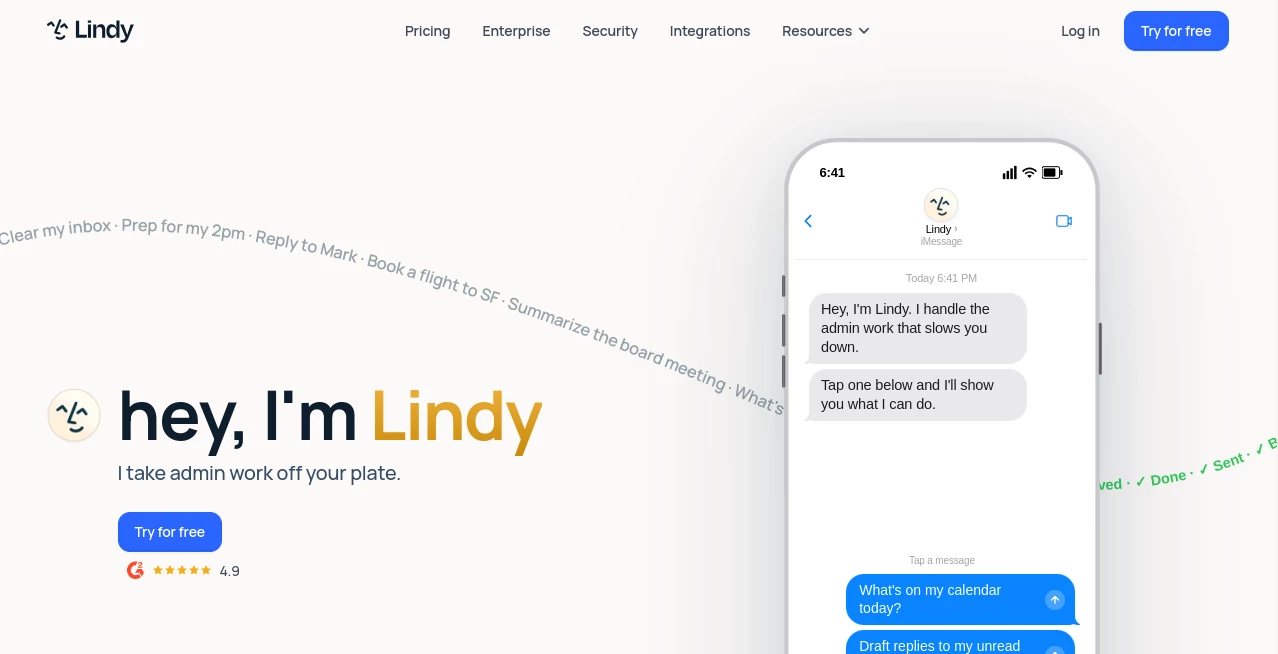
In today’s fast-moving digital world, repetitive tasks quietly consume more time than we realize. Email replies, scheduling, lead follow-ups, and data handling often take priority over meaningful work. This platform steps in as a modern solution, offering a way to delegate these tasks to intelligent AI-powered agents that behave like digital team members.
Instead of juggling dozens of tools, users can create and deploy automated assistants that connect apps, understand context, and execute workflows with minimal human input. It feels less like using software and more like expanding your team with always-available virtual employees.
Key Features
User Interface
The interface is designed with simplicity in mind. Users can build workflows using a visual, no-code approach that feels intuitive even for non-technical users. Drag-and-drop elements and prebuilt templates make setup fast and approachable.
Accuracy & Performance
Automations are powered by advanced language models that understand instructions in natural language. This improves accuracy in handling emails, responses, and task execution, especially when dealing with nuanced requests.
Capabilities
- Create AI agents for email handling and communication
- Automate lead generation and CRM updates
- Manage scheduling and meeting coordination
- Connect with popular third-party tools and APIs
- Build multi-step workflows with conditional logic
Security & Privacy
Data handling follows standard industry practices with a focus on secure integrations. Users maintain control over connected accounts, ensuring that sensitive business data remains protected while workflows operate in the background.
Use Cases
- Automating customer support responses
- Managing inbound leads and sales pipelines
- Handling repetitive email communication
- Scheduling meetings without manual coordination
- Supporting marketing workflows and content distribution
Pros and Cons
Pros
- Easy no-code workflow creation
- Strong automation capabilities across multiple tools
- Saves significant time on repetitive tasks
- Flexible integrations with modern SaaS platforms
Cons
- Learning curve for advanced automation setups
- Some features depend on third-party integrations
- May require trial and error to fine-tune workflows
Pricing Plans
The platform typically follows a tiered pricing structure, including free access with limited features and paid plans for advanced automation, higher usage limits, and business-grade capabilities. Larger teams often benefit from custom plans tailored to workflow complexity and scale.
How to Use Lindy.ai
Getting started is straightforward. After signing up, users can choose a template or create a custom AI agent. From there, workflows are built by defining triggers, actions, and connected apps. Once activated, the system runs in the background, handling tasks automatically based on defined conditions.
Comparison with Similar Tools
Compared to traditional automation platforms like Zapier or Make.com, this solution focuses more on intelligent decision-making rather than simple rule-based triggers. Unlike productivity assistants such as Notion AI or Motion, it emphasizes autonomous execution of multi-step workflows rather than just suggestions or task organization.
Conclusion
For individuals and teams overwhelmed by repetitive digital tasks, this platform offers a practical shift toward intelligent automation. It blends AI reasoning with workflow automation in a way that feels closer to delegating work than simply configuring software. While it may take some time to fully explore its potential, the productivity gains can be substantial once integrated into daily operations.
Frequently Asked Questions (FAQ)
Is it suitable for non-technical users?
Yes, the visual workflow builder is designed for users without coding experience.
Can it replace existing automation tools?
In many cases, it can complement or replace basic automation tools depending on complexity needs.
Does it work with third-party apps?
Yes, it integrates with a wide range of popular business and productivity applications.
Is it only for businesses?
No, individuals can also use it for personal productivity and task automation.
How intelligent are the AI agents?
They can understand context-based instructions and perform multi-step tasks with minimal supervision.
AI Workflow Management , AI Project Management , AI Productivity Tools , AI CRM Assistant .
These classifications represent its core capabilities and areas of application. For related tools, explore the linked categories above.

Lindy AI Alternatives Product
Online White…

BillEasy Inc

Trimless for…

Speech Text

Techvorizon …

ShipBoost

Treeova

Graph Maker

LLaMaRush