AI Lip Sync Video
What is AI Lip Sync Video?
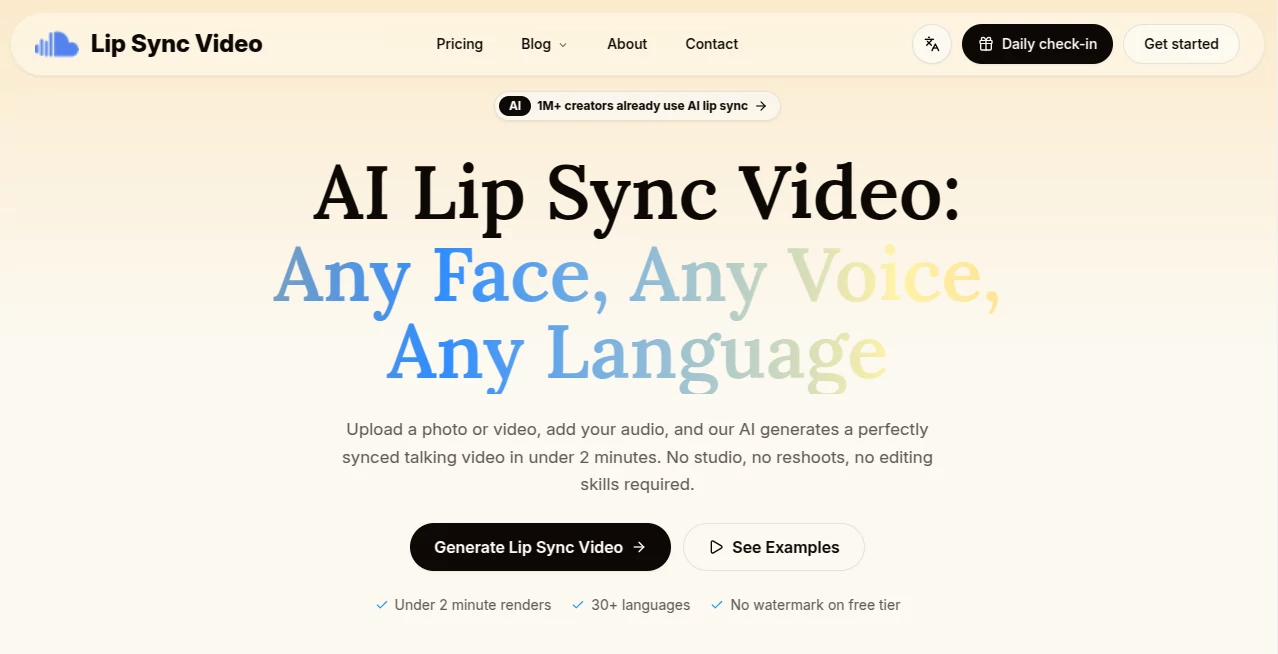
There’s something oddly satisfying about watching a character’s mouth move perfectly in sync with spoken words. When it’s done right, the video suddenly feels alive. This tool makes that happen with impressive ease. You upload a video of someone talking (or even just moving their head), pair it with new audio, and the AI adjusts the lip movements so everything lines up naturally. I’ve seen creators turn silent clips into convincing talking-head videos, dub foreign content, or bring old footage back to life. The results often look so good that people ask if it was re-shot.
Introduction
Creating convincing lip sync used to require expensive software, skilled animators, or hours of manual frame-by-frame work. This platform changes that completely. It focuses on one thing—making lips move realistically with any audio—and it does it remarkably well. Whether you’re dubbing a video into another language, creating content with AI voices, or fixing sync issues in existing footage, it delivers clean, natural-looking results without destroying the original performance. The best part? It’s fast enough that you can experiment, tweak, and re-generate until it feels just right.
Key Features
User Interface
The interface is refreshingly straightforward. Upload your video, add the audio track (or type text for AI voice), choose quality settings, and hit generate. A clear timeline shows progress, and you get a side-by-side comparison so you can spot improvements immediately. No complicated timelines or layers to wrestle with—just the essentials, presented cleanly. Even first-time users finish their initial project in minutes.
Accuracy & Performance
The lip movements feel natural rather than robotic. The AI understands different speaking styles, accents, and emotional tones, so the mouth shapes match the intensity of the words. It handles head turns, different angles, and even some background motion without breaking the illusion. Generation is quick for short clips, and longer videos can be processed in reasonable chunks. The consistency across takes is one of its strongest points.
Capabilities
It supports video-to-video lip sync, text-to-speech dubbing, multi-language translation with voice matching, and even animation-style characters. You can fine-tune intensity, adjust mouth openness, and choose different voice models. Output quality goes up to 1080p, and it preserves the original video quality while only modifying the mouth area. Perfect for YouTubers, marketers, educators, and anyone creating content in multiple languages.
Security & Privacy
Your uploaded videos and audio are processed securely and not stored longer than necessary. No unexpected data sharing or training on your content. For creators working with client videos or sensitive material, that peace of mind is important.
Use Cases
A language teacher records short explanations once and dubs them into Spanish, French, and German for her students. A YouTuber uses AI voices for faceless channels while keeping natural-looking lip sync. A marketer localizes product videos for different countries without reshooting. A filmmaker fixes minor sync issues in post-production or experiments with alternative dialogue takes. The possibilities keep expanding as people discover how natural the results can look.
Pros and Cons
Pros:
- Impressively natural lip movements that respect facial expressions and head motion.
- Fast processing that supports quick iteration and experimentation.
- Works well on both real people and stylized/animated characters.
- Multi-language support opens doors for global content creation.
- Simple workflow that doesn’t require technical expertise.
Cons:
- Very extreme head angles or poor lighting can reduce accuracy.
- Longer videos need to be processed in segments.
- Best results still come from relatively clear source footage.
Pricing Plans
It offers a generous free tier for testing and short projects. Paid plans unlock higher resolution, longer video support, faster processing, and more monthly minutes. Pricing is straightforward and scales with usage, making it accessible for both occasional creators and those producing content regularly.
How to Use LipSyncVideo
Upload your base video (talking head works best). Add your target audio file or type text if you want the tool to generate speech. Choose quality level and any fine-tuning options. Click generate and review the preview. If needed, adjust settings and try again. Once happy, download the final synced video. The whole process is quick enough that you can create several variations in one session.
Comparison with Similar Tools
Many lip sync tools either produce stiff, robotic mouth movements or require heavy manual cleanup. This one stands out for its natural flow and respect for the original performance. It balances ease of use with quality in a way that feels more polished than most alternatives, especially when working across languages or with stylized content.
Conclusion
Good lip sync used to be expensive and time-consuming. This tool brings it within reach for almost anyone creating video content. It removes a major technical barrier and lets creators focus on the message instead of worrying about mouths matching words. Whether you’re localizing content, experimenting with AI voices, or just fixing small issues, it delivers results that look and feel professional. In a world where video dominates, that kind of capability is genuinely valuable.
Frequently Asked Questions (FAQ)
How natural does the lip sync look?
Very natural on good source footage. The AI pays attention to emotion and speaking rhythm, not just basic phonemes.
Can I use my own voice or AI-generated audio?
Both work excellently. You can upload recorded audio or generate speech directly in the tool.
What video lengths are supported?
Best results come from 15–60 second clips, though longer videos can be processed in segments.
Does it work with animated or cartoon characters?
Yes, surprisingly well—especially stylized characters with clear mouth shapes.
Is there a free way to try it?
Yes, the free tier lets you test quality on several videos before deciding to upgrade.
AI Animated Video , AI Image to Video , AI Video Generator , AI Lip Sync Generator .
These classifications represent its core capabilities and areas of application. For related tools, explore the linked categories above.
AI Lip Sync Video details
Website unavailable — View Alternatives
Pricing
- Free
Apps
- Web App
Categories

AI Lip Sync Video Alternatives Product

Sora AI Vide…

MaxArt AI

AudioVideoGe…

seedance2

SocialRails

Seedance 2.0…

Try OC Maker

Blipix

vei4 ai