
LumaBride
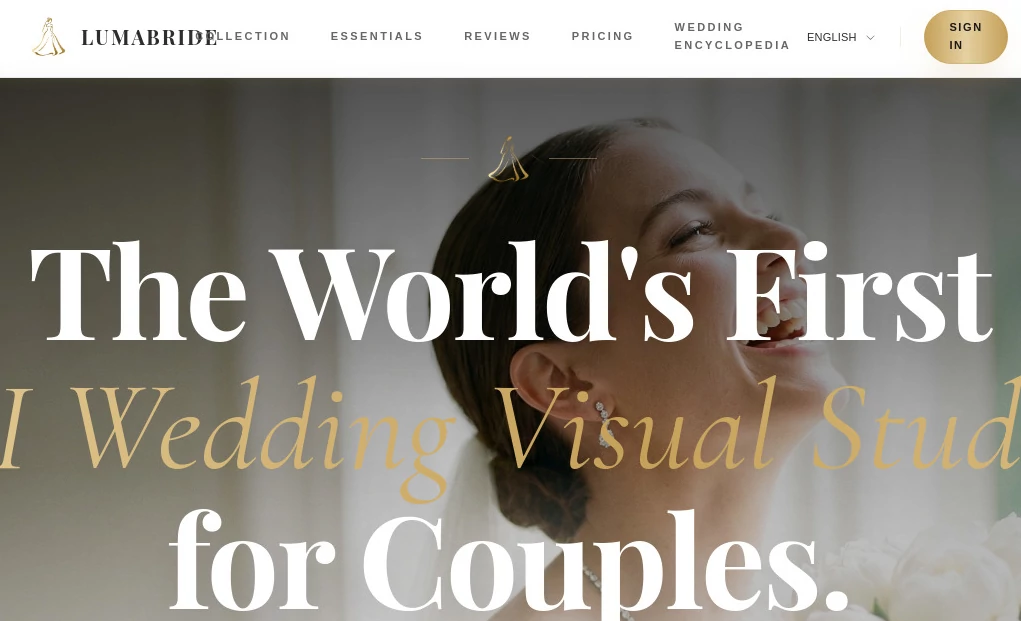
What is LumaBride?
Planning a wedding often feels like managing dozens of creative projects at the same time. Invitations, signs, seating cards, visual themes, portraits, and printed materials all need to match perfectly. That is where modern AI-powered design tools can completely change the experience.
This wedding-focused visual platform brings everything into one place and creates a cohesive design experience for couples who want elegance without spending endless hours coordinating details. Instead of moving between multiple design apps and freelance services, users can create a complete wedding visual identity inside a single workspace.
One detail many couples appreciate is consistency. The invitations can reflect the same visual mood as wedding posters, digital assets, and printed elements. That unified style creates the feeling of a carefully crafted event rather than a collection of unrelated pieces. For couples seeking a polished celebration with less stress, this approach feels refreshingly practical.
Key Features
User Interface
The interface is designed around simplicity. Wedding preparation already involves enough decisions, so the workspace avoids unnecessary complexity. Navigation feels straightforward, allowing users to move between different wedding assets without confusion.
Templates and visual components appear organized in a way that feels approachable even for users with no design background. A first-time user can quickly understand where to begin and how to create coordinated materials.
Accuracy & Performance
Visual consistency is one of the strongest areas of performance. Instead of creating isolated pieces, the system maintains a recognizable design language across generated assets.
This becomes especially valuable when creating invitations, welcome posters, ceremony materials, or personalized graphics. Maintaining matching aesthetics manually often requires significant effort, but automation dramatically reduces repetitive work.
Capabilities
- Create AI-generated wedding portraits
- Generate invitations and design elements
- Produce logos and wedding branding materials
- Create seating cards and welcome posters
- Generate vow books and thank-you cards
- Maintain a unified visual identity across assets
- Organize multiple wedding materials from one workspace
Security & Privacy
Wedding planning frequently involves personal images, names, schedules, and event details. Privacy matters. Platforms built around personal events benefit from secure handling of uploaded content and protected user workspaces.
For couples creating customized assets using photographs and private information, confidence in data handling becomes just as important as creative output.
Use Cases
- Couples creating a complete wedding design package
- Wedding planners preparing materials for multiple clients
- Designers looking to speed up wedding branding projects
- Destination weddings needing coordinated digital assets
- Event organizers producing elegant visual materials quickly
Pros and Cons
Pros
- Creates multiple wedding assets from one workspace
- Maintains a consistent visual identity
- Reduces time spent using multiple design tools
- Easy for non-designers
- Helps couples simplify wedding preparation
Cons
- Primarily focused on wedding-related projects
- Advanced customization may still require manual adjustments
- Users with highly niche design preferences may want additional editing tools
Pricing Plans
Pricing structures can evolve as platforms introduce new features and capabilities. Users should review current plan details to compare available options, usage limits, and premium features.
Many AI creative platforms typically offer entry-level access alongside expanded premium plans for users needing larger projects or additional customization.
How to Use LumaBride
Start by creating a project and selecting your preferred wedding style or theme. Upload images if needed and provide details related to your event.
Choose the types of assets you want to generate, such as invitations, visual branding materials, ceremony elements, or portrait content. The platform then creates matching outputs designed around a shared visual style.
Review results, personalize details, and export materials for digital use or printing.
Comparison with Similar Tools
Many design platforms can create invitations or graphics, but they often focus on individual projects rather than complete wedding ecosystems.
General-purpose design tools may offer flexibility, yet users frequently spend hours manually matching colors, layouts, and branding elements. Wedding-specific AI solutions provide a more focused experience by automatically maintaining consistency across multiple assets.
That specialization creates a smoother process for couples who want beautiful results without becoming full-time designers.
Conclusion
Wedding preparation should feel exciting rather than overwhelming. Coordinating visual materials across invitations, signage, portraits, and printed pieces traditionally takes considerable effort, especially when trying to maintain a unified aesthetic.
This AI-powered approach transforms that experience into something simpler and more enjoyable. Instead of managing scattered design tasks, couples can build a complete wedding visual identity from one place.
For people looking to create a celebration that feels polished, memorable, and visually connected from beginning to end, this solution offers a remarkably convenient path.
Frequently Asked Questions (FAQ)
Can beginners use this platform?
Yes. The interface is designed for users without design experience.
Can it generate multiple wedding materials together?
Yes. Users can create a complete visual suite rather than isolated assets.
Does it support personalized wedding content?
Yes. Customized elements can be generated using event details and uploaded materials.
Is it useful for wedding planners?
Absolutely. Professionals can streamline creative workflows and manage projects more efficiently.
Can generated assets be used for printing?
Yes. Materials can be prepared for digital sharing and printed wedding items.
AI Photo & Image Generator , AI Design Assistant .
These classifications represent its core capabilities and areas of application. For related tools, explore the linked categories above.

LumaBride Alternatives Product
whisk ai
Apprentice

KoloQR

bratgenerator

Nano AI

Consistent C…

GPT Image 1.5

Quant AI

AI Hairstyle