


















Makeform
What is Makeform?
I still remember the last time I needed a quick registration form for a small workshop. I opened a traditional builder, stared at the blank canvas, and thought “this is going to take forever.” Then I tried typing a simple sentence into this tool and watched it build a complete, clean form with smart fields and logic in seconds. No drag-and-drop frustration, no hunting for the right question type. It just worked. That moment sold me — and I’ve been recommending it to every founder and marketer I know ever since.
Introduction
Building forms has always been one of those necessary but painful tasks. You either waste hours clicking through clunky builders or settle for something basic that doesn’t quite do what you need. This platform flips the script entirely. You describe what you want in plain English — “a contact form with name, email, budget range, and message” — and the AI creates a professional, fully functional form with logic, validation, and nice design. No sign-up required to try it, and it’s completely free to start. It’s the kind of tool that makes you wonder why form building was ever so complicated in the first place.
Key Features
User Interface
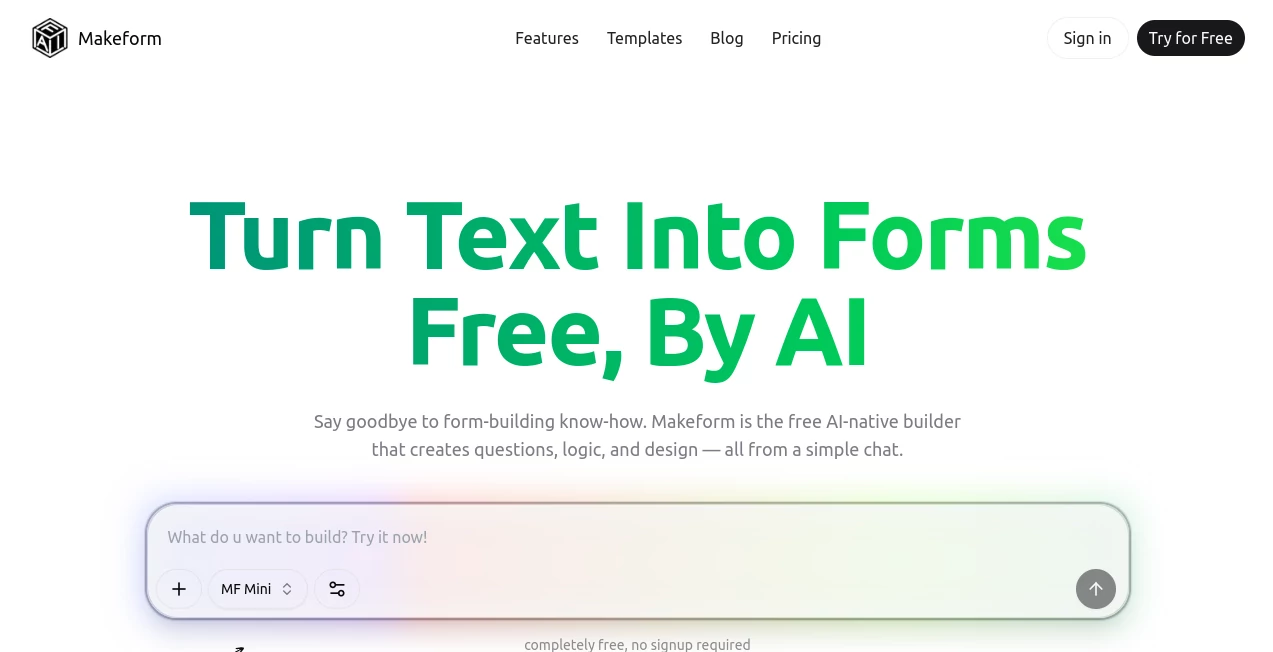
The experience is delightfully simple. You type or paste your request into a clean chat-like box, hit enter, and watch the form appear almost instantly. You can refine it by chatting more (“add a file upload” or “make the budget field required”), and everything updates live. No steep learning curve, no overwhelming menus. Even my non-technical friends have built useful forms on their first try. It feels like having a smart assistant who actually understands what you’re trying to achieve.
Accuracy & Performance
The AI is surprisingly good at understanding intent. Ask for a customer feedback survey and it creates logical question flows with ratings, multiple choice, and open text — all in the right order. It handles complex requests like conditional logic without you having to write rules manually. Generation is fast, and the forms look polished from the start. I’ve tested it with everything from simple contact forms to detailed job applications, and the results consistently need only minor tweaks at most.
Capabilities
You can create contact forms, surveys, quizzes, registration pages, payment forms, job applications, and more. It supports conditional logic, file uploads, ratings, multiple choice, and custom validation. Once built, you get a shareable link, embed code, and integrations with tools like Slack, Google Sheets, and Zapier. The forms are responsive, look professional, and collect responses that are easy to analyze. It even handles branding and custom domains on paid plans.
Security & Privacy
Your forms and responses are handled securely with standard encryption. Since you can start without an account, there’s minimal data collection up front. For teams and businesses, paid plans offer additional controls and compliance features. It’s built with the understanding that the information people submit through forms is often sensitive, so privacy is taken seriously.
Use Cases
A freelance consultant builds a quick intake form for new clients and embeds it on their website the same afternoon. A small SaaS team creates a waitlist signup that automatically sends data to their CRM. An event organizer puts together a registration form with ticket options and dietary preferences in minutes. A teacher makes an engaging feedback survey for students that actually gets completed because it feels modern and friendly. The possibilities are as broad as the things people need to collect information about.
Pros and Cons
Pros:
- Truly turns natural language into working forms — no design skills needed.
- Extremely fast compared to traditional builders.
- Generous free tier with no forced credit card.
- Clean, modern-looking forms that don’t feel generic.
- Smart logic and validation built in automatically.
Cons:
- Very complex conditional logic may still need some manual refinement.
- Advanced integrations and custom domains are on paid plans.
Pricing Plans
The free plan is genuinely useful — you can create and publish multiple forms without paying anything. Paid plans add unlimited responses, custom branding, advanced logic, priority support, and integrations. Pricing is reasonable and scales with your needs, making it accessible for solo creators while powerful enough for growing teams.
How to Use Makeform
Go to the site and start typing what you need in the chat box — be as detailed or as casual as you like. Hit enter and review the generated form. Chat back with adjustments (“add a phone number field” or “make this question required”). When it looks right, publish and copy the shareable link or embed code. Test a submission yourself, then share it wherever you need responses. The whole process usually takes just a few minutes from idea to live form.
Comparison with Similar Tools
Traditional form builders force you through tedious drag-and-drop interfaces. Other AI tools often produce basic or ugly results. This one stands out by combining natural language input with clean design and useful logic, all while staying truly free to start. It feels like the evolution form building has needed for years — simpler, smarter, and actually enjoyable to use.
Conclusion
Forms are everywhere in business and life, but they don’t have to be painful to create. This platform makes the entire process feel natural and fast, letting you focus on what matters — the responses and what you do with them. Whether you’re a solo founder, marketer, educator, or part of a larger team, it removes friction and delivers results you can be proud to share. In a world full of complicated tools, this one stands out by being refreshingly straightforward and genuinely helpful.
Frequently Asked Questions (FAQ)
Do I need to sign up to try it?
No — you can start building forms immediately without an account.
How good is the AI at understanding my requests?
Surprisingly accurate. The more clearly you describe what you want, the better the results, but it handles casual language very well.
Can I customize the look of my forms?
Yes — you can adjust colors, add your logo, and customize layouts, with more options on paid plans.
Are there any limits on the free plan?
Free users get a generous amount of forms and responses. Paid plans remove limits and add advanced features.
Does it integrate with other tools?
Yes — including Slack, Google Sheets, Zapier, and more on paid plans.
AI No-Code & Low-Code , AI Productivity Tools , AI Forms & Surveys , Other .
These classifications represent its core capabilities and areas of application. For related tools, explore the linked categories above.

Makeform Alternatives Product

Tooladda

FormRoyale

TopPDF

Grow A Garde…

Al Maze Gene…

Lovable APP

Mentor

wigoo

Remove My Me…
