
















Sumi

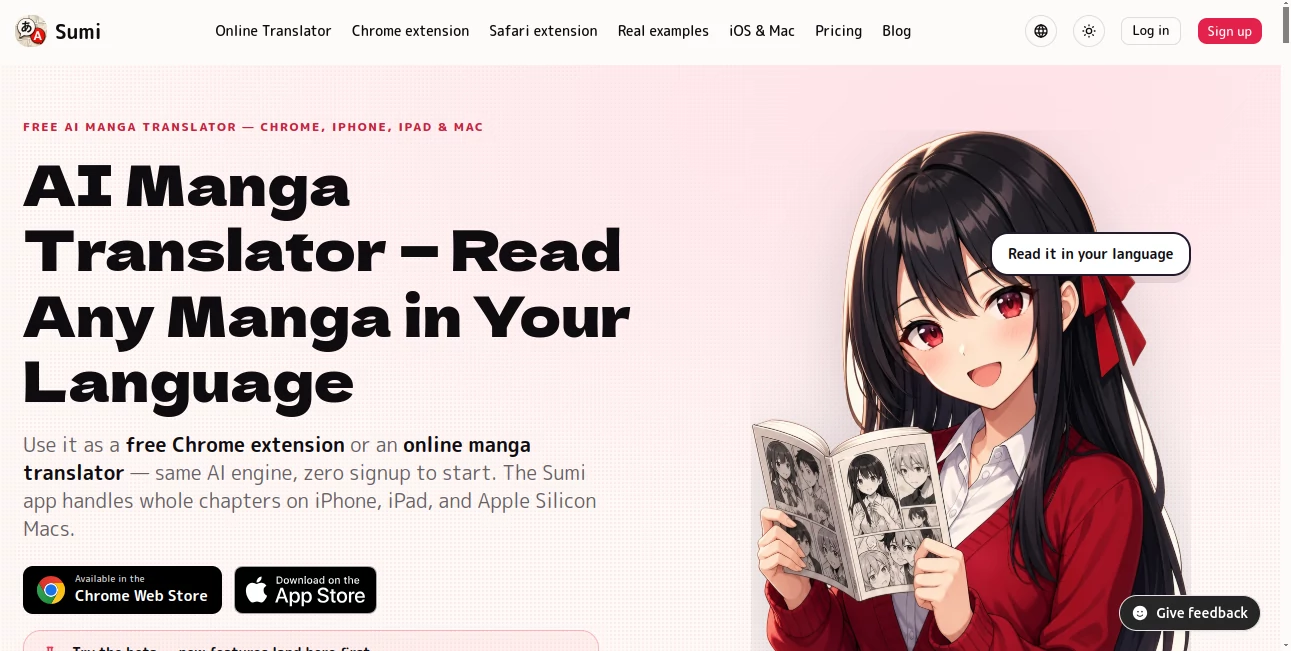
What is Sumi?
Reading manga in another language can be frustrating when the story is easy to follow but the dialogue is not. Sumi takes a practical approach to that problem by translating manga pages directly inside the artwork. Instead of placing translation boxes over the original panels, it removes the existing lettering and re-typesets the translated text where the original text appeared.
The service works through a browser extension and an online translator, while its Apple apps are designed for reading complete chapters. It supports Japanese, Korean, and Chinese source material, making it useful for manga, manhwa, manhua, and other illustrated formats. Readers can bring their own legally obtained pages or chapters and translate them into their preferred language.
Key Features
- AI-powered manga translation directly inside comic artwork.
- Translation for Japanese, Chinese, and Korean source text.
- Support for manga, manhwa, manhua, and long vertical webtoons.
- Original lettering can be erased and replaced with translated text.
- Native vertical typesetting for Japanese, Chinese, and Korean text.
- Chrome extension for translating pages directly in the browser.
- Online page translator for quick translations without an account.
- Whole-chapter importing on iPhone and iPad.
- Support for PDF, ZIP, CBZ, image folders, and photos in the Apple app.
- Offline translation on supported iPhone and iPad devices.
- Different translation models can be selected through the model lab.
User Interface
The interface is designed around the way manga readers already work. In the browser, a reader can translate the page they are currently viewing without having to move the content into a complicated editor. For users with complete chapters, the Apple app provides a library and dedicated reading experience instead of treating every page as a separate translation task.
The visual result is one of the strongest parts of the experience. Rather than leaving a large blank rectangle where the original lettering was, translated dialogue is positioned back into the artwork. This makes the finished page feel much closer to the original design.
Accuracy & Performance
Translation quality depends on the source artwork, lettering, language pair, and complexity of the page, but the system is built around several stages rather than simply translating a block of extracted text. It identifies the lettering, reads the original, translates it, removes the source text, and then places the translated wording back into the artwork.
Vertical Japanese, Chinese, and Korean text is particularly important for comics because conventional horizontal translation can make tall speech bubbles look awkward. The dedicated vertical typesetting support helps preserve the reading direction and visual structure of these pages.
The service states that its web translation system has been tested on 110 real manga sites. Users can also choose between different models when using supported offline functionality, allowing them to favor speed for larger reading sessions or quality when a page requires more attention.
Capabilities
The tool is more than a simple image translator. Its browser-based workflow is aimed at people who want to translate the page they are already reading, while the Apple applications extend the experience to complete chapters and personal libraries.
For webtoon readers, the continuous vertical reader is another useful addition. Long Korean, Chinese, or Japanese strips can be read from top to bottom without forcing the content into a conventional page-by-page layout. Readers can also tap individual bubbles to compare the original wording or make corrections when necessary.
Offline translation is available on iPhone and iPad after downloading the required model pack. This can be especially convenient for reading while travelling or in places without a reliable internet connection.
Security & Privacy
Privacy is an important part of the product's approach. The service does not host or crawl manga and is designed around content supplied by the reader. Its website states that the browser workflow only processes the page selected by the user and does not collect browsing history.
On iPhone and iPad, supported translation can run entirely on the device after the necessary models have been downloaded. This means the translation process can take place locally rather than sending the selected pages away for processing.
Readers should still make sure that the manga, webtoon, images, or chapters they import are legally obtained and that their use complies with the applicable copyright rules.
Use Cases
Reading untranslated manga: Readers who find interesting Japanese, Korean, or Chinese manga can translate pages without waiting for an official translation.
Following webtoons: The vertical reader makes the service suitable for long-form manhwa and webtoon pages that are designed to be scrolled from top to bottom.
Learning Japanese: Readers studying Japanese can compare the original dialogue with its translation and use the built-in dictionary and flashcard-oriented workflow to examine unfamiliar words.
Travelling and offline reading: Users with an iPhone or iPad can download the required models and translate supported content without relying on a continuous internet connection.
Translating personal collections: People with legally obtained PDF, ZIP, CBZ, image folders, or photographs can bring their own chapters into the supported apps and read them in another language.
Pros and Cons
Pros
- Translations are integrated directly into the artwork.
- Strong focus on manga and comic-specific layouts.
- Supports Japanese, Chinese, and Korean source text.
- Handles vertical CJK typesetting instead of forcing everything into horizontal text.
- Chrome extension makes browser-based translation convenient.
- Whole-chapter reading is available on Apple devices.
- Offline processing is available on supported iPhone and iPad workflows.
- Offers free pages so new users can test the experience before paying.
Cons
- Translation results can still vary depending on image quality and lettering.
- The full reading experience is more closely integrated with Apple devices for users who want offline chapter translation.
- The web subscription and iOS app purchasing options are separate.
- Users need to provide their own legally obtained manga or comic content.
Pricing Plans
The web translator and Chrome extension offer a free way to test the service before committing to a paid plan. A page can be translated without an account, followed by additional free pages after signing up.
The Pro plan costs $6.99 per month and provides up to 1,500 pages every 30 days across the online translator and Chrome extension. The yearly option is billed at $59.99, equivalent to $5 per month, and includes the same monthly page allowance. The website also advertises a three-day free trial for the yearly option.
The iPhone and iPad experience has separate pricing from the web subscription. This separation is worth keeping in mind when choosing the version that best fits your reading habits.
How to Use the Tool
Start by opening a manga page you are legally allowed to use. For browser reading, the Chrome extension can translate the page directly where you are reading it. Alternatively, the online translator allows you to upload a JPEG, PNG, or WebP page.
Choose the target language and start the translation. The system identifies the original lettering, reads it, translates the detected text, removes the original lettering, and places the translated version back into the artwork.
If you want to work with complete chapters, use the supported Apple application and import your PDF, ZIP, CBZ, image folder, or photos. Once the necessary models are available, supported devices can perform translation locally for offline reading.
Comparison with Similar Tools
Many general image translation services are built to translate signs, documents, screenshots, or ordinary photographs. They can be useful for individual pieces of text, but manga introduces a different set of problems: speech bubbles, sound effects, unusual fonts, vertical writing, complex backgrounds, and carefully positioned lettering.
This solution stands out by treating the comic page as a reading format rather than simply an image containing text. Its focus on removing original lettering, preserving artwork, supporting vertical CJK text, and providing dedicated manga and webtoon reading modes gives it a more specialized purpose than a conventional image translator.
For someone who only needs to translate an occasional screenshot, a general translation service may be enough. For a reader who regularly works through manga or webtoons, the dedicated workflow is considerably more appealing.
Conclusion
For manga readers, translation quality is only part of the experience. The translated words also need to sit naturally inside the artwork without destroying the layout that makes the page readable. This service addresses that detail unusually well by combining text detection, translation, lettering removal, and re-typesetting in a workflow built specifically around comics.
The browser extension is a convenient starting point for occasional reading, while the Apple apps make more sense for people with complete chapters or larger personal collections. Add offline processing, vertical CJK support, webtoon reading, and model selection, and the result is a focused solution for readers who want to experience manga and related formats in their own language.
Frequently Asked Questions (FAQ)
What languages can be translated?
The service supports manga and comic content originating in Japanese, Chinese, and Korean, with multiple target languages available for translation.
Can it translate webtoons?
Yes. It supports long vertical webtoon layouts as well as traditional paged manga and manhwa formats.
Does it replace the original text?
Yes. The system is designed to erase the original lettering and re-typeset the translated text in its place rather than simply placing a white translation box over the artwork.
Can I translate manga directly in my browser?
Yes. The Chrome extension can translate the manga page currently open in the browser, and an online translator is also available for uploading individual pages.
Can I translate complete chapters?
Yes. The supported iPhone and iPad workflow allows users to import complete chapters using formats such as PDF, ZIP, CBZ, image folders, and photos.
Does translation work offline?
Supported iPhone and iPad functionality can perform translation entirely on the device after the required model pack has been downloaded.
Is there a free option?
Yes. Users can try a page in the browser without an account and receive additional free pages after signing up. The exact free allowance can change as the service is updated.
How much does the Pro plan cost?
The web and Chrome Pro plan is listed at $6.99 per month for up to 1,500 pages every 30 days. A yearly option is listed at $59.99.
Does the service host manga?
No. The service states that it does not host or crawl manga. Users are expected to provide their own legally obtained chapters or pages.
Can I compare the translation with the original?
Yes. Individual translated bubbles can be inspected so readers can compare the original wording and, where supported, adjust a translated line.