

















TimedSubs
What is TimedSubs?
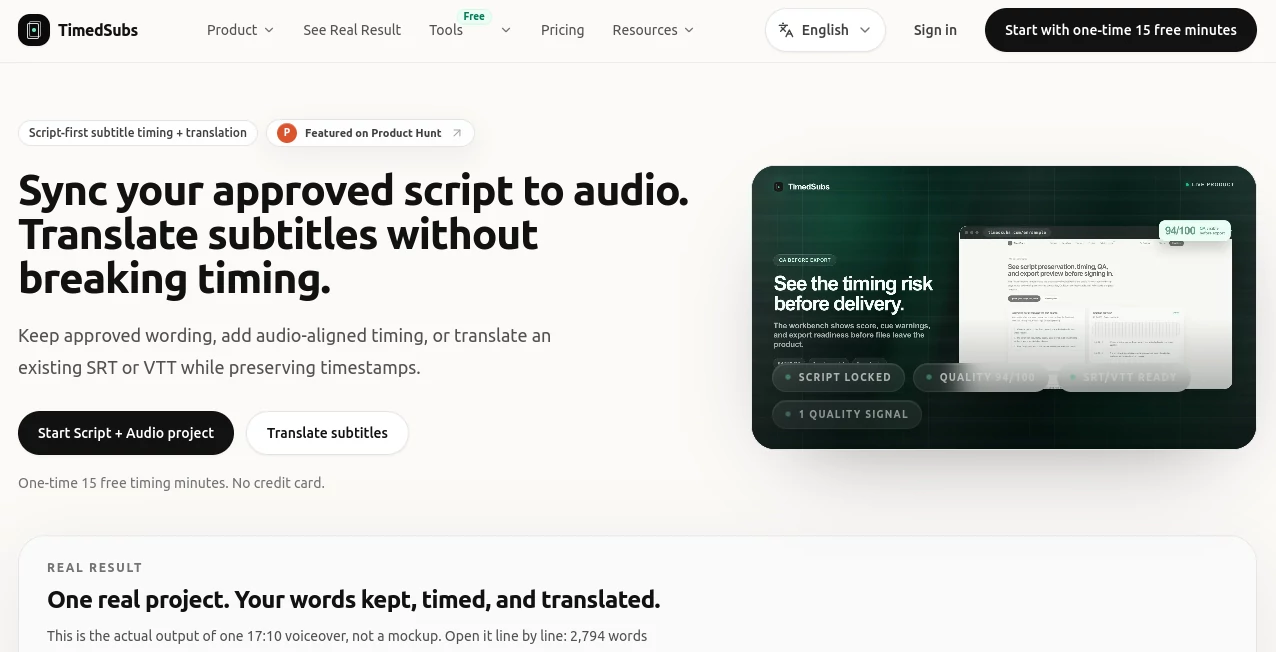
TimedSubs is built for a very specific subtitle problem: you already have the words you want, but you need those words turned into properly timed subtitle files. Instead of asking speech recognition to recreate an approved script, the platform uses the supplied script as the source of truth and aligns it with the matching voiceover.
This approach is particularly useful for creators, course publishers, video teams, editors, and localization workflows where names, numbers, terminology, and approved wording need to remain intact. The result is a practical subtitle workflow that focuses on timing, quality checks, and delivery rather than producing another rough transcript.
The platform also supports subtitle translation while keeping the original timing in place. That makes it useful when a finished subtitle file needs to be prepared for additional languages without rebuilding the timeline from scratch.
Key Features
- Script-to-audio subtitle timing using an approved script and matching voiceover.
- Source-locked wording that keeps the submitted text authoritative.
- Subtitle translation with timestamps preserved.
- Support for SRT, VTT, SBV, ASS, timecoded TXT, JSON, and ZIP exports depending on the plan.
- Quality checks for problematic timing, including overlaps, invalid timestamps, and negative durations.
- Glossary and protected-term features on eligible subscription plans.
- Batch and ZIP delivery features for recurring publishing workflows.
- API access through eligible plans and private-beta availability.
- Free browser-based subtitle checking and conversion utilities for existing subtitle files.
User Interface
The workflow is deliberately straightforward. Users can start with their finished script and matching audio, move through timing and quality checks, and then prepare the resulting subtitle files for delivery. There is little reason to hunt through a complicated editing interface when the main job is subtitle synchronization.
The separate subtitle tools are equally practical. Existing SRT or VTT files can be checked or converted in the browser, while the main workflow handles projects where timing needs to be created from approved text and audio.
Accuracy & Performance
The strongest part of the workflow is its source-preserving design. The submitted script remains the reference instead of being replaced by a newly generated transcript. Speech recognition is used to support timing checks and identify places where the recording may differ from the supplied wording.
The platform also makes delivery problems visible before export. This is valuable for production work because a subtitle file that looks fine at first glance can still contain overlapping cues, invalid timestamps, negative durations, or readability problems.
A published sample demonstrates the workflow on a 17-minute voiceover containing 2,794 preserved words and 370 timed subtitle lines. The example gives users a concrete way to inspect the kind of output they can expect rather than relying solely on promotional screenshots.
Capabilities
The core capability is turning an approved script and matching voiceover into timed subtitle assets. The workflow can then produce several common subtitle formats for use with video platforms, editors, and downstream production systems.
For localization, existing SRT, VTT, or ASS files can be translated while their timing remains fixed. The service currently offers more than 100 target languages across its translation options, with a smaller group of languages receiving its higher-precision translation workflow.
Recurring plans add features aimed at larger workloads, including more translation capacity, glossary sets, protected terminology, enhanced translation quality, quality reports, ZIP handoff, larger project capacity, and API access for eligible workspaces.
Security & Privacy
Privacy matters when subtitle projects contain unpublished courses, marketing videos, client recordings, or internal material. The service explains that uploaded scripts and audio are used to create subtitle timing, quality-check results, and exports for the user's workspace.
Project files and generated assets may remain in application storage until the user deletes the project or requests assistance. Users working with confidential production material should therefore review the privacy policy and storage terms before uploading sensitive files.
Use Cases
- YouTube and video creators: Turn finished scripts and voiceovers into subtitle files ready for publishing.
- Online courses: Create synchronized captions for lessons without asking an automatic transcription system to rewrite the approved course script.
- Marketing teams: Keep product names, campaign terminology, prices, and other important wording consistent in video subtitles.
- Localization teams: Translate existing subtitle files while retaining the original timeline.
- Video editors: Prepare SRT, VTT, ASS, and other subtitle assets for downstream editing and delivery.
- Agencies: Use recurring capacity, glossary controls, quality reporting, and workflow automation for client projects.
- Podcasters and publishers: Convert prepared spoken content into timed subtitle assets for video versions of their work.
Pros and Cons
Pros
- Keeps approved script wording as the source of truth.
- Designed specifically around subtitle timing rather than generic transcription.
- Provides useful delivery and timing quality checks.
- Supports multiple widely used subtitle formats.
- Subtitle translation preserves the existing timeline.
- Offers one-time purchasing for occasional timing projects.
- Includes free browser-based subtitle checking and conversion tools.
- Higher plans provide glossary, batch delivery, and API-oriented capabilities.
Cons
- The main timing workflow requires a finished script and matching voiceover, so it is not intended to replace every form of automatic transcription.
- Advanced features such as API access, team-oriented workflows, and enhanced translation capabilities are reserved for eligible subscription plans.
- Users working with completely unscripted recordings may need a conventional transcription workflow before using the source-locked timing approach.
Pricing Plans
A useful advantage is the choice between occasional use and recurring production. New users receive 15 free timing minutes without needing a credit card to test the workflow.
The pay-as-you-go timing option starts at $6 for 60 timing minutes, with no automatic renewal and no expiry on purchased minutes. Timing is measured from the voiceover audio, with each file rounded up to the next minute.
For recurring work, the Creator plan is listed at $12 per month when billed yearly and includes 300 minutes of script-and-audio timing each month, subtitle exports, translation capacity, glossary support, and room for up to 20 projects. The Studio plan is listed at $29.50 per month when billed yearly and raises the monthly timing allowance to 1,200 minutes while adding larger translation capacity, more glossary sets, enhanced translation quality, quality reports, ZIP handoff, and private-beta API access.
There is also a one-time subtitle translation option starting at $3 for 100 converted minutes when available. A converted minute is calculated according to the source duration and target language, making the pricing model relatively easy to understand for multilingual projects.
How to Use the Platform
- Prepare the final script and its matching voiceover audio.
- Start a Script + Audio project and upload the required files.
- Let the system align the spoken audio with the submitted wording.
- Review timing and quality information before exporting.
- Resolve any delivery-blocking issues that appear during the checks.
- Choose the subtitle format required by your editor, platform, or client.
- Download the finished subtitle asset and continue with your normal video workflow.
For an existing subtitle file, the process is even simpler: upload an SRT, VTT, or ASS file, select the target language when using the translation workflow, review the result, and export the translated subtitle file while keeping its timing intact.
Comparison with Similar Tools
The biggest distinction is the workflow philosophy. Traditional automatic captioning tools are generally designed to listen to audio and generate text. That is convenient when there is no transcript, but it can introduce unwanted changes to names, numbers, terminology, or carefully approved wording.
This platform takes the opposite route when a trusted script already exists. The text is supplied first, the audio provides the timing evidence, and quality checks help identify problems before delivery. For someone creating a quick first draft from an unscripted recording, a conventional captioning service may be more appropriate. For a finished production where the exact wording matters, a script-first workflow can be considerably more useful.
Its translation workflow also differs from ordinary text translation because the subtitle timeline remains part of the asset. That matters when a translated sentence becomes longer and could otherwise create readability or synchronization problems.
Conclusion
For creators and production teams who already know exactly what their video should say, this platform solves a narrower problem unusually well: turning trusted words and finished audio into usable subtitle assets without casually rewriting the source material.
The combination of script preservation, audio-aligned timing, delivery checks, multiple export formats, subtitle translation, and optional workflow features gives it a clear place in a professional publishing process. The free timing allowance also makes it easy to test the approach before committing to a paid plan.
If your biggest subtitle headache is not writing captions but getting an approved script synchronized, checked, translated, and delivered in the right format, this is a workflow worth considering.
Frequently Asked Questions (FAQ)
Can I create an SRT from a finished script and voiceover?
Yes. Upload the approved script together with the matching voiceover, and the workflow adds audio-aligned timing while keeping the submitted wording as the source of truth.
Will the platform rewrite my script?
No. The uploaded script remains unchanged. Speech recognition supports timing verification and can flag areas where the spoken recording may not match the submitted text.
Which subtitle formats can I export?
Depending on the plan, available exports include SRT, VTT, SBV, ASS, timecoded TXT, JSON, and ZIP.
Can I translate existing subtitles?
Yes. Existing SRT, VTT, and ASS files can be translated while their subtitle timing is preserved. Translation capacity and advanced language features depend on the selected plan.
Does it work without a subscription?
Yes. New users receive 15 free timing minutes, and one-time timing packs are available for occasional projects. There is also a one-time translation option when available.
Can I check an existing SRT or VTT file?
Yes. The free subtitle checker can inspect SRT and VTT files for structural problems, overlaps, negative timing, long lines, high reading speed, and problematic line breaks. The browser-based checker does not upload the file during validation.
Is API access available?
API access is available through eligible Studio and Agency workspaces as a private-beta feature. It can support project creation, uploads, processing, exports, usage information, and event notifications.
Who is this platform best suited for?
It is especially suitable for creators, course publishers, editors, agencies, localization teams, and businesses that already have approved scripts and need reliable subtitle timing and delivery rather than another automatically generated transcript.