


















Mantle
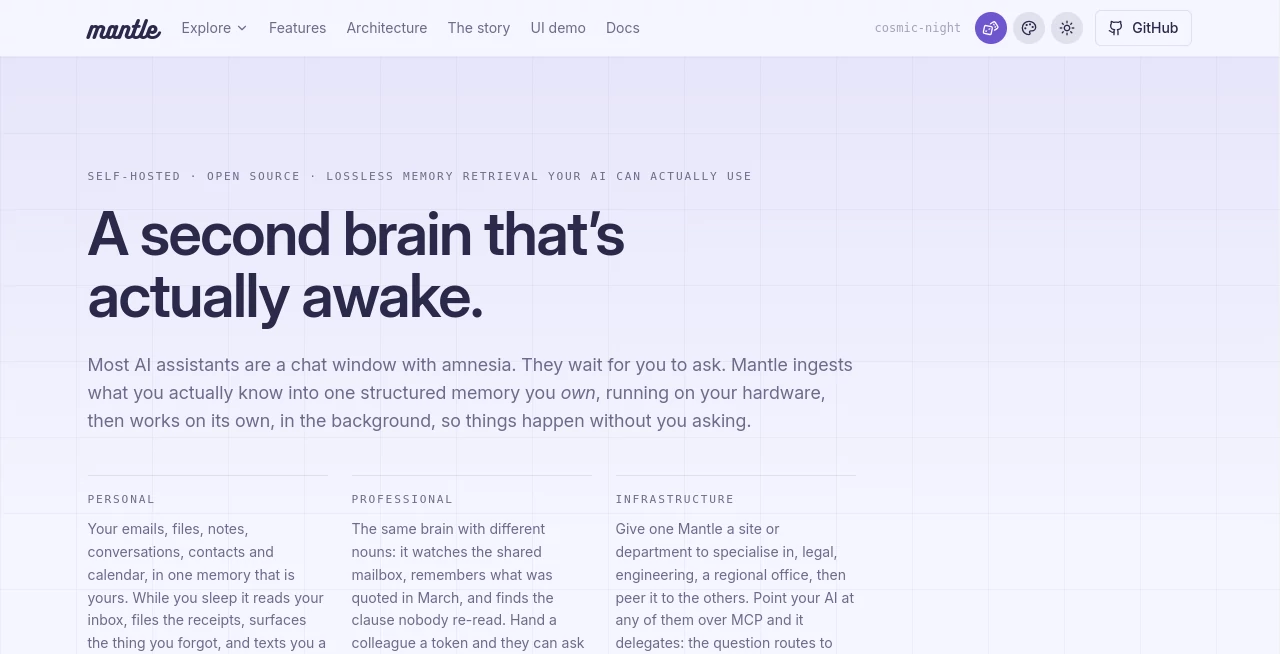
What is Mantle?
Most AI assistants are useful when you remember to ask them something. This tool takes a different approach. It is designed as a self-hosted personal or team knowledge system that can continuously learn from the information you already work with, including emails, files, notes, conversations, contacts, calendars, and business documents.
Instead of treating every conversation as a fresh start, the platform builds a persistent memory around your information. It can search through stored knowledge, connect related facts, retrieve relevant passages, and use that context to provide more grounded answers. Because it is self-hosted, your data can remain on hardware you control rather than living inside another company's SaaS environment.
What makes the concept particularly interesting is its proactive behavior. Scheduled routines, called heartbeats, allow the assistant to perform tasks in the background rather than waiting for a prompt. For example, it can monitor an inbox, process incoming information, organize receipts, or prepare a briefing based on activity while you are away.
For individuals, this can feel like a long-term digital memory. For teams, it can become a shared working brain containing documentation, contracts, proposals, notes, files, and operational knowledge. The architecture also allows separate knowledge domains to communicate through explicit permissions, which is useful when different departments should not have unrestricted access to one another's information.
Key Features
- Self-hosted architecture with no SaaS runtime dependency
- Six-layer memory system covering conversations, facts, content, and relationships
- Knowledge graph for connecting people, organizations, documents, and other entities
- Semantic and passage-level search across stored information
- MCP support with 149 tools on the live production system
- Integration with email, Microsoft 365, SharePoint, OneDrive, Telegram, files, voice, and calendars
- Background agent routines through scheduled heartbeats
- Persistent assistant personality that learns from conversations
- Notion-style pages, tables, notes, todos, contacts, and events
- Built-in API tooling that can create new integrations from API documentation
- Team access through tokenized, read-only conversations
- Federation between separate installations with explicitly granted access
- Live activity trails showing searches, reads, tool calls, and model operations
- Local embedding support so vector data can remain on your own hardware
User Interface
The interface is built around a web application, but chat is only one entry point. Users can work with files, notes, pages, tables, todos, contacts, events, inboxes, and other stored information from the same environment. Conversations can stream responses token by token while showing a live activity trail that explains which information is being searched or read.
The experience is especially appealing for people who dislike waiting behind an unexplained loading screen. A response can show that it is searching a particular document, checking a table, or reading a relevant email before producing the final answer. A running task can also survive a browser refresh or a temporary connection loss because the underlying workflow continues on the server.
Accuracy & Performance
Retrieval is designed to be selective rather than simply placing an entire knowledge base into every prompt. The system considers factors such as relevance, recency, and salience to retrieve the information most useful for a particular question. When a summary is not sufficient, a specialist can retrieve the actual wording from an earlier conversation.
The production figures published by the project provide some useful context. Its documentation reports an average cost of approximately $0.09 for a full question-and-answer turn against the whole brain, while a month of real daily usage on the author's production instance stayed below $5 in LLM spending. These figures are usage-dependent rather than guaranteed prices.
The project also reports 2,842 automated tests, six active memory layers, 149 MCP tools, and locally calculated embeddings. These measurements give prospective users more concrete information than generic claims about performance.
Capabilities
The platform goes considerably beyond document search. It can work with conversations, emails, files, voice notes, calendars, tables, pages, contacts, and structured information. Its knowledge graph adds another layer by connecting relationships between entities without requiring a separate graph database.
One of the more unusual capabilities is the built-in Toolsmith agent. Instead of waiting for developers to create an integration, a user can provide API documentation and let the system create, test, and prepare tools for that service. This opens the door to connecting the assistant with services such as mapping, weather, accounting, or other APIs without building every integration manually.
The MCP layer is another major strength. It exposes the stored knowledge and functions to compatible clients, allowing an external AI client to search the knowledge graph, access documents, work with pages and tables, and interact with other capabilities through a standardized interface.
Security & Privacy
Privacy is one of the strongest reasons to consider this approach. The software is self-hosted, meaning the runtime can operate on infrastructure controlled by the user. Embeddings can be generated locally, keeping the resulting vectors on the same machine instead of sending them to an external embedding service.
Sensitive secrets are protected using AES-256-GCM encryption, and the project describes its architecture as preventing the extraction system from reading those secrets. Backups can also be managed using the user's own storage infrastructure, making the complete installation portable.
The project also takes prompt injection seriously. Ingested emails, web pages, and messages are treated as data rather than instructions. Tools created by agents can remain confirmation-gated until approved, outbound email is restricted to the user's own contacts, and web fetching is prevented from reaching private or cloud-metadata addresses.
For teams, access is based on explicit grants rather than simply putting everyone inside one shared database. Separate installations can exchange specifically authorized information, while cross-brain reads are audited. This approach can be useful for organizations that need clear boundaries between areas such as engineering, sales, finance, and legal.
Use Cases
- Personal knowledge management: Store emails, files, notes, contacts, conversations, and personal information in one searchable memory.
- Team knowledge: Give a team a shared source of documentation, notes, proposals, and operational information without requiring every collaborator to maintain their own copy.
- Company documentation: Index manuals, internal documentation, contracts, and business knowledge so an AI assistant can retrieve specific passages when answering questions.
- Customer support: Connect internal documentation and knowledge to an MCP-compatible assistant for more grounded answers.
- Engineering teams: Keep code-related documentation, runbooks, incident history, and architecture decisions accessible through one knowledge layer.
- Sales operations: Search proposals, call notes, quotes, customer information, and historical conversations from a persistent knowledge base.
- Finance and legal: Maintain separate knowledge domains for sensitive documents and only grant access to information that another department actually needs.
- AI agents: Provide external AI clients with persistent memory, tools, documents, and structured data through MCP.
- API automation: Turn API documentation into usable assistant tools and allow scheduled routines to use those integrations.
Pros and Cons
Pros
- Self-hosted and designed around user-controlled data
- Persistent memory instead of isolated conversations
- Strong support for structured and unstructured information
- Local embeddings can keep vectors on your own machine
- Powerful MCP interface with a large collection of available tools
- Useful background automation through scheduled heartbeats
- Detailed activity traces make agent actions easier to inspect
- Flexible team permissions and federation between separate installations
- Can create integrations from API documentation
- No conventional monthly SaaS subscription for the self-hosted software
Cons
- Self-hosting requires some technical knowledge, particularly around Docker and server administration
- Users are responsible for their own infrastructure, backups, and operational maintenance
- LLM usage can still create external model costs depending on the configuration
- The architecture may be more sophisticated than necessary for someone who only wants a basic AI chatbot
- Commercial use cases involving embedding the software into another product or offering it as a service require attention to the licensing terms
Pricing Plans
This is self-hosted software rather than a conventional hosted AI service. There is no standard monthly subscription or account signup required to run the software. Users can install it on their own machine or server and provide the required model and service credentials during setup.
The project is distributed under the Functional Source License 1.1 with a future MIT conversion. The public license permits use, self-hosting, and modification for purposes that do not fall under the defined Competing Use restrictions. Embedding the software into a commercial product or offering it as a service requires a commercial license.
It is also worth separating software cost from AI usage cost. While locally generated embeddings can cost nothing in API fees, the language models and other external services selected by the user may introduce their own usage charges.
How to Use
Getting started is aimed at users comfortable with self-hosted software. The recommended installation uses Docker and can be launched with the project's installation script. The installer checks Docker, creates the required secrets, downloads the published image, and starts the application stack.
After installation, the web interface can be opened through the server's IP address or a configured domain. An onboarding process then helps connect the required AI services. Users who want embeddings to remain completely local can enable the local embedding option.
Once the system is running, information can be brought in from supported sources such as email, Microsoft 365, Telegram, files, voice, notes, and calendars. The knowledge layer indexes that information so future questions can be answered using relevant stored context.
More advanced users can connect external services through MCP or use the Toolsmith workflow to build new API-based tools. For teams, access tokens can be issued to collaborators, while separate installations can be connected through explicit data grants.
Comparison with Similar Tools
The main difference between this approach and a typical cloud AI assistant is where the product's center of gravity sits. Traditional assistants generally make the conversation interface the primary experience, while persistent knowledge and integrations are added around it. Here, the underlying memory system is the product and chat acts as one of several ways to access it.
It also differs from conventional knowledge-base applications. Rather than simply indexing documents and returning search results, the system combines retrieval with an autonomous agent, scheduled routines, structured data, a knowledge graph, API tools, and persistent personality.
For a developer, the MCP interface makes the platform particularly interesting because an external compatible client can access the same underlying knowledge and tools. For a privacy-conscious individual or organization, the self-hosted architecture provides considerably more control than a standard hosted assistant.
Conclusion
This is an ambitious take on what a personal or organizational AI assistant can become. Its strongest idea is simple: useful AI should remember the information that matters and be able to work with it even when nobody is actively typing a prompt.
The combination of persistent memory, structured knowledge, autonomous routines, MCP support, API tooling, and self-hosting makes the platform especially compelling for developers, technical users, privacy-conscious individuals, and teams with large amounts of internal information.
It is not the easiest choice for someone looking for a ready-made chatbot with zero setup. That is also the point. For users willing to run their own infrastructure, the result is a much more controllable AI environment where the data, memory, integrations, and automation can live under their own roof.
Frequently Asked Questions (FAQ)
Is this a hosted AI service?
No. The software is designed to be self-hosted. You install and run it on your own machine or server rather than signing up for a conventional hosted subscription.
Can it remember previous conversations?
Yes. Its memory architecture includes recent conversations, digests, durable profile facts, indexed content, original content storage, and a knowledge graph. It can also retrieve the original wording of earlier conversations when a summary is not enough.
Can it connect to external APIs?
Yes. Its Toolsmith agent can use API documentation to create and test new tools. Those tools can then become available to the assistant and scheduled routines.
Does it support MCP?
Yes. The system exposes its knowledge and capabilities through MCP, including search, graph traversal, files, pages, tables, email, application building, and approval workflows.
Can embeddings be processed locally?
Yes. A local embedding option is available, allowing vector embeddings to be calculated on the user's own hardware rather than relying on an external embedding provider.
Can multiple people use the same knowledge base?
Yes. Team members can receive access tokens that provide controlled, read-only conversations with the shared brain. Access can be audited, rate-limited, and revoked.
Is it suitable for sensitive business information?
It is designed with self-hosting, encrypted secrets, explicit data grants, audit trails, and prompt-injection protections in mind. Organizations should still evaluate their own infrastructure, configuration, threat model, and compliance requirements before storing sensitive information.
Does it have a monthly subscription?
There is no conventional hosted subscription for the self-hosted software. However, users may still incur costs from the AI models or external services they choose to connect.
AI Knowledge Management , AI Productivity Tools , AI Knowledge Base , AI Developer Tools .
These classifications represent its core capabilities and areas of application. For related tools, explore the linked categories above.

Mantle Alternatives Product
Timestamp Ro…

Weekly Brief

FINIITE AI

Firefox

AiZolo

BulkPicTools
Dedoctive

Agent Grid

DemoDash
