Mate
What is Mate?
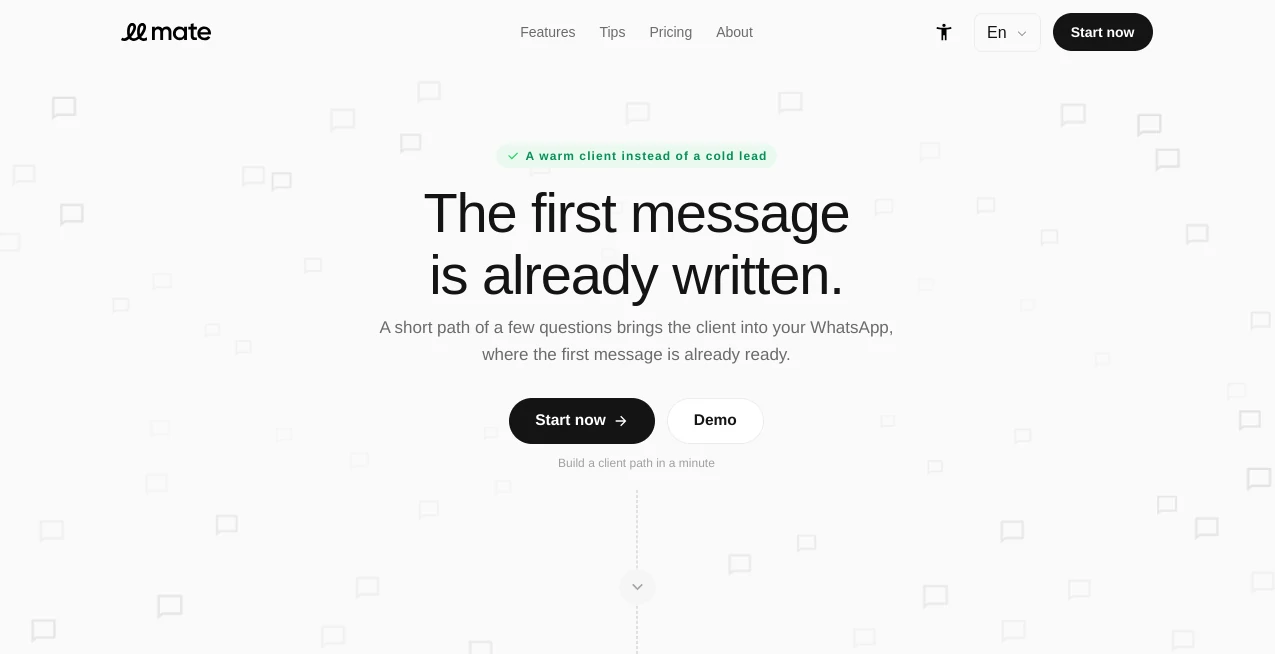
Mate takes a different approach to lead generation. Instead of sending potential customers through a long form and waiting for someone to follow up, it guides them through a short sequence of questions and ends the journey inside a real conversation. The idea is simple: help people understand what they need, then make it easy for them to say it.
The experience is particularly useful for businesses that rely on messaging to turn interest into sales. A visitor can answer a few questions, choose relevant options, and even select a suitable date when needed. Once the path is complete, their answers are turned into a ready-to-send opening message, making the transition from visitor to conversation much smoother.
For a small business running advertising campaigns, this can be a practical alternative to traditional lead forms. Instead of receiving another cold contact record with limited context, the business can start with a customer who has already explained what they are looking for.
Key Features
- AI-assisted creation of customer paths from a short business description.
- Branching questions that appear according to previous answers.
- Multi-select questions for situations where branching is unnecessary.
- Automatic summaries based only on the answers selected by the visitor.
- Ready-to-send opening messages generated from the completed path.
- Support for WhatsApp, Telegram, and iMessage.
- Optional calendar steps for customers who need to choose a date.
- Custom landing screens with a cover image, logo, and offer.
- Gift or reward options for visitors who complete a path.
- Reports and analytics for monitoring customer paths.
- Machine-readable path schemas designed to work with AI agents.
- Unlimited messages across the available plans.
User Interface
The interface is built around a straightforward step-by-step experience. Businesses create questions and connect answers to additional branches when necessary, while visitors see only the parts of the path that apply to them. This keeps the interaction focused instead of presenting every possible question at once.
The builder also handles the beginning and end of the experience, allowing the business to concentrate mainly on the questions. The result is closer to a guided customer journey than a conventional form.
Accuracy & Performance
The main strength here is not simply collecting answers but preserving their context. As visitors move through a path, the final summary is built from the route they actually followed, without adding responses from branches they never selected.
The AI-assisted setup can also reduce the time needed to create a first version. A business owner can describe the company in a few lines and receive a draft containing questions, a cover, and a finishing step. From there, the path can be adjusted to match the actual sales process.
Capabilities
The platform is well suited to businesses where the first customer interaction happens through messaging. A real estate company, for example, could ask whether someone wants to buy, rent, or sell, collect a few relevant preferences, ask about a viewing date, and then send the resulting request directly into a messaging conversation.
Branching is another useful capability. A question can appear only after a particular answer is selected, allowing businesses to build detailed customer journeys without requiring traditional conditional logic or programming.
There is also an interesting layer for AI agents. Published paths can provide a machine-readable schema, allowing agentic systems to understand and navigate the customer journey programmatically before handing the prepared conversation to a person.
Security & Privacy
Because the service is designed around customer conversations and business inquiries, privacy is an important consideration before deployment. Businesses should review the platform's current privacy policy and determine whether the information collected through their paths is appropriate for their particular customers and industry.
It is also sensible to keep questions focused on information genuinely needed to start the conversation. A shorter path is not only easier for customers to complete; it can also reduce unnecessary data collection.
Use Cases
- Lead Generation: Turn advertising traffic into qualified conversations instead of passive form submissions.
- Real Estate: Ask about buying, renting, selling, property preferences, budget, and viewing dates before opening a conversation.
- Agencies: Create different customer paths for different services or advertising campaigns.
- Consulting: Collect the basic details needed to understand a prospect before the first discussion.
- Local Services: Guide customers through service requirements and move them directly into messaging.
- Sales Teams: Give representatives a clearer starting point for conversations with prospects.
- Campaign Landing Pages: Replace static forms with interactive paths connected to specific campaigns.
- AI-Agent Workflows: Make customer paths understandable to machine-based agents while retaining a human conversation at the end.
Pros and Cons
Pros
- Simple concept that connects lead qualification directly with messaging.
- AI can create a starting path from a short description of the business.
- Branching can be created without coding.
- Supports multiple messaging channels.
- Automatically prepares the first customer message.
- Unlimited messages are included in all listed plans.
- The free plan is available indefinitely.
- Useful analytics and reporting are included.
- AI-agent compatibility gives the platform an interesting advantage for emerging customer-service workflows.
Cons
- The free plan is limited to one company and one path.
- The free version displays platform branding.
- Businesses that depend heavily on conventional form workflows may need time to adapt to a conversation-first approach.
- The platform is most valuable when the business is prepared to handle customers through messaging channels.
Pricing Plans
The pricing structure is designed to let businesses start without a subscription commitment. The Start plan costs $0 and is available forever. It includes one company, one path, unlimited messages, AI capabilities, reports, and analytics, although the published pages include platform branding.
The Business plan costs $9 per month when billed monthly. It is designed for one business and provides unlimited paths and messages, along with AI capabilities, reports, and analytics. The platform branding is removed.
The White-label plan costs $19 per month when billed monthly and is aimed at agencies and businesses managing multiple brands. It provides unlimited companies, unlimited paths, unlimited messages, AI capabilities, reports, and analytics without platform branding.
An annual billing option is also presented with a 20% saving compared with monthly pricing.
How to Use the Tool
- Create an account and define the business or brand the customer path will represent.
- Describe the business and let the AI-assisted builder prepare an initial customer journey.
- Review the generated questions and adjust them to match the actual sales or service process.
- Add branching questions where different customer answers require different follow-up questions.
- Use multi-select questions when customers can choose several relevant options at once.
- Add a date-selection step when scheduling or appointments are part of the process.
- Customize the opening screen with the appropriate cover image, logo, and offer.
- Review the final summary and ready-to-send message.
- Publish the path and share its link through advertising campaigns, landing pages, social media, or other channels.
- Monitor reports and analytics to understand how visitors move through the customer journey.
Comparison with Similar Tools
Traditional forms are excellent for collecting structured information, but the interaction usually ends after the visitor presses submit. Quiz builders can create more engaging experiences and use branching, yet they often remain separate from the actual sales conversation.
Chatbot platforms go further by creating conversational interactions, but they can require more configuration and may be designed around automated conversations rather than a short qualification journey that ends with a human.
The approach here sits between these categories. It combines guided questions, conditional paths, automatic message preparation, multiple messaging channels, and a direct transition to a human conversation. For businesses whose sales process naturally starts in WhatsApp, Telegram, or iMessage, that combination can be more practical than adding another conventional form to a landing page.
Conclusion
For businesses that depend on inbound conversations, the gap between a visitor clicking an advertisement and actually starting a useful conversation can be surprisingly costly. Long forms create friction, while generic contact buttons provide little context.
This platform addresses that gap with a focused customer path. Visitors answer only the questions relevant to them, their responses are summarized, and the first message is prepared before they enter the conversation. The result is a more informed starting point for both sides.
The free plan makes it easy to experiment with the concept, while the paid tiers add room for multiple campaigns, brands, and customer journeys. Its support for AI-agent-readable paths also makes the product worth watching as businesses increasingly combine automated discovery with human sales and service.
Frequently Asked Questions (FAQ)
How is this different from a traditional form?
A traditional form primarily collects information and stops there. This approach guides the visitor through a short sequence, summarizes the selected answers, prepares an opening message, and then moves the customer into a messaging conversation.
Which messaging apps are supported?
Customers can choose between WhatsApp, Telegram, and iMessage from the final stage of the journey.
Do I need coding knowledge to create branches?
No. Branches can be created directly from answers in the builder. A follow-up question can be shown only to visitors who selected the relevant answer.
Is there a free plan?
Yes. The Start plan is free forever and includes one company, one path, unlimited messages, AI capabilities, reports, and analytics. The free version includes platform branding.
Can I create multiple customer paths?
The free plan includes one path. Business and White-label plans allow unlimited paths, making it possible to create separate journeys for different services, campaigns, or brands.
Can AI agents use the customer paths?
Yes. Published paths can provide a machine-readable schema that allows AI agents to understand and navigate the journey programmatically before handing the prepared conversation to a human.
AI Lead Generation , AI Forms & Surveys , AI Customer Service Assistant , AI Workflow Management .
These classifications represent its core capabilities and areas of application. For related tools, explore the linked categories above.

Mate Alternatives Product
Fill PDF fro…
Dedoctive

VoiceFlow Te…
Zinng

TruthSpine

Sourcetable

Referent

Supawazap
Distro