


















Claras
What is Claras?
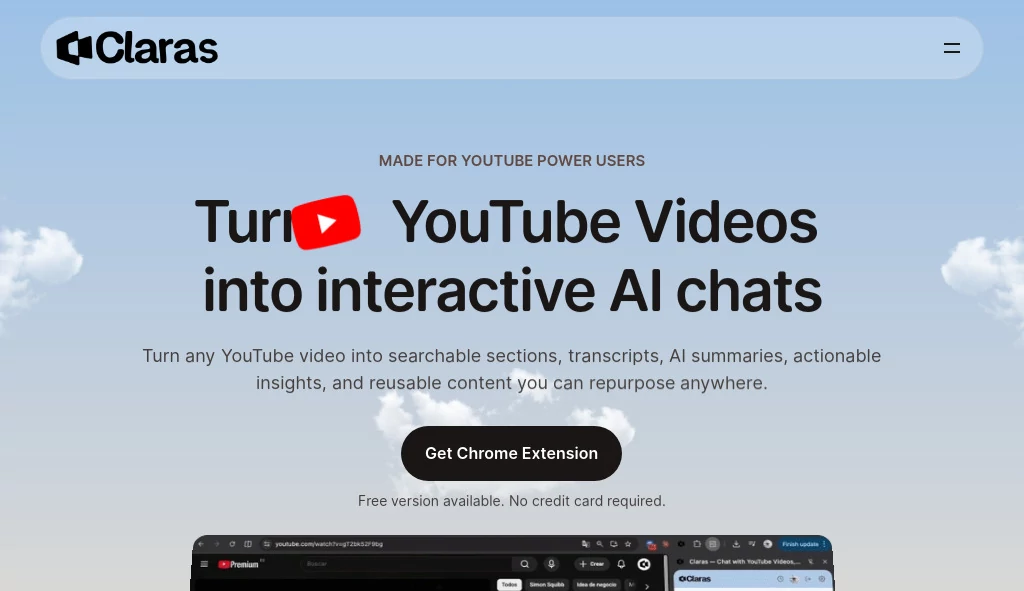
Watching long YouTube videos is not always the most efficient way to learn. Whether you are researching a new topic, reviewing a webinar, or studying educational content, finding the exact information you need can take far longer than expected. This AI-powered Chrome extension transforms that experience by turning videos into searchable knowledge.
Instead of manually skipping through timelines, users receive detailed transcripts, structured summaries, AI-generated chapters with timestamps, and an interactive chat that answers questions about the video's content. It creates a smoother learning experience and helps professionals, students, creators, and researchers extract valuable information in just a few minutes instead of watching an entire video.
Key Features
User Interface
The interface integrates directly into YouTube through a clean side panel that feels like a natural extension of the platform. With a single click, users can analyze a video and immediately access transcripts, chapter navigation, summaries, and AI-powered conversations without leaving the page.
Accuracy & Performance
The platform generates highly detailed transcripts and comprehensive summaries, even for many videos without built-in captions. AI-powered chapter detection makes navigating lengthy educational videos remarkably simple, while responses generated during conversations remain closely connected to the video's actual content.
Capabilities
- Generate complete AI summaries for YouTube videos.
- Create searchable transcripts in seconds.
- Chat with videos using natural language questions.
- Automatically build chapters with timestamps.
- Quickly locate important moments without manual searching.
- Support educational videos, interviews, podcasts, webinars, and tutorials.
- Help researchers gather information faster.
- Reduce learning time by highlighting key insights.
- Organize analyzed videos into a personal library.
- Offer transcript exporting for future reference.
Security & Privacy
User authentication relies on Google OAuth, eliminating the need to store passwords. The service states that user data remains within individual accounts while operating without advertising or behavioral tracking, providing a more focused and privacy-conscious experience.
Use Cases
- Students reviewing online lectures.
- Researchers analyzing interviews and conference presentations.
- Content creators collecting ideas from long-form videos.
- Professionals learning new technical skills.
- Language learners reading transcripts while watching videos.
- Podcast listeners who want searchable written content.
- Teams documenting webinar knowledge.
- Anyone who prefers reading summaries before investing time in lengthy videos.
Pros and Cons
Pros
- Extremely fast video analysis.
- Detailed AI summaries instead of short generic overviews.
- Interactive AI chat improves knowledge discovery.
- Automatic chapter generation saves time.
- Clean Chrome integration.
- Free plan available.
- No advertisements.
Cons
- Designed primarily for Chrome-based browsers.
- Some advanced functionality requires a paid subscription.
- Performance depends on the quality of the original video audio.
Pricing Plans
A permanent free plan allows users to analyze a limited number of videos each day, making it ideal for occasional learning. Premium subscriptions remove these limits and provide unlimited access for regular users who frequently work with YouTube content.
How to Use Claras
Install the Chrome extension and open any YouTube video. Select the AI analysis option, wait a few moments while the video is processed, and explore the generated transcript, chapters, and summary. Ask questions directly inside the built-in chat to locate specific information, clarify concepts, or review important sections without replaying the entire video.
Comparison with Similar Tools
Unlike traditional transcript generators that simply convert speech into text, this solution combines transcription, structured summaries, chapter creation, and conversational AI in one workspace. Instead of forcing users to search manually through thousands of words, it enables natural conversations that make video content feel more like an interactive knowledge base than a passive recording.
Conclusion
For anyone who regularly learns from YouTube, this platform dramatically improves productivity. The combination of intelligent summaries, searchable transcripts, timestamp navigation, and conversational AI transforms lengthy videos into easily accessible knowledge. It is particularly valuable for students, researchers, professionals, and lifelong learners who want to understand more while spending less time searching through content.
Frequently Asked Questions (FAQ)
Can it analyze any YouTube video?
It works with the vast majority of public YouTube videos and can generate transcripts and summaries even when captions are unavailable in many cases.
Is there a free version?
Yes. Users can analyze a limited number of videos each day without providing payment information.
Can I ask questions about a video?
Yes. The integrated AI chat allows users to ask natural language questions and receive answers based on the video's content.
Who benefits the most from this tool?
Students, educators, researchers, professionals, content creators, and anyone who consumes educational YouTube videos regularly.
Does it generate transcripts and summaries together?
Yes. Every analyzed video can include a transcript, structured summary, chapters, timestamps, and an AI-powered conversation interface.
AI YouTube Assistant , AI Summarizer , AI Transcription , AI Productivity Tools .
These classifications represent its core capabilities and areas of application. For related tools, explore the linked categories above.
Claras details
Website unavailable — View Alternatives
Pricing
- Free
Apps
- Web App
- Chrome Extensions
Categories

Claras Alternatives Product

ModelsLab

GetVivix

Online White…

Keepmind
Referent

Period Calcu…

Motion

Graph Maker

Betula AI
