
Meeting Backgrounds
What is Meeting Backgrounds?
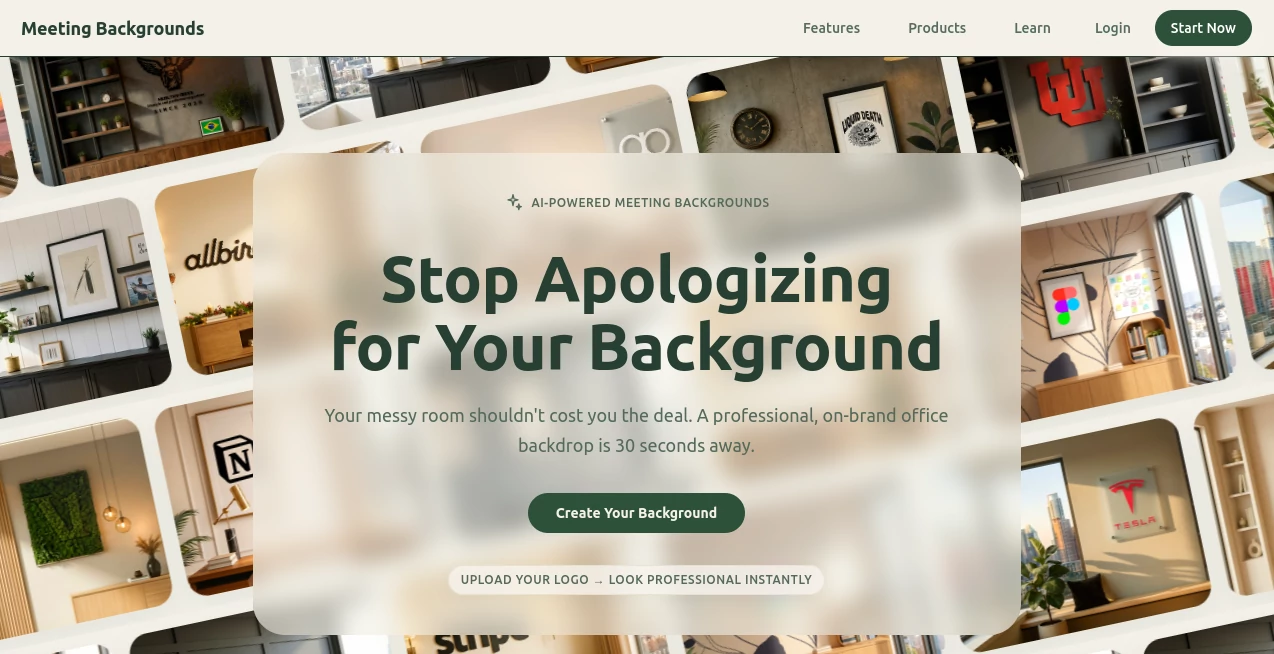
Creating a strong first impression during a video call is no longer optional. Whether you are speaking with clients, presenting to a team, attending interviews, or hosting webinars, the environment behind you influences how others perceive your professionalism. This platform focuses on helping users instantly improve their online presence through a collection of high-quality virtual meeting backgrounds designed specifically for modern video conferencing.
Instead of spending time searching for suitable images or attempting to design custom backgrounds from scratch, users gain access to carefully crafted visuals that work naturally across popular meeting platforms. The result is a polished appearance that helps conversations stay focused on the speaker rather than the surroundings.
For remote workers, freelancers, consultants, educators, and corporate teams, having access to professional virtual environments can make everyday meetings feel more organized, consistent, and engaging.
Key Features
User Interface
The platform offers a clean and straightforward browsing experience. Background collections are organized into themes, making it easy to discover styles that match different professional situations. Users can quickly preview designs and download their preferred options without navigating through unnecessary complexity.
The intuitive layout ensures that even first-time visitors can find suitable backgrounds within minutes.
Accuracy & Performance
All backgrounds are optimized for modern video conferencing environments. High-resolution imagery helps maintain visual quality during calls, reducing the risk of blurry or unprofessional appearances. The designs are created with virtual meeting use in mind, ensuring they look natural behind the speaker rather than distracting participants.
The files are compatible with major conferencing platforms and maintain their appearance across various screen sizes and camera setups.
Capabilities
- Professional virtual office environments
- Modern meeting room backgrounds
- Creative and artistic visual themes
- Home office and workspace settings
- High-definition downloadable assets
- Backgrounds suitable for business and educational use
- Collections designed for different meeting styles and industries
The variety available allows users to select a background that aligns with their personal brand, company image, or the tone of a specific meeting.
Security & Privacy
Virtual backgrounds provide an additional layer of privacy by preventing participants from seeing personal spaces, home environments, or sensitive information visible in the background. This can be particularly valuable for remote professionals who regularly participate in client-facing meetings.
By separating personal surroundings from professional interactions, users can maintain a more controlled and consistent online presence.
Use Cases
- Remote employees attending daily team meetings
- Sales professionals meeting with prospective clients
- Consultants presenting recommendations and reports
- Teachers and trainers conducting online classes
- Recruiters and candidates participating in interviews
- Content creators hosting webinars and live sessions
- Freelancers seeking a more professional virtual workspace
A consultant working from a busy home environment, for example, can instantly transform a casual setting into a sophisticated meeting room, creating a more polished experience for clients.
Pros and Cons
Pros
- Large selection of professional virtual backgrounds
- High-quality visual assets suitable for business use
- Easy download and setup process
- Works with popular video conferencing platforms
- Improves professional appearance during online meetings
- Helps maintain privacy in remote work environments
Cons
- Customization options may be limited compared to fully custom-designed backgrounds
- Visual quality depends partially on camera and lighting conditions
- Some premium collections may require payment
Pricing Plans
The platform offers access to both free and premium background collections. Free options allow users to improve their meeting appearance immediately, while premium collections provide expanded choices, exclusive designs, and higher-value professional packs for users who require additional variety.
This flexible approach makes the service accessible to individual professionals as well as larger teams.
How to Use Meeting Backgrounds
Getting started requires only a few simple steps:
- Browse the available background collections.
- Select a style that matches your meeting goals.
- Download the preferred image.
- Open your video conferencing platform.
- Upload the image as a virtual background.
- Preview the appearance before joining the meeting.
- Start your call with a polished and professional look.
Most users can complete the entire setup process in just a few minutes.
Comparison with Similar Tools
Many virtual background providers focus primarily on novelty or entertainment. In contrast, this platform places greater emphasis on professional presentation, workplace aesthetics, and business-ready environments.
While generic background libraries often contain random or inconsistent visuals, the curated collections available here are designed specifically for online meetings. The focus on quality, realism, and professional credibility makes it particularly appealing for business users who want to elevate their appearance without investing in expensive office setups.
The balance between simplicity, visual quality, and practical usability makes it a strong option for professionals who participate in virtual meetings regularly.
Conclusion
A professional virtual presence can significantly influence the outcome of online interactions. High-quality meeting backgrounds help users present themselves with confidence, protect privacy, and create a more consistent visual identity across every call.
With an extensive collection of polished designs, easy setup, and compatibility with leading conferencing platforms, this solution offers a practical way to upgrade everyday video meetings. For professionals who spend hours each week in virtual conversations, it provides a simple improvement that can deliver a noticeable impact.
Frequently Asked Questions (FAQ)
What is the purpose of virtual meeting backgrounds?
Virtual backgrounds replace or hide your real surroundings during video calls, helping you maintain privacy and present a more professional appearance.
Can these backgrounds be used with Zoom and Microsoft Teams?
Yes. The backgrounds are designed to work with popular video conferencing platforms, including Zoom, Microsoft Teams, Google Meet, and similar services.
Do I need design skills to use the backgrounds?
No. Users simply download a background and upload it to their preferred meeting platform.
Are the backgrounds suitable for business meetings?
Absolutely. Many of the available designs are specifically created for professional and corporate environments.
Can virtual backgrounds improve privacy?
Yes. They help conceal personal spaces and prevent sensitive information from being visible during calls.
AI Productivity Tools , AI Team Collaboration , AI Meeting Assistant , AI Video Recording .
These classifications represent its core capabilities and areas of application. For related tools, explore the linked categories above.
Meeting Backgrounds details
Website unavailable — View Alternatives
Pricing
- Free
Apps
- Web App
Categories

Meeting Backgrounds Alternatives Product

AI Fruit

YouTube Thum…

Black Screen

SalaryHow

Picmim

DemoDash

Nimbalyst

Automaited

XreplyAI