
Messy2Sheet
What is Messy2Sheet?
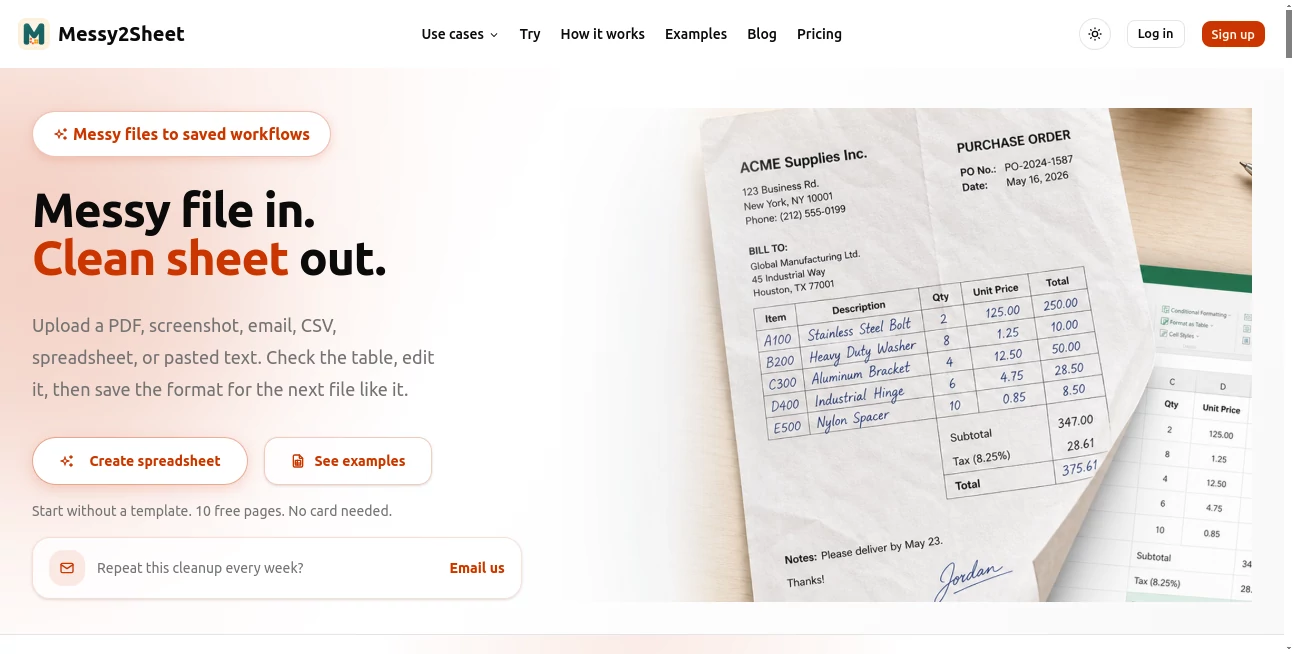
Handling invoices, PDFs, screenshots, emails, or copied tables often means spending valuable time cleaning data before it can be analyzed. This platform removes that tedious step by extracting structured information and exporting it into organized spreadsheets. It is a practical solution for businesses that want reliable results without manual formatting.
Key Features
User Interface
The interface is clean and easy to understand. Users simply upload documents, define the columns they need, preview the extracted data, and export the final spreadsheet with minimal effort.
Accuracy & Performance
Smart extraction technology recognizes business data from different document types and organizes it into consistent rows and columns. A preview step allows users to review the results before exporting.
Capabilities
- Extract data from PDFs, screenshots, emails, and copied text.
- Export to Excel and CSV formats.
- Create custom column structures.
- Review extracted data before download.
- Reduce repetitive manual data entry.
Security & Privacy
The service focuses on business document processing while giving users control over reviewing extracted information before it is exported, making it suitable for everyday professional workflows.
Use Cases
- Processing invoices and receipts.
- Converting supplier documents into spreadsheets.
- Organizing financial records.
- Preparing data for reporting and analysis.
- Importing structured information into business systems.
Pros and Cons
- Pros
- Fast document-to-spreadsheet conversion.
- Supports multiple business document formats.
- Customizable data columns.
- Simple workflow with review before export.
- Cons
- Advanced features may require a paid subscription.
- Best suited for structured business documents rather than complex layouts.
Pricing Plans
A free plan is available for getting started, while premium plans provide higher usage limits and additional capabilities for professional users.
How to Use Messy2Sheet
Upload a document, define the output columns, let the platform extract the information, review the preview, and export the cleaned data as an Excel or CSV file.
Comparison with Similar Tools
Unlike basic PDF-to-CSV converters, this solution focuses on structured business data extraction with customizable columns and a verification step before export, helping users produce cleaner spreadsheets with less manual editing.
Conclusion
For anyone dealing with repetitive business documents, this tool offers a practical way to transform unorganized information into structured spreadsheets. It saves time, improves consistency, and simplifies data preparation for everyday business operations.
Frequently Asked Questions (FAQ)
What file types are supported?
It can process PDFs, screenshots, emails, copied text, and other business documents.
Can I export to Excel?
Yes. Extracted data can be exported to Excel or CSV.
Can I customize the output columns?
Yes. Users can define the spreadsheet structure before extraction.
Is there a free plan?
Yes. A free plan is available with limited usage, alongside paid plans for higher-volume workflows.
AI Document Extraction , AI Productivity Tools , AI Files Assistant , AI Spreadsheet .
These classifications represent its core capabilities and areas of application. For related tools, explore the linked categories above.

Messy2Sheet Alternatives Product

Embedful

Kaamfu

PDF Inspector

Monkey Eatin…

Odysseus AI

kling 3

Automaited

TopPDF

CapyQR