

















MikeSullyTools.com
Verified Blue CheckMark
Verified Blue CheckMark products are featured above free or unverified listings.
This badge indicates authenticity and builds trust, giving your product higher visibility across the platform.
Upgrade to get verified
Verified Blue CheckMark products are featured above free or unverified listings. This badge indicates authenticity and builds trust, giving your product higher visibility across the platform.
Upgrade to get verified
What is MikeSullyTools.com?
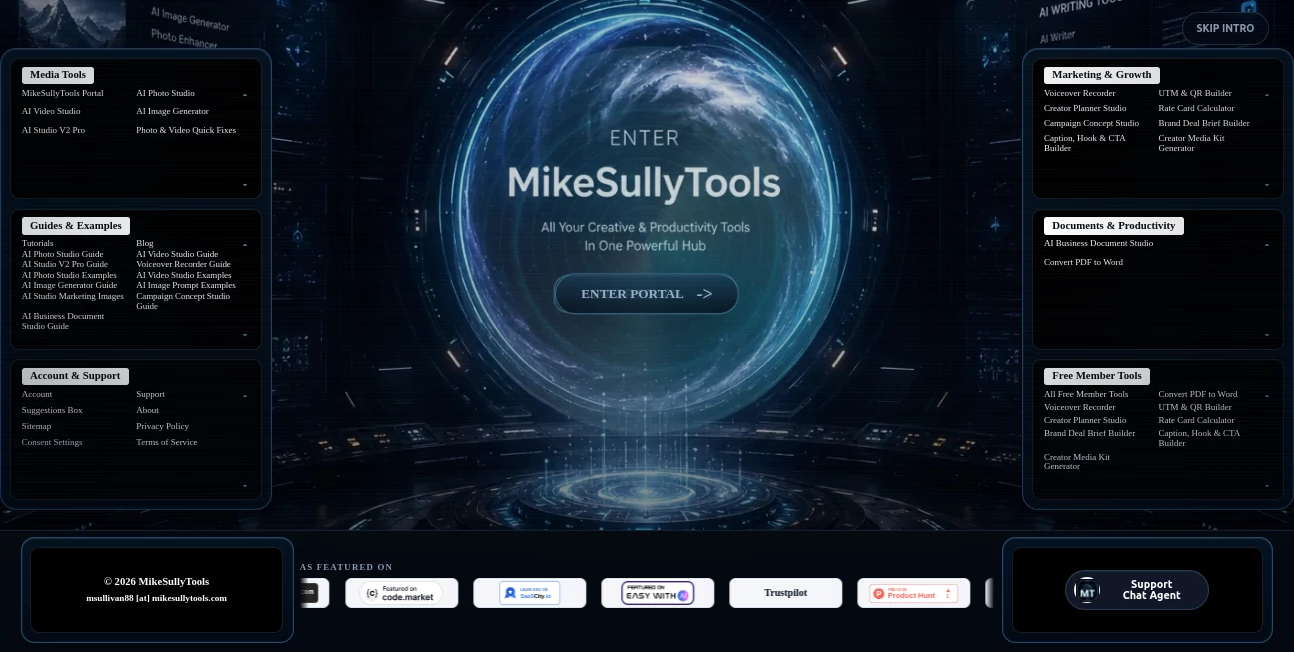
Managing creative projects often means jumping between multiple applications for editing images, improving videos, writing marketing copy, and preparing business documents. This platform brings those essential workflows together in a single browser-based workspace, making it easier to complete everyday tasks without installing heavyweight software. Whether you're a freelancer, marketer, creator, or small business owner, it provides practical AI-powered utilities designed to save time while maintaining professional-quality results.
One feature that immediately stands out is the preview-before-payment approach. Instead of purchasing credits without knowing the outcome, users can review generated results first and decide whether they want to export them. This creates a more transparent experience and makes experimenting with AI much less risky.
Key Features
User Interface
The interface is clean and task-focused. Every tool follows a straightforward workflow, allowing users to upload a file or enter a prompt, adjust a few settings, preview the output, and download the final result. Since everything runs directly in the browser, there is no complicated installation process or software maintenance.
Accuracy & Performance
Image enhancement tools produce noticeably sharper photos by reducing blur and noise while supporting multiple output resolutions, including 4K. Video enhancement utilities provide different quality presets to balance speed and output quality. AI-powered image generation creates marketing visuals in several artistic styles, while document generation tools organize information into professional business documents with helpful review notes.
Capabilities
- AI photo enhancement and restoration.
- Video repair and quality improvement.
- AI image generation for marketing and creative projects.
- Business document creation from text or uploaded files.
- Marketing utilities such as captions, campaign assets, QR code generation, and tracking links.
- Browser-based workflow with no software installation.
- Preview results before purchasing exports.
- Flexible pay-as-you-go pricing instead of mandatory subscriptions.
Security & Privacy
The platform supports secure account protection features such as two-factor authentication and processes payments through established payment infrastructure. Dedicated privacy policies and terms of service help explain how user information is handled, giving professionals additional confidence when working with business files and creative assets.
Use Cases
- Improve blurry or noisy product photos before publishing.
- Restore smartphone images for social media campaigns.
- Create AI-generated promotional graphics.
- Enhance marketing videos for online advertising.
- Prepare business proposals and operating documents faster.
- Generate campaign assets without switching between multiple applications.
- Create content for creators, agencies, freelancers, and startups.
Pros and Cons
Pros
- Multiple AI tools available in one browser-based workspace.
- No installation required.
- Preview output before paying.
- Simple interface suitable for beginners.
- Useful combination of creative, marketing, and business features.
- Pay only for the services you use.
Cons
- Advanced users may still require dedicated professional editing software for highly specialized projects.
- Some premium AI features require paid credits.
- Video processing options are designed primarily for shorter projects.
Pricing Plans
A free membership provides access to several creator utilities with limited weekly usage. Premium AI features follow a pay-as-you-go pricing model, allowing users to purchase only the exports they need instead of committing to recurring subscriptions. Pricing varies depending on the selected feature, such as image enhancement, video processing, or AI image generation.
How to Use MikeSullyTools
- Open the platform in your web browser.
- Select the creative or business tool that matches your project.
- Upload your file or enter a text prompt.
- Adjust available settings or quality preferences.
- Generate and preview the AI result.
- Export the final version if you're satisfied with the outcome.
Comparison with Similar Tools
Unlike many AI services that specialize in only one category, this platform combines photo enhancement, video improvement, AI image generation, marketing utilities, and business document creation in a single environment. The preview-before-payment model also distinguishes it from many competitors by letting users evaluate results before purchasing exports, making it particularly attractive for freelancers and small businesses looking to reduce unnecessary spending.
Conclusion
This solution delivers an impressive combination of creative and productivity tools within a single browser experience. Instead of maintaining separate subscriptions for image editing, video enhancement, AI art generation, marketing assets, and business documentation, users can complete many everyday tasks from one dashboard. Its transparent pricing model, practical AI capabilities, and approachable interface make it a valuable option for professionals seeking an efficient all-in-one workspace.
Frequently Asked Questions (FAQ)
Is software installation required?
No. All tools run directly inside a modern web browser.
Can I preview results before paying?
Yes. Many AI-powered tools allow users to preview the generated output before purchasing the export.
Who is this platform designed for?
It is suitable for creators, marketers, freelancers, agencies, entrepreneurs, and small businesses that need multiple AI-powered creative tools.
Does it include both creative and business features?
Yes. The platform combines image editing, video enhancement, AI image generation, marketing utilities, and business document creation.
Is there a free plan?
Yes. A free membership provides access to selected tools with limited usage, while advanced AI features are available through pay-as-you-go pricing.