


















Mingloft
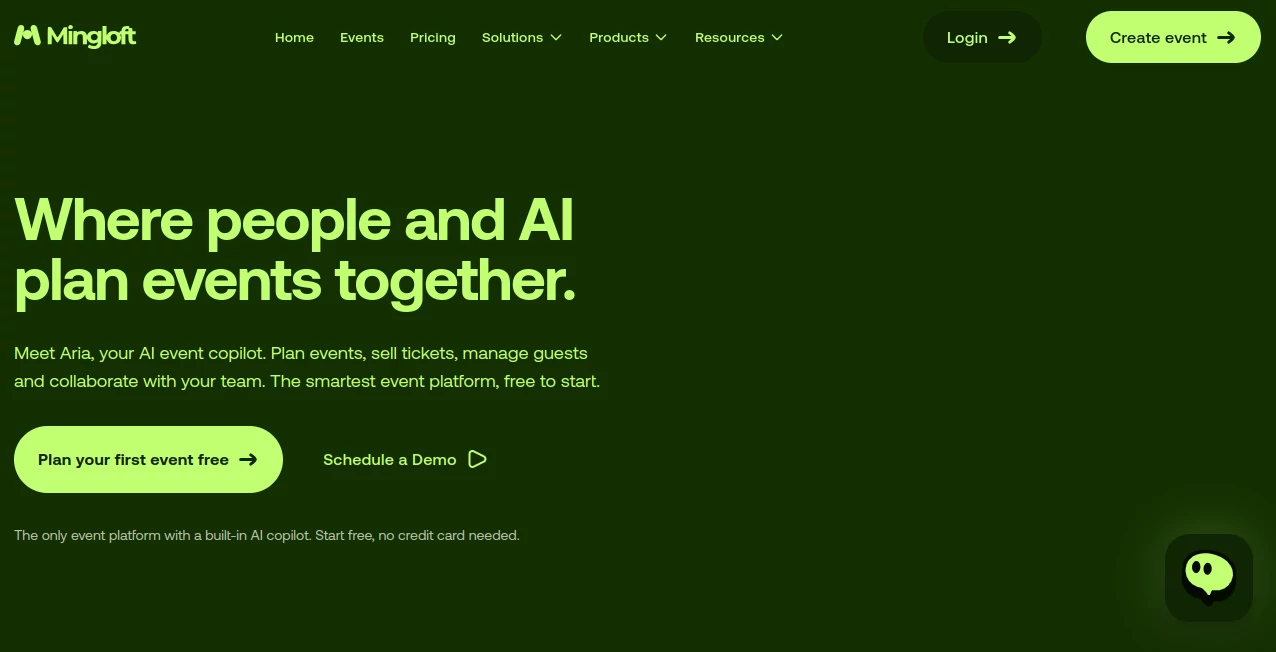
What is Mingloft?
Planning a successful event often means juggling budgets, sponsors, vendors, team communication, ticket sales, and countless last-minute changes. Instead of switching between multiple applications, this platform brings every essential workflow into one intelligent workspace powered by artificial intelligence. Designed for professional event organizers, agencies, corporate teams, and independent planners, it transforms complex planning into a streamlined experience.
From generating detailed budgets to managing tasks and launching branded ticket sales, the platform helps reduce manual work while improving collaboration across every stage of an event. Whether you're organizing a conference, exhibition, networking session, festival, or corporate gathering, it provides practical automation without sacrificing flexibility. Its AI assistant understands event planning rather than simply generating generic content, making everyday operations significantly faster and easier. This approach allows organizers to spend more time creating memorable experiences instead of chasing spreadsheets and scattered conversations. The platform also supports sponsor discovery, intelligent budgeting, collaborative planning, and embedded ticket checkout, creating a complete operating system for modern event management.
Key Features
User Interface
The dashboard is clean, modern, and organized around the complete event lifecycle. Navigation feels natural, allowing users to move between budgeting, sponsorship management, task tracking, attendee registration, and ticket sales without unnecessary complexity. Visual reports and collaborative workspaces help every team member stay informed throughout the planning process.
Accuracy & Performance
The AI engine focuses on practical event planning rather than generic automation. Budget calculations include realistic cost categories, sponsorship recommendations are tailored to the event profile, and project tracking continuously updates team progress. Live collaboration ensures everyone works with current information instead of outdated spreadsheets.
Capabilities
- Generate complete event plans from a simple event brief.
- Create intelligent budgets with detailed cost breakdowns.
- Estimate profitability before ticket sales begin.
- Recommend suitable sponsors based on event type and audience.
- Create personalized sponsorship proposals.
- Manage team assignments and project tasks.
- Track planning progress through centralized dashboards.
- Embed branded ticket checkout directly into existing websites.
- Coordinate vendors, approvals, and planning workflows.
- Support multiple events from one unified workspace.
Security & Privacy
Business event data often includes attendee information, financial planning, sponsor communications, and operational details. The platform centralizes these resources within a single workspace, reducing the need to distribute sensitive files across multiple services. White-label ticketing also helps organizations maintain ownership of their customer journey and brand identity.
Use Cases
- Corporate event planning.
- Conference organization.
- Trade shows and exhibitions.
- Business networking events.
- Community meetups.
- Agency event management.
- Festival planning.
- Internal company events.
- Sponsor outreach campaigns.
- Collaborative event operations for distributed teams.
Pros and Cons
Pros
- Combines planning, budgeting, collaboration, sponsorship, and ticketing in one platform.
- AI automates repetitive administrative work.
- Professional budget generation with live updates.
- Built specifically for event professionals.
- Integrated team collaboration tools.
- White-label ticket checkout enhances brand consistency.
- Sponsor discovery simplifies business development.
Cons
- Primarily focused on event management rather than general business projects.
- Organizations with very simple events may not require every advanced capability.
- Some enterprise workflows may require onboarding before full adoption.
Pricing Plans
Multiple subscription options are available for different types of event teams, including plans suitable for independent organizers and larger organizations. Features and usage limits vary by plan, while demonstrations are available for teams evaluating enterprise deployments. Pricing may change over time, so checking the official website for the latest information is recommended.
How to Use Mingloft
Start by creating a new event and entering the essential details such as event type, audience, venue, and timeline. The AI assistant generates an initial planning framework together with a structured budget. Next, invite teammates to collaborate on tasks, approvals, and scheduling. Use the sponsorship tools to identify relevant partners and automatically prepare personalized outreach. Finally, configure branded ticket sales, monitor registrations through live dashboards, and manage the event from preparation through post-event review within one centralized workspace.
Comparison with Similar Tools
Many event management solutions specialize in only one aspect of the planning process, such as ticketing, budgeting, or attendee registration. Others require several third-party integrations to create a complete workflow. This platform stands out by combining AI-assisted planning, intelligent budgeting, sponsor matching, collaborative project management, and embedded ticket sales inside a single ecosystem. For teams managing multiple business events throughout the year, this integrated approach can significantly reduce administrative overhead while improving coordination.
Conclusion
Modern event planning demands more than calendars and spreadsheets. Successful organizers need intelligent automation that understands how events are actually managed from concept to execution. By combining AI-powered planning with budgeting, collaboration, sponsorship management, and ticketing, this solution delivers an impressive all-in-one experience for professional event teams. It helps reduce repetitive work, keeps projects organized, and enables organizers to focus on delivering memorable experiences rather than managing disconnected tools.
Frequently Asked Questions (FAQ)
What type of events is this platform designed for?
It supports conferences, exhibitions, networking events, corporate gatherings, festivals, community events, and many other professional event formats.
Can teams collaborate on the same event?
Yes. Multiple team members can manage assignments, approvals, progress tracking, and planning activities within a shared workspace.
Does it include ticket sales?
Yes. Organizations can embed branded ticket checkout directly into their own websites without redirecting attendees elsewhere.
Can AI help with sponsorship?
Yes. The platform identifies suitable sponsors, assists with proposal creation, and supports sponsorship outreach workflows.
AI Workflow Management , AI Project Management , AI Productivity Tools , AI Team Collaboration .
These classifications represent its core capabilities and areas of application. For related tools, explore the linked categories above.

Mingloft Alternatives Product

VercelAPP

DocReplacer

Overlap

David One

TruthSpine

Toolquix

Plainpaper

LLaMaRush

KarmaGuy
