
MissionControlHQ
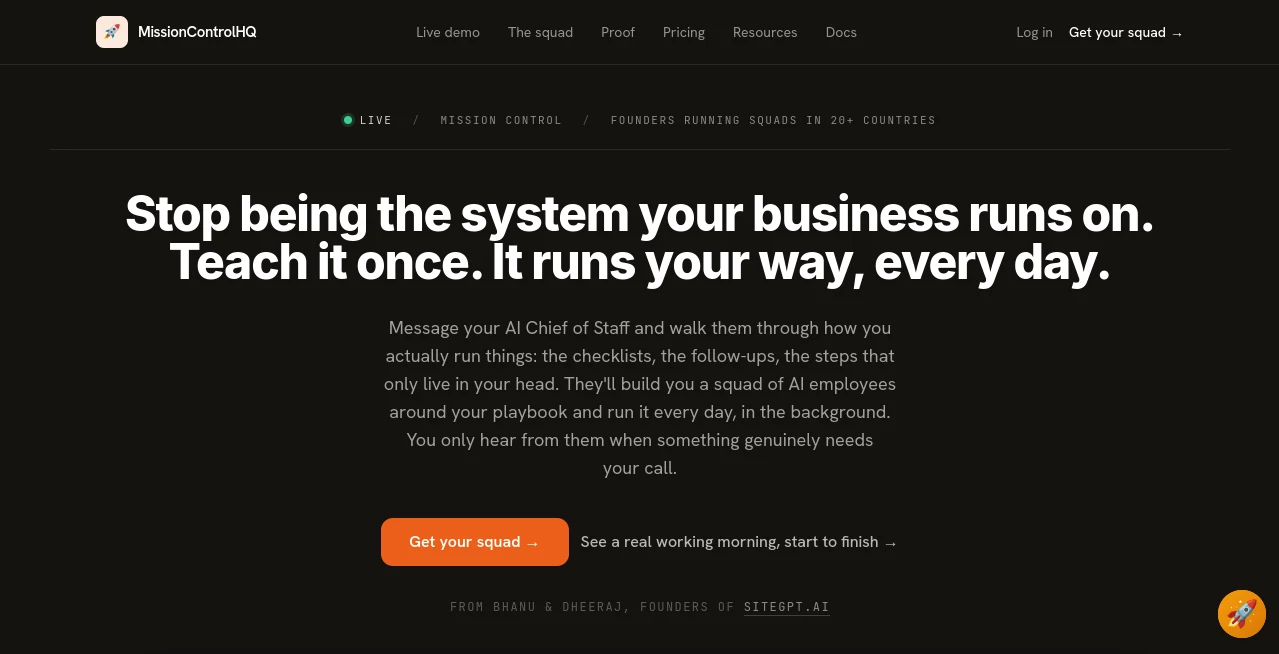
What is MissionControlHQ?
Running a growing business often means carrying dozens of recurring responsibilities at the same time. Marketing needs attention, invoices need follow-up, customer questions need answers, reports need to be prepared, and someone still has to keep track of what everyone is doing. MissionControlHQ takes a different approach to this problem by turning AI agents into a coordinated team of digital employees rather than treating AI as a single chatbot.
The platform gives founders a private workspace where an AI Chief of Staff learns how their business operates and helps create a team of specialized AI employees around those processes. Instead of repeatedly explaining the same task, users can teach the system how something is done and allow the appropriate agent to handle it on an ongoing basis.
This approach is particularly interesting for small businesses and lean teams that have plenty of repetitive operational work but do not necessarily want to hire several people to manage it. The goal is not simply to generate another answer to a prompt. It is to keep defined business processes moving in the background and involve the owner when a real decision is required.
Key Features
- AI Chief of Staff for understanding business processes and coordinating work.
- Specialized AI employees with individual roles and responsibilities.
- Shared mission board for monitoring ongoing work.
- One-tap approvals and labeled requests when human input is required.
- Threads, mentions, activity feeds, and detailed run logs.
- More than 70 integrations for connecting business tools.
- Per-agent access controls for connected services.
- Scheduled workflows for recurring operational tasks.
- Support for multiple AI providers through a bring-your-own-AI approach.
- Private, isolated workspaces designed to keep customer data separated.
User Interface
The interface is built around the idea of a business command center. Instead of forcing users to manage every agent from separate screens, the workspace brings missions, tasks, documents, activity, scheduled runs, and approvals together in one place.
A useful part of the experience is the live activity view. Owners can see what their AI employees are working on without having to manually ask for a status update. The dashboard can also surface items that require attention, such as an approval, a decision, access to information, or an action that only a human should perform.
For a founder who prefers to stay focused on high-value decisions instead of checking dozens of small tasks, this setup can feel much more practical than opening a chatbot every time something needs to be done.
Accuracy & Performance
Performance depends heavily on the AI provider connected to the workspace, but the platform takes an important architectural approach to keeping agents focused. Each specialist works within its own area instead of constantly loading the entire business context.
This matters when AI agents operate continuously. A marketing specialist does not need to reread every accounting task, and an operations agent does not need the full history of a social media workflow. Keeping each agent's working context focused can reduce unnecessary processing while making recurring tasks easier to manage.
The system also uses human approval points for consequential actions. When an agent encounters something outside its established process, it can stop and ask rather than blindly continuing. For business owners, that extra layer of control is one of the more practical aspects of the platform.
Capabilities
The platform is designed for recurring business work rather than occasional one-off prompts. A company can create specialists for areas such as marketing, research, SEO, customer follow-up, documentation, email, product work, and operations.
For example, a business could have one agent monitoring competitors, another preparing recurring reports, another handling content research, and another following up on defined customer processes. The important part is that these specialists can operate as a coordinated squad, allowing one completed task to become the starting point for another.
Users can also connect existing AI subscriptions instead of being locked into a proprietary model. Supported options include ChatGPT, Claude, Grok, Gemini, GitHub Copilot, Kimi, MiniMax, Z.AI, Qwen Cloud, and OpenRouter.
Security & Privacy
Security is especially important when AI employees are connected to business applications. The service provides a dedicated and isolated workspace for each customer and includes per-agent access controls for connected tools.
The bring-your-own-AI model also separates the platform subscription from the AI provider's billing. AI usage is billed through the provider selected by the customer rather than through an additional token markup from the platform.
Businesses should still review the permissions they grant to individual agents and only connect the services required for a particular workflow. That is particularly important when agents have access to email, customer information, financial data, or other sensitive business systems.
Use Cases
One of the strongest use cases is recurring operational work. If a task happens every week, follows a reasonably clear process, and produces an identifiable result, it can be a good candidate for an AI employee.
- Marketing: Research competitors, prepare content briefs, monitor marketing activity, and support campaign workflows.
- SEO: Track search-related information, organize research, and prepare recurring reports.
- Customer follow-up: Monitor defined communication workflows and identify conversations that need attention.
- Reporting: Collect information from connected services and prepare recurring business reports.
- Operations: Run scheduled checks and keep repetitive internal processes moving.
- Research: Monitor competitors, collect information, and turn findings into useful summaries.
- Documentation: Maintain playbooks and help keep internal business knowledge organized.
- Content production: Move from research and briefs to drafts while keeping approval points under human control.
Pros and Cons
Pros
- Designed around a team of specialized AI employees rather than one general-purpose agent.
- Useful for recurring workflows that normally require manual follow-up.
- Human approval gates help maintain control over important decisions.
- Supports a wide range of AI providers.
- No token markup on the platform subscription.
- More than 70 integrations can connect agents to existing business tools.
- Private isolated workspaces provide a stronger separation between customers.
- Flat platform pricing makes the base cost predictable.
Cons
- The AI subscription is separate from the platform subscription.
- Businesses need clearly defined processes to get the most value from the system.
- More complex workflows may still require human judgment and approval.
- Additional costs can apply to certain features such as agent email inboxes and usage-based credits.
- A full AI squad may be unnecessary for someone who only needs occasional chatbot assistance.
Pricing Plans
The platform uses a simple flat-rate model rather than charging per AI employee. The current platform price is $99 per month, with no per-agent seats and no token markup.
Customers bring their own AI subscription. The company recommends a higher-tier ChatGPT plan for continuous workloads, while other providers such as Claude, Gemini, Grok, Copilot, Kimi, MiniMax, Z.AI, Qwen Cloud, and OpenRouter can also be connected.
For a typical always-on squad, the platform estimates an overall cost of roughly $199 to $299 per month when the platform and an appropriate $100 to $200 AI subscription are combined. Optional services, such as dedicated agent email inboxes or additional research and scraping credits, can add to the total.
The pricing model is appealing for businesses that prefer predictable costs and want to avoid an unexpected token bill from constantly running AI agents. At the same time, customers should consider the cost of their existing AI subscription when calculating the true monthly budget.
How to Use It
Getting started is intentionally conversational. After creating a private workspace, the first step is to connect an AI provider that will power the squad.
- Create your private workspace.
- Connect a supported AI subscription or provider.
- Talk to the AI Chief of Staff about your business and how work is currently handled.
- Explain the recurring processes, checklists, responsibilities, and rules that matter.
- Review the proposed AI employee squad.
- Rename, replace, add, or remove specialists as needed.
- Connect the business applications required by each role.
- Approve the setup and let the squad begin running its assigned workflows.
- Monitor activity through the dashboard and step in whenever a decision or approval is required.
A practical way to begin is to choose one process that already happens on a schedule. Billing reminders, recurring reports, competitor monitoring, and content research are easier starting points than a completely undefined business function. Once the first workflow proves reliable, additional responsibilities can be added gradually.
Comparison with Similar Tools
Many AI products focus on helping a user complete one task at a time. That model works well when someone needs an answer, a piece of writing, an image, or a coding session. The approach here is different because the emphasis is on coordination between multiple specialists.
A traditional single AI agent may be asked to handle marketing, research, customer service, and operations from the same context. That can become difficult as the workload grows. Specialized agents can instead keep their own responsibilities while sharing a common task environment.
Self-hosted agent frameworks offer another alternative and can provide extensive control, but they also require users to manage infrastructure, security, updates, integrations, and orchestration themselves. A hosted platform is more attractive for founders who would rather spend their time running the business than maintaining an AI infrastructure stack.
The biggest distinction is therefore not simply the number of agents. It is the coordination layer: persistent tasks, scheduled work, handoffs, visibility, access controls, and human approval points all matter when AI moves from occasional assistance to continuous business operations.
Conclusion
For founders and small teams, the most interesting part of this platform is its focus on taking repetitive work out of the founder's head and turning it into repeatable systems. Instead of asking an AI assistant the same question every morning, businesses can teach specialized agents how particular processes should run and let those agents continue working in the background.
It is not a replacement for human judgment, especially when a situation is new or does not have a clear set of rules. What it does well is create a structured layer between a business owner and the repetitive work that consumes attention every day.
If your business already has documented processes and several recurring tasks that require constant monitoring, this approach can be considerably more useful than simply adding another chatbot to your workflow. The result is closer to having a small digital operations team that works continuously while keeping the important decisions in human hands.
Frequently Asked Questions (FAQ)
Do I need coding skills?
No. The setup is designed around conversation and configuration rather than requiring users to build an AI system from scratch. You explain how your business works and review the proposed squad.
Can I choose which AI models power my employees?
Yes. The bring-your-own-AI approach supports several providers, including ChatGPT, Claude, Gemini, Grok, GitHub Copilot, Kimi, MiniMax, Z.AI, Qwen Cloud, and OpenRouter.
Can I create multiple AI employees?
Yes. The platform is designed around a squad of specialized AI employees, and the standard plan does not charge per employee seat.
Does AI work without constant prompting?
Yes. Scheduled runs and recurring workflows allow agents to continue working without requiring the owner to manually start every task.
Will the AI make decisions without me?
Important actions can be routed back to the owner for approval. When an agent encounters something that requires human judgment, it can stop and request the appropriate type of input.
Is the AI subscription included?
No. The platform subscription and AI provider subscription are separate. Customers connect their own AI plan, which is why there is no token markup added by the platform.
Is it suitable for a one-person business?
It can be, particularly when the owner spends significant time on recurring operational work. However, someone who only needs occasional AI assistance may find a standard chatbot or individual AI agent sufficient.
Can agents work with my existing business tools?
Yes. The platform provides more than 70 integrations and allows access controls to be configured for individual agents, making it possible to connect the squad to the tools already used by a business.
AI Workflow Management , AI Project Management , AI Productivity Tools , AI Task Management .
These classifications represent its core capabilities and areas of application. For related tools, explore the linked categories above.
MissionControlHQ details
Website unavailable — View Alternatives
Pricing
- Freemium
Apps
- Web App
Categories

MissionControlHQ Alternatives Product

Black Screen

AntForms

Treeova

VideoLens

Solovio

AllInOneTools

Syncity AI

Carmatec

fasturl