MotionGen
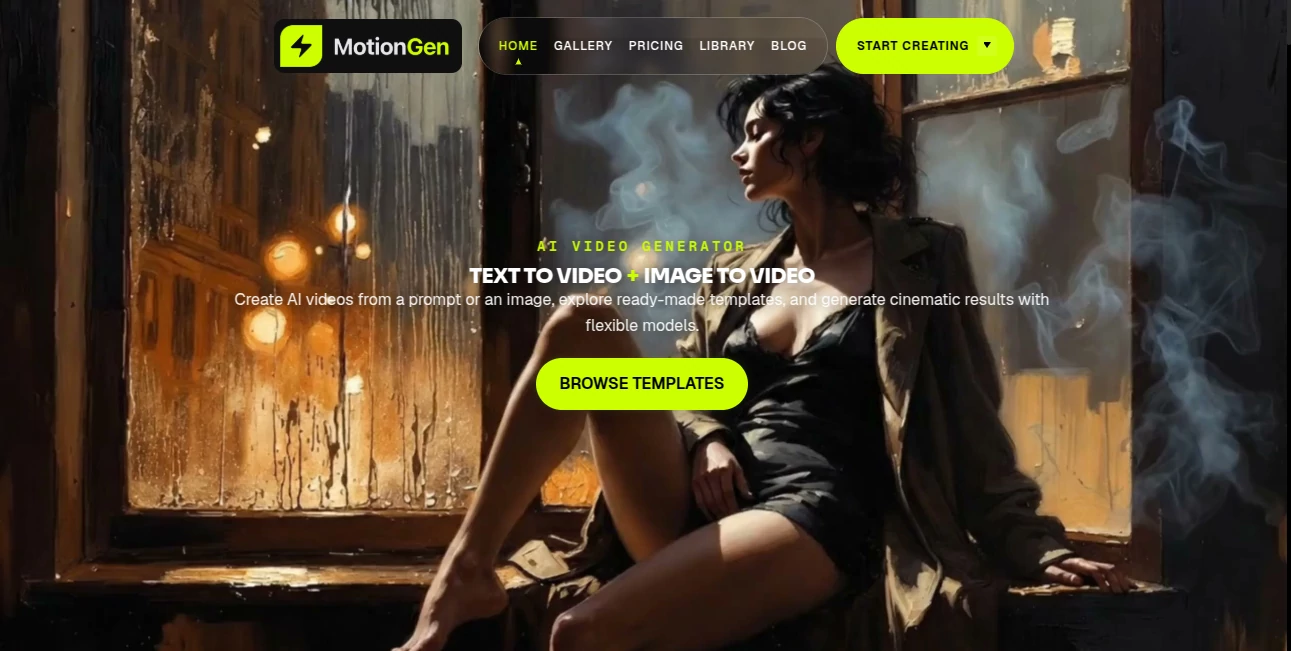
What is MotionGen?
In today’s fast-moving digital world, visual storytelling has become more important than ever. Brands, creators, and marketers are constantly looking for ways to produce engaging animated content without spending weeks on complex design tools. This platform steps in as a modern solution designed to simplify motion graphics creation through intelligent automation and user-friendly design tools.
Instead of requiring advanced animation skills, it empowers users to turn ideas into dynamic visuals in just a few steps. Whether you're building marketing videos, social media content, or product explainers, the experience feels smooth, intuitive, and surprisingly fast.
Key Features
User Interface
The interface is built with simplicity in mind. Even first-time users can navigate through templates, animation tools, and editing options without feeling overwhelmed. Everything is structured in a clean dashboard that reduces friction and helps creators focus on storytelling instead of technical complexity.
Accuracy & Performance
Performance is optimized to ensure smooth rendering of animations and transitions. The system is designed to interpret user inputs and convert them into visually appealing motion sequences with minimal delay. This makes it suitable for both quick social media tasks and more detailed creative projects.
Capabilities
The platform offers a wide range of motion design capabilities, including text animation, scene transitions, and visual effects. Users can generate animated visuals from simple prompts or pre-built templates, making it a flexible tool for both beginners and professionals.
Security & Privacy
User data and project files are handled with standard security practices to ensure privacy and protection. Projects remain accessible only to the account owner, and data processing is designed to maintain confidentiality during content generation.
Use Cases
- Creating promotional videos for social media campaigns
- Designing animated product explainers for startups and e-commerce
- Producing engaging visual content for YouTube or online ads
- Building educational animations for tutorials and courses
- Enhancing brand storytelling with motion-based visuals
Pros and Cons
Pros
- Easy to use even for beginners
- Fast content generation workflow
- Wide variety of animation styles
- Useful for marketing and branding
- No advanced design skills required
Cons
- Limited advanced customization for professional animators
- Internet connection required for best performance
- Some features may require a paid plan
Pricing Plans
The platform typically follows a flexible pricing model, often including a free tier with basic features and premium plans for advanced capabilities. Paid versions may unlock higher-quality exports, additional templates, and faster rendering options. Some enterprise solutions may also be available for teams and agencies.
How to Use MotionGen
Getting started is straightforward. After signing up, users can select a template or start from scratch. The next step involves adding text, selecting animation styles, and customizing visual elements. Once the design is ready, the system renders the animation, allowing users to preview and export the final video in a few clicks.
Comparison with Similar Tools
Compared to traditional animation software, this platform significantly reduces the learning curve and production time. While professional tools offer deeper manual control, they often require technical expertise. In contrast, this solution focuses on speed, accessibility, and automation, making it ideal for content creators who prioritize efficiency over complex editing workflows.
Conclusion
For creators who want to produce eye-catching animated content without dealing with complicated software, this platform offers a refreshing alternative. It combines ease of use with powerful automation, making motion design more accessible to everyone—from marketers to educators and independent creators.
Frequently Asked Questions (FAQ)
Is this tool suitable for beginners?
Yes, it is designed specifically to be beginner-friendly with an intuitive interface.
Can I use it for commercial projects?
Yes, most plans support commercial use depending on the subscription type.
Do I need animation experience?
No, the platform automates most of the complex animation work.
What types of videos can I create?
You can create promotional videos, social media content, explainers, and more.
Is there a free version available?
Yes, a basic version is typically available with optional upgrades for advanced features.
Does it work on all devices?
It is primarily web-based and works on most modern browsers.
How fast is video rendering?
Rendering speed depends on complexity but is optimized for quick output.
AI Animated Video , AI Video Generator , AI Video Editor , AI Text to Video .
These classifications represent its core capabilities and areas of application. For related tools, explore the linked categories above.

MotionGen Alternatives Product

VideoDubber

Seedance 2.5

Gemini Omni …

Faceless Ree…

Visfeng AI F…

Happy Horse:…

Seedance2 Vi…

Wan 2.7 AI
veo 4