
Motionode
What is Motionode?
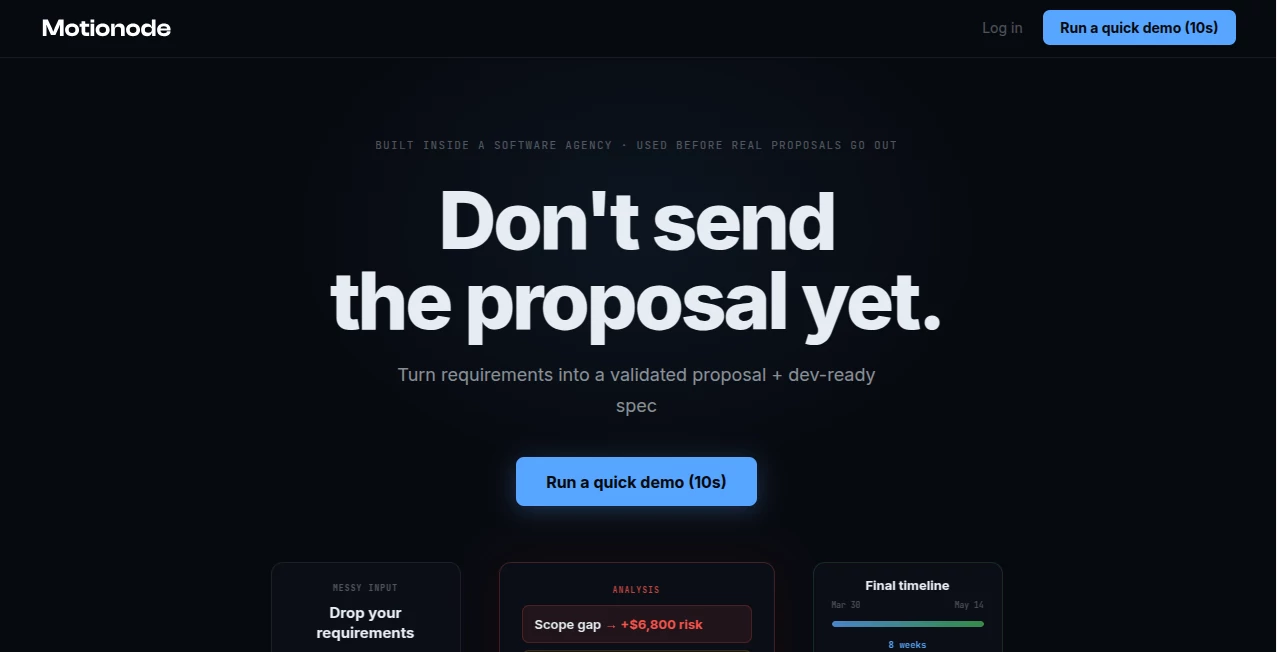
Preparing a software proposal often involves more than estimating costs and timelines. Hidden tasks, unrealistic schedules, or overlooked deliverables can quickly reduce profit and create unnecessary stress after a project begins. This platform helps agencies, consultants, and freelancers review project scope before sending a proposal, making every estimate more reliable and easier to defend. By analyzing project requirements and team capacity, it highlights potential risks before they become expensive mistakes.
Key Features
User Interface
The dashboard is clean and easy to understand. Users can import project details from documents or popular project management tools and review findings through clear visual reports without navigating complex menus.
Accuracy & Performance
The system automatically detects missing scope, overloaded team members, and optimistic timelines based on project data. It also recalculates delivery plans whenever requirements change, helping teams make informed decisions before committing to clients.
Capabilities
- Detects missing project scope before proposals are sent.
- Builds delivery timelines based on actual team capacity.
- Generates proposal-ready documentation and development plans.
- Exports projects to Jira, Asana, Linear, PDF, and other formats.
- Evaluates the impact of scope changes on budget and delivery.
Security & Privacy
Project information remains within a controlled workspace, allowing teams to review sensitive client requirements before sharing finalized proposals. Businesses can confidently analyze project data without disrupting their existing workflow.
Use Cases
- Software agencies preparing client proposals.
- Freelancers estimating complex development projects.
- Consultants validating project scope before pricing.
- Project managers balancing workload across development teams.
Pros and Cons
Pros
- Finds costly scope gaps before project approval.
- Creates realistic delivery schedules.
- Supports popular project management platforms.
- Easy to understand and quick to use.
Cons
- Mainly designed for software delivery projects.
- Advanced exports require a paid plan.
Pricing Plans
A free plan allows users to validate proposals and review project risks. Paid exports are available on a per-project basis, making it suitable for agencies that only pay when they are ready to deliver finalized proposals to clients.
How to Use Motionode
Start by uploading project requirements, notes, or planning documents. Review the generated analysis to identify missing deliverables, scheduling conflicts, and workload issues. Adjust the proposal based on the recommendations, then export the finalized project plan and development documentation for your team or client.
Comparison with Similar Tools
Unlike traditional project management platforms that focus on execution, this solution concentrates on the critical planning stage before a proposal is approved. Instead of simply tracking tasks, it validates scope, estimates delivery capacity, and identifies financial risks that could otherwise remain unnoticed.
Conclusion
For agencies and professionals managing software projects, careful planning is often the difference between a profitable engagement and an expensive lesson. By validating scope, timelines, and team capacity before commitments are made, this platform offers an extra layer of confidence that helps deliver stronger proposals and smoother project execution.
Frequently Asked Questions (FAQ)
What is this platform designed for?
It helps agencies and freelancers validate project proposals before sending them to clients.
Can it detect missing project requirements?
Yes. It identifies scope gaps that could become unpaid work later.
Does it integrate with project management software?
Yes. It supports exports for tools such as Jira, Asana, and Linear.
Is there a free version?
Yes. Proposal validation is available for free, while exports require payment.
AI Workflow Management , AI Project Management , AI Productivity Tools , AI Team Collaboration .
These classifications represent its core capabilities and areas of application. For related tools, explore the linked categories above.

Motionode Alternatives Product

Dedoctive

Mentor

Online White…

Alai

GPT Image 2 …

Classroom Sc…

Chatref

AI Business …

Apprentice