
MuAPI
What is MuAPI?
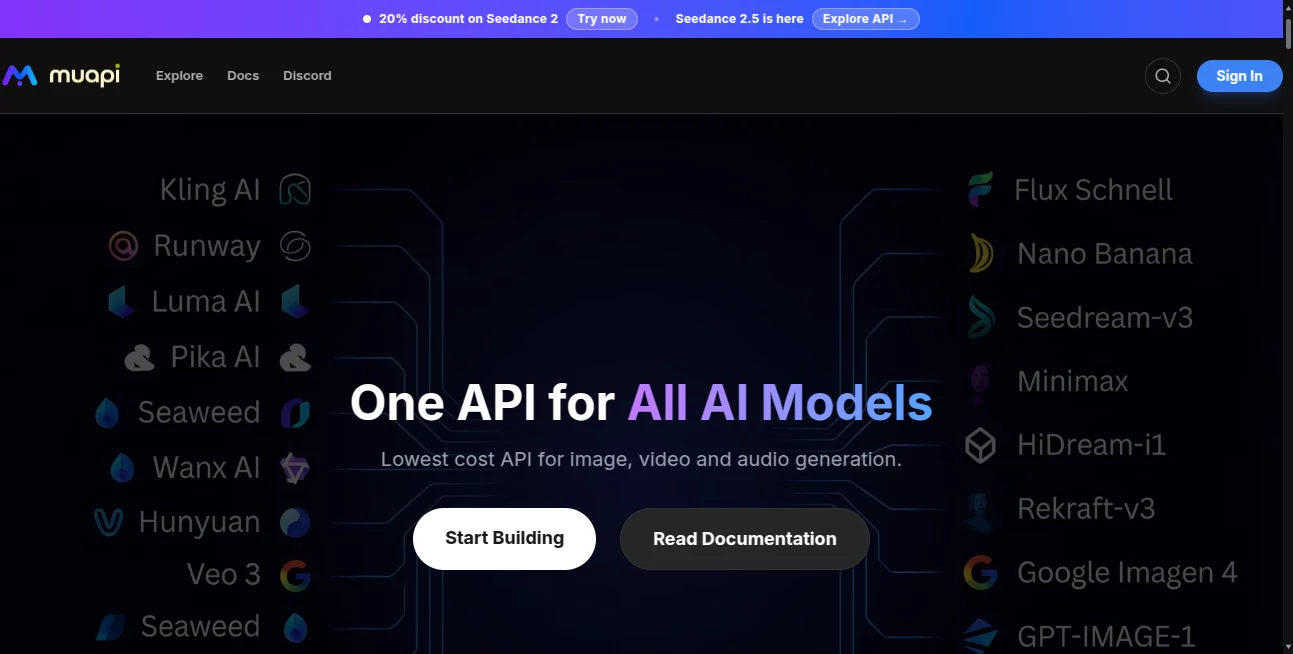
Building AI-powered applications often means integrating multiple APIs, managing different authentication methods, and constantly adapting to new model updates. This platform simplifies that process by providing developers with a single, consistent API to access a large collection of image, video, audio, and 3D generation models from one place.
Instead of maintaining separate integrations for different providers, developers can connect once and switch between models without rewriting their applications. Whether the goal is generating realistic images, editing media, creating videos, producing speech, or experimenting with the latest generative technologies, the platform delivers a unified workflow that significantly reduces development time.
Its clean documentation, transparent API structure, testing environment, and continuously expanding model catalog make it attractive for startups, SaaS products, creative agencies, automation builders, and enterprise development teams looking to scale AI capabilities quickly.
Key Features
User Interface
The developer dashboard is designed to minimize complexity. API keys can be generated within seconds, usage is easy to monitor, and playground environments allow developers to experiment before integrating features into production. Documentation includes practical examples for multiple programming languages, making onboarding straightforward even for smaller development teams.
Accuracy & Performance
Performance is driven by access to numerous production-ready AI models through standardized endpoints. Developers can easily compare different generation models without changing their integration logic. The unified request structure reduces implementation errors while helping applications remain flexible as newer models become available.
Capabilities
- Unified API for multiple AI providers.
- Text-to-image generation.
- Image editing and transformation.
- Image-to-video generation.
- Text-to-video creation.
- Speech generation and audio processing.
- Voice synthesis capabilities.
- Support for image enhancement workflows.
- Access to numerous AI media models.
- Webhook support for asynchronous processing.
- Sandbox environment for testing integrations.
- Developer-friendly documentation.
- Standardized request and response formats.
- MCP compatibility for AI development environments.
Security & Privacy
Security is treated as an essential part of the developer experience. Authentication relies on API keys, while sandbox keys allow safe testing without consuming production credits. The documentation also encourages best practices such as environment variables, restricted permissions, and periodic key rotation to protect applications and sensitive projects.
Use Cases
- Building AI-powered SaaS applications.
- Creating automated content generation platforms.
- Developing image editing software.
- Generating marketing visuals at scale.
- Producing AI videos for social media.
- Creating voice-enabled applications.
- Automating creative workflows.
- Rapid AI prototyping for startups.
- Integrating AI media generation into enterprise software.
- Supporting developer tools with modern AI capabilities.
Pros and Cons
Pros
- Single API replaces multiple AI integrations.
- Large and continuously growing model catalog.
- Consistent API structure across different services.
- Developer-friendly documentation.
- Sandbox testing environment.
- Supports image, video, audio, and 3D workflows.
- Webhook support for scalable applications.
- Suitable for both prototypes and production projects.
Cons
- Requires API integration knowledge.
- Credit-based usage may require monitoring for large projects.
- Some advanced models may have higher processing costs.
Pricing Plans
The service follows a flexible credit-based pricing model. Developers only pay for the models they use, allowing projects to scale without committing to expensive fixed infrastructure. Testing can begin with sandbox keys before moving into production environments, making it suitable for experimentation as well as commercial deployment.
How to Use MuAPI
Create an account and generate an API key from the developer dashboard. Review the documentation to select the desired AI model, then send requests using the standardized API format. During development, sandbox keys allow safe integration testing. Once everything is working correctly, production keys can be enabled to power real-world applications. Developers can also integrate webhook callbacks for asynchronous processing and connect compatible AI assistants through MCP support.
Comparison with Similar Tools
Unlike platforms that focus on only one model provider or a single AI capability, this solution emphasizes flexibility through a unified interface. Instead of forcing developers to maintain separate SDKs for image generation, video creation, speech synthesis, and editing services, everything follows the same authentication method and API structure. This approach reduces maintenance, accelerates deployment, and makes it easier to evaluate new AI models as they become available.
Conclusion
For developers who want access to modern generative AI without the complexity of managing multiple providers, this platform offers an efficient and scalable solution. Its unified API, extensive model library, developer-focused documentation, testing environment, and broad media capabilities make it an excellent choice for startups, agencies, enterprise software teams, and independent builders seeking faster AI integration with minimal friction.
Frequently Asked Questions (FAQ)
What types of AI models are supported?
The platform supports a wide variety of image, video, audio, voice, editing, and 3D generation models through one standardized API.
Can developers test integrations before production?
Yes. Sandbox API keys allow developers to build and test applications without consuming production credits.
Does it support webhook callbacks?
Yes. Developers can configure webhook callbacks to receive completed generation results without continuous polling.
Is it suitable for enterprise applications?
Yes. The unified API architecture, standardized authentication, and scalable workflow make it appropriate for both startups and enterprise development teams.
Who benefits the most from this platform?
Software developers, AI startups, automation engineers, creative agencies, SaaS providers, and businesses building AI-powered products can all benefit from its unified integration approach.
AI Photo & Image Generator , AI Image to Video , AI API Design , AI Developer Tools .
These classifications represent its core capabilities and areas of application. For related tools, explore the linked categories above.

MuAPI Alternatives Product

Flux 2 Klein

Nano Banana …

Nano Banana …

Lovable APP

SnapVee Stud…

Pinci.ai

Defapi

Nano Banana 2

Imgezy