
Vocal Remover
What is Vocal Remover?
MusicRemover AI is a free online audio and video tool designed for a very practical problem: getting rid of unwanted music while keeping the voice and other important sounds usable. Instead of opening a full audio editor, searching through complicated controls, and manually trying to isolate a soundtrack, users can upload their media and let AI separate the main elements.
The service can split an uploaded file into Vocal, Background Music, and Other tracks. That makes it useful for interviews, podcasts, lessons, YouTube videos, social clips, webinars, and recordings where background music is getting in the way. It can also handle songs that contain vocals inside the music layer, rather than being limited to simple instrumental backgrounds.
One particularly useful detail is that the workflow is not restricted to short audio snippets. Files can be up to 3 hours long, and the service supports a broad selection of audio and video formats. For someone who only needs to clean up a recording or prepare a clip for another edit, that simplicity can save a surprising amount of time.
Key Features
- AI-powered separation of Vocal, Background Music, and Other sounds
- Works with both audio and video files
- Supports recordings of up to 3 hours
- Supports more than 20 audio and video formats
- Handles instrumental music as well as songs containing vocals
- Preview Original, Vocal, Background Music, and Other tracks
- Custom Mix controls for balancing separated tracks
- Download individual stems or all separated tracks
- Upload files, record audio or screen content, or import media through a direct link
- Free online access without requiring professional audio software
User Interface
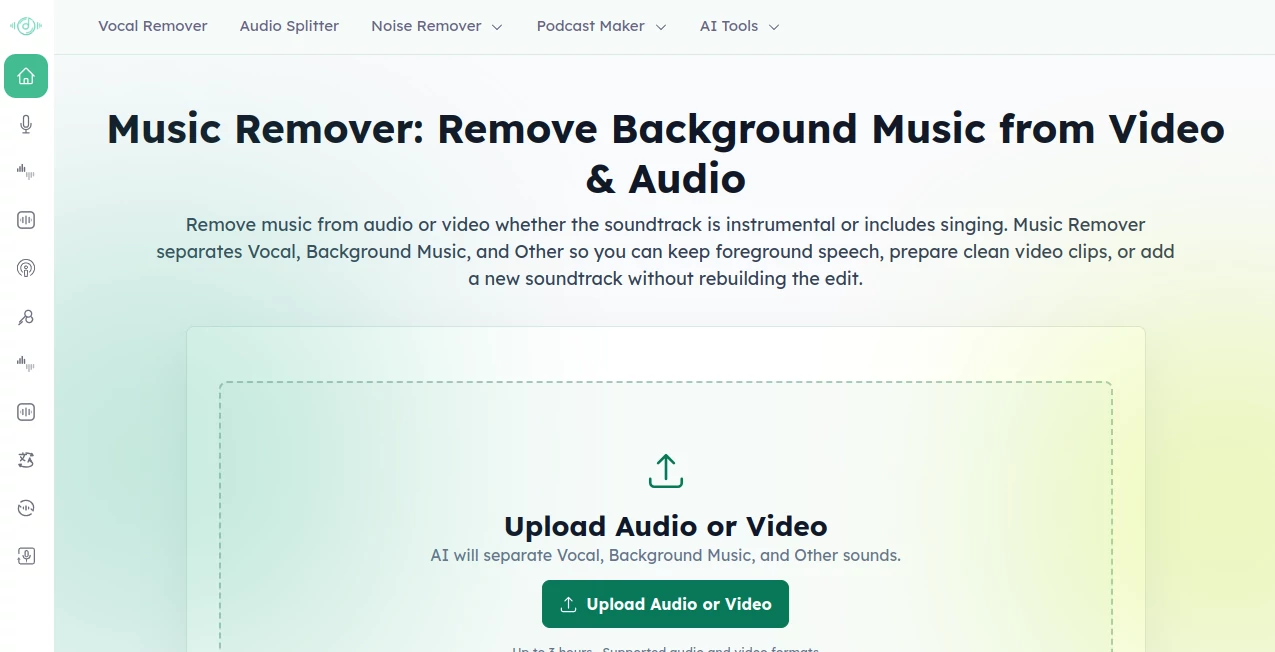
The interface follows a straightforward upload-and-process approach. You do not need to understand audio separation models or spend time configuring technical settings before getting started. Upload a file, allow the AI to process it, compare the separated tracks, and download what you need.
The preview area is especially helpful because users can switch between the original recording and the separated components at the same point in the timeline. There is also a Custom Mix option, which gives you more control when you want to rebalance the resulting stems instead of simply downloading one track.
For occasional users, this is a sensible design choice. If you have ever opened a professional audio editor just to remove music from a two-minute interview, you know how disproportionate that workflow can feel.
Accuracy & Performance
The separation process is powered by AI and is designed to distinguish foreground voice, background music, and other sounds. In a clean interview or narration recording, this can make dialogue much easier to reuse without carrying the original soundtrack into the next edit.
Results naturally depend on the source recording. When speech, singing, instruments, and effects overlap heavily, perfect separation should not be expected from any automated system. Still, the ability to preview the individual stems before downloading makes it easier to judge whether the result is suitable for the next stage of your project.
The service is also designed for larger recordings, supporting files up to 3 hours long. This is useful for podcasts, webinars, online lessons, interviews, and other long-form material that would be inconvenient to divide into many small pieces.
Capabilities
The main strength is flexibility. The same workflow can be used to clean up an interview, prepare dialogue for a new soundtrack, isolate vocals for music practice, or extract useful audio from an existing video.
Supported formats include popular choices such as MP3, WAV, MP4, MOV, FLAC, AAC, M4A, OGG, OPUS, AVI, MKV, WEBM, and several others. This broad compatibility means users can usually work with files they already have rather than converting them first.
There are also multiple ways to provide source material. Users can upload a file from their device, record audio or their screen online, or provide a direct media link. Once processing is complete, the separate stems can be downloaded individually or together for further editing.
Security & Privacy
Privacy matters when working with interviews, recordings, lessons, and unpublished video. The service states that uploaded files are processed securely and automatically deleted after processing. It also describes its handling practices as GDPR compliant.
Users should still make sure they have the appropriate rights to any material they upload. Separating music from a recording does not change copyright ownership or grant permission to use protected content commercially.
Use Cases
YouTubers and Content Creators: Remove distracting music from interviews, vlogs, tutorials, Shorts, Reels, and other videos while retaining the spoken content for a new edit.
Podcasters and Interviewers: Clean up conversations where background music competes with speech. The resulting voice track can then be used for editing, transcription, subtitles, translation, or republishing.
Musicians and Producers: Separate vocals and background elements from recordings for practice, remix preparation, reference work, or experimentation.
Educators and Trainers: Make lessons, webinars, and training recordings easier to follow by reducing music that distracts from the instructor. The separated voice can also be used when preparing captions or translated versions.
Marketing Teams: Prepare promotional videos for a new voiceover, localized audio, shorter social clips, or a replacement soundtrack without having to rebuild the entire visual edit.
Pros and Cons
Pros:
- Free online access
- Works with audio and video
- Supports files up to 3 hours long
- Broad format compatibility
- Separates Vocal, Background Music, and Other sounds
- Useful preview and Custom Mix workflow
- Individual stems can be downloaded for further editing
- No professional audio editing knowledge is required
Cons:
- Separation quality can vary depending on the original recording
- Very complex mixes may still contain residual music or vocal elements
- Users working with copyrighted recordings remain responsible for having the necessary rights
Pricing Plans
The service is currently available free of charge. Its terms state that there are no paid subscriptions or payment requirements at present. This makes it particularly attractive for users who only occasionally need background music removal and do not want to purchase or install dedicated audio software.
Because pricing and service limits can change over time, users with frequent or professional workloads should check the current offering before building a long-term workflow around it.
How to Use MusicRemover AI
Start by uploading an audio or video file. You can also use the available recording or direct-import options when they are more convenient for your project.
Once the file has been submitted, the AI analyzes the audio and separates the foreground Vocal, Background Music, and Other sounds. Depending on the recording, the background layer can include instrumental scoring or a song containing sung vocals.
After processing, preview the original and separated tracks. If necessary, use the Custom Mix controls to adjust the balance between the available stems. Finally, download the individual track you need or export all of the separated stems for continued work in another editor.
Comparison with Similar Tools
Many vocal-removal services are primarily designed around songs and karaoke, while this tool takes a broader approach by supporting both video and audio and focusing heavily on practical content-editing workflows. The ability to separate foreground speech from background music makes it especially relevant to interviews, podcasts, educational recordings, and social video.
Another advantage is the combination of long-form file support, broad format compatibility, stem previewing, and a simple browser-based workflow. Someone editing a podcast or a three-hour training recording may find this considerably more convenient than a tool intended only for short music files.
It is also worth distinguishing background-music removal from full instrument separation. When the goal is to obtain individual guitar, piano, bass, drums, or other instrument stems, a dedicated audio-stem separation workflow may be more appropriate. For removing music while keeping foreground speech usable, however, this approach is particularly well suited.
Conclusion
Removing background music does not always need to become an audio-engineering project. This tool takes a task that can be tedious in traditional editing software and turns it into a browser-based workflow that is easy to understand.
Its combination of audio and video support, three-track separation, long recording support, format compatibility, and free access makes it a useful option for creators, editors, educators, podcasters, and musicians. The ability to preview the separated material before downloading is another thoughtful touch, especially when the original recording has a complicated mix.
For anyone who has an existing recording and simply wants to separate the voice from the music without rebuilding the entire project, it is a practical tool worth trying.
Frequently Asked Questions (FAQ)
Can I remove background music from a video while keeping the voice?
Yes. The AI can separate foreground voice from background music and other sounds, allowing you to download a voice-focused version for further editing.
Does it work with songs that contain vocals?
Yes. The background music layer can include instrumental music or a song with sung vocals. The final quality depends on how the different sounds overlap in the original recording.
What file formats are supported?
The service supports more than 20 audio and video formats, including MP3, WAV, MP4, MOV, FLAC, AAC, M4A, OGG, OPUS, AVI, MKV, and WEBM.
How long can an uploaded recording be?
Recordings can be up to 3 hours long, making the service suitable for longer podcasts, interviews, webinars, lessons, and other extended recordings.
Is the service free?
Yes. The current service is offered free of charge, with no paid subscription or payment requirement stated in its terms.
Can I download the separated tracks?
Yes. After processing, you can download the Vocal, Background Music, Other, or all available stems for use in another editing workflow.
Can I use the processed files commercially?
The processing service does not grant copyright or licensing rights to the original material. Commercial use depends on whether you have the appropriate rights or licenses for the content you uploaded.
AI Audio Enhancer , AI Music Generator , AI Voice & Audio Editing .
These classifications represent its core capabilities and areas of application. For related tools, explore the linked categories above.

Vocal Remover Alternatives Product

SpeechGen AI

Flow Song

Solmi AI

Audio Convert

SAM Audio

Happy Horse …

AI Music Gen…

Transcribe A…

TyTyAi