
My Curriculum Mate
What is My Curriculum Mate?
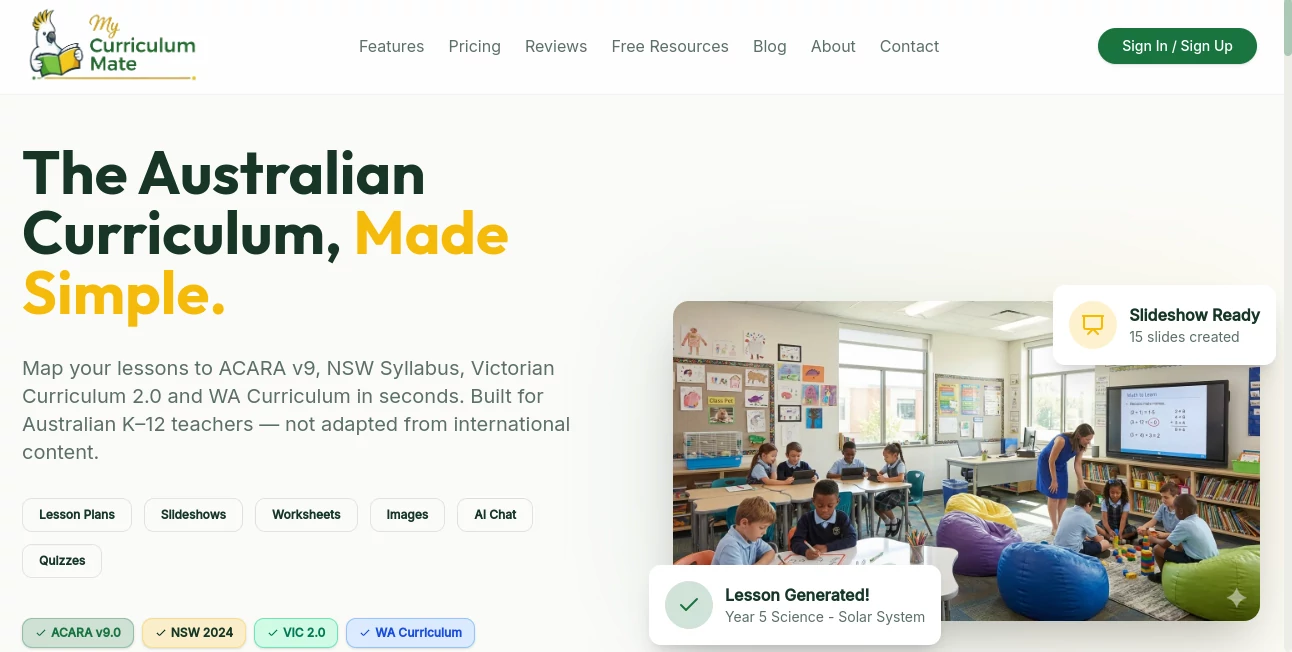
I’ve talked to many Australian teachers who feel like they’re drowning in planning. Between ACARA, NSW Syllabus updates, Victorian Curriculum changes, and the daily demands of the classroom, finding time to create quality resources is incredibly tough. This platform has become a real game-changer for a lot of them. You describe what you need, pick your curriculum framework, and it generates aligned lesson plans, worksheets, slideshows, and even custom images — all in minutes instead of hours. The relief on teachers’ faces when they realise they can reclaim their evenings is something I’ve seen repeatedly.
Introduction
Teaching in Australia comes with its own unique challenges — staying aligned with the right version of the curriculum, differentiating for diverse learners, and still having energy left for actual teaching. My Curriculum Mate was built specifically for this reality. It understands ACARA v9.0, the latest NSW Syllabus, and Victorian Curriculum 2.0 deeply, so the resources it creates are already mapped to the outcomes you need. Teachers from Foundation to Year 10 are using it to cut planning time dramatically while maintaining — and often improving — the quality of what they deliver in class. It feels less like another piece of tech and more like a very knowledgeable colleague who never gets tired.
Key Features
User Interface
The dashboard is clean and teacher-friendly. You can start with a simple prompt like “Year 4 Fractions lesson with hands-on activities” or upload an existing worksheet to enhance. Everything is clearly labelled by curriculum (ACARA, NSW, VIC), and generated resources appear with editable sections and export options. No steep learning curve — most teachers are creating their first full lesson within five minutes of signing up.
Accuracy & Performance
It consistently produces curriculum-aligned content that actually matches what teachers are expected to deliver. Differentiation strategies are built-in, and the language level is spot-on for each year group. Generation is fast, and the outputs feel thoughtful rather than generic. Teachers regularly mention that the plans and worksheets need very little editing before they’re classroom-ready, which is high praise in this space.
Capabilities
You can generate complete lesson plans, full unit plans, differentiated worksheets, professional slideshows ready for PowerPoint, custom educational images and diagrams, and even NAPLAN-style practice resources. It supports every major subject and year level, with strong differentiation options for diverse learners. The AI Teaching Assistant chat also lets you ask follow-up questions or request adjustments to any resource.
Security & Privacy
Built with Australian schools in mind, it follows appropriate data handling practices. Teachers control their generated content, and school plans include admin dashboards for oversight. There’s a strong focus on keeping student data and teacher materials secure and private.
Use Cases
A Year 3 teacher in NSW generates a complete Measurement unit with hands-on activities and differentiated worksheets on a Sunday evening, saving her hours of weekend work. A Victorian teacher creates engaging slideshows and visual aids for a Science topic that her students actually remember. A relief teacher quickly puts together quality lessons for unfamiliar classes using the prompt system. Schools use it across whole departments to maintain consistency while reducing individual planning burden. The common story is teachers getting their time back and students getting more engaging lessons.
Pros and Cons
Pros:
- Deeply aligned with Australian curricula (ACARA, NSW, VIC).
- Saves teachers many hours every week on planning and resource creation.
- Produces ready-to-use, high-quality materials including images and slideshows.
- Built-in differentiation makes inclusion easier.
- Generous free tier lets you test it with real lessons immediately.
Cons:
- Like all AI tools, occasional outputs benefit from light human review.
- Some very niche topics may need more specific prompting.
Pricing Plans
The Free plan gives you 50 credits per month — enough to create meaningful resources and see the difference. The Pro plan at $10/month unlocks 500 credits plus slideshows, unit plans, image generation, and the AI chat assistant. School plans offer bulk licensing and admin features at very reasonable rates. Many teachers find the Pro tier pays for itself in the first week through time saved alone.
How to Use My Curriculum Mate
Sign up (quick and free to start), choose your curriculum framework, then either type a topic (“Year 5 persuasive writing lesson on climate change”) or upload an existing resource. Review the generated lesson plan, worksheet, or slideshow. Make small edits if needed, then export to Word, PDF, or PowerPoint. Save your favourite prompts for future use. The more specific you are with your request, the better the results — but even broad prompts produce solid starting points.
Comparison with Similar Tools
Generic AI tools often produce content that isn’t properly aligned with Australian standards or age-appropriate outcomes. This platform stands out because it was built specifically for Australian teachers and curricula. It goes beyond basic lesson generation by including images, differentiated worksheets, and NAPLAN prep while maintaining curriculum accuracy that others frequently miss.
Conclusion
Teaching is hard enough without spending nights and weekends reinventing the wheel. This tool gives Australian teachers back precious time while helping them deliver higher-quality, more engaging lessons. It respects the curriculum, respects the workload, and most importantly, respects the craft of teaching. If you’re an Australian educator feeling overwhelmed by planning demands, it’s genuinely worth trying — many teachers say it’s become one of their most valuable classroom allies.
Frequently Asked Questions (FAQ)
Is it aligned with my state curriculum?
Yes — full support for ACARA v9.0, NSW Syllabus 2024, and Victorian Curriculum 2.0.
How long does it take to generate a lesson?
Usually under a minute for a complete lesson plan and resources.
Can I edit the generated content?
Absolutely — everything is fully editable before you export.
Is there a free way to try it?
Yes, the Free plan includes 50 credits so you can test real lessons right away.
Does it work for all year levels and subjects?
Yes, from Foundation to Year 10 across all key learning areas.
AI Tutorial , AI Course , AI Education Assistant .
These classifications represent its core capabilities and areas of application. For related tools, explore the linked categories above.
My Curriculum Mate details
Website unavailable — View Alternatives
Pricing
- Free
Apps
- Web App
Categories

My Curriculum Mate Alternatives Product

Gochu

Mexty AI

Olabiba

Japanese Nam…

Peanut AI

Wondika

Elispeak

Pictionary W…

TriviaFlow