
Nereo
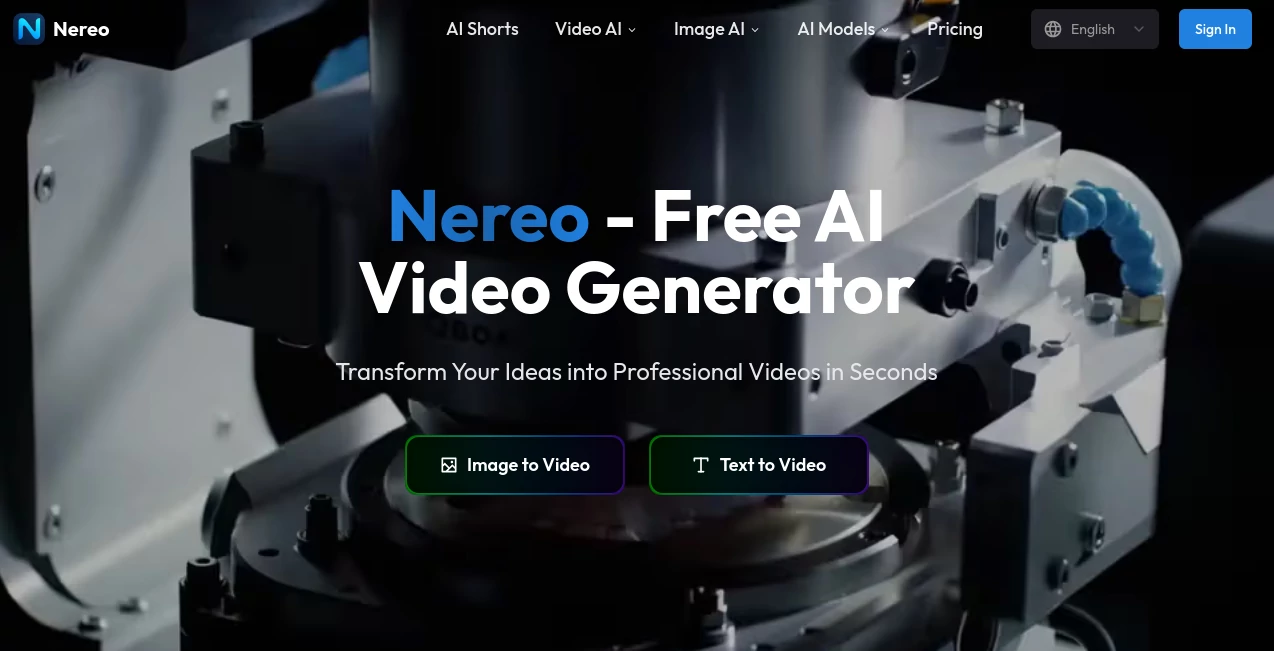
What is Nereo?
There's a quiet frustration that almost every content creator knows well — you have a great idea, but turning it into a polished video means bouncing between five different tools, spending hours on editing, and still ending up with something that feels unfinished. That's the gap this platform was built to close.
Nereo is an all-in-one, multi-model AI video generation platform designed specifically for content creators, marketing teams, and anyone who needs high-quality video output without the complexity. It tackles three of the biggest pain points in AI video production head-on: fragmented tools, disjointed workflows, and costs that make large-scale production feel out of reach.
What makes it stand out isn't just what it can do — it's how it brings everything together under one roof. From transforming a single text prompt into a full 60-second anime short, to animating static images with natural motion, the platform is engineered to turn creative ideas into publish-ready content fast. And it does all of this while keeping prices low enough that A/B testing at scale is no longer a luxury reserved for big-budget teams.
Key Features
User Interface
The interface is clean and intentionally simple. You don't need a background in video production or AI to get started. The workflow is straightforward: pick your input type, write your prompt or upload your image, choose your preferred model and output settings, and generate. There's no steep learning curve, and the steps feel logical even on your first session.
For creators who work at volume — social media managers, indie studios, digital marketers — the experience is designed to reduce friction. Switching between text-to-video and image-to-video modes is seamless, and the platform keeps things focused rather than overwhelming users with unnecessary settings.
Accuracy & Performance
The platform uses an enterprise-grade large model aggregator with a built-in insurance mechanism that guarantees AI quality and reliability. This isn't a marketing phrase — it means the system actively monitors output quality and routes generation through the best-performing models to ensure consistency.
Video generation happens in minutes, not hours. The fast generation queue available on higher-tier plans means you can run multiple projects simultaneously without waiting around. Output resolution goes up to 1080p on standard plans, with 4K output available on premium tiers — which is meaningful for creators who care about their content looking professional on modern screens.
One of the more impressive technical achievements is the ability to generate coherent 60-second anime shorts from a single prompt. Most AI video tools max out at five to ten seconds before quality degrades or narrative continuity breaks down. This platform maintains visual and story consistency across a full minute, which is a genuine differentiator.
Capabilities
The range of what you can create here is broad:
- Text to Video: Describe a scene in plain language and watch it come to life. Prompts like "An anime-style rose blooms before a rope bridge, petals dancing in the breeze" produce surprisingly cinematic results.
- Image to Video: Upload a static image, add a motion prompt, and animate it. The tool handles the physics of movement and scene dynamics automatically.
- Full 60-Second Anime Shorts: A unique capability that generates complete animated shorts with a beginning, middle, and end — no manual splicing required.
- Multi-Model Access: The platform integrates leading AI video models including Veo 3, Sora 2, Seedance 1.5, Seedance 2.0, Wan 2.2, Hailuo, and HappyHorse 1.0, giving users access to the best tools in the space without managing separate subscriptions.
- Social-Optimized Output: Videos are rendered in vertical format by default, making them immediately compatible with YouTube Shorts, TikTok, and Instagram Reels.
- Commercial Usage Rights: All plans include commercial rights, so the content you generate is yours to use in campaigns, monetized channels, and client work.
Security & Privacy
Content security is a reasonable concern when working with AI platforms, especially for commercial creators. The platform handles generated content with standard data protection practices, and your inputs — whether text prompts or uploaded images — are processed to serve your generation requests. For teams working with proprietary brand assets or client materials, it's worth reviewing the platform's terms directly to understand data retention policies.
The infrastructure is enterprise-grade, which gives some confidence that stability and uptime are taken seriously. Priority support on higher plans also means that if something goes wrong on a tight deadline, you have a real path to resolution.
Use Cases
The practical applications here are wider than they might first appear:
- Social Media Content Creators: Producing daily or weekly short-form video content is exhausting with traditional tools. Anime-style or cinematic clips generated from prompts can fill a content calendar without burning out a creative team.
- Marketing Teams: A/B testing video ads at scale has historically been expensive. With per-video costs as low as a few cents on certain models, running multiple creative variants to test audience response becomes financially viable.
- Indie Animators and Storytellers: Creating a 60-second narrative short would normally require significant time and software expertise. Here, the barrier is a well-written prompt and a few minutes of render time.
- E-commerce Brands: Product visualization and lifestyle video content can be generated quickly without hiring a production crew. Animated product demos or brand story clips are genuinely achievable.
- Educators and Coaches: Explainer videos and visually engaging educational content can be created without video editing skills, lowering the barrier for educators who want more dynamic content formats.
Pros and Cons
- Pro: Access to multiple top-tier AI video models in one place — no need to manage separate accounts for Veo 3, Sora 2, and Seedance.
- Pro: Genuinely low pricing compared to competitors, making high-frequency video production economically practical.
- Pro: Full 60-second coherent video generation is a rare capability that most competing tools don't offer.
- Pro: Commercial usage rights included on all plans — no additional licensing to worry about.
- Pro: Output optimized for major short-form video platforms right out of the box.
- Con: Heavy anime and stylized content focus may not suit every brand aesthetic — users looking for photorealistic corporate video may need to experiment with prompting or model selection.
- Con: Credit-based system means high-volume users need to carefully track usage to avoid running out mid-project.
- Con: As with all prompt-based generation, output quality varies depending on how well the prompt is written — there's still a skill component to getting consistently excellent results.
Pricing Plans
The pricing structure is tiered based on monthly credits, with each credit translating to a portion of a generated video:
- Free Tier: A free AI video generation option is available, making it easy to test the platform before committing.
- Starter Plan – $15/month: Includes 200 monthly credits (up to 20 videos), 1080p resolution output, access to top-quality video models, and commercial usage rights.
- Standard Plan – $50/month: Includes 1,000 monthly credits (up to 100 videos), 1080p resolution, top-quality models, fast generation queue, and commercial usage rights.
- Pro Plan – $99/month: Includes 3,000 monthly credits (up to 300 videos), 1080p resolution, fast generation queue, commercial usage rights, and priority support.
- Premium/Enterprise: 4K output, unlimited generations, advanced controls, and priority support are available on higher-tier plans.
For individual creators, the Starter plan is an accessible entry point. For teams producing content at volume, the Standard or Pro tiers offer meaningful economies of scale — the cost-per-video drops significantly as you move up.
How to Use This Tool
Getting started is about as simple as it gets for an AI video platform:
- Step 1 – Create an Account: Sign up for a free account on the platform. No credit card is required to start exploring.
- Step 2 – Choose Your Input Method: Decide whether you're starting from a text prompt or uploading a reference image.
- Step 3 – Write Your Prompt: For text-to-video, describe your scene in as much detail as you want. The more specific you are about style, mood, and action, the better the output tends to be. For image-to-video, upload your image and add a motion or action prompt.
- Step 4 – Select Your Model: Choose from the available AI models depending on the style and quality you're targeting. Veo 3 and Sora 2 are strong choices for cinematic quality; Seedance is excellent for anime-style content.
- Step 5 – Set Output Preferences: Choose aspect ratio (vertical 9:16 for social, or other formats), resolution, and any other available settings.
- Step 6 – Generate and Download: Hit generate, wait a few minutes, and download your completed video. Review, iterate on your prompt if needed, and publish.
The one-click generation philosophy means the AI handles the entire production process — no timeline editing, no keyframing, no rendering pipeline to manage on your end.
Comparison with Similar Tools
The AI video generation space is crowded, but most tools occupy a specific niche. Here's where this platform sits relative to the broader landscape:
- vs. Single-Model Tools (Runway, Kling AI individually): Individual tools typically require separate subscriptions and have distinct strengths. Accessing multiple leading models through a single platform eliminates the management overhead and often reduces total cost.
- vs. Short-Clip Generators: The majority of competitors generate five to ten second clips. The ability to produce a coherent 60-second narrative video from one prompt is a functional leap that matters enormously for storytelling content.
- vs. Full Video Editors with AI Features (CapCut, Premiere with AI): Those tools assume you're starting with footage. This platform assumes you have nothing but an idea — which is a fundamentally different value proposition for creators without production setups.
- vs. Anime-Specific Tools: While anime generation is a strength, the multi-model architecture means the platform isn't limited to one style. Realistic, cinematic, and illustrative outputs are all achievable depending on model selection and prompting.
For creators who want a single platform that eliminates tool-switching, keeps costs predictable, and produces publish-ready vertical video content, the comparison tilts clearly in this platform's favor.
Conclusion
If there's one thing the content creation world doesn't need, it's another tool that promises simplicity and delivers complexity. What makes this platform genuinely worth paying attention to is that it follows through on its core promise: take an idea, generate a complete, high-quality video, and be done with it.
The multi-model architecture is smart — rather than betting on one AI video technology, the platform aggregates the best available models and lets users choose. As the underlying models improve, the platform's output quality improves with them. That's a durable advantage.
The pricing is honest and accessible. The free tier removes the risk from trying it, and the paid tiers are structured so that scaling up doesn't feel like a penalty. For solo creators, small teams, and growing brands that need video content regularly, this is a platform worth building into your workflow.
In a market full of incremental improvements, generating a full 60-second anime short from a single text prompt is a meaningful step forward. That alone earns it serious consideration.
Frequently Asked Questions (FAQ)
- Is there a free plan available?
Yes. A free AI video generation option exists, allowing you to test the platform and explore its capabilities before subscribing to a paid plan. - What makes this platform different from other AI video generators?
The primary differentiators are the ability to generate complete 60-second coherent videos from a single prompt, access to multiple top-tier AI models in one place, and significantly lower pricing compared to industry norms. - Can I use the generated videos commercially?
Yes. All plans include commercial usage rights, so you can use the videos in paid campaigns, client work, and monetized social channels. - What AI models are available on the platform?
The platform integrates multiple leading models including Veo 3, Sora 2, Seedance 1.5, Seedance 2.0, Wan 2.2, Hailuo, and HappyHorse 1.0, among others. - What video formats and resolutions are supported?
Standard plans support 1080p output. Higher-tier plans offer 4K resolution. Vertical (9:16) format is supported for social media platforms, and other aspect ratios are available depending on your output needs. - How long does video generation take?
Most videos are generated within a few minutes. Plans with fast generation queue access see quicker turnaround times, which is important for high-volume workflows. - Do I need any video editing skills to use this platform?
No. The platform is designed as a one-click solution. The AI handles the entire production process from prompt to finished video. No timeline editing or technical expertise is required. - Is the content I upload secure?
The platform uses enterprise-grade infrastructure. For specific details about data retention and privacy policies, reviewing the official terms of service is recommended.
AI Image to Video , AI Video Generator , AI Text to Video , AI Anime & Cartoon Generator .
These classifications represent its core capabilities and areas of application. For related tools, explore the linked categories above.

Nereo Alternatives Product

Spark Robin

Image2

Lyria 3

Yodayo AI

Veo

UniVideo
RightAI

Seedance 2.0

Mediagen