Nightjar
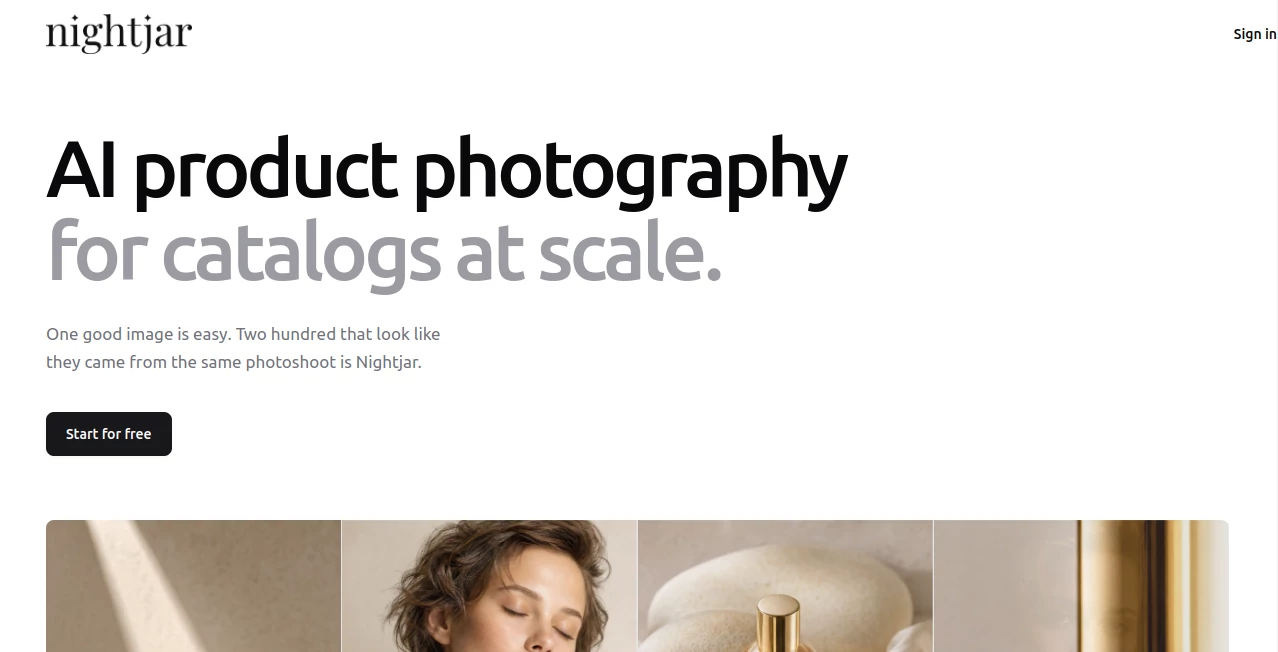
What is Nightjar?
Nightjar is an AI product photography platform built for e-commerce brands that need a large number of consistent, professional-looking product images without organizing a traditional photoshoot for every new product. Instead of treating each image as an isolated generation, the platform focuses on maintaining the same product identity, visual direction, lighting, composition, and overall brand style across an entire catalog.
The workflow is particularly interesting for online stores selling apparel, footwear, jewelry, beauty products, accessories, furniture, food, and other physical products. A product page can provide the source material, and the system can use product photos, angles, and dimensions to create new visual variations while keeping the original product recognizable.
With more than 12,000 brands reported as using the platform, its main appeal is not simply generating attractive images. It is creating a repeatable visual production system that can be reused as a catalog grows.
Key Features
- AI-generated product photography for e-commerce catalogs
- Product preservation using existing product photos and dimensions
- 80+ pre-built AI fashion models and custom model creation
- Hundreds of poses, angles, and framing options
- 150+ photography styles and support for reference images
- Reusable Recipes for maintaining consistent creative direction
- AI-powered image editing using natural-language instructions
- Virtual try-on for garments
- Background and scene generation
- Product recoloring
- Image search using natural-language descriptions
- Canvas expansion and reframing
- 2K and 4K image generation and upscaling
- Team collaboration with a shared asset library
- REST API for automated product photography workflows
User Interface
The interface is designed around visual controls rather than requiring users to write long image-generation prompts. Users can choose a product, model, composition, photography style, scene, and other creative ingredients. This makes the workflow easier to understand for store owners and marketing teams who may not have experience with generative AI.
One useful approach is to save a successful setup as a Recipe. The same combination of photography style, composition, model, and scene can then be applied to another product. For a store with dozens or hundreds of SKUs, this can remove a considerable amount of repetitive creative work.
Accuracy & Performance
Product consistency is one of the strongest parts of the platform's positioning. Rather than asking an image model to invent a product from a text description, the workflow can start from the actual product page and its existing photographs. The service states that it can retrieve multiple product angles and physical dimensions, giving the generation process more information about the item.
This matters for commercial photography. A beautiful image is not particularly useful if the generated handbag has a different shape, a bottle has the wrong proportions, or a garment loses important details. The platform is specifically designed to keep the material, branding, silhouette, colors, and other recognizable characteristics of the original product intact.
Output resolution can also be increased to 2K or 4K. For particularly detailed product imagery, starting with a sharp source image and using a higher output resolution can make a noticeable difference.
Capabilities
The feature set goes beyond simple image generation. A single product photograph can be expanded into a broader photoshoot, allowing a brand to create different compositions and environments around the same item. Users can also describe edits in plain English, change backgrounds, recolor products, extend an image canvas, and search an image library by describing what they are looking for.
Fashion brands get additional value from virtual try-on and reusable AI models. A selected model can appear across different products, helping a collection look like it belongs to one coordinated campaign rather than a collection of unrelated AI images.
The API is another important capability for larger operations. Paid subscriptions provide programmatic access to product photography, editing, upscaling, products, photography styles, backgrounds, poses, and fashion models. This makes it possible to connect image generation to an existing e-commerce or content pipeline instead of manually creating every asset.
Security & Privacy
Privacy is an important consideration for businesses uploading proprietary product imagery. According to the service's privacy information, customer uploads and generated images are not used to train or improve AI models serving other users. The company also states that customer images remain private and confidential.
Users also retain ownership of generated outputs and can use them for lawful commercial purposes, including product pages, advertising, email campaigns, social media, packaging, and marketplace listings. Businesses should still review the current terms and privacy policy before using any AI-generated asset in a sensitive commercial workflow.
Use Cases
The most obvious use case is e-commerce catalog production. A clothing store can photograph or upload its products once and then create lifestyle imagery with different models, poses, backgrounds, and compositions without arranging a physical shoot for every SKU.
Jewelry brands can use close-up compositions and hand-based poses, while furniture businesses can place products into lifestyle environments. Beauty companies can create polished product scenes, seasonal campaigns, and different background treatments. Small businesses can also use the system to create advertising and social media variations without maintaining a photography studio.
It is especially useful when a brand needs consistency. For example, imagine a store with 100 products that all need a clean editorial appearance. Instead of creating a new creative brief for every item, a team can establish a visual direction once and reuse it across the catalog.
Pros and Cons
- Pros: Strong focus on product consistency and catalog-scale production.
- Pros: Large selection of models, poses, compositions, and photography styles.
- Pros: Reusable Recipes make recurring visual production easier.
- Pros: Includes editing, upscaling, virtual try-on, background generation, and recoloring.
- Pros: API access makes it suitable for automated workflows.
- Pros: Generated images can be used commercially under the stated terms.
- Cons: The platform is specialized for product photography rather than general-purpose image creation.
- Cons: Large catalogs can consume credits quickly depending on resolution and generation volume.
- Cons: Final commercial images should still be reviewed by a person for product accuracy and brand details.
Pricing Plans
New accounts receive a free credit allowance without requiring a credit card, making it possible to test the workflow before subscribing. Paid plans use a monthly credit-based subscription, with current plans starting at 150 generations per month and scaling to substantially larger catalog volumes.
Standard 1K and 2K product photography outputs generally consume one credit, while 4K outputs consume two. A four-image photoshoot uses two credits in total. The service also offers larger custom capacities for businesses with higher production requirements.
As an example, the entry paid plan is currently listed at $25 per month for 150 credits. Businesses producing hundreds or thousands of images should evaluate the credit consumption against their expected catalog volume before choosing a plan.
How to Use Nightjar
Start by creating an account and adding the product you want to photograph. Existing product photos can be used as the visual reference, and the workflow can also extract product information from a store product page.
Next, select the desired model, composition, photography style, background, and output settings. You can choose from ready-made creative options or use your own reference material when you want a more specific visual direction.
Generate the image and review the result. If the composition is successful, save the setup as a Recipe so it can be reused for additional products. You can then edit images with natural-language instructions, upscale finished assets, or create additional variations for product pages, advertisements, marketplaces, and social media.
For larger teams, the shared library and API can be incorporated into a broader production workflow, allowing image generation to become part of the regular catalog process rather than a one-off creative experiment.
Comparison with Similar Tools
General-purpose AI image generators are excellent for experimentation, concept art, and creating individual visuals. The challenge begins when a business needs the same visual identity across dozens or hundreds of products. Models, lighting, framing, and product details can drift between generations.
This platform takes a more specialized approach. Products, photography styles, models, poses, backgrounds, and Recipes can be treated as reusable components. That makes it better suited to brands that care about catalog consistency rather than simply producing an impressive single image.
It is therefore less of a general creative playground and more of a dedicated AI production studio for e-commerce imagery. A business creating illustrations or unrelated marketing artwork may prefer a broader image-generation platform, while a product-based business with recurring photography needs can benefit from the more structured workflow.
Conclusion
Nightjar takes a practical approach to AI photography by focusing on one of the hardest parts of e-commerce content production: keeping a large catalog visually consistent. Its combination of product-aware generation, reusable creative settings, AI models, photography styles, editing tools, upscaling, virtual try-on, and API access makes it particularly attractive to brands producing product imagery at scale.
The biggest advantage is not simply that a business can generate a beautiful product image. It is the ability to establish a visual direction and keep using it as the catalog grows. For an online store adding new products regularly, that difference can turn AI photography from an occasional experiment into a repeatable part of the content workflow.
Frequently Asked Questions (FAQ)
What is Nightjar used for?
It is designed primarily for generating and editing AI-powered product photography for e-commerce brands. It can create product shots, lifestyle scenes, model imagery, variations, and other commercial visual assets.
Can it keep my actual product consistent?
Yes. The workflow is designed around real product references, including multiple photographs and product information, rather than relying only on a text description. This helps preserve important product characteristics across generated images.
Can I use the generated images commercially?
Yes. The stated terms grant users ownership of generated outputs and allow lawful commercial use, including websites, advertising, social media, email, packaging, and marketplace listings.
Does it support fashion products?
Yes. Apparel and fashion accessories are among the supported product categories, with AI fashion models, reusable poses, and virtual try-on capabilities available for creating on-model imagery.
Does it have an API?
Yes. The platform provides a REST API for paid subscriptions, allowing businesses to integrate product photography, editing, upscaling, products, styles, backgrounds, poses, and models into their own workflows.
Is there a free option?
New accounts receive a small free credit allowance without requiring a credit card. Paid subscriptions are available for businesses that need higher production volume.
Is it suitable for large product catalogs?
Yes. Catalog-scale consistency is one of its main strengths. Reusable Recipes and saved creative components allow teams to apply an established visual direction to new products without rebuilding the entire setup each time.
Can it replace traditional product photography?
For many routine e-commerce images, it can significantly reduce the need for traditional photography. However, premium campaigns, highly complex physical sets, or projects requiring precise physical photography may still benefit from a professional studio shoot.
How much does it cost?
Paid subscriptions currently start at $25 per month for 150 credits. The exact cost depends on the selected subscription and the type and resolution of images being generated.
Does the platform train AI models on my images?
The company states that customer uploads and generated images are not used to train or improve AI models serving other users, and that customer images are kept private.
AI Photo & Image Generator , AI Photography , AI E-commerce Assistant .
These classifications represent its core capabilities and areas of application. For related tools, explore the linked categories above.

Nightjar Alternatives Product

Z-Image

Sourcetable

AI Photo Edi…

flux 3

Banana Prompt

poseup

Sellerview.ai

nano banana
StylinAI