
NOTESASM
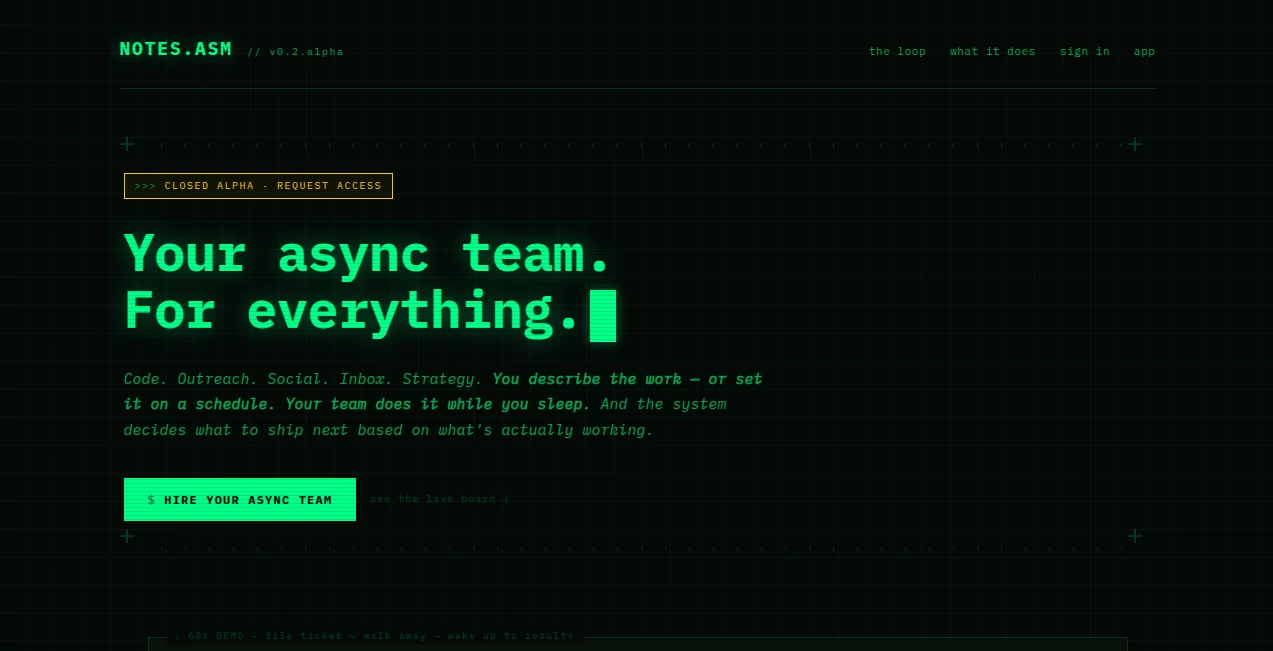
What is NOTESASM?
Keeping up with meetings, brainstorming sessions, client calls, and team discussions can quickly become overwhelming. Important decisions are often buried inside long conversations, and valuable insights can easily be forgotten. This platform was created to solve that challenge by automatically capturing conversations, generating organized notes, and turning discussions into actionable knowledge.
Designed for professionals, teams, consultants, educators, and remote workers, it streamlines the entire note-taking process. Instead of dividing attention between participating in a conversation and writing notes, users can focus on meaningful discussions while the platform handles documentation in the background.
What makes this solution particularly appealing is its ability to transform raw meeting content into structured summaries, action items, searchable transcripts, and organized records that remain accessible long after a meeting ends.
Key Features
User Interface
The interface is clean, intuitive, and designed for productivity. Users can quickly access recordings, summaries, transcripts, and historical conversations from a centralized workspace. Navigation feels straightforward even for first-time users, making it easy to locate important information without unnecessary complexity.
Meetings are organized in a way that allows teams to review discussions, revisit decisions, and track progress efficiently. Search capabilities further improve usability by helping users find specific topics, comments, or action items within seconds.
Accuracy & Performance
One of the strongest aspects of the platform is its ability to generate highly detailed transcripts and concise summaries shortly after meetings conclude. Instead of forcing users to review lengthy recordings, it highlights the most relevant information and presents it in an easy-to-consume format.
The transcription process is designed to capture conversations with impressive accuracy, helping teams maintain reliable records and reducing the risk of missing critical information. Automated summaries save considerable time while preserving the context of discussions.
Capabilities
- Automatic meeting recording and documentation.
- AI-generated meeting summaries.
- Action item extraction and task tracking.
- Searchable conversation history.
- Transcript generation with organized structure.
- Collaboration and sharing capabilities for teams.
- Meeting insight retrieval through intelligent search.
- Support for ongoing knowledge management workflows.
These capabilities help organizations reduce manual work while improving communication, accountability, and decision tracking.
Security & Privacy
Security and data protection remain important considerations for any platform handling business conversations. The system is built to manage meeting information responsibly while giving users access to organized records of their discussions.
For businesses handling sensitive information, maintaining centralized documentation also reduces the risks associated with scattered notes, forgotten decisions, and inconsistent record-keeping practices.
Use Cases
- Capturing and summarizing internal team meetings.
- Documenting client consultations and discovery calls.
- Recording project planning sessions and workshops.
- Managing action items across multiple stakeholders.
- Creating searchable knowledge repositories.
- Supporting remote and distributed teams.
- Reviewing past decisions and project discussions.
- Maintaining accurate meeting records for compliance purposes.
For example, a project manager running several weekly meetings can quickly review generated summaries and action items instead of spending hours revisiting recordings or manually organizing notes.
Pros and Cons
Pros
- Reduces manual note-taking effort.
- Generates clear and structured meeting summaries.
- Automatically identifies action items.
- Improves team collaboration and alignment.
- Provides searchable historical records.
- Simple setup and user-friendly experience.
- Saves significant administrative time.
Cons
- Internet connectivity may be required for optimal performance.
- Summary quality can vary depending on audio quality.
- Some advanced collaboration features may require premium plans.
- Users may still need to review highly technical discussions for additional context.
Pricing Plans
The platform offers options suitable for both individual professionals and growing teams. Users can typically begin with an entry-level plan to evaluate core functionality before moving to higher tiers that provide expanded recording capacity, collaboration features, and advanced productivity capabilities.
Organizations with frequent meetings often find the investment worthwhile due to the substantial amount of time saved on documentation and follow-up activities.
How to Use NotesASM
Getting started is straightforward:
- Create an account and connect your meeting environment.
- Schedule or join meetings as usual.
- Allow the platform to capture and process conversations.
- Review automatically generated transcripts and summaries.
- Check extracted action items and assignments.
- Share notes with team members when needed.
- Search previous meetings to find important information later.
The workflow requires minimal manual intervention, making it suitable even for busy professionals with packed schedules.
Comparison with Similar Tools
Compared with traditional note-taking applications, this solution goes beyond simple text storage by actively analyzing conversations and extracting meaningful outcomes. While standard productivity tools often rely on manual input, it automates transcription, summarization, and action tracking.
Compared with many meeting assistants, it offers a balanced combination of recording, intelligent search, collaboration, and knowledge management capabilities. The emphasis on transforming conversations into actionable insights makes it especially valuable for teams that depend on efficient communication and documentation.
Conclusion
Modern teams generate enormous amounts of information through meetings, yet much of that knowledge is lost due to ineffective note-taking practices. This platform addresses that challenge by turning conversations into organized, searchable, and actionable records.
Its combination of automated summaries, transcript generation, action item extraction, and collaboration features creates a highly productive environment for professionals who want to spend less time documenting meetings and more time acting on results.
For organizations seeking a smarter way to capture knowledge and improve meeting productivity, it stands out as a practical and highly valuable solution.
Frequently Asked Questions (FAQ)
What does this platform do?
It automatically records, transcribes, summarizes, and organizes meeting conversations into actionable notes and searchable records.
Who can benefit from using it?
Professionals, project managers, consultants, educators, remote teams, and organizations that conduct frequent meetings can benefit significantly.
Can it generate action items automatically?
Yes. The system identifies tasks, commitments, and follow-up items discussed during meetings.
Does it help with knowledge management?
Yes. Meeting content becomes searchable and accessible, making it easier to build an internal knowledge base over time.
Is it suitable for remote teams?
Absolutely. It helps distributed teams stay aligned by creating clear records of decisions, discussions, and responsibilities.
AI Productivity Tools , AI Team Collaboration , AI Meeting Assistant , AI Notes Assistant .
These classifications represent its core capabilities and areas of application. For related tools, explore the linked categories above.

NOTESASM Alternatives Product

Nimbalyst

DemoDash

AntForms

Ryne AI

Audio Convert

CodeProt

Workik

DocReplacer

Futurwise