GLM-OCR
What is GLM-OCR?
Extracting text from images, scanned documents, or screenshots has always been a time-consuming task, especially when accuracy matters. This platform simplifies that entire process by offering a fast and reliable way to convert visual content into editable, usable text within seconds.
Whether you're working with printed documents, handwritten notes, invoices, or even low-quality scans, the system is designed to handle real-world noise and imperfections without breaking the flow of your work. The experience feels smooth, almost effortless, as if the tool understands exactly what you’re trying to achieve.
Key Features
User Interface
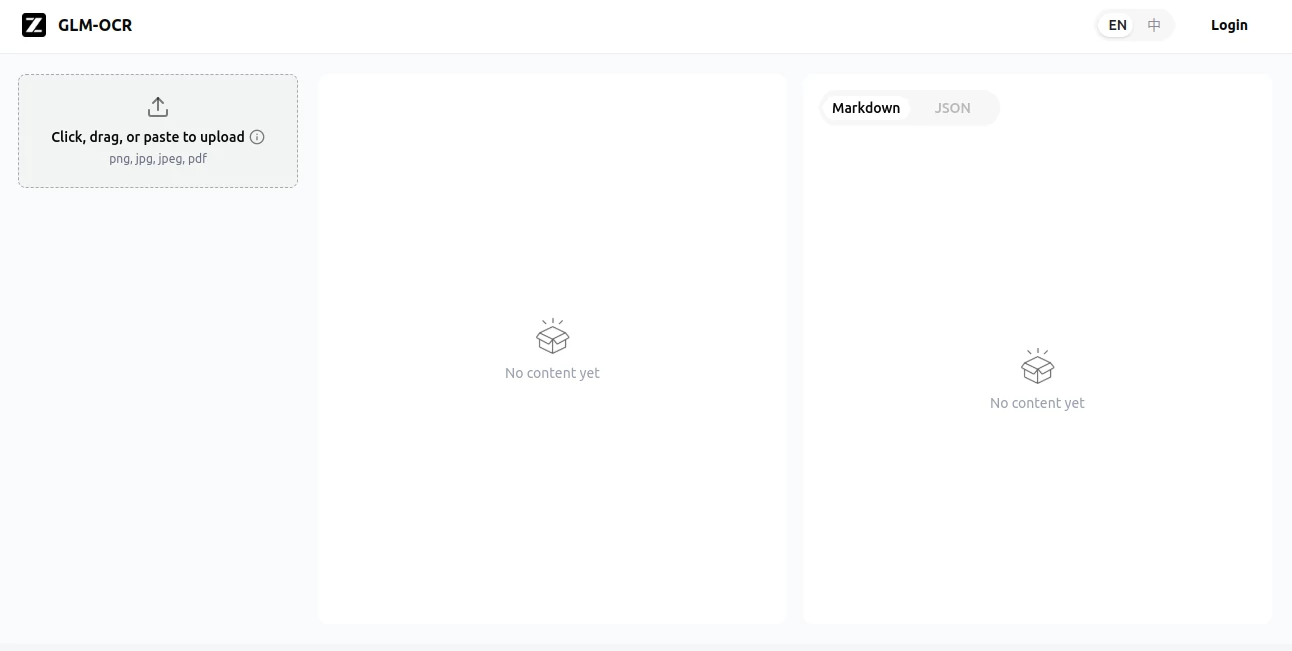
The interface is clean and minimal, focusing entirely on functionality. Users can simply upload an image or drag and drop files without dealing with unnecessary settings or technical steps. Everything is designed to reduce friction and speed up the workflow.
Accuracy & Performance
One of the strongest aspects is its ability to maintain high accuracy even in challenging conditions. Blurry scans, mixed fonts, or skewed documents are handled with surprising precision, making it suitable for both personal and professional use.
Capabilities
- Extract text from images, PDFs, and scanned documents
- Support for multiple languages
- Recognition of printed and handwritten text
- Fast processing with minimal waiting time
- Export options for easy editing and sharing
Security & Privacy
User data is treated with care, and uploaded files are processed in a secure environment. The system is built to ensure that sensitive documents are not exposed or misused, making it suitable for business and academic use cases.
Use Cases
This tool is particularly useful in everyday scenarios where converting visual information into text is necessary. Students can digitize handwritten notes, professionals can extract data from contracts or reports, and researchers can quickly process archived documents. It also works well for administrative tasks such as invoice processing and data entry automation.
Pros and Cons
Pros:
- Fast and reliable text extraction
- Works well with low-quality images
- Simple and user-friendly interface
- Supports multiple document types
Cons:
- Advanced formatting reconstruction may be limited
- Requires clear input for best results in complex layouts
Pricing Plans
The platform typically follows a flexible pricing model, offering both free access for light usage and premium options for users who need higher volume processing or advanced capabilities. This makes it accessible for individuals while still scalable for business needs.
How to Use OCR.Z.AI
Getting started is straightforward. Users upload an image or document, select the desired output format, and let the system process the file. Within seconds, the extracted text is ready for copying, editing, or exporting. No technical setup or training is required.
Comparison with Similar Tools
Compared to traditional OCR solutions, this platform focuses more on speed and simplicity while maintaining competitive accuracy. Many older tools require complex configurations or deliver inconsistent results with noisy images, whereas this system prioritizes usability and consistent performance across different input types.
Conclusion
This solution stands out as a practical and efficient option for anyone who regularly deals with image-based text extraction. It removes unnecessary complexity and delivers results that feel immediate and dependable, making it a strong choice for both casual and professional users.
Frequently Asked Questions (FAQ)
What types of files can be processed?
It supports images, scanned documents, and various digital file formats commonly used in everyday workflows.
Is it suitable for handwritten text?
Yes, it can recognize many styles of handwriting, although clarity affects accuracy.
Do I need technical skills to use it?
No, the platform is designed for anyone to use without training or technical knowledge.
Can it handle large documents?
Yes, it is capable of processing multi-page content depending on the plan or usage limits.
AI Data Mining , AI Image Recognition , AI Productivity Tools , AI Document Extraction .
These classifications represent its core capabilities and areas of application. For related tools, explore the linked categories above.

GLM-OCR Alternatives Product

Speechara

eesel AI

broop

KarmaGuy

Calculadora …

MakeGraph

Where Is Thi…

TruthSpine

Airtable AI …