OmniPix
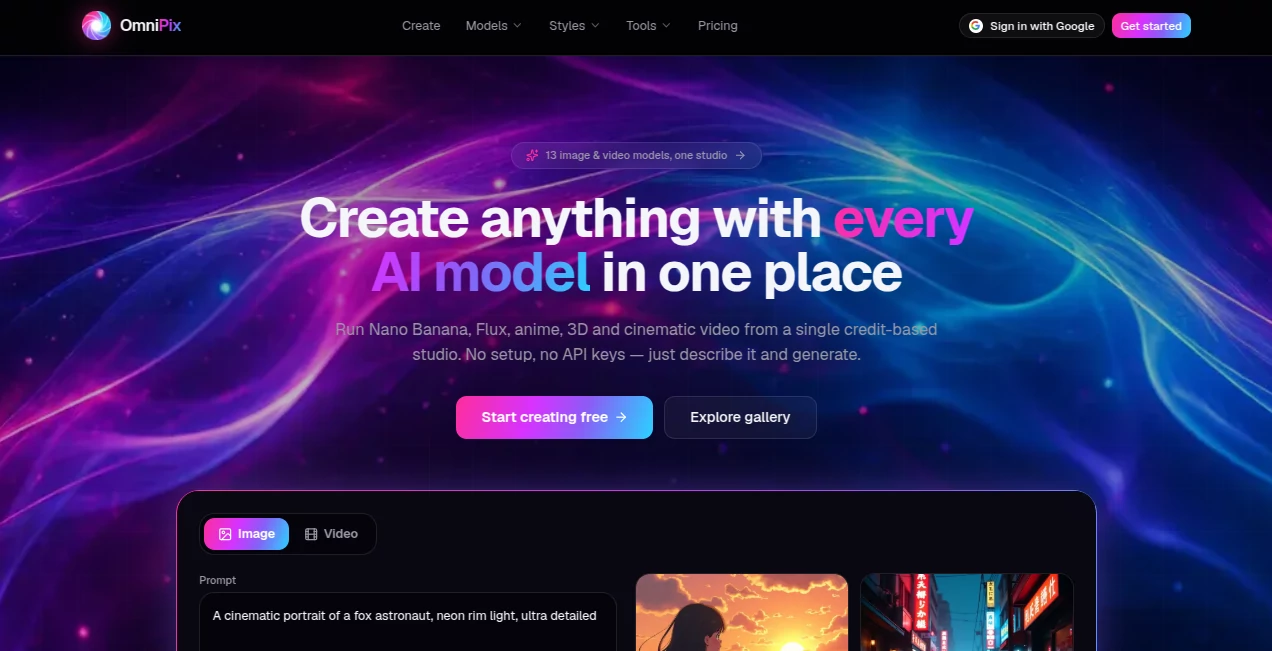
What is OmniPix?
Creating high-quality visuals used to require advanced design skills, expensive software, and a lot of time. Today, AI has changed that workflow completely. This platform brings a new approach to digital creativity by allowing users to generate visually rich images from simple text prompts or reference inputs. It is designed for creators, marketers, designers, and anyone who wants to turn imagination into polished artwork within seconds.
What makes this tool stand out is its balance between simplicity and creative control. You don’t need to be a professional designer to produce eye-catching visuals. At the same time, advanced users can still refine outputs to match specific artistic directions or brand requirements.
Key Features
User Interface
The interface is clean and intuitive, focusing on fast workflow rather than overwhelming menus. Users can quickly enter prompts, adjust styles, and generate images without a learning curve. Everything is structured in a way that feels natural even for first-time users.
Accuracy & Performance
One of the strongest aspects of this AI image tool is how well it interprets prompts. It understands context, style descriptions, and artistic direction with impressive accuracy. The generation speed is optimized so users can iterate multiple ideas without long waiting times.
Capabilities
The platform supports a wide range of creative outputs, from realistic imagery to stylized illustrations. It can handle different visual styles, lighting conditions, and composition requests. Whether you need product mockups, concept art, or social media visuals, it adapts well to various needs.
Security & Privacy
User privacy is treated seriously. Prompts and generated outputs are handled in a secure environment, ensuring that creative input remains protected. This makes it suitable for both personal and professional use cases where confidentiality matters.
Use Cases
- Creating marketing visuals for social media campaigns
- Generating concept art for games, films, or storytelling projects
- Designing blog or website graphics quickly
- Producing product mockups for e-commerce listings
- Experimenting with creative ideas without hiring a designer
Pros and Cons
Pros
- Fast and responsive image generation
- Easy to use for beginners
- Supports diverse artistic styles
- High-quality visual output
Cons
- Advanced customization may require experimentation
- Results can vary depending on prompt clarity
Pricing Plans
The platform typically follows a flexible pricing structure that may include free access for basic usage and premium plans for higher resolution outputs, faster processing, or commercial usage rights. This makes it accessible for casual users while still supporting professionals who need more capacity and control.
How to Use OmniPix
Getting started is simple. Users begin by entering a descriptive text prompt that explains the image they want to create. After selecting optional style preferences, the system generates one or more visual outputs. From there, users can refine their prompts or regenerate variations until they achieve the desired result.
The workflow is designed to feel conversational. Instead of dealing with complex design tools, users simply describe what they imagine and let the system handle execution.
Comparison with Similar Tools
Compared to other AI image generators, this platform focuses on a smoother user experience and faster iteration cycles. While some tools prioritize technical complexity, this one emphasizes accessibility and creative speed. It is especially appealing for users who want quality results without dealing with complicated settings or steep learning curves.
Conclusion
This AI-powered creative tool offers a practical and efficient way to generate high-quality visuals from simple ideas. It bridges the gap between imagination and execution, making design more accessible to everyone. Whether you are a marketer, content creator, or hobbyist, it provides a reliable space to bring visual concepts to life without friction.
Frequently Asked Questions (FAQ)
Is this tool suitable for beginners?
Yes, it is designed with a simple interface that allows beginners to generate professional-looking images without prior experience.
Can I use generated images for commercial projects?
Depending on the chosen plan, users may have commercial usage rights for the images they create.
Do I need design skills to use it?
No design skills are required. The system relies on text prompts, making it accessible to anyone.
What types of images can I create?
You can create a wide range of visuals including realistic scenes, illustrations, concept art, and marketing graphics.
Is there a limit on image generation?
Usage limits depend on the plan selected, with higher tiers offering more generation capacity.
AI Text to Image , AI Photo & Image Generator , AI Image to Image , AI Art Generator .
These classifications represent its core capabilities and areas of application. For related tools, explore the linked categories above.

OmniPix Alternatives Product

outfitswap

Image2

Mage

Fiddl.art

Shutterstock
HD Photo Con…

FitHairAI
z image

AI Signature…