
Paperclip
What is Paperclip?
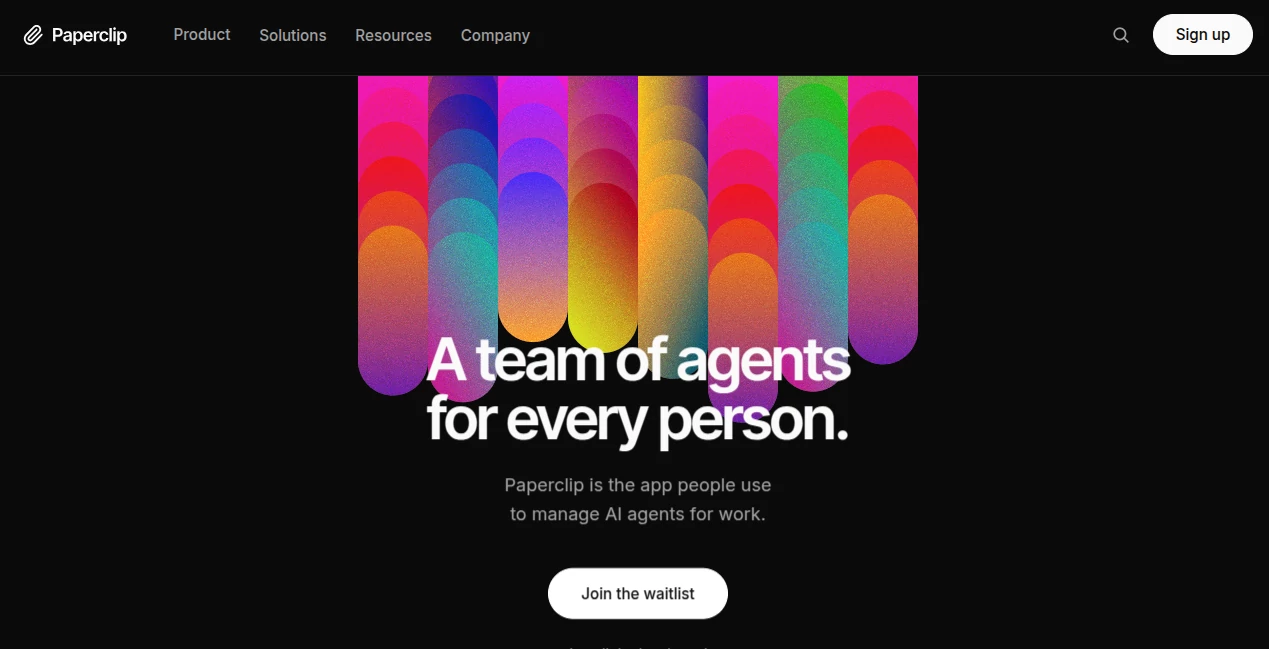
Running multiple AI agents efficiently is becoming one of the biggest challenges for modern businesses. As organizations adopt specialized models for research, development, marketing, customer support, and operations, coordinating them can quickly become more complex than managing human teams.
This platform introduces a fresh approach by treating AI agents like members of a real company. Instead of simply launching isolated assistants, users can organize departments, define reporting structures, assign budgets, establish governance rules, and monitor progress from one centralized environment. The result is a structured ecosystem where AI workers collaborate toward shared business goals while remaining under human supervision.
Its open-source architecture is particularly attractive for developers and organizations that value transparency, flexibility, and self-hosting. Rather than locking businesses into a single model provider, the system is designed to work with different AI models and execution services, allowing teams to build an infrastructure that fits their own requirements.
Key Features
- Open-source platform for AI workforce orchestration.
- Create organizational charts for AI teams.
- Assign goals, responsibilities, and business workflows.
- Built-in governance and approval processes.
- Budget management for AI operations.
- Supports multiple AI models and adapters.
- Self-hosting capabilities for complete control.
- Command-line tools for deployment and administration.
- Issue and task management for autonomous agents.
- Extensible architecture for custom integrations.
User Interface
The overall experience focuses on organization rather than conversation. Instead of presenting users with a simple chat window, the platform provides a structured environment where AI agents are arranged into teams with clearly defined roles and reporting relationships. Dashboards, approval flows, activity tracking, and management tools make it feel closer to enterprise software than a traditional chatbot.
Accuracy & Performance
Performance depends largely on the language models and execution services connected to the platform. Its orchestration layer helps ensure tasks are delegated appropriately, monitored consistently, and completed through organized workflows. By separating governance from execution, businesses can upgrade underlying AI models without redesigning their operational structure.
Capabilities
The platform goes far beyond assigning prompts. Businesses can create AI departments, distribute workloads, monitor activity, establish approval requirements, organize projects, manage organizational hierarchies, and coordinate multiple autonomous agents working simultaneously across different business functions. Its modular architecture also enables developers to extend functionality using adapters and custom integrations.
Security & Privacy
Organizations that prioritize data ownership benefit from self-hosting options, allowing deployments inside private infrastructure. Governance features help maintain oversight by introducing approval workflows and centralized management rather than allowing autonomous agents to operate without accountability. The open-source nature also enables technical teams to inspect and customize the underlying implementation.
Use Cases
- Managing autonomous AI teams across multiple departments.
- Coordinating software development workflows.
- Automating business operations with structured governance.
- Building AI-native startups.
- Running research and documentation teams.
- Managing AI-powered customer support organizations.
- Creating internal automation platforms.
- Experimenting with multi-agent business systems.
Pros and Cons
- Pros
- Open-source and highly customizable.
- Supports multiple AI providers.
- Designed for enterprise-scale orchestration.
- Self-hosting improves deployment flexibility.
- Clear governance and approval mechanisms.
- Developer-friendly documentation and CLI tools.
- Cons
- Requires technical knowledge for deployment.
- Best suited for organizations rather than casual users.
- Performance depends on external AI models.
- Advanced configurations may require infrastructure planning.
Pricing Plans
The project is available as an open-source solution. Organizations can deploy and customize it within their own infrastructure, while operational costs primarily depend on the AI models, hosting environment, and services integrated into the deployment.
How to Use Paperclip
Begin by deploying the platform using the available setup instructions. Configure the environment, connect supported AI providers or adapters, and establish an organizational structure by creating departments, teams, and agents. Define objectives, assign tasks, configure governance policies, and monitor activity through the management interface or command-line tools. As business needs evolve, additional integrations and workflows can be added without rebuilding the entire system.
Comparison with Similar Tools
Many AI automation platforms focus on creating individual agents or simple workflows. This solution distinguishes itself by emphasizing organizational management instead of isolated automation. Features such as company structures, governance policies, budgeting, approvals, and hierarchical agent coordination provide a more complete framework for businesses planning to operate large AI workforces. Its open-source foundation and model-agnostic design also offer greater flexibility than many proprietary alternatives.
Conclusion
Businesses are beginning to think beyond individual AI assistants and toward coordinated digital workforces. This platform represents that shift by providing the infrastructure needed to organize, supervise, and scale autonomous agents in a structured business environment. With strong governance, flexible deployment options, and an architecture built for extensibility, it offers a compelling foundation for organizations preparing for the next generation of AI-powered operations.
Frequently Asked Questions (FAQ)
Is this platform open source?
Yes. It is designed as an open-source project that organizations can customize and self-host.
Can it work with different AI models?
Yes. The architecture supports multiple AI providers through adapters instead of depending on a single language model.
Is it suitable for enterprise environments?
Yes. Governance, approvals, organizational structures, and scalable deployment make it well suited for professional teams.
Does it replace human employees?
No. It is intended to help humans manage and coordinate AI agents while maintaining oversight and accountability.
Who benefits the most from this platform?
Developers, startups, AI-native businesses, and organizations building large-scale autonomous workflows will gain the greatest value.
AI Workflow Management , AI Project Management , AI Team Collaboration , AI Developer Tools .
These classifications represent its core capabilities and areas of application. For related tools, explore the linked categories above.

Paperclip Alternatives Product

AutoChangelog

Startup Read…

ClawBridge

Candidate Sc…

Online White…

Mage Flow AI…

Ito AI
Kimi K2.5

Futurwise