
PassWizard
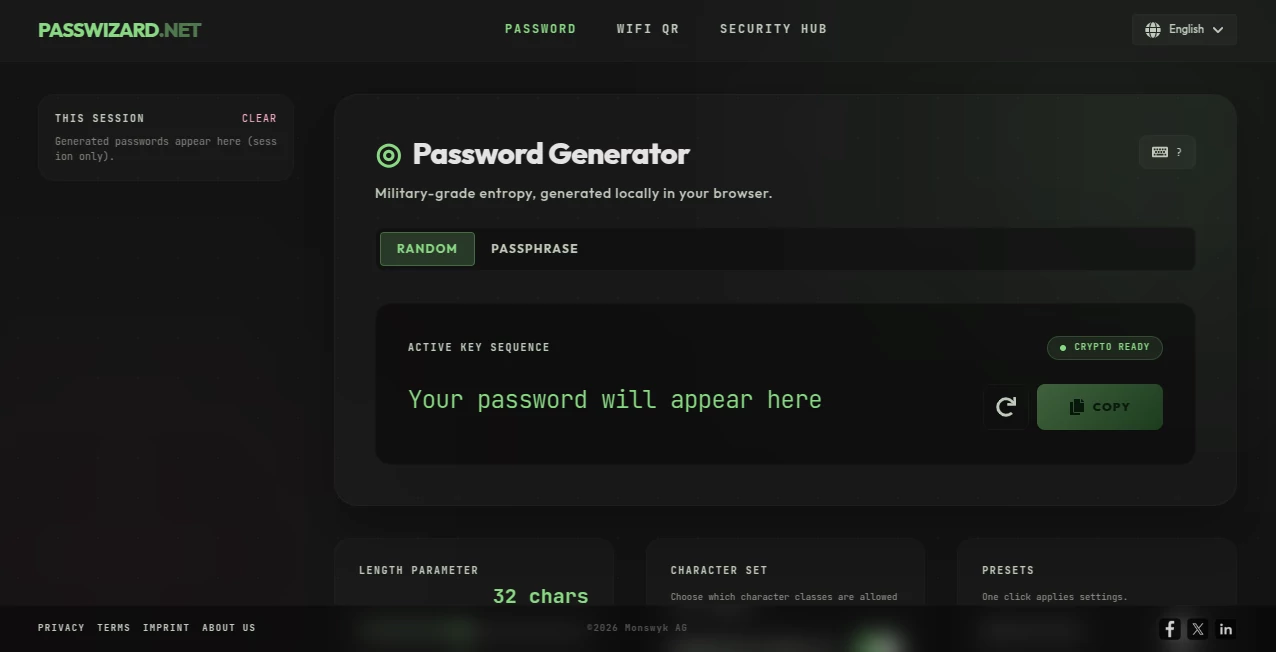
What is PassWizard?
PassWizard is a lightweight online security toolkit designed for anyone who wants to create stronger passwords without installing software or creating an account. The platform focuses on practical cybersecurity essentials, offering a fast password generator, password strength analysis, breach-aware password checking, WiFi QR code creation, and educational resources for two-factor authentication. Everything runs directly in the browser, making it convenient whether you're securing personal accounts or helping an entire team improve password hygiene.
One of the biggest advantages is its simplicity. Instead of overwhelming users with unnecessary settings, the interface provides quick access to tools that solve real security problems. Whether you're creating credentials for a new service, checking if an existing password has appeared in known data breaches, or generating a QR code for secure WiFi sharing, the experience remains smooth and intuitive.
For individuals, freelancers, developers, and IT professionals alike, having several security utilities gathered in one browser-based platform saves time while encouraging better password practices. It's an excellent example of how straightforward design can make cybersecurity more accessible to everyone.
Key Features
User Interface
The interface is clean, responsive, and intentionally minimal. Users can immediately access the available tools without navigating through complicated menus. Since everything works directly inside the browser, there is no software installation or account registration required before generating passwords or using the additional utilities.
Accuracy & Performance
Password generation is instant, producing strong randomized combinations suitable for modern security standards. The breach-aware password checker helps users identify potentially compromised credentials, while the educational resources provide reliable guidance for improving online account protection. Browser-based processing also contributes to a fast and responsive experience.
Capabilities
The platform includes multiple security-focused utilities in one place, including:
• Strong password generation
• Password strength evaluation
• Breach-aware password checking
• WiFi QR code generation
• Two-factor authentication guidance
• Browser-based operation without installation
These capabilities make it more than just a password generator, offering practical tools for improving everyday digital security.
Security & Privacy
Privacy is clearly a priority. The service operates directly within the browser and avoids requiring user registration for its core utilities. This reduces unnecessary data collection while allowing users to generate passwords and access security tools without sharing personal information. Its browser-first approach also makes it suitable for users who prefer privacy-conscious online services.
Use Cases
Individuals can quickly generate unique passwords for new online accounts instead of reusing existing credentials. Families may create WiFi QR codes that simplify guest network access without revealing complicated passwords. IT administrators can recommend the platform as an educational resource for improving password practices, while developers and freelancers can rapidly generate secure credentials during testing or project deployment. Students learning cybersecurity concepts may also benefit from the practical explanations surrounding password security and two-factor authentication.
Pros and Cons
Pros
• Completely browser-based
• Free to use
• No account registration required
• Includes multiple password security utilities
• Fast and easy user experience
• Helpful educational content about account security
Cons
• Primarily focused on password-related utilities
• Not intended to replace a full-featured password manager
• Advanced enterprise security features are not the main focus
Pricing Plans
The platform is available as a free online service. Users can access the password generator, breach-aware password checker, WiFi QR generator, and educational resources without purchasing a subscription, making it an attractive choice for individuals looking for practical security tools at no cost.
How to Use PassWizard
Open the website in any modern browser and choose the desired security tool. Generate a strong password with a single click, evaluate password strength, verify whether a password has appeared in known breaches, create a WiFi QR code for easier network sharing, or review the available guidance on enabling two-factor authentication. Since everything runs online, the process takes only a few moments.
Comparison with Similar Tools
Unlike many online password generators that only create random strings, this platform combines several useful security resources into one convenient location. The addition of breach-aware password checking and WiFi QR generation gives it broader functionality than many basic generators. While dedicated password managers provide encrypted vaults and synchronization across devices, this browser-based toolkit excels as a lightweight solution for generating secure credentials and improving password awareness without additional software.
Conclusion
Strong passwords remain one of the simplest yet most effective defenses against cyber threats, and having accessible tools encourages better security habits. This browser-based toolkit delivers practical utilities without unnecessary complexity, allowing users to create stronger credentials, check password safety, generate WiFi QR codes, and learn more about modern authentication practices. Its combination of speed, privacy, and ease of use makes it a valuable resource for anyone who wants straightforward online security tools.
Frequently Asked Questions (FAQ)
Is the service free to use?
Yes. The available security utilities can be accessed without paying for a subscription.
Do I need to create an account?
No. The primary tools are available directly in the browser without registration.
Can it generate strong passwords?
Yes. It creates randomized passwords designed to improve account security.
Does it offer anything besides password generation?
Yes. It also includes breach-aware password checking, WiFi QR code generation, and educational resources covering two-factor authentication and password security.
Who is the platform best suited for?
It is suitable for individuals, developers, students, IT professionals, and anyone looking for simple browser-based security utilities.
AI Productivity Tools , AI Education Assistant , AI Knowledge Base , AI Developer Tools .
These classifications represent its core capabilities and areas of application. For related tools, explore the linked categories above.

PassWizard Alternatives Product

freellm.net

Built2WinWeb

Vibe Code Pi…

Project Genie

Betula AI

SlideStorm AI

ModelsLab

Calculadora …

AllInOneTools