
PasteSheet
What is PasteSheet?
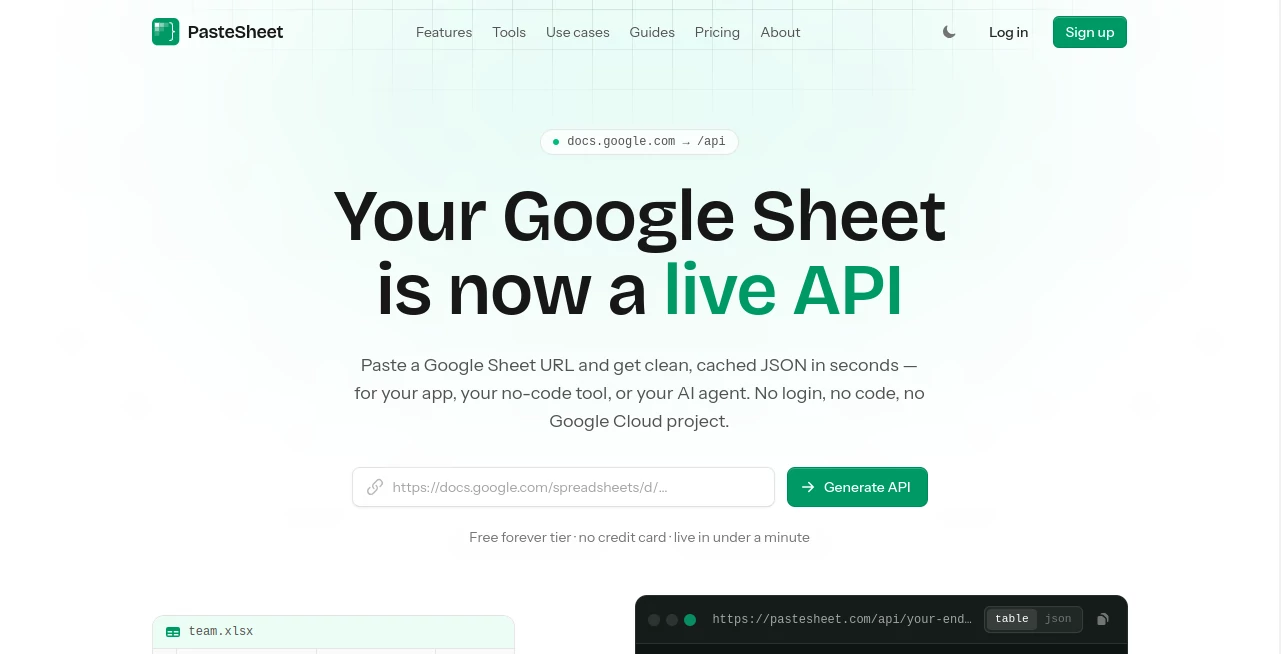
Managing data between spreadsheets, applications, and AI systems often requires unnecessary backend development, complicated integrations, and time-consuming setup. PasteSheet provides a simple way to transform a Google Sheet into a live REST API and an AI-ready data source without building a backend from scratch.
Designed for developers, no-code creators, and AI builders, this platform allows users to connect spreadsheet data with websites, applications, automation tools, and AI agents. Instead of manually creating databases or API infrastructure, users can start with a familiar spreadsheet and instantly make their information accessible through structured JSON endpoints.
The solution focuses on simplicity while still offering advanced capabilities such as filtering, sorting, search, caching, private endpoints, and Model Context Protocol support for modern AI workflows. It is especially useful for teams that need a lightweight data layer without the complexity of traditional backend systems.
Key Features
User Interface
The interface is built around a straightforward workflow. Users simply provide a Google Sheet connection and receive a ready-to-use API endpoint. The clean setup process removes technical barriers, making it approachable for both experienced developers and users who prefer visual or no-code solutions.
The dashboard helps users manage endpoints, monitor usage, and configure settings without dealing with complex server environments. The overall experience feels lightweight and practical, allowing users to focus on their data rather than infrastructure.
Accuracy & Performance
Performance is a major strength of the platform. Instead of sending every request directly to the spreadsheet source, responses are delivered through caching infrastructure designed to improve speed and reliability.
The built-in query system allows users to filter, sort, search, and paginate data efficiently. This makes spreadsheet-based applications feel closer to traditional database-powered systems while keeping the simplicity of spreadsheet editing.
Capabilities
The platform offers a wide range of features that help turn spreadsheet data into a flexible application resource. Users can create API endpoints, connect AI agents, embed search experiences, and provide structured access to information.
- Convert Google Sheets into JSON REST APIs
- Support filtering, sorting, and pagination
- Enable full-text search across spreadsheet data
- Connect spreadsheet information with AI agents through MCP
- Create private endpoints with API key protection
- Use AI-assisted column mapping for structured data
- Support website and no-code application integrations
- Provide cached responses for improved performance
Security & Privacy
Security features are designed to provide controlled access while keeping workflows simple. Users can create private endpoints, protect data with API keys, and control how their information is exposed.
The service follows a read-only approach for AI agent interactions, meaning connected AI systems can query information without modifying the original spreadsheet. This makes it safer for teams that want to provide data access while maintaining control over their source information.
Use Cases
This tool can support many practical scenarios where spreadsheet data needs to become accessible through applications or intelligent systems.
- Website Content Management: Use a spreadsheet as a lightweight content database for listings, FAQs, pricing tables, directories, and updates.
- AI Agent Data Sources: Allow AI assistants to read structured information from spreadsheets through an MCP-compatible connection.
- No-Code Applications: Provide backend-like functionality for projects built with visual development platforms.
- Internal Tools: Quickly create searchable dashboards and data-driven utilities for teams.
- Developer Prototypes: Test ideas quickly without creating a complete database architecture.
Pros and Cons
Pros
- Very fast setup compared with traditional backend development
- Turns familiar spreadsheet workflows into API-based systems
- Useful for developers, marketers, and no-code creators
- Includes AI agent connectivity features
- Offers filtering, search, and pagination tools
- Provides a free plan for smaller projects
Cons
- Best suited for spreadsheet-based projects rather than complex database applications
- Large-scale enterprise systems may require dedicated infrastructure
- Users need properly structured spreadsheet data for the best results
Pricing Plans
The platform provides multiple pricing options designed for different project sizes. A free plan is available for users who want to experiment or run smaller projects without upfront costs.
- Free: Includes limited endpoints and monthly requests, suitable for personal projects and testing.
- Starter: Designed for independent creators building real applications with higher usage requirements.
- Pro: Suitable for growing products that need more capacity and advanced features.
- Agency: Built for teams managing multiple projects and higher traffic requirements.
How to Use PasteSheet
Getting started requires only a few simple steps:
- Prepare your Google Sheet with organized columns and structured information.
- Connect the spreadsheet through the platform interface.
- Generate an API endpoint automatically.
- Use the endpoint inside websites, applications, automation platforms, or AI tools.
- Customize access settings based on your privacy and performance needs.
The process removes many technical steps normally associated with creating APIs, allowing creators to move from spreadsheet data to usable application resources quickly.
Comparison with Similar Tools
Traditional spreadsheet integrations often require API keys, cloud projects, authentication systems, or custom development work. This solution focuses on reducing those requirements by creating a direct bridge between spreadsheet data and modern applications.
Compared with standard database solutions, it provides a simpler starting point for projects where data changes frequently and needs to remain easy to edit. Compared with basic spreadsheet connectors, it adds more advanced features such as querying, caching, and AI agent compatibility.
Conclusion
For creators who want the flexibility of spreadsheets with the power of APIs, this platform offers an efficient and practical approach. It removes the need for unnecessary backend development while giving developers and AI builders a reliable way to connect structured data with modern applications.
Whether you are building a prototype, launching a no-code project, or creating an AI-powered workflow, this solution provides a simple path from spreadsheet information to accessible digital services.
Frequently Asked Questions (FAQ)
Can I use a Google Sheet as an API without coding?
Yes. The platform allows users to transform spreadsheet data into an API endpoint without manually writing backend code.
Can AI agents access spreadsheet data?
Yes. The system supports MCP-based connections, allowing compatible AI agents to query spreadsheet information in a structured way.
Is there a free plan available?
Yes. A free option is available for smaller projects and testing before upgrading to higher usage plans.
Can I protect my data?
Yes. Private endpoints and API key protection options are available for users who need controlled access.
Who is this tool best suited for?
It is ideal for developers, indie makers, no-code builders, and teams that want a simple way to use spreadsheet data inside applications and AI workflows.
AI No-Code & Low-Code , AI API Design , AI Developer Tools , AI Spreadsheet .
These classifications represent its core capabilities and areas of application. For related tools, explore the linked categories above.

PasteSheet Alternatives Product

HY Motion

freellm.net

Ito AI

ChatFlowchart

JSON to TOON…

Sourcetable

AIQualityHQ

Agent Grid

Toonifyit