
PhotoExpert
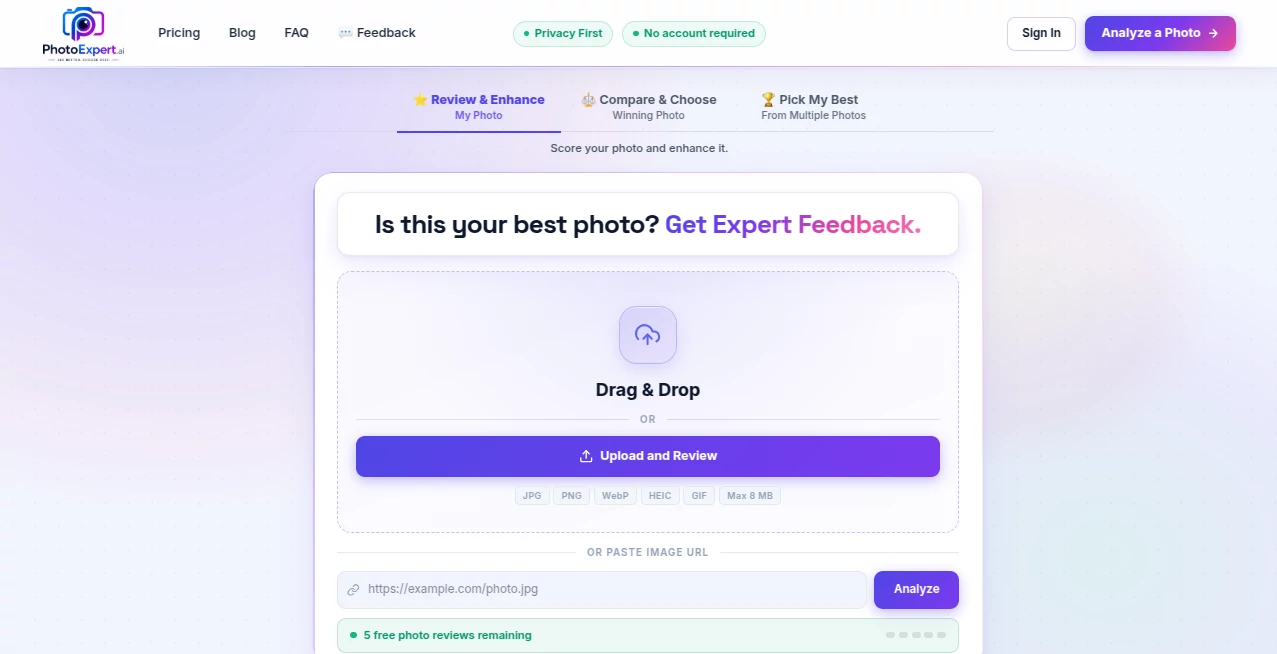
What is PhotoExpert?
Taking a great photo is only part of the process. Understanding what makes an image visually appealing, technically accurate, and suitable for its intended purpose can be just as important. This platform is designed to help users evaluate their photos with intelligent analysis, providing detailed feedback that goes beyond simple editing suggestions.
Instead of relying on guesswork, users receive practical recommendations that explain how composition, lighting, clarity, color balance, and overall presentation can be improved. Whether the goal is creating better portraits, enhancing product photography, preparing images for social media, or refining professional work, the review process offers meaningful insights that are easy to understand and apply.
The service also includes image enhancement and comparison capabilities, allowing users to see improvements side by side before deciding which version best meets their expectations. This combination of analysis and enhancement makes it valuable for photographers, creators, marketers, businesses, and anyone who wants their images to leave a stronger impression.
Key Features
User Interface
The interface is clean and straightforward, making it easy to upload an image and receive detailed feedback within a short time. Results are presented in an organized format, allowing users to quickly identify strengths and weaknesses without navigating through complicated menus.
- Simple image upload workflow.
- Easy-to-read review reports.
- Clear visual comparison between image versions.
- Minimal learning curve for new users.
Accuracy & Performance
The review engine focuses on practical image quality factors rather than generic comments. By examining multiple aspects of a photograph, it delivers feedback that helps users understand how individual improvements contribute to a better final result. The enhancement process is designed to preserve natural details while improving overall image quality.
Capabilities
- AI-powered photo reviews.
- Image enhancement recommendations.
- Before-and-after image comparison.
- Quality evaluation for various photo types.
- Helpful guidance for improving future photography.
- Support for both personal and professional workflows.
Security & Privacy
Users expect their uploaded images to be handled responsibly. The platform is designed to process photo reviews through an online workflow while allowing users to maintain control over the images they choose to analyze. As with any cloud-based service, reviewing the official privacy policy is recommended before uploading sensitive content.
Use Cases
- Review portrait photography before sharing online.
- Improve product photos for e-commerce listings.
- Evaluate marketing images for advertising campaigns.
- Compare enhanced versions before publishing.
- Receive objective feedback for photography practice.
- Create higher-quality social media content.
- Improve visual assets for business presentations.
Pros and Cons
Pros
- Easy-to-use review workflow.
- Clear image comparison tools.
- Actionable suggestions instead of vague feedback.
- Useful for beginners and experienced creators alike.
- Helps improve future photography skills.
Cons
- Requires an internet connection.
- Results depend on the quality of the uploaded image.
- Advanced professional editing may still require dedicated software.
Pricing Plans
Pricing options may vary over time. Users should visit the official pricing page to view the latest subscription plans, available features, and usage limits before making a purchase decision.
How to Use PhotoExpert
Begin by uploading a photo that you want to evaluate. After processing, the platform generates a detailed review highlighting important aspects of the image. Explore the suggested improvements, review any enhanced versions, and compare the original with the optimized result. The insights can then be applied to future photography sessions or used immediately to improve the current image before publishing.
Comparison with Similar Tools
Unlike traditional image editors that primarily focus on manual adjustments, this platform combines intelligent photo evaluation with enhancement suggestions. Rather than simply providing editing controls, it explains why an image can be improved and offers a structured review that helps users understand composition, lighting, and visual quality. This educational approach makes it particularly valuable for users who want to improve both individual photos and their overall photography skills.
Conclusion
High-quality visuals often make the difference between being noticed and being ignored. An intelligent review system that evaluates images, recommends meaningful improvements, and presents clear comparisons can significantly simplify the editing process. By combining automated analysis with practical recommendations, the platform helps users produce stronger visual content with greater confidence while continuing to develop their creative skills over time.
Frequently Asked Questions (FAQ)
What does the photo review analyze?
The review examines multiple aspects of an image, including overall quality, composition, lighting, and visual presentation.
Can I compare different versions of my photo?
Yes. The comparison feature allows users to evaluate the original image alongside enhanced results.
Who can benefit from this platform?
Photographers, marketers, content creators, online sellers, designers, and anyone interested in improving image quality can benefit from its review capabilities.
Do I need photography experience?
No. The platform presents feedback in a clear and accessible way, making it suitable for users with different experience levels.
Can it improve images for professional use?
It can provide valuable analysis and enhancement suggestions that help prepare images for professional presentations, marketing materials, portfolios, and digital content.
AI Image Recognition , Photo & Image Editor , AI Photo Enhancer , AI Photography .
These classifications represent its core capabilities and areas of application. For related tools, explore the linked categories above.

PhotoExpert Alternatives Product

Instantly Id…

Unblur Image

Upscale image

Editaimg
Caricature G…

Pixal3D

Picnana

Image Text E…

TextSharp | …