
















Photo Retouch
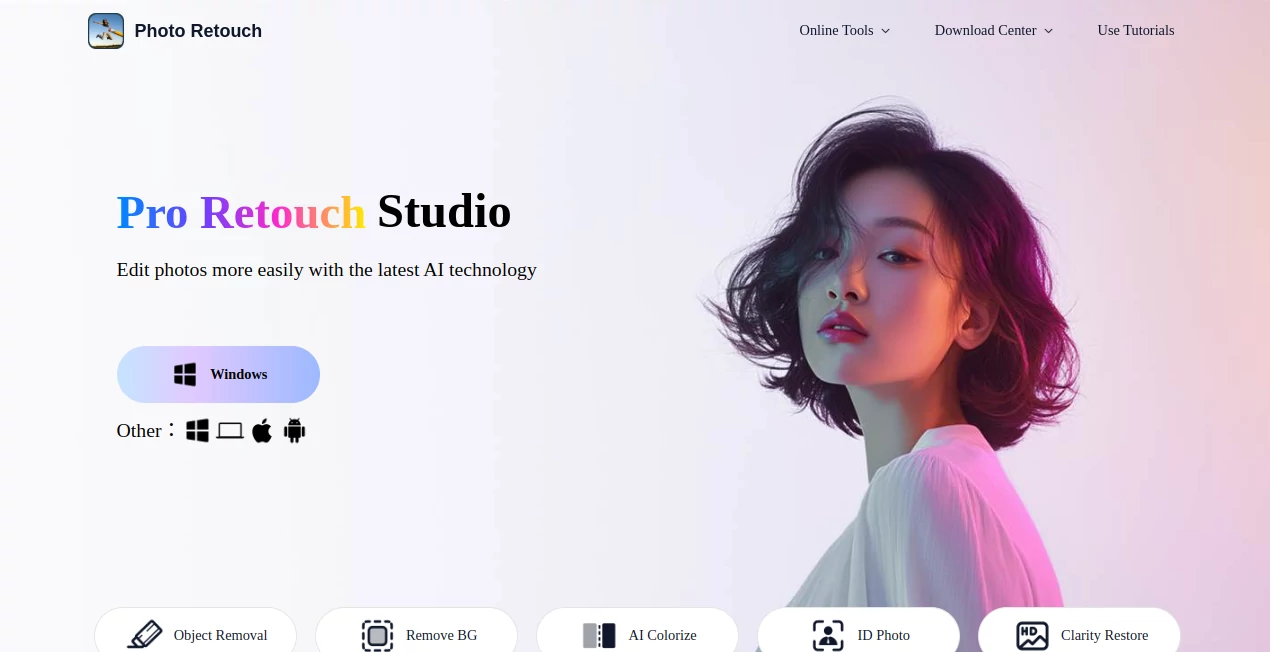
What is Photo Retouch?
We’ve all been there. You take what you think is the perfect shot, only to look back and notice a random stranger walking through the background, an ugly trash can by the curb, or an annoying watermark ruining the vibe. For years, fixing these little mistakes meant opening heavy software like Photoshop, watching hours of YouTube tutorials, and still ending up with a blurry mess.
But that’s exactly why this tool exists. It takes all that frustration and boils it down to a single tap. Whether you're managing a brand’s social media, running an e-commerce store, or just want to clean up your camera roll, this editor puts professional-grade retouching power right into your pocket. It doesn’t ask for a learning curve, and it certainly doesn’t ask for a desktop computer.
Key Features
This isn't just another filter app. It’s a full suite of AI visual editors designed to rescue your images from the "almost perfect" graveyard. Here is what makes the experience stand out from the crowd.
User Interface
Nobody wants to dig through confusing menus just to erase a pimple or a piece of litter. The interface is designed with simplicity in mind. When you open the app, you are greeted with a clean canvas and a big, friendly "Import" button. Once your photo is loaded, the magic happens with a brush tool. You simply paint over the thing you hate—a logo, a text caption, a photobomber—hit the process button, and watch it vanish. It feels less like editing and more like using a magic wand. You don’t need to be a tech wizard; if you can scribble on a screen, you can use this.
Accuracy & Performance
The real test of any AI editing tool is whether it leaves behind a smudged mess. There is nothing worse than a blurry patch where a trash can used to be. Fortunately, the underlying deep-learning model here is surprisingly sharp. It doesn't just blur the area; it reconstructs the texture. If you remove a street sign, it fills the gap with realistic brick patterns or sky gradients that match the rest of the photo. Processing is fast too. Usually, within a few seconds, the distortion is gone, and the photo looks like the object was never there. It handles complex edges well, like removing a person from a crowd where the background is a detailed building.
Capabilities
While the standout feature is obviously the object remover, the toolbox is actually pretty deep. You get a full photo enhancer that lets you tweak brightness, contrast, saturation, temperature, and shadows. This is a lifesaver if the lighting was off when you snapped the picture. There is also a high-quality background removal tool. Need a transparent PNG for your online store or a LinkedIn photo with a clean white background? One tap gets rid of the existing background and isolates the person or product. Plus, it comes packed with modern filters and collage templates if you're feeling creative.
Security & Privacy
A lot of people worry about uploading their personal selfies or private documents to random editing apps. The developers built this with standard industry practices. Your photos are processed and then stay on your device unless you choose to share them. You aren't signing away the rights to your face just to remove a pimple. For the privacy-conscious user, that level of respect for data is non-negotiable, and it’s nice to see an app that doesn’t try to sneak a peek at your camera roll constantly.
Use Cases
Honestly, the number of times you’ll reach for this tool might surprise you. It’s one of those things you don’t know you need until you have it.
- Real Estate & Travel Photos: You took a great shot of a beach or a living room, but there are tourists or open water bottles everywhere. Clean them up to make the space look pristine.
- E-commerce Sellers: If you sell clothes or gadgets on Shopify or eBay, you need clean backgrounds. Use the background remover to cut out the product and paste it onto a white backdrop instantly.
- Social Media Managers: Need to grab a meme or a product shot but it has a TikTok watermark or a logo on it? Erase it instantly to repurpose content cleanly.
- Personal Portraits: Acne, a strand of hair across the face, or a piece of dust on a lens. These tiny fixes make a huge difference in a portrait.
Pros and Cons
No tool is perfect for every single job, but the good definitely outweighs the bad here. Let’s break down the reality of using this editor.
Pros:
+ Insanely fast: Results appear in seconds, not minutes.
+ Zero learning curve: Literally just paint and click.
+ All-in-one: Object removal, background cutting, and color grading in one spot.
+ Mobile-first: No need to transfer files to a computer.
+ Reliability: It handles complex texture filling (brick, grass, fabric) better than most free competitors.
Cons:
- Internet required: Because the AI processing happens on the cloud, you need a data connection to do the heavy lifting.
- Fine details: While great for general objects, removing something microscopic or very detailed (like a power line crossing a complex tree) might require a few tries.
- File size limits: Massive, high-res professional RAW files might take longer to process than standard JPEGs.
Pricing Plans
One of the best parts about starting with this tool is that there is zero risk involved. The base version is completely free to download and use. You can test out the object removal on a few photos right now without spending a dime. For most casual users, the free tier honestly covers everything they need. If you are a power user—like a social media agency or a photographer processing hundreds of photos—you might hit the limits. There are affordable premium subscription tiers that unlock unlimited exports and remove any watermarks the app might add. Considering the cost of hiring a Photoshop editor for an hour, a monthly subscription here pays for itself after the first use.
How to Use [Tool Name]
Getting started is a three-step process that takes about ten seconds. First, head to your app store and download the application. Once it’s installed, open it up and select the photo you want to fix from your gallery. Next, choose the "Remove Object" or "Retouch" brush. Adjust the size of the brush just like you would in a drawing app—bigger for backgrounds, smaller for spots on faces. Paint over the annoying logo, text, or person. Finally, tap the "Go" or "Process" button. Watch the AI work its magic. If the result isn't perfect, you can usually go back and brush over the area again for a second pass. When you smile, hit save. It really is that straightforward.
Comparison with Similar Tools
You might be thinking, "Can't I just do this in my default gallery editor?" The short answer is no. Default editors can crop or add brightness, but they cannot generate new pixels to fill a gap. Heavyweights like Adobe Photoshop are obviously more powerful, but they cost a monthly fortune and require a powerful PC. Apps like TouchRetouch have been around for years, but many have fallen behind in AI development, leaving obvious repeating patterns when they erase big objects. This tool stands out because of the texture synthesis. It doesn't just clone a nearby spot; it understands what should be there. Compared to online web tools, having this as a dedicated mobile app means you can do it on the go, right after taking the picture, without opening a browser.
Conclusion
If you value your time and your sanity, this app is a keeper. It solves a very specific, very annoying problem: unwanted junk in your photos. It doesn't try to do everything and fail; it focuses on removing stuff and does it brilliantly. The user experience is fluid, the results are professional, and the price of entry is free. For anyone from real estate agents to Instagram influencers to busy parents wanting to clean up a birthday photo, this is a legitimate secret weapon. Stop settling for messy backgrounds and start sharing the clean, perfect versions of your memories.
Frequently Asked Questions (FAQ)
Q: Does it work on videos or just photos?
A: While the primary focus is high-quality photo retouching, the application also supports basic video editing and removing objects from short video clips, making it a versatile visual editor.
Q: Do I need an account to use it?
A: No, you can jump right in and start editing immediately without signing up for a lengthy membership, though creating one might help sync presets if you switch devices.
Q: Why did the area I removed look blurry?
A: Usually, this happens if the object is very large or the background is extremely complex. Try doing the removal in two smaller strokes rather than one giant brush stroke to give the AI more data to work with.
Q: Is it really free?
A: Yes, the core functionality of object removal is available for free. However, exporting in the highest available resolution or removing ads usually requires the Pro upgrade.