
picmovi
What is picmovi?
Turning a good photo into a useful video no longer requires a complicated editing timeline or a full production setup. PicMovi is built around a simple idea: start with an image, describe the motion you want, and let AI create the video. The platform focuses heavily on photo-to-video and image-to-video creation while also supporting text-to-video workflows, giving creators a practical way to produce short visual content without traditional editing software.
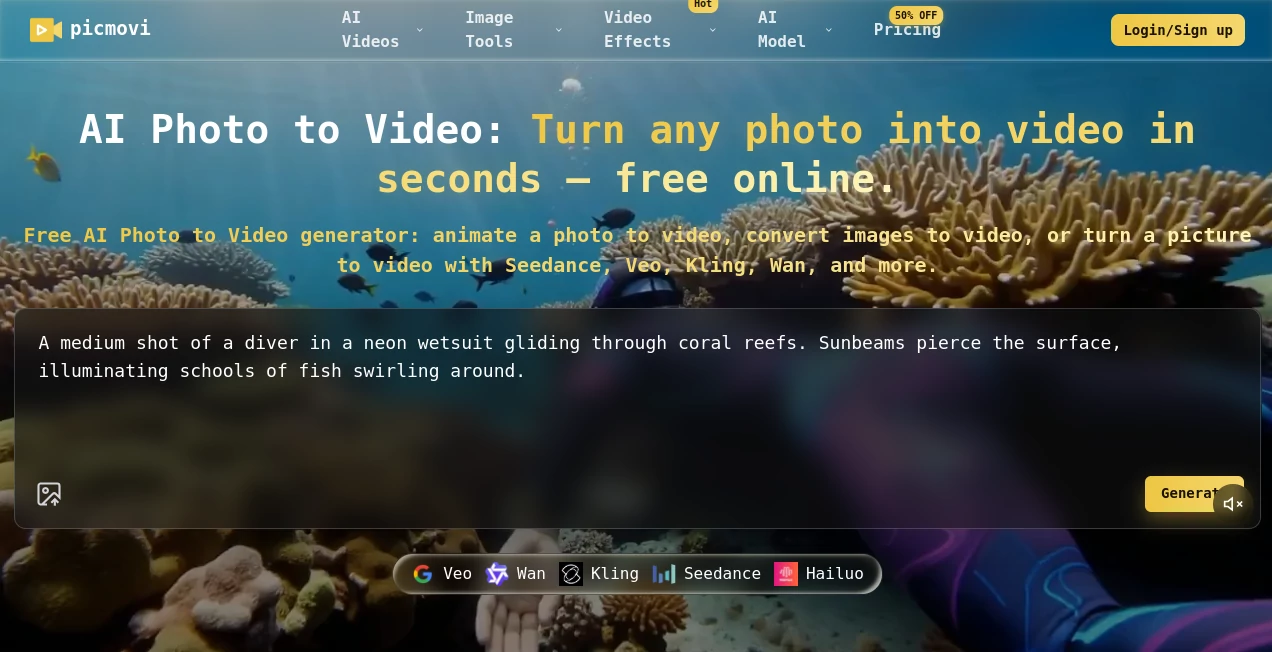
One of the most appealing parts of the platform is its collection of AI video models. Users can work with models such as Seedance, Veo, Kling, Wan, and Hailuo instead of being locked into a single generation engine. This makes the workflow especially useful when one model produces better motion, realism, or style for a particular project.
For example, a product photographer could upload a still image of a product and ask for a slow camera movement, while a social media creator might animate a portrait with subtle movement. The same basic workflow can be adapted to advertising, ecommerce, YouTube content, social posts, and creative experiments.
Key Features
- AI photo-to-video and image-to-video generation
- Text-to-video generation for creating scenes from written prompts
- Multiple video generation models in one workspace
- Prompt-based control over camera movement, action, and visual style
- First-frame and, on supported models, last-frame guidance
- Video durations ranging from 4 to 30 seconds on supported plans and models
- Resolution options reaching up to 4K
- Support for social-media-friendly aspect ratios
- AI lip sync, talking avatar, and motion control tools
- AI image generation and image-to-image capabilities
- Cloud-based history for signed-in users
- Watermark-free exports on supported paid plans
User Interface
The interface keeps the main generation process fairly direct. Users choose between image-to-video and text-to-video, select an available model, provide an image when required, write a prompt, and configure options such as ratio, duration, and resolution.
This approach is useful for people who want to spend more time deciding what should happen in a scene rather than learning a traditional video editor. The model picker also makes experimentation easier because creators can switch engines when a particular result does not match the intended motion or visual style.
The example gallery is another useful touch. Instead of starting with a completely blank screen, users can look at generated examples and reuse prompt ideas. Someone working on a product campaign, for instance, can study a camera-motion example and adapt the idea to their own image.
Accuracy & Performance
Video generation quality naturally depends on the selected model, source image, prompt, resolution, duration, and complexity of the requested movement. The platform itself notes that generation time can vary with these factors and current processing demand, with many videos taking roughly two to ten minutes.
The multi-model approach is a practical advantage here. If a creator wants realistic movement, one model may be preferable; for another project, a different engine may produce a more suitable cinematic or stylized result. Users can iterate by changing the prompt, model, duration, ratio, or frame guidance rather than rebuilding the entire project.
A particularly useful workflow is keeping the main subject stable while describing only the movement. A prompt such as a slow camera push, gentle hair movement, drifting clouds, or a controlled product rotation gives the generation model a clearer direction than a vague request for an attractive video.
Capabilities
The core capability is transforming a still image into a moving sequence. This makes the service particularly useful when a creator already has strong photography but needs video variations for modern content channels.
The platform also supports text-to-video, allowing users to begin with an idea instead of an existing photograph. First and last frame controls are available on supported models, which can be helpful when the opening and ending composition need to remain consistent.
Beyond standard video generation, additional tools include lip sync, talking avatars, and motion control. The platform also provides image-generation tools, including text-to-image and image-to-image workflows, so a creator can potentially move from an initial concept to an image and then into video without changing creative environments.
For marketers, the combination is particularly practical. A product image can become a short advertisement, a portrait can become social content, and a collection of still photographs can be turned into short clips for different campaigns.
Security & Privacy
The platform states that uploaded images, prompts, and generated media are processed to provide its services and are not published to other users. Signed-in users can manage generated content through their product history.
Its privacy policy explains that uploaded images, audio, prompts, generated media, account information, and certain technical information may be processed. The service says it uses encrypted HTTPS transmission, secure cloud infrastructure, access controls, and security updates.
Users should still pay attention to the rights associated with uploaded material. The terms require users to have appropriate rights to input media and prohibit copyright infringement, unauthorized impersonation, and other prohibited uses. For commercial projects, the applicable plan and licensing terms should also be checked before publishing generated material.
Use Cases
- Social Media: Turn portraits, lifestyle photos, and product images into short clips for TikTok, Instagram Reels, and YouTube Shorts.
- E-commerce: Create short product videos from existing catalog photography without arranging a separate video shoot for every item.
- Marketing: Animate campaign images into advertising variations and test different visual concepts quickly.
- YouTube: Generate B-roll, establishing shots, and visual sequences from still images.
- Creative Projects: Experiment with cinematic camera movements, character animation, environmental motion, and stylized scenes.
- Product Demonstrations: Add movement to static product photography to make listings and promotional material more engaging.
- Film Previsualization: Turn still concepts into moving references before investing time in a full production.
Pros and Cons
- Pros: Multiple AI video models are available from one workspace.
- Pros: The workflow is simple enough for users who do not want to learn conventional video editing.
- Pros: Supports both image-to-video and text-to-video generation.
- Pros: Includes useful tools such as lip sync, talking avatars, and motion control.
- Pros: High-resolution output can reach up to 4K on supported configurations.
- Pros: Useful for social media, advertising, ecommerce, and creative production.
- Cons: Generation speed can vary depending on model, workload, resolution, and duration.
- Cons: Output quality is not identical across all available models.
- Cons: Some advanced models and features consume additional credits.
- Cons: Unlimited access does not guarantee immediate processing, as high-volume jobs may enter a queue.
Pricing Plans
The pricing structure is based on credits and offers monthly and yearly options, with an Unlimited plan for heavier users. New users can also receive 30 free credits after signing up to test the core generation experience.
- Starter: $15.90 per month on the current discounted monthly price, including 1,000 credits and up to two concurrent generations. The yearly option is listed at $191.
- Basic: $34.90 per month on the current discounted monthly price, including 3,500 credits and up to four concurrent generations. The yearly option is listed at $419.
- Unlimited: $75 per month on the current discounted yearly-equivalent price, with unlimited access to included models and up to eight concurrent generations. The yearly price is listed at $900.
Paid plans include features such as permanent cloud storage, high-resolution video and image generation, private generation, and watermark-free output. Commercial licensing is also included on qualifying plans. Some higher-end models continue to use credits even under Unlimited, so users with frequent SOTA-model workloads should check the current credit requirements before choosing a plan.
How to Use It
- Open the video generation workspace and choose Image to Video or Text to Video.
- For an image-based project, upload a suitable JPG or PNG image.
- Write a clear prompt describing the movement, camera behavior, subject action, and visual style.
- Select an available AI video model based on the type of result you want.
- Choose the appropriate aspect ratio, duration, and resolution.
- Use first-frame or last-frame controls when the selected model supports them.
- Start the generation and wait for the video to finish processing.
- Review the result and regenerate with a modified prompt or different model if the motion is not quite right.
- Download the final MP4 when you are satisfied with the result.
Comparison with Similar Tools
Many AI video platforms concentrate on one generation model or one particular creative workflow. This platform takes a different route by bringing several generation engines together and allowing users to compare them within the same environment.
That distinction matters when consistency, motion style, and generation behavior vary between models. Instead of subscribing to several separate services simply to test different engines, a creator can experiment with multiple models from one workspace.
It is also more focused than a traditional video editor. Conventional editing software remains better suited to detailed timeline work, audio mixing, transitions, color correction, and frame-level editing. The strength here is the generation stage: creating motion from an image or idea quickly and then exporting the resulting clip for use elsewhere.
For someone whose main requirement is turning existing photos into short videos, this focused workflow can be considerably more convenient than starting with a full editing suite.
Conclusion
For creators sitting on a folder full of good photographs, the ability to turn those still images into usable video can be surprisingly valuable. This platform makes that process approachable by combining prompt-driven animation, several AI models, image generation, and video effects in one place.
Its strongest advantage is flexibility. A creator can begin with a photograph, describe the desired motion, compare different models, and refine the result without rebuilding the project from scratch. Add support for high-resolution output, social-friendly formats, lip sync, talking avatars, and motion control, and it becomes a useful option for both casual experimentation and more serious content production.
It is not a replacement for a complete professional video-editing suite, and AI-generated motion can still require several attempts. But for turning static ideas and images into short, engaging video content, the workflow is refreshingly straightforward.
Frequently Asked Questions (FAQ)
Can I turn a photo into a video for free?
Yes. New users receive free credits after signing up, allowing them to test the core generation features before purchasing a paid plan.
Which AI video models are available?
The available model selection includes Seedance, Veo, Kling, Wan, and Hailuo, with exact options and capabilities depending on the selected generation workflow.
Can I generate videos from text?
Yes. The video studio supports both text-to-video and image-to-video workflows, allowing users to start from either a written concept or an existing image.
Can I create commercial videos?
Commercial usage depends on the applicable plan and licensing terms. Qualifying paid plans include commercial licensing, while users should review the current terms before using generated content commercially.
How long does video generation take?
Generation time varies according to the selected model, duration, resolution, complexity, and current queue. The service states that many videos are completed within roughly two to ten minutes.
Does the platform support 4K video?
Yes. High-resolution video options can reach 4K on supported plans and models. The exact resolution options depend on the selected model and generation settings.
Can I control the movement in the generated video?
Yes. Prompts can describe camera movement, subject action, and visual style. Supported models may also provide first-frame and last-frame guidance for more controlled results.
Are generated videos private?
The service states that prompts, uploads, and generations are handled to provide the service and are not published to other users. Retention and storage can vary according to the user's plan and the applicable privacy rules.
Is there an Unlimited plan?
Yes. The Unlimited plan provides unlimited access to included basic and enhanced models, while certain high-end SOTA models continue to require credits. Unlimited jobs may also be queued during periods of high demand.
What file format is used for generated videos?
Generated videos are exported in standard MP4 format, making them suitable for common social media, marketing, ecommerce, and content-production workflows.
AI Image to Video , AI Video Generator , AI Lip Sync Generator , AI Text to Video .
These classifications represent its core capabilities and areas of application. For related tools, explore the linked categories above.

picmovi Alternatives Product

Free Sora Ge…

See dance 2.…

Framepack AI

Banana 2 Edi…

Seedance

pvz fusion

Imaginode

FluxMov

Mediagen