


















Pixalyse
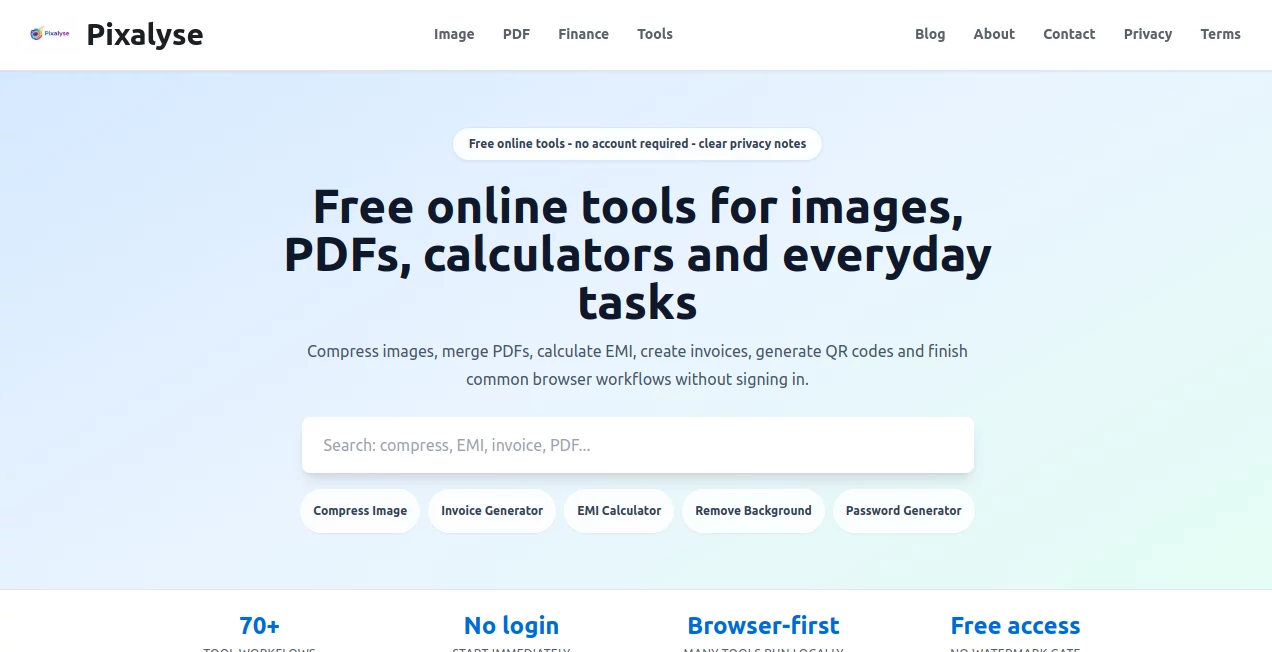
What is Pixalyse?
I’ve lost count of how many times I’ve needed a quick image resizer, PDF merger, or background remover only to get stuck with bloated software or sketchy websites asking for my email. Pixalyse quietly solves that frustration. It’s a clean collection of genuinely useful browser-based tools that just work—no login, no tracking, no nonsense. Whether you’re cleaning up product photos for your shop, merging invoices, or generating a quick QR code, everything happens right in your browser and feels refreshingly straightforward.
Introduction
In a world full of overcomplicated apps and privacy-hungry platforms, Pixalyse stands out by keeping things simple and respectful. It brings together dozens of practical utilities for images, PDFs, finance calculations, text tools, and more—all free to use without an account. What makes it special is the attention to real everyday problems: the need to compress a photo without losing quality, merge scanned documents quickly, or calculate loan payments without downloading yet another spreadsheet. Users keep coming back because the tools deliver fast, clean results while treating your data with care. It’s the kind of practical helper you wish you’d found years ago.
Key Features
User Interface
The design is wonderfully uncluttered. You land on a clear homepage with neatly organized categories. Click any tool and you’re taken straight to a focused workspace—no sidebars full of ads or confusing menus. Uploads are drag-and-drop simple, previews are instant, and results are ready to download in one click. It feels like someone actually thought about how people use these tools on a busy day.
Accuracy & Performance
The image tools (upscaler, background remover, enhancer) produce surprisingly high-quality results even on challenging files. PDF merging and splitting stay faithful to original formatting, and finance calculators give precise, trustworthy numbers. Everything runs smoothly in the browser with minimal loading times, even on mid-range devices. The consistency across tools makes the whole experience feel reliable rather than hit-or-miss.
Capabilities
Beyond basic edits, you get powerful image upscaling, AI-powered background removal, format converters, PDF tools (merge, split, compress, unlock), QR code generator, text utilities, password generators, and various finance calculators. Most tools work entirely client-side where possible, keeping your files private. It’s a genuine Swiss Army knife for digital tasks that normally require multiple apps.
Security & Privacy
This is where Pixalyse really shines. No account is required for most tools. Files are processed locally when possible and automatically cleared from servers after use. There’s no tracking, no data selling, and no sneaky sign-up pressure. For anyone handling sensitive documents or personal photos, that level of respect is rare and deeply appreciated.
Use Cases
A small business owner quickly removes backgrounds from product photos and resizes them perfectly for their website. A student merges scanned lecture notes into one clean PDF before exams. A freelancer generates professional invoices and calculates taxes in the same session. Someone restoring old family photos uses the enhancer and upscaler together to bring memories back to life. It handles the little (and not-so-little) digital chores that eat up time every week.
Pros and Cons
Pros:
- Completely free core tools with no forced login.
- Strong emphasis on privacy and local processing.
- Wide variety of genuinely useful utilities in one place.
- Fast, clean results without watermarks on most tools.
- Simple interface that respects your time.
Cons:
- Some advanced AI features may have daily limits on the free plan.
- Not every tool is equally deep (it prioritizes breadth over extreme specialization).
Pricing Plans
The majority of tools are completely free and stay that way. Optional premium plans unlock higher usage limits, priority processing, and access to newer advanced features. Pricing is reasonable and only matters if you use the platform heavily every day. Most people find the free tier more than enough for regular needs.
How to Use Pixalyse
Visit the site, browse or search for the tool you need (image upscaler, PDF merger, background remover, etc.), upload your file, adjust any simple settings if needed, and click the main action button. Preview the result, then download. Everything happens in your browser or securely on their servers with automatic cleanup. No complicated steps, no tutorials required—just open, use, done.
Comparison with Similar Tools
Unlike many “all-in-one” sites overloaded with ads and data collection, Pixalyse keeps things clean and private. Where other platforms force accounts or deliver mediocre quality, this one focuses on doing common tasks really well. It’s not trying to be everything for everyone—it simply delivers reliable, no-friction tools when you need them most.
Conclusion
In our daily digital lives, small frustrations add up. Pixalyse quietly removes many of them with a collection of thoughtful, privacy-first tools that just work. Whether you need it once a month or every single day, it feels like a reliable friend in your browser—always there, never demanding, and consistently helpful. For anyone tired of bloated software and privacy worries, this is the kind of practical gem worth bookmarking.
Frequently Asked Questions (FAQ)
Do I need to create an account?
No—most tools work instantly without any signup.
Are my files stored on the servers?
Files are processed securely and automatically deleted after use. Privacy is a core principle here.
Is it really free?
Yes. Core features are free forever. Premium is optional for heavier users.
Can I use it for business/commercial work?
Absolutely—most users do exactly that.
Other , Photo & Image Editor , AI Photo Enhancer , AI Tools Directory .
These classifications represent its core capabilities and areas of application. For related tools, explore the linked categories above.

Pixalyse Alternatives Product

Kogashitsuka…

BulkPicTools

Editaimg

PoweredbyAI

BatchRemover

AI Signature…

AIImageEdit

Gemini AI Ph…

aiwget
