
Podsuite
What is Podsuite?
Creating a podcast is only the beginning. After recording an episode, creators still need transcripts, show notes, blog articles, social media posts, timestamps, and promotional clips. Handling all of these tasks manually can easily consume several hours for every episode. This platform transforms that workflow into a much faster and smoother experience by generating everything from a single upload.
Designed specifically for podcasters, marketers, agencies, and content teams, it combines intelligent transcription with automated content generation. Instead of relying on generic AI prompts, the platform understands podcast structure, making every output feel organized and ready for publication. Whether the goal is improving discoverability, growing an audience, or simply saving time, it delivers a complete post-production solution that helps creators focus on producing great conversations rather than repetitive editing.
Key Features
User Interface
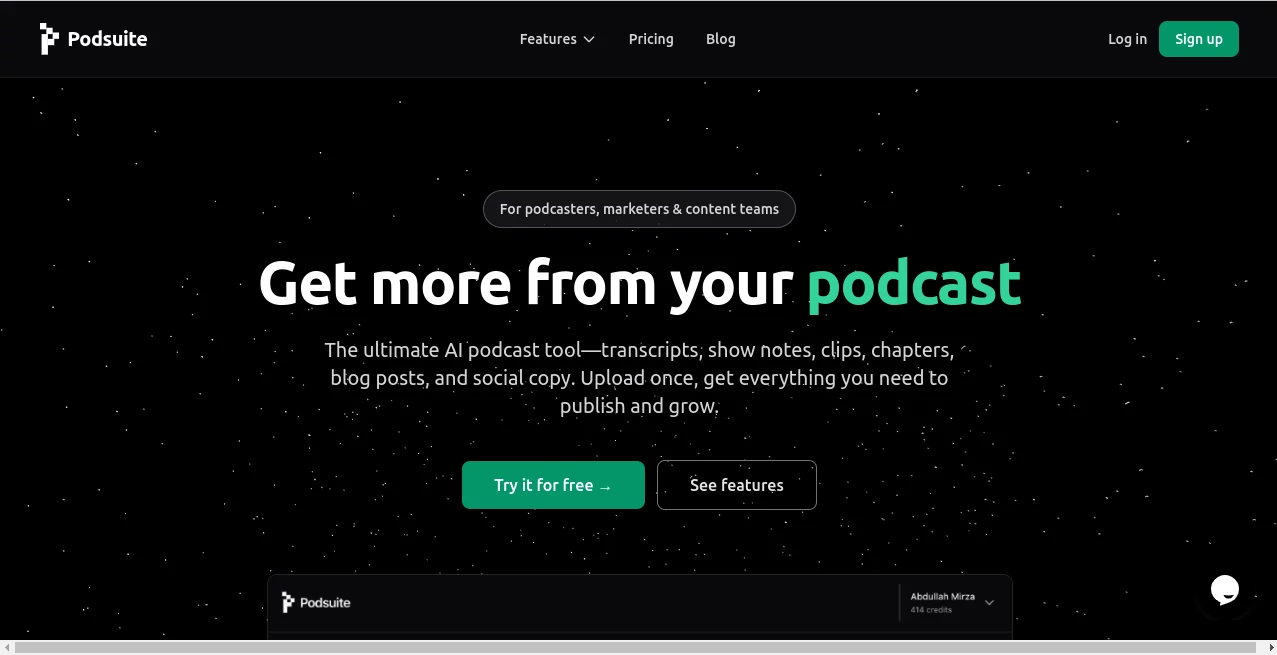
The dashboard follows a simple upload-and-export workflow. Users can upload an audio file, wait for processing, review the generated content, make edits if necessary, and export everything without navigating through unnecessary menus. The clean interface makes it approachable even for creators who have never used AI-powered editing tools before.
Accuracy & Performance
High-quality speech recognition delivers detailed transcripts with speaker identification, making conversations easy to follow. Generated chapters, summaries, titles, and highlight suggestions closely reflect the actual flow of each episode, reducing the amount of manual corrections required before publishing.
Capabilities
- Automatic podcast transcription with speaker recognition.
- Editable show notes and episode summaries.
- AI-generated chapter markers for podcast platforms.
- SEO-friendly title ideas and keyword suggestions.
- Automatic blog article generation from episode content.
- Social media posts adapted for multiple platforms.
- Email newsletter drafts based on each episode.
- Highlight clip suggestions with precise timestamps.
- SRT subtitle export for video captions.
- Support for common audio formats including MP3, WAV, and M4A.
Security & Privacy
Content privacy is treated as a priority. Uploaded episodes remain under the creator's ownership, and user content is not used to train AI models. Since every generated asset remains editable before export, creators maintain complete control over the final published material.
Use Cases
- Independent podcasters publishing weekly episodes.
- Marketing teams repurposing interviews into blogs and social content.
- Podcast production agencies managing multiple clients.
- Businesses converting webinars into searchable written content.
- Content creators building newsletters directly from podcast episodes.
- YouTube creators generating captions and chapter markers automatically.
Pros and Cons
Pros
- Complete podcast post-production workflow in one platform.
- Excellent time savings for repetitive publishing tasks.
- Multiple content formats generated from a single upload.
- Editable outputs allow easy customization.
- Useful SEO recommendations for better discoverability.
- Supports subtitle exports for video platforms.
Cons
- Built primarily for podcast workflows rather than general transcription.
- Final human review is still recommended before publication.
- Some advanced editing may require external publishing tools.
Pricing Plans
The platform offers a free trial that allows new users to experience its workflow before subscribing. Paid plans unlock ongoing access to the complete suite of podcast production features, making it suitable for both independent creators and professional content teams.
How to Use Podsuite
Start by uploading a podcast episode in a supported audio format. The platform automatically analyzes the recording and generates transcripts, summaries, chapters, blog content, social posts, keywords, titles, and highlight suggestions. Review the generated materials, make any desired edits, then export everything for publishing across podcast directories, websites, newsletters, and social media channels.
Comparison with Similar Tools
Unlike general AI transcription services that focus mainly on converting speech into text, this solution is built specifically around podcast publishing. Beyond transcription, it automatically prepares promotional content, SEO assets, blog articles, chapters, and social media copy. This specialized workflow significantly reduces the amount of manual work normally required after recording an episode, making it especially valuable for creators producing content on a regular schedule.
Conclusion
For anyone serious about podcast production, automating repetitive post-production tasks can dramatically improve consistency and productivity. By transforming a single audio upload into multiple ready-to-publish assets, this platform helps creators spend less time editing and more time recording meaningful conversations. Its combination of transcription accuracy, content generation, and podcast-focused workflow makes it a valuable companion for creators who want to grow their audience without increasing their workload.
Frequently Asked Questions (FAQ)
Is speaker identification included?
Yes. Transcripts include speaker recognition, making conversations easier to read and edit.
Can I edit the generated content?
Absolutely. Every transcript, summary, blog article, and social post can be modified before export.
Does it support video podcasts?
Yes. Audio can be extracted from video content, and subtitle files can be exported for captions.
Which audio formats are supported?
Popular formats such as MP3, WAV, and M4A are supported, along with other common podcast audio formats.
Who benefits most from this platform?
Podcasters, marketing teams, agencies, educators, interview-based businesses, and content creators who regularly publish audio content will benefit the most.
AI Transcriber , AI Content Generator , AI Speech to Text , AI Podcast Assistant .
These classifications represent its core capabilities and areas of application. For related tools, explore the linked categories above.

Podsuite Alternatives Product

URL2Pin

Translators …

WhisperWebUI

Astic AI

PromptFix
Ai Book Publ…

KwaKwa Cours…

Top AI Writi…

bratgenerator