


















Poko Video
What is Poko Video?
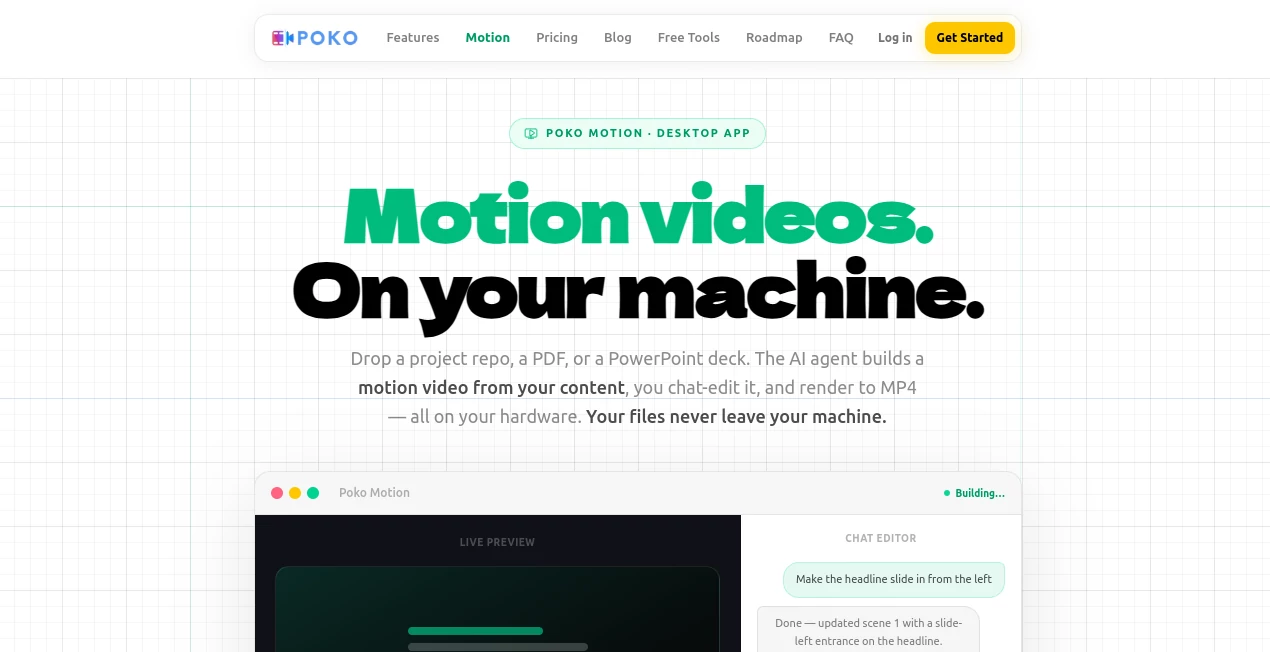
Recording your screen is easy. Turning that raw recording into a polished, engaging video most people actually want to watch? That’s where things usually fall apart. Poko makes the whole process feel effortless. You record, and its built-in AI assistant lets you describe edits in plain English—“zoom in on the button when I click it,” “add captions,” “dub my voice with a warmer tone”—and it handles the heavy lifting. I’ve watched busy founders go from clunky screen recordings to professional-looking demos in minutes instead of hours. It’s the kind of tool that removes the friction so you can focus on the message, not the production headaches.
Introduction
Whether you’re creating product demos, tutorials, sales videos, or internal training content, video has become essential—but producing it well takes time most of us don’t have. Poko combines a smooth screen recorder with a surprisingly capable AI editor that works right inside the app. No switching between five different tools, no waiting for cloud renders, and no wrestling with complicated timelines. Everything happens locally on your machine, which means fast iteration and better privacy. It’s built for people who need to ship clear, engaging videos regularly without becoming full-time editors.
Key Features
User Interface
The app feels modern and focused. Recording starts with one click, and the editor opens with your footage already organized. The AI chat sits on the side so you can describe changes naturally instead of hunting for buttons. Timeline is clean, previews are instant, and exports are straightforward. It’s one of those rare tools where you don’t need a tutorial to get started—you just start creating and the AI helps you refine as you go.
Accuracy & Performance
The AI understands context surprisingly well. Tell it to “highlight the pricing table when I mention the price” and it does exactly that with smooth zoom and timing. Captions are accurate and well-timed, voice dubbing keeps natural tone, and edits apply cleanly without breaking the flow. Because it runs locally, there’s no lag from uploading large files, and performance stays snappy even on mid-range machines.
Capabilities
Beyond basic recording, you get AI-powered auto-zoom on clicks, smart captions in multiple styles, voice enhancement or dubbing, background noise removal, and the ability to edit with natural language instructions. It handles product demos, slide presentations, software walkthroughs, and docs beautifully. You can render locally to MP4 quickly, get shareable links, and even embed videos directly on websites. It turns raw recordings into ready-to-share content without the usual post-production grind.
Security & Privacy
Everything stays on your machine by default—no forced cloud uploads, no mysterious servers holding your recordings. This local-first approach is a big relief for anyone handling sensitive demos, internal training, or client work. You control exactly what gets exported and shared.
Use Cases
A SaaS founder records a quick product walkthrough and turns it into a polished demo video with captions and zooms in under 15 minutes. A teacher creates engaging lesson videos from screen recordings without spending hours editing. A freelancer sends professional video proposals that stand out and win more projects. Support teams build clear how-to guides for customers. Marketing folks repurpose one long recording into multiple short social clips. Wherever you need to explain something visually, it makes the process faster and the output better.
Pros and Cons
Pros:
- Local AI editing keeps everything private and fast.
- Natural language instructions make editing feel intuitive.
- Great auto-captions and zoom features save manual work.
- Polished results without needing pro editing skills.
- Works well for both quick videos and more refined content.
Cons:
- Local processing means performance depends on your hardware.
- Some advanced effects may still need external editing tools.
- Free tier has reasonable limits for heavy daily users.
Pricing Plans
Poko offers a solid free tier that lets you record, edit, and export with core AI features—perfect for getting started or occasional use. Paid plans unlock unlimited recordings, advanced AI capabilities, higher export quality, and priority support. Pricing is straightforward and reasonable for the time it saves busy professionals who create video content regularly.
How to Use Poko
Download the desktop app, click record, and capture your screen (with or without webcam). Stop recording and the AI editor opens automatically. Describe what you want in plain English—“add smooth zoom when I click the button,” “generate captions,” “remove background noise,” or “make my voice sound more energetic.” Review the changes, make manual tweaks if needed, then export as MP4. Share the video directly or grab an embed code. The whole workflow is designed to go from recording to finished video faster than you expect.
Comparison with Similar Tools
Traditional screen recorders give you raw footage but leave all the editing to you. Cloud-based AI tools often require uploading large files and waiting in queues. Poko stands out by combining smooth recording with powerful local AI editing that responds to natural language. It gives you more control and better privacy than purely cloud solutions while delivering higher-quality results than basic recorders. For creators who value speed, quality, and control, it hits a sweet spot many alternatives miss.
Conclusion
Video is one of the most effective ways to explain, teach, and sell—but only when it’s done well. Poko removes the biggest barriers that stop people from creating great videos: time, skill, and technical friction. It turns screen recording from a chore into a creative, efficient process that actually feels good to use. Whether you create content daily or just need the occasional clear demo, it helps you look more professional with far less effort. In a world where attention is short, having a tool that helps you communicate clearly and beautifully is genuinely valuable.
Frequently Asked Questions (FAQ)
Is everything processed locally?
Yes—core recording and AI editing happen on your machine for speed and privacy.
Do I need a powerful computer?
It runs well on most modern machines, though heavier edits benefit from better hardware.
Can I edit with plain English?
Absolutely—the AI assistant understands natural instructions for zooms, captions, voice changes, and more.
What file formats can I export?
Standard MP4 exports that work everywhere, plus options for embeds and shareable links.
Is there a free version?
Yes—a capable free tier lets you test the full workflow before upgrading.
AI Recording , AI Video Generator , AI Video Editor , AI Productivity Tools .
These classifications represent its core capabilities and areas of application. For related tools, explore the linked categories above.

Poko Video Alternatives Product

Seedance 2.5

AI Motion Co…

AssiPilot

Fast Wan

Overchat AI

Shoorts AI
OmniGemini

brainrotkit

seedance 2.0
