
PrivacyPixTools
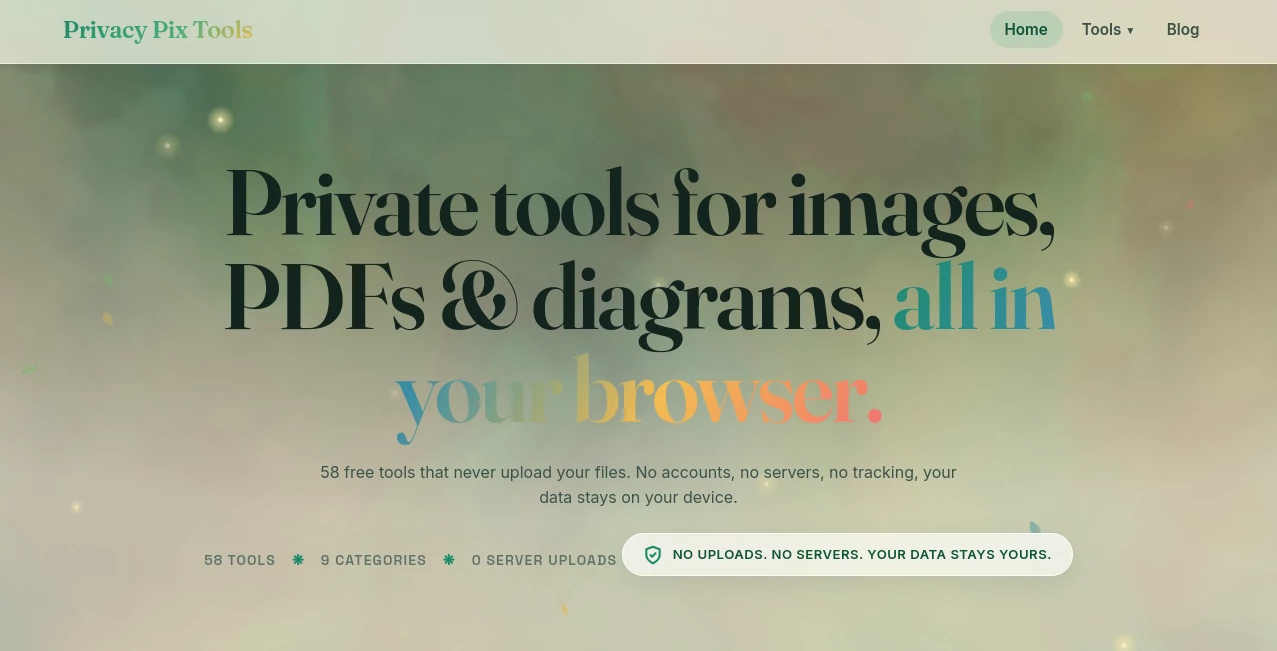
What is PrivacyPixTools?
In a digital world where images travel faster than ever, protecting visual privacy has become more important than convenience. This platform is designed to give users a simple yet powerful way to manage and secure their images before sharing them online. It focuses on helping individuals and teams remove sensitive details, anonymize visuals, and maintain control over personal or professional media without complicated workflows.
Whether you're a content creator, business owner, or someone who frequently shares visuals online, the tool offers a practical layer of protection that fits naturally into everyday use.
Key Features
User Interface
The interface is clean and minimal, allowing users to quickly upload images and apply privacy adjustments without technical knowledge. Everything is designed to be intuitive, so even first-time users can navigate it easily.
Accuracy & Performance
The system processes images efficiently, ensuring that modifications such as blurring or masking are applied precisely without damaging overall image quality. It maintains a balance between speed and visual integrity.
Capabilities
- Automatic detection of sensitive areas in images
- Pixelation and blurring tools for privacy protection
- Metadata removal for safer sharing
- Selective editing for specific image regions
- Support for multiple image formats
Security & Privacy
Privacy is at the core of the platform. Uploaded images are handled with strict security measures, ensuring that user data is not exposed or misused. Processing is designed to minimize storage and maximize confidentiality.
Use Cases
- Protecting personal photos before sharing on social media
- Blurring faces or license plates in public images
- Preparing business visuals with sensitive information removed
- Ensuring compliance with privacy regulations in published content
Pros and Cons
Pros
- Simple and user-friendly interface
- Fast image processing
- Strong focus on privacy protection
- No technical skills required
Cons
- Limited advanced editing features compared to professional design tools
- Focused mainly on privacy rather than creative editing
Pricing Plans
The platform typically offers flexible access options, which may include free usage with basic features and premium tiers for advanced capabilities. This allows both casual users and professionals to benefit based on their needs.
How to Use This Tool
Getting started is straightforward. Users upload an image, select the desired privacy action such as blurring or masking, preview the result, and download the processed version. The workflow is designed to be fast and seamless, making it suitable even for bulk tasks.
Comparison with Similar Tools
Unlike traditional image editors that focus on creative enhancement, this platform is built specifically for privacy protection. While other tools may require manual editing and technical adjustments, this solution prioritizes automation and simplicity, making it faster for users who need quick and reliable anonymization.
Conclusion
This platform stands out as a practical solution for anyone looking to protect visual data without complexity. Its focus on privacy, combined with ease of use, makes it a valuable tool in today’s content-driven environment where image safety matters as much as image quality.
Frequently Asked Questions (FAQ)
Is this tool suitable for beginners?
Yes, the interface is designed to be simple enough for users with no technical experience.
Does it store uploaded images?
The system is designed with privacy-first principles, minimizing or avoiding long-term storage of images.
Can I edit multiple images at once?
Batch processing may be available depending on the plan or version being used.
What file formats are supported?
Common image formats are typically supported to ensure flexibility for users.
Is it free to use?
Basic features may be available for free, with optional premium upgrades for advanced functionality.
AI Background Remover , AI Image Recognition , Photo & Image Editor , Image .
These classifications represent its core capabilities and areas of application. For related tools, explore the linked categories above.
PrivacyPixTools details
Website unavailable — View Alternatives
Pricing
- Free
Apps
- Web App
Categories

PrivacyPixTools Alternatives Product

remove bg vi…

Face Symmetr…
Seedream 4.5

CapCut

PicLumen AI …

Image to URL…

Sketchready

Photo Retouch

Nano Banana …