

















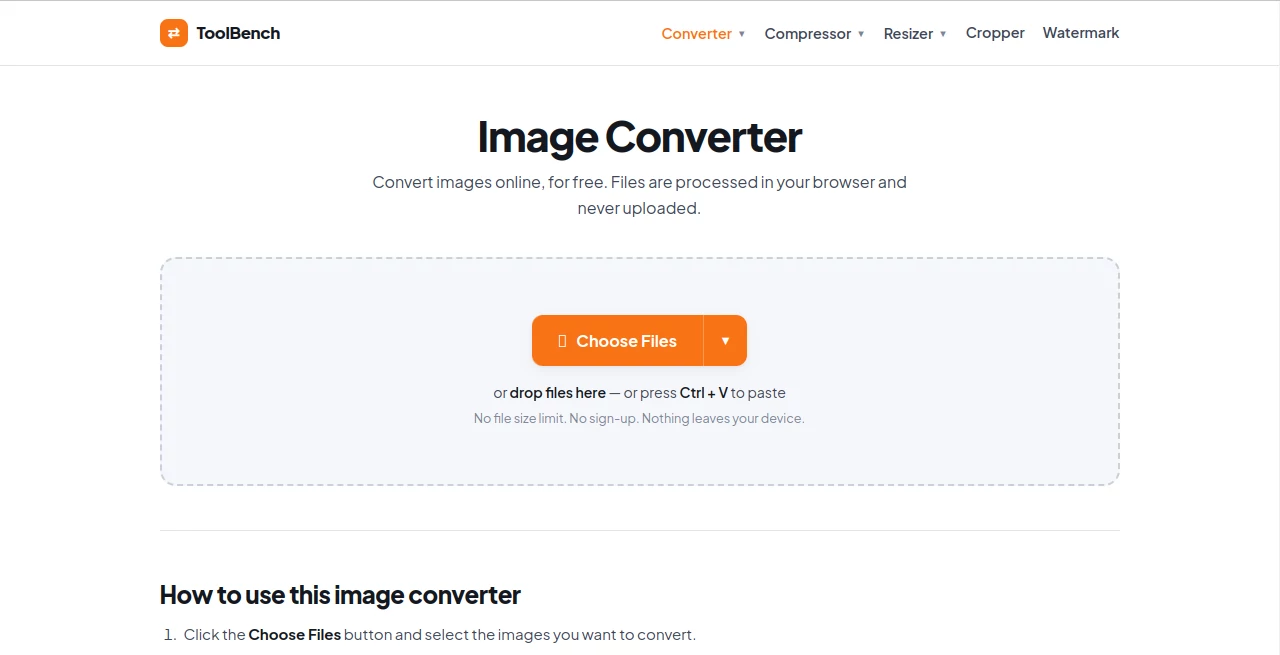
What is Toolsbench?
My Tools Bench is a practical collection of browser-based image tools built for people who need to work with files quickly without installing software or sending personal images to an online server. Its main image converter supports a broad range of formats and lets users convert files directly in their browser, making it particularly useful for everyday image preparation, website work, content creation, and document tasks.
The service keeps things refreshingly straightforward. There is no account requirement for the main image converter, and files are processed locally on the user's device. This approach is especially appealing when working with private photographs, screenshots, business graphics, or other images that you would rather not upload to a third-party server.
Key Features
- Browser-based image conversion with no sign-up required.
- Support for JPG, PNG, WebP, AVIF, GIF, BMP, TIFF, ICO, and PDF output.
- Batch conversion with per-file output format control.
- Quality adjustment and resizing during conversion.
- Image-to-PDF conversion for photos and scanned documents.
- ICO output for creating favicons from suitable images.
- Dedicated image compression, resizing, cropping, and watermark tools.
- Ready-made resizing options for common formats such as Full HD, square images, Instagram, and YouTube.
- Local browser processing designed to keep files on the user's device.
User Interface
The interface is designed around a simple upload-and-convert workflow. Users can choose files from their device, add multiple images, select the desired output format, adjust settings where necessary, and download the results. Drag-and-drop and clipboard pasting are also supported, which makes the process convenient when moving between browser windows or working with screenshots.
The navigation separates converters, compressors, resizers, cropping, and watermarking into clear sections. This is useful for someone who knows what they need to accomplish but does not want to search through a complicated editing application.
Accuracy & Performance
Because the main processing takes place inside the browser, performance depends largely on the user's computer and the size and number of images being handled. The service does not impose a server-side file size or file-count limit for the browser-based converter. Very large images may still take longer to process on less powerful devices, but the absence of server processing removes the usual upload and download stage.
The converter also gives users control over image quality and dimensions. This is helpful when preparing graphics for websites, social media, documents, or email, where the right balance between visual quality and file size matters.
Capabilities
The strongest part of the platform is its range of practical image operations. A user can convert between common formats such as PNG, JPG, WebP, and AVIF, work with GIF and TIFF files, create ICO files, or turn images into PDF documents.
There are also useful conversion combinations for common workflows, including PNG to JPG, JPG to WebP, HEIC to JPG, PNG to AVIF, and several other format combinations. The built-in resizing options can prepare images for popular publishing dimensions, while the separate compression tool focuses on reducing file size without necessarily changing the original image format.
One particularly useful detail is the handling of transparency. Since JPG does not support transparent pixels, transparent areas are filled with white when converting to JPG. Users who need to preserve transparency can instead choose formats such as PNG, WebP, or AVIF.
Security & Privacy
Privacy is one of the most notable aspects of the service. The image converter processes files inside the user's browser using the Canvas API rather than uploading them to a remote server. According to the service, images are not transmitted, stored, or logged during conversion.
This makes the workflow suitable for users who are uncomfortable uploading personal photographs, screenshots, business graphics, or other sensitive files to conventional online converters. The site also states that the converter can continue working after the page has loaded even if the user disconnects from the internet.
Use Cases
For web designers and developers, the service can be useful when preparing images in formats such as WebP, AVIF, PNG, or JPG before publishing them online. The resizing and compression options can also help reduce unnecessary file sizes.
Content creators can use it to prepare images for social platforms and video channels, with presets for formats such as Instagram and YouTube. Bloggers can convert images to web-friendly formats or create smaller versions for faster page loading.
Students and office users may find the image-to-PDF capability useful when turning photographs or scanned pages into documents. Meanwhile, users who simply need to convert an occasional HEIC photo, PNG graphic, or WebP image can complete the task without installing a dedicated application.
Pros and Cons
Pros
- Free browser-based image conversion.
- No account is required for the main converter.
- Files are processed locally in the browser.
- No stated server-side file size or file-count limit.
- Supports many popular image formats.
- Batch conversion is available.
- Quality and resizing controls are built into the workflow.
- Additional tools cover compression, resizing, cropping, and watermarking.
Cons
- Performance can depend on the user's device when handling very large images.
- Some formats, including EPS, PSD, SVG, and TGA, are not supported for conversion because they would require server-side processing.
- It is focused on practical file manipulation rather than advanced professional photo editing.
- It is a utility-focused service rather than a full creative design suite.
Pricing Plans
The image converter is available for free, with no sign-up required for the basic conversion workflow. The browser-based approach also avoids the typical server-processing restrictions found on many online converters. Users can access the image conversion and related browser tools without committing to a subscription.
This makes the service particularly attractive for occasional users who need a quick conversion without paying for a desktop application or maintaining another software subscription.
How to Use the Tool
- Open the image converter in a modern web browser.
- Click the file selection option, drag images into the page, or paste an image from the clipboard.
- Select the output format for each file.
- Open the available settings if you need to change image quality or dimensions.
- Start the conversion process.
- Download individual results or download the converted files together as a ZIP archive.
For a simple conversion, the process can be completed in just a few steps. If the goal is to reduce file size rather than change formats, the dedicated compressor is a better choice. Likewise, the resizer is more appropriate when exact dimensions are the priority.
Comparison with Similar Tools
Many online image converters rely on uploading files to a remote service before processing them. The main difference here is the local browser workflow. Instead of transferring an image to a server, the conversion takes place on the user's own device.
Another advantage is the combination of several everyday utilities under one service. Someone who needs to convert an image today may need to compress it tomorrow, resize another file for social media, or create a favicon later. Having these tasks available in one browser-based environment makes the service more convenient than relying on a separate website for every small job.
It is not intended to replace advanced applications such as professional photo editors. Its strength is speed, simplicity, privacy, and handling routine image-file tasks without unnecessary complexity.
Conclusion
For anyone who regularly works with image files, having a dependable browser-based converter can save a surprising amount of time. This service combines conversion, compression, resizing, cropping, and watermarking in a straightforward environment while keeping the main image-processing workflow on the user's device.
The privacy-first design is perhaps its most compelling characteristic. Users can convert, resize, or prepare images without the usual concern of uploading personal files to a processing server. Combined with support for modern formats such as WebP and AVIF alongside familiar choices like JPG and PNG, it offers a useful set of tools for everyday digital work.
It may not be the right choice for someone looking for advanced retouching, layers, or professional creative editing. For quick file conversion and image preparation, however, its focused approach makes it a convenient option worth keeping bookmarked.
Frequently Asked Questions (FAQ)
Is the image converter free?
Yes. The main image converter is available free of charge and does not require an account for the basic conversion workflow.
Are images uploaded to a server?
No. The service states that images are processed inside the browser and are not transmitted, stored, or logged on a server.
Is there a file size limit?
The converter does not impose a server-side file size or file-count limit. Very large files can still take longer to process depending on the user's device.
Which image formats are supported?
The converter supports formats including JPG, PNG, WebP, AVIF, GIF, BMP, TIFF, ICO, and PDF output, with numerous direct conversion combinations.
Can images be converted to PDF?
Yes. Images such as photographs and scans can be converted into PDF files directly through the browser.
Can transparent images be converted to JPG?
Yes, but JPG does not support transparency. Transparent areas are therefore filled with white during the conversion. Formats such as PNG, WebP, and AVIF can preserve transparency.
Can the tool work without an internet connection?
After the page has loaded, the converter can continue processing images locally in the browser, so the service states that it can work even after disconnecting from the internet.
Does it support advanced image formats such as PSD and SVG?
These formats are not supported for conversion because processing them would require server-side handling, which would conflict with the service's browser-only privacy approach.