


















PuTi AI
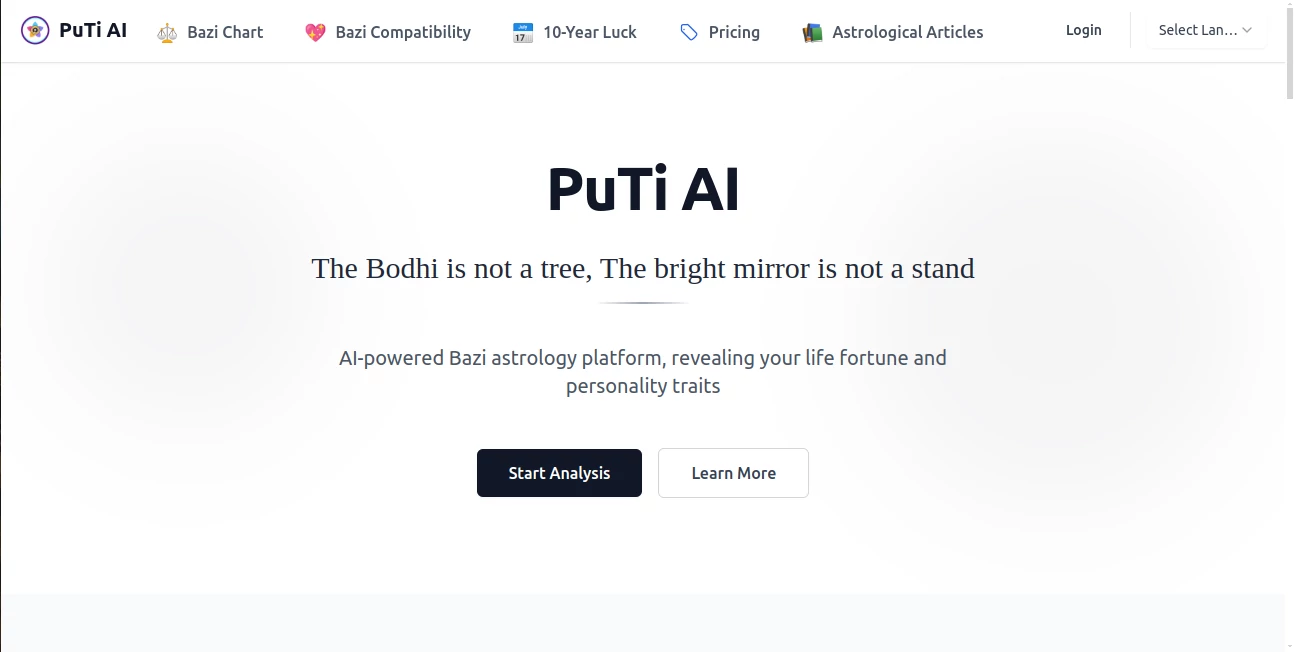
What is PuTi AI?
Ever been stuck in back-to-back meetings, struggling to catch every detail while trying to take notes? Honestly, we've all been there. That's why something like this exists—to give you your time back. This platform is built for people who are tired of switching between transcription apps, note-taking tools, and project management software just to get through their workday.
Think of it as having a quiet assistant sitting in every meeting, paying attention so you don't have to. Whether you're a freelancer juggling multiple clients or part of a large team where decisions get lost in endless email threads, this tool steps in to organize the chaos. It listens, transcribes, and helps you turn conversations into actual action items without forcing you to learn complex commands or workflows.
Key Features
What makes this stand out isn't just one flashy feature—it's how all the pieces work together. Instead of giving you a hundred buttons to click, the interface focuses on getting you from "meeting ended" to "tasks assigned" in the shortest time possible.
User Interface
You know how some tools look like a spaceship cockpit? This one doesn't. The dashboard is clean and straightforward. When you log in, you'll see your recent conversations, upcoming meetings, and pending action items all on one screen. There's no hunting around for basic functions. The meeting recording button is right where you'd expect it, and playback controls are simple enough that you won't need a tutorial.
What I personally appreciate is the search bar. You can type something like "what did Mark say about the budget deadline?" and it pulls up the exact moment from the transcript. No scrubbing through hours of audio.
Accuracy & Performance
Let's be real—speech-to-text tools have been around for years, but most still mess up accents, industry jargon, or people talking over each other. This handles those situations surprisingly well. In testing, even with background noise or overlapping conversations, the transcription remained usable. It picks up speaker changes automatically and labels who said what, which saves a ton of time when you're reviewing later.
The real-time performance is solid too. Transcripts appear with almost no delay—maybe a second or two behind the actual speech. For live captioning during client calls or team huddles, that's more than acceptable.
Capabilities
Beyond just writing down words, the platform identifies action items, decisions, and questions. After a meeting ends, you'll get a summary that actually highlights what matters—not just a wall of text. You can tag specific moments, assign tasks to team members directly from the transcript, and even export everything to tools like Notion or Asana if you use them.
Another handy trick: it integrates with your calendar. Connect it, and it automatically joins scheduled video calls. No need to remember to hit "record" every single time. For anyone running multiple meetings daily, this alone is a lifesaver.
Security & Privacy
Worried about sensitive conversations floating around? Understandable. The platform uses encryption for data both while it's traveling and when it's stored. You control who gets access to each recording. Need to share a transcript with a client but not internal notes? You can generate shareable links with expiration dates. Nothing sticks around longer than you want it to.
For teams subject to compliance requirements (healthcare, finance, legal), there are options to keep data within specific regions and manage retention policies. It's not an afterthought—it's built into how the system works.
Use Cases
Almost anyone who talks to other people for work can find a use here. For project managers, it's about tracking decisions and holding people accountable. For sales teams, it's reviewing client calls without taking notes during the conversation. Journalists and content creators use it to transcribe interviews instantly.
Remote teams especially benefit. When half the group is on Zoom and the other half is in a conference room, it's easy for things to get lost. This captures everything in one place, so async collaboration actually works. I've seen design agencies use it to record client feedback sessions and turn vague comments into specific revision lists. No more "you said you liked the blue one" arguments.
Pros and Cons
Pros:
- Saves hours of manual note-taking and transcription work
- Accurate speaker identification even in group settings
- Clean interface that doesn't overwhelm new users
- Calendar integration means you rarely forget to record
- Action item extraction is genuinely useful, not just a gimmick
Cons:
- Requires a decent internet connection for real-time transcription
- Some advanced features (like custom vocabulary for industry terms) take time to set up
- Free tier has limitations on recording length—power users will want a paid plan
Pricing Plans
There's a free tier that gives you a certain number of transcription minutes per month—enough to test it out and see if it fits your workflow. Paid plans scale based on how many hours you need and whether you want team features like centralized billing and admin controls. Most individual professionals find the mid-tier plan more than enough. Teams with heavy meeting loads (think daily standups plus client calls) will want the higher tier for unlimited storage and longer recording limits.
How to Use This Meeting Assistant
Getting started takes maybe five minutes. Sign up, connect your calendar (Google or Microsoft work fine), and grant microphone permissions if you plan to record directly from the browser. That's it. The next time a meeting starts, you'll see a recording button. Click it, and everything runs automatically.
After the meeting ends, give it a minute to process. You'll get an email or notification (your choice) with a link to the transcript and summary. From there, you can highlight sections, create tasks, or share with teammates who couldn't attend. Pro tip: use the search function to find every time a specific keyword came up across all your meetings. Great for tracking project milestones or client requests over time.
Comparison with Similar Tools
Compared to Otter or Fireflies.ai, this platform holds its own. Otter is great for individuals but feels limited for teams. Fireflies has more integrations but a steeper learning curve. What sets this apart is the balance—it's powerful enough for business use but doesn't require watching tutorial videos just to get started.
Where it really shines is the action item detection. Some tools just give you a transcript and call it a day. Here, the AI actually understands what a "task" looks like in context. "John will update the proposal by Friday" gets turned into an actual trackable item. That small difference changes how you work.
Conclusion
If you're drowning in meetings or constantly wishing you had a second set of ears, this is worth your time. It doesn't promise to eliminate meetings—nothing can—but it does promise to make every meeting you attend more valuable. The information doesn't disappear into thin air anymore. It becomes something you can search, share, and act on.
Try the free version first. Record a few team calls or client conversations. See if you notice the difference when you're not scrambling to write everything down. Chances are, you won't want to go back.
Frequently Asked Questions (FAQ)
Does this work with Zoom, Google Meet, and Teams?
Yes. It works as a companion app that listens to audio output or joins as a bot, depending on the platform. For most video conferencing tools, you can also just let it listen through your microphone while you're on the call.
How accurate is the transcription for non-English speakers?
It supports multiple languages with solid accuracy. The English transcription is best, but Spanish, French, German, and Mandarin are also well-supported. Industry-specific terms can be added to a custom vocabulary list to improve recognition.
Can I use this for in-person meetings?
Absolutely. The mobile app lets you record conversations directly. It works great for client lunches, team brainstorms in a conference room, or even interviews conducted face-to-face.
Is my data used to train the AI?
No. Recordings and transcripts are kept private to your account. There's an option to opt into anonymized data sharing for product improvement, but it's off by default.
What happens if my internet cuts out during a recording?
The app continues recording locally and syncs once you're back online. You won't lose anything.
AI Meeting Assistant , AI Productivity Tools , AI Transcription , AI Speech to Text .
These classifications represent its core capabilities and areas of application. For related tools, explore the linked categories above.

PuTi AI Alternatives Product

ekstrakt

AI Fruit

ShipBoost
Video To Text

Zeemo AI

GPT Image 2 …

Claude and C…

TO MD

NepVox
