

















RapidNative
What is RapidNative?
In today’s fast-moving digital world, turning an idea into a working mobile application often feels overwhelming. Many founders and developers struggle with long development cycles, complex frameworks, and costly iterations. This platform changes that experience by simplifying the entire app creation process and making it significantly faster and more intuitive.
It is designed for creators, startups, and even non-technical users who want to bring mobile app ideas to life without getting stuck in traditional development bottlenecks. Instead of writing hundreds of lines of code manually, users can focus on what they actually want to build while the system handles much of the heavy lifting in the background.
Key Features
User Interface
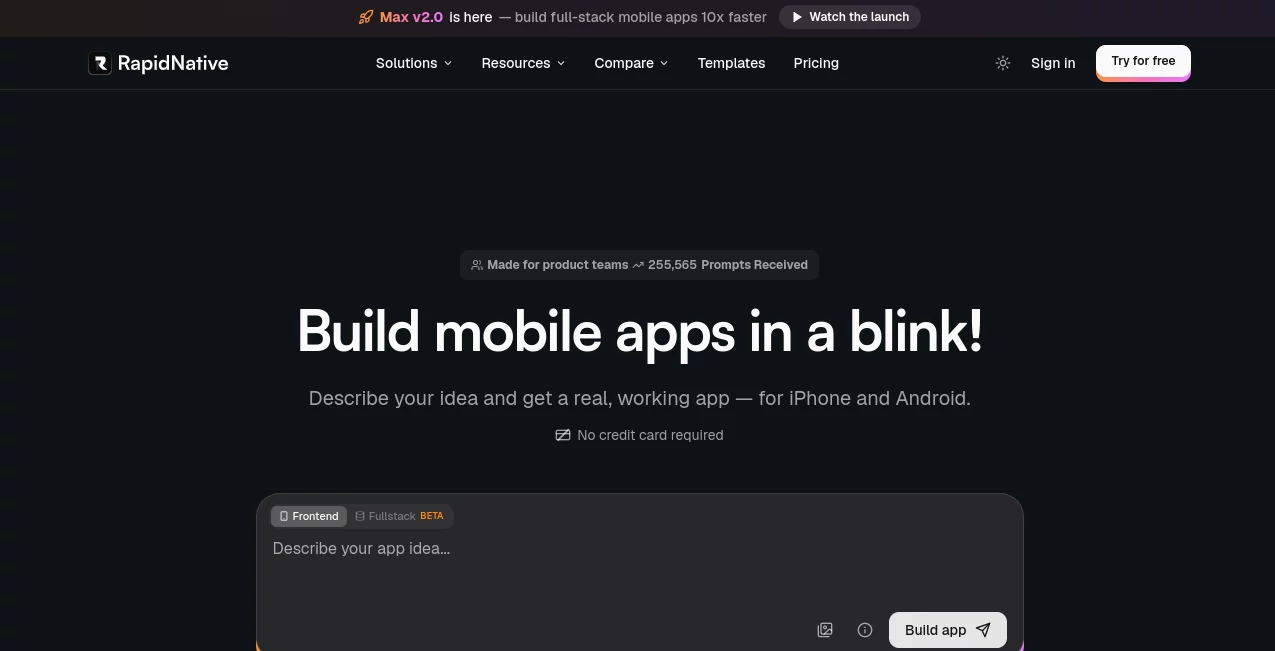
The interface is clean, modern, and intentionally minimal so users can focus on building rather than learning complicated tools. Navigation feels smooth, with clear sections that guide users step by step through app creation.
Accuracy & Performance
The platform is optimized for speed and responsiveness. It translates user inputs into functional application components quickly, reducing waiting time and allowing faster iteration cycles. This makes it especially useful for prototyping and MVP development.
Capabilities
It supports building mobile applications using AI-assisted workflows, enabling users to generate app structures, screens, and logic with minimal manual effort. It bridges the gap between idea and production-ready output.
- AI-assisted app generation
- Fast prototyping for mobile products
- Component-based development structure
- Export-ready application architecture
- Scalable foundation for production apps
Security & Privacy
Security is an important part of the system design. User-generated projects are handled in a controlled environment, ensuring that development data remains protected throughout the creation process.
Use Cases
- Startup founders building MVPs quickly without hiring a full development team
- Developers prototyping mobile app ideas in a fraction of the usual time
- Agencies delivering rapid client prototypes for approval
- Product teams testing new app concepts before full-scale development
Pros and Cons
Pros
- Extremely fast app creation process
- Reduces need for deep coding knowledge
- Great for prototyping and MVP development
- User-friendly interface
Cons
- Advanced customization may still require technical knowledge
- Best suited for mobile-focused workflows only
Pricing Plans
Pricing typically follows a tiered model, offering a combination of free access for basic usage and premium plans for advanced features. Higher tiers usually unlock more customization options, faster processing, and expanded export capabilities.
How to Use RapidNative
Getting started is straightforward. Users begin by defining their app idea in simple terms. The system then interprets the input and generates a structured application layout. From there, users can refine screens, adjust features, and iterate quickly until the app matches their vision.
The workflow is designed to reduce friction, allowing even first-time creators to move from concept to functional prototype without confusion.
Comparison with Similar Tools
Compared to traditional mobile development frameworks, this platform significantly reduces time-to-market. Unlike conventional coding environments that require manual setup and configuration, it automates much of the foundational work.
When compared to other no-code or low-code builders, it places a stronger emphasis on AI-driven generation, making the initial creation phase much faster and more intuitive.
Conclusion
This platform stands out as a modern solution for anyone looking to build mobile applications quickly without sacrificing structure or scalability. It is especially valuable for startups and creators who need to validate ideas fast and move from concept to prototype with minimal friction.
By combining automation with a clean user experience, it offers a practical bridge between imagination and real-world application development.
Frequently Asked Questions (FAQ)
Is it suitable for beginners?
Yes, the platform is designed to be accessible even for users without technical backgrounds.
Can I build production-ready apps?
It is primarily optimized for prototypes and MVPs, but with refinement, projects can be expanded into production-level applications.
Does it require coding skills?
No extensive coding knowledge is required, although technical users can still enhance and customize outputs.
What makes it different from other builders?
Its AI-driven approach significantly speeds up the initial development process compared to traditional drag-and-drop tools.
Is it suitable for teams?
Yes, it can be used by individuals, startups, and teams working on collaborative product development.
AI App Builder , AI No-Code & Low-Code , Code & IT , AI Developer Tools .
These classifications represent its core capabilities and areas of application. For related tools, explore the linked categories above.

RapidNative Alternatives Product

Nestify

ShipAhead

Defapi

LPM 1.0

Vibe Coding …

Wplace Live

FormRoyale
Tooladda

KaneAI
