


















Rebel Audio
What is Rebel Audio?
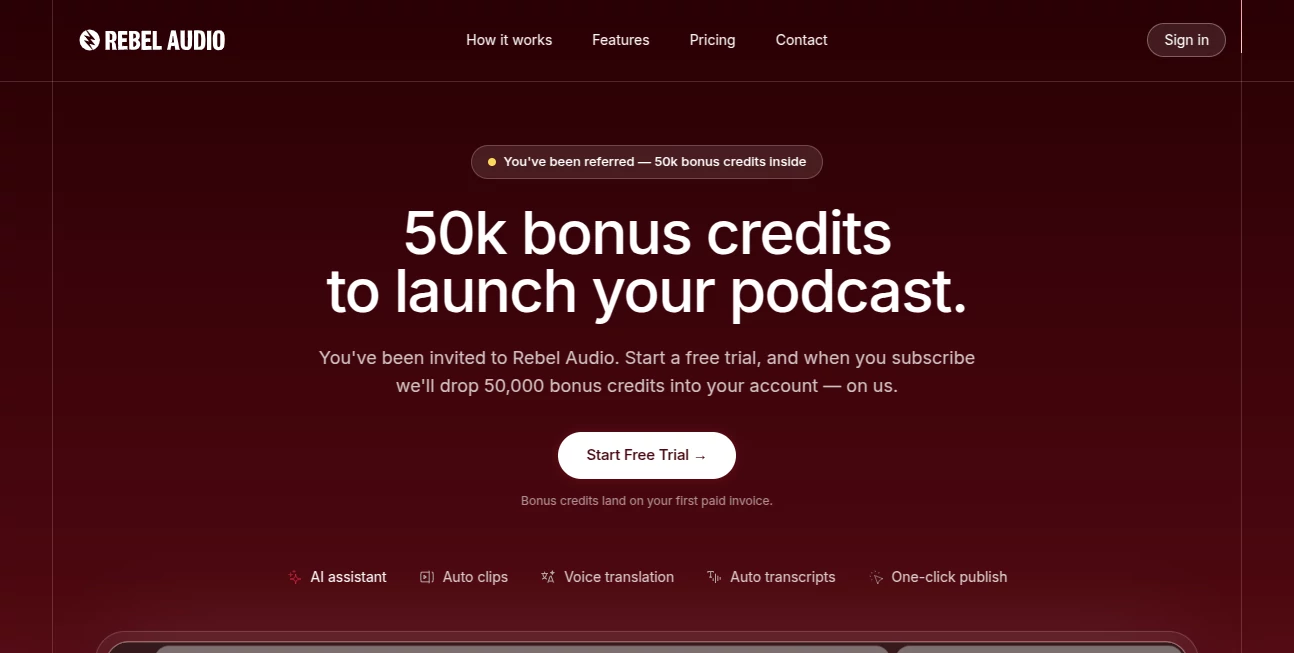
Podcast production has evolved dramatically, but many creators still juggle multiple applications just to record, edit, and publish a single episode. This platform changes that experience by bringing every essential production tool into one browser-based workspace. Whether you're interviewing guests remotely, producing weekly shows, or creating short-form social content, it offers a streamlined workflow that saves both time and effort.
Designed with independent creators in mind, the platform combines professional-grade local recording, AI-powered editing, automatic transcript generation, social media clip creation, and direct publishing features. Instead of worrying about complicated software installations or expensive studio equipment, creators can focus entirely on producing engaging conversations and growing their audience.
Its browser-first approach also removes many technical barriers. Guests simply join through a shared link without installing software, making remote interviews remarkably simple. Combined with intelligent audio processing and automated production features, it provides an impressive balance between simplicity and professional quality.
Key Features
User Interface
The interface is clean, modern, and intentionally designed to minimize distractions. Recording sessions, editing timelines, transcripts, and social clip creation are all accessible from a single dashboard, allowing users to move naturally from recording to publishing without switching between multiple applications.
Accuracy & Performance
Local recording technology captures each participant's audio directly on their own device at high-quality 48kHz/24-bit resolution. Built-in drift correction automatically synchronizes recordings from multiple participants, eliminating the timing issues that often affect long remote interviews. AI-assisted editing further improves production speed by helping remove unnecessary pauses and filler words while maintaining natural conversation flow.
Capabilities
- Browser-based podcast recording
- High-quality local audio capture
- Automatic audio synchronization
- AI-assisted editing workflow
- Word-by-word caption generation
- Vertical video clip creation for social media
- Multi-track audio export
- Professional loudness normalization
- Direct publishing workflow
- Podcast transcription
- Voice translation for global audiences
- Voice cloning for multilingual content
- Remote guest invitations without software installation
- Video recording alongside audio sessions
Security & Privacy
Audio is recorded locally before being processed, reducing dependence on unstable internet connections during recording sessions. This local-first architecture helps protect recording quality even if temporary network interruptions occur. The platform also emphasizes creator ownership by giving users control over their recordings and exported files.
Use Cases
- Professional podcast production
- Remote interviews with guests worldwide
- Business podcast creation
- Educational audio content
- Marketing and branded podcasts
- YouTube podcast production
- Social media content repurposing
- Creator teams collaborating remotely
- Multilingual podcast publishing
- Independent media production
Pros and Cons
Pros
- Entire production workflow inside a browser
- No software installation required for guests
- Professional local recording quality
- Automatic drift correction for long sessions
- Built-in AI editing tools
- Fast creation of social media clips
- Supports multilingual content creation
- Suitable for beginners and experienced podcasters alike
Cons
- Some advanced AI features are reserved for higher-tier plans.
- Primarily optimized for podcast creators rather than general audio production.
- Internet access is still required for collaboration and cloud-based features.
Pricing Plans
The platform offers a free entry option for new creators to explore its core functionality. Paid subscription plans unlock additional production capabilities, larger recording limits, advanced AI tools, multilingual voice translation, voice cloning, and features designed for professional creators and media teams. Enterprise plans are also available for organizations with larger production requirements.
How to Use Rebel Audio
Start by creating a new recording session and inviting guests using a simple shareable link. Once everyone joins through their browser, begin recording. Each participant's audio is captured locally for maximum quality while video previews remain available throughout the conversation.
After recording finishes, AI-assisted editing tools help clean the episode by trimming unnecessary sections and improving overall audio quality. Generate transcripts, create short vertical clips with animated captions for social media, export professional audio files, and publish your finished episode through the integrated workflow.
Comparison with Similar Tools
Compared with traditional podcast recording software, this platform focuses on simplifying every stage of production instead of requiring creators to combine multiple independent applications. While many competitors specialize in either recording, editing, transcription, or publishing, this solution combines all of these capabilities within one browser-based environment.
Its local recording architecture, automatic synchronization, AI-powered editing, multilingual voice features, and instant social media clip generation make it particularly attractive for creators who want professional results without investing significant time in technical production tasks.
Conclusion
Modern podcast creators need more than a simple recording application. They need a complete production ecosystem that reduces technical complexity while maintaining professional quality. This platform delivers exactly that by combining high-quality local recording, intelligent editing, multilingual publishing capabilities, and integrated social media content creation into one streamlined workflow.
Whether launching a first podcast or managing an established media brand, creators can significantly reduce production time while maintaining exceptional audio quality. Its browser-based simplicity, AI-powered automation, and creator-focused workflow make it one of the most compelling podcast production solutions available today.
Frequently Asked Questions (FAQ)
Can guests join without creating an account?
Yes. Guests can join recording sessions directly through a shared browser link without installing additional software.
Does it support remote podcast recording?
Yes. The platform is specifically designed for high-quality remote interviews with local recording for every participant.
Can it generate social media clips?
Yes. AI automatically helps create vertical video clips with captions for platforms such as TikTok, Instagram Reels, and YouTube Shorts.
Is multilingual podcast publishing available?
Yes. Higher-tier plans include AI-powered translation and voice cloning to help creators publish content in multiple languages.
Who is this platform best suited for?
It is ideal for podcasters, creators, media teams, educators, marketers, interview hosts, and businesses looking for an efficient end-to-end podcast production workflow.
AI Podcast Assistant , AI Video Recording , AI Speech to Text , AI Voice & Audio Editing .
These classifications represent its core capabilities and areas of application. For related tools, explore the linked categories above.

Rebel Audio Alternatives Product

Voice Art

Sourcetable

Transcribe A…

Krisp

ModelsLab
SeedMusic 1.0
Speech Notes

happyhorse
TikoTranscri…
