
Remover.video
What is Remover.video?
Creating polished videos often means dealing with unwanted text overlays, logos, captions, or watermarks that distract viewers from the main content. This platform provides an effortless way to clean up videos with the help of advanced artificial intelligence, allowing creators to produce professional-looking results directly from a web browser without installing complicated editing software.
Designed for content creators, marketers, agencies, educators, and businesses, it can intelligently remove unwanted visual elements while preserving the original quality of the footage. Instead of relying on simple blur effects, the AI reconstructs the hidden background to create a far more natural appearance. Whether you're preparing social media content, promotional videos, tutorials, or branded marketing assets, the editing process becomes significantly faster and easier.
Key Features
- AI-powered watermark removal
- Remove text overlays from videos
- Erase hardcoded subtitles and captions
- Logo removal with natural background reconstruction
- Browser-based editing without software installation
- Supports multiple popular video formats
- Fast cloud processing
- High-quality output with minimal quality loss
- Batch processing for larger projects
- Multiple export resolution options on premium plans
User Interface
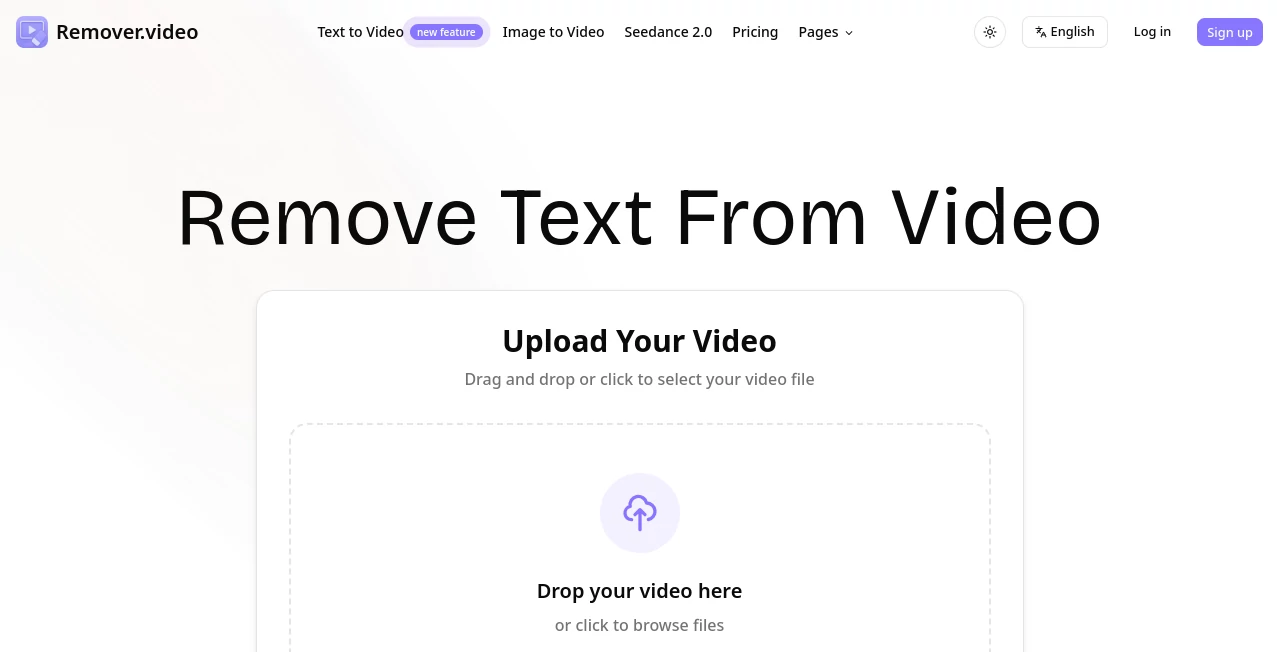
The interface focuses on simplicity. Users upload a video, choose the element they want removed, and allow the AI to process the footage automatically. There are no confusing timelines or professional editing tools to learn, making the experience comfortable even for beginners.
Accuracy & Performance
Rather than hiding unwanted elements behind blur effects, the AI analyzes surrounding frames and rebuilds missing areas for a cleaner finish. Processing is completed online, allowing users to receive results quickly while maintaining smooth visual consistency throughout the edited video. This makes it especially useful for removing logos, captions, and text that appear across multiple frames.
Capabilities
The platform supports numerous editing scenarios, including removing watermarks from original content, eliminating logos from promotional videos, cleaning subtitles from educational material, deleting text overlays, and preparing videos for publishing across multiple social media platforms. It also offers additional AI-powered video editing utilities for creators who need more than basic cleanup.
Security & Privacy
Everything works through secure cloud processing without requiring desktop software. Videos are uploaded only for processing, making the workflow convenient across different operating systems and devices. The service is designed to simplify editing while reducing technical barriers for creators who work remotely or on multiple computers.
Use Cases
- Repurposing social media videos for different platforms
- Cleaning promotional and advertising videos
- Removing logos from marketing materials
- Deleting captions from educational videos
- Preparing professional presentations
- Improving user-generated content
- Editing product demonstration videos
- Creating cleaner video portfolios
Pros and Cons
Pros
- Very easy to use for beginners
- No software installation required
- Natural AI reconstruction instead of simple blur
- Supports watermark, text, subtitle, and logo removal
- Fast online processing
- Useful for creators and marketing teams
Cons
- Internet connection is required
- Premium features require a paid subscription
- Processing speed depends on video size and server load
Pricing Plans
A free version is available for users who want to test the service. Paid subscription plans unlock additional processing credits, higher video limits, priority processing, premium support, and higher export resolutions, making them suitable for professional creators and agencies with larger workloads.
How to Use Remover.video
- Upload your video using the online editor.
- Select the unwanted text, watermark, logo, or captions you want removed.
- Allow the AI to process the video automatically.
- Preview the generated result.
- Download the cleaned video for publishing or further editing.
Comparison with Similar Tools
Unlike traditional video editing software that often requires manual frame-by-frame masking, this solution automates much of the workflow using AI. It is particularly attractive for creators who need quick edits without investing time in learning professional editing applications. Compared with many online alternatives that simply blur unwanted objects, the AI reconstruction technology produces cleaner and more natural-looking results for many common editing tasks.
Conclusion
For anyone looking to remove text, subtitles, logos, or watermarks from videos with minimal effort, this platform delivers an efficient and user-friendly experience. Its combination of AI-powered editing, cloud-based workflow, and straightforward interface makes it an appealing choice for creators who regularly publish content across multiple channels. Whether editing personal projects or managing commercial campaigns, it helps save valuable time while producing cleaner, more professional videos.
Frequently Asked Questions (FAQ)
Can it remove watermarks without adding blur?
Yes. The AI reconstructs the background instead of relying solely on blur effects, helping produce more natural-looking results.
Do I need to install any software?
No. Everything works directly in a web browser.
Can beginners use it?
Yes. The interface is designed to be simple enough for users with little or no video editing experience.
Does it support subtitle removal?
Yes. Hardcoded captions and subtitles can be detected and removed from supported videos.
Is there a free version?
Yes. A free plan is available, while paid plans provide additional processing credits and advanced capabilities.
AI Video Editor , AI Video Enhancer , AI Social Media Assistant , AI UGC Video Generator .
These classifications represent its core capabilities and areas of application. For related tools, explore the linked categories above.

Remover.video Alternatives Product

RemoveVideoBG

Mediagen

Meet Lea

Schedpilot

Socialync

Lime Social

Maestra

Shoorts AI

Kyncept