
ReplyQuest
What is ReplyQuest?
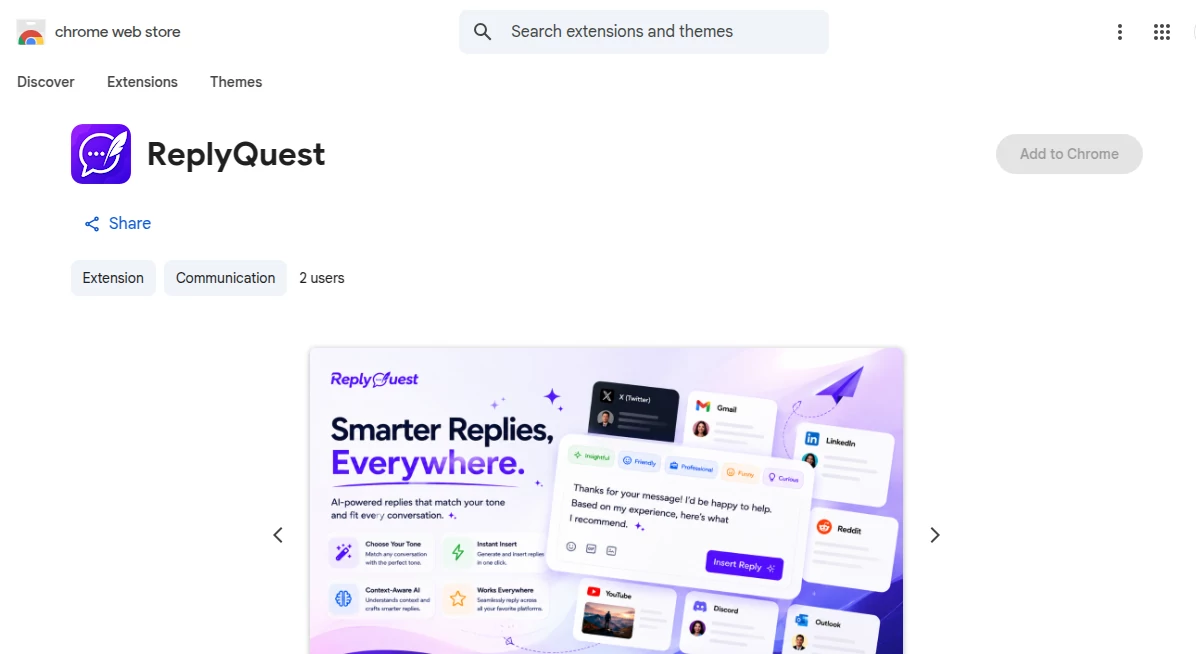
ReplyQuest is a lightweight Chrome extension designed to help users respond to messages faster and with better clarity. Whether you’re handling emails, social media comments, or customer chats, it simplifies the process of writing thoughtful replies in seconds.
Instead of staring at a blank text box, users can generate polished responses that match the tone and context of the conversation. It feels natural, quick, and surprisingly human.
Key Features
User Interface
The interface is minimal and easy to use. It integrates directly into your browser, so you don’t need to switch tabs or open separate tools.
Accuracy & Performance
Responses are context-aware and generally aligned with the conversation tone. It performs smoothly even during fast-paced messaging.
Capabilities
- Generates instant replies for emails and messages
- Adapts tone based on context (formal, casual, friendly)
- Works across social media and web messaging platforms
- Helps reduce writing time significantly
Security & Privacy
The tool is designed to work within the browser environment, focusing on user convenience while keeping interactions lightweight and secure.
Use Cases
It is useful for professionals managing daily emails, customer support teams handling repetitive questions, and social media managers responding to comments quickly. Even casual users can benefit when they want to reply faster without overthinking.
Pros and Cons
Pros
- Fast and easy to use
- Improves response quality
- Saves time in daily communication
Cons
- Requires internet connection
- Limited customization in some cases
Pricing Plans
Pricing may vary depending on the version and usage tier. A basic free version is typically available, with premium features unlocked in paid plans for advanced users.
How to Use This Tool
After installing the extension, open any supported messaging platform. When you start replying, the tool activates automatically. Choose the tone you want, generate a response, and insert it into your message with a single click.
Comparison with Similar Tools
Compared to other AI reply assistants, this tool focuses more on simplicity and speed rather than complex configurations. It is ideal for users who want quick results without a learning curve.
Conclusion
ReplyQuest brings efficiency to everyday communication. It removes the friction of writing responses and helps users stay productive without sacrificing tone or quality. For anyone who handles frequent messaging, it feels like a practical upgrade to the browser itself.
Frequently Asked Questions (FAQ)
Is it easy to install?
Yes, it installs directly as a Chrome extension in seconds.
Does it work on all websites?
It works on most major messaging and email platforms supported by Chrome.
Can I change the tone of replies?
Yes, you can choose different tones depending on the context of your message.
Is it suitable for business use?
Yes, many professionals use it to speed up customer communication and internal messaging.
AI Reply Assistant , AI Social Media Assistant , AI Customer Service Assistant , AI Productivity Tools .
These classifications represent its core capabilities and areas of application. For related tools, explore the linked categories above.
ReplyQuest details
Website unavailable — View Alternatives
Pricing
- Free
Apps
- Chrome Extensions
Categories

ReplyQuest Alternatives Product

Faceless vid…

FLINT AI

Nova AI

Odysseus AI

ZynfoAI

XreplyAI

Workik

BetterAntisp…

Kapwing