
ResearchMonkey AI
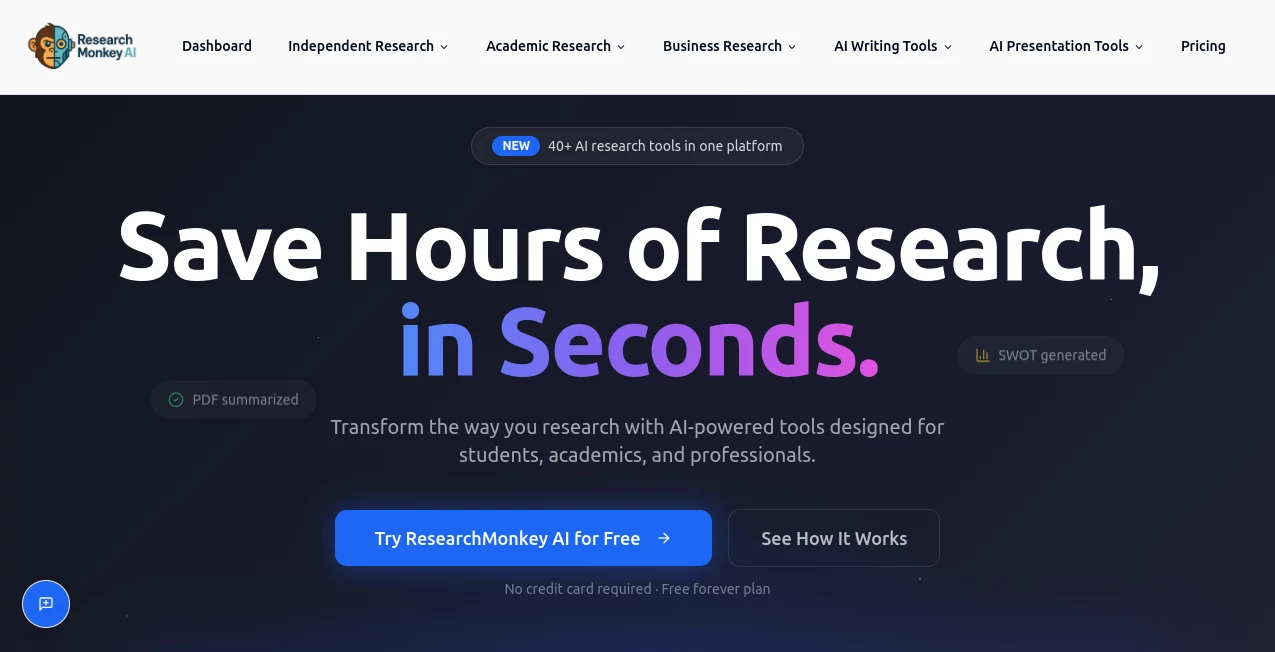
What is ResearchMonkey AI?
Research has never been simple. Whether it involves academic papers, market reports, presentations, videos, or lengthy PDF documents, gathering reliable information often takes far more time than expected. This platform was built to solve that challenge by bringing together more than 40 specialized AI-powered research tools within a single workspace.
Designed for students, researchers, academics, consultants, and business professionals, it transforms complex research workflows into a streamlined process. Instead of jumping between multiple applications, users can summarize content, organize findings, generate insights, manage citations, and create polished outputs from one centralized dashboard.
What makes the experience particularly impressive is its focus on research quality. Rather than providing generic responses, the platform emphasizes source-backed analysis, helping users work with greater confidence and accuracy. For anyone who regularly deals with information overload, it feels less like a simple AI tool and more like a complete research companion.
Key Features
User Interface
The interface is clean, intuitive, and designed around productivity. Users can access dozens of research tools from a single dashboard, save outputs, organize projects into folders, manage reading lists, and track research progress without unnecessary complexity. The layout remains approachable even for first-time users while offering enough depth for advanced researchers.
Accuracy & Performance
One of the strongest aspects of the platform is its commitment to source-based research. It helps users analyze documents, summarize papers, and generate research outputs grounded in credible references rather than relying solely on AI-generated assumptions. This focus on verification makes the generated insights more trustworthy and useful for academic and professional work.
Performance is equally impressive. Large PDFs, presentations, web pages, and videos can be processed within seconds, allowing users to review information that would normally require hours of manual reading.
Capabilities
- Academic paper analysis and summarization
- PDF document summarization
- Video and presentation summarization
- Research article generation
- Market research and competitor analysis
- Citation management and export
- Research dashboard organization
- Workflow creation and project management
- AI writing assistance for research tasks
- Browser extension for web research
Security & Privacy
Research projects often contain sensitive information, unpublished work, and valuable business insights. The platform addresses this concern by providing dedicated research management features that allow users to organize and control their information within a structured environment. Saved documents, research outputs, and collected sources remain accessible from a centralized workspace designed specifically for research activities.
Use Cases
- Students preparing assignments, essays, and literature reviews.
- Academic researchers analyzing journals and extracting key findings.
- Business professionals conducting market research and competitor analysis.
- Consultants creating data-backed reports and presentations.
- Content creators summarizing lengthy documents and videos.
- Teams managing collaborative research projects.
- Professionals building citation-supported reports and whitepapers.
Pros and Cons
Pros
- More than 40 specialized research tools in one platform.
- Strong focus on source verification and research accuracy.
- Comprehensive dashboard for organizing projects and files.
- Supports academic, business, and professional research workflows.
- Fast processing of PDFs, videos, presentations, and web pages.
- Integrated citation management capabilities.
- Browser extension improves research efficiency.
- Free plan available for new users.
Cons
- Advanced features may require paid plans.
- Some users may initially feel overwhelmed by the large number of available tools.
- Specialized academic workflows can require a learning period for maximum efficiency.
Pricing Plans
The platform offers a free plan that allows users to explore its core capabilities without providing credit card information. Premium plans unlock advanced research features, expanded usage limits, enhanced workflows, and specialized tools designed for professional and academic research needs.
This flexible pricing approach makes the platform accessible to students while still providing scalable options for businesses and research-intensive teams.
How to Use ResearchMonkey AI
Getting started is straightforward:
- Create a free account.
- Access the research dashboard.
- Upload documents, PDFs, presentations, or research materials.
- Select the appropriate research tool for your task.
- Generate summaries, insights, analyses, or research outputs.
- Save findings into organized folders.
- Manage citations and references automatically.
- Export results or transform them into presentations and reports.
The workflow is designed to move users from initial research questions to final deliverables with minimal friction.
Comparison with Similar Tools
Many AI assistants can answer questions and generate text, but they often operate as general-purpose tools. This platform takes a more specialized approach by focusing on the entire research lifecycle. Instead of simply producing responses, it helps users collect sources, organize materials, manage citations, analyze documents, and maintain structured research projects.
Compared to traditional AI chat systems, it offers stronger research organization features and more comprehensive support for academic and business workflows. For users whose work depends on credible information rather than quick answers alone, that distinction can make a significant difference.
Conclusion
Research can be time-consuming, repetitive, and overwhelming, especially when dealing with large volumes of information. This platform successfully addresses those challenges by combining AI-powered analysis, document management, citation support, and workflow organization into a single ecosystem.
Its ability to handle everything from academic literature reviews to business intelligence projects makes it a valuable resource for a wide range of users. With a generous free plan, an extensive collection of research tools, and a strong emphasis on accuracy, it stands out as one of the most practical solutions available for modern research workflows.
Frequently Asked Questions (FAQ)
Who is this platform designed for?
It is designed for students, academics, researchers, consultants, and business professionals who need to gather, analyze, and organize information efficiently.
Can it summarize PDF documents?
Yes. Users can upload PDFs and receive structured summaries, key findings, section breakdowns, and important data points.
Does it support citation management?
Yes. The platform includes citation management capabilities that help users organize and export references in multiple formats.
Is there a free version available?
Yes. A free plan is available, allowing users to explore many of the platform's core research features.
Can businesses use it for market research?
Absolutely. The platform includes tools for competitor analysis, market exploration, industry research, and business intelligence workflows.
AI Research Tool , AI Knowledge Management , AI Education Assistant , AI Productivity Tools .
These classifications represent its core capabilities and areas of application. For related tools, explore the linked categories above.
ResearchMonkey AI details
Website unavailable — View Alternatives
Pricing
- Free
Apps
- Web App
Categories

ResearchMonkey AI Alternatives Product

MacroMicro

Rate My Prof…

Coresite

Fina Money

Diploria AI

LocalRAG!

Semantic SEO…

Flitz AI

Manus