


















rtrvr.ai
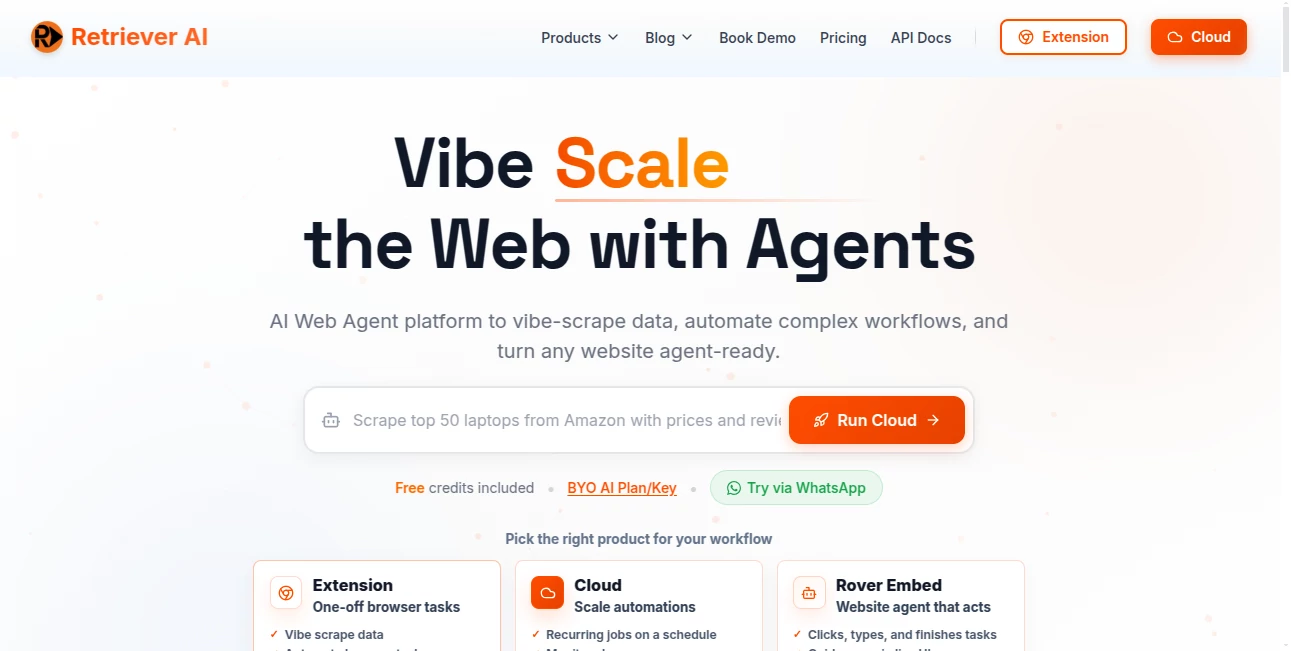
What is rtrvr.ai?
The way people interact with websites is changing fast. Instead of manually opening tabs, copying data, filling forms, and repeating the same workflows every day, businesses are now turning to intelligent web agents that can perform those actions automatically. This platform brings that vision to life with a practical and surprisingly accessible approach.
Designed for professionals, marketers, developers, researchers, recruiters, and operations teams, it transforms ordinary browser tasks into automated workflows powered by natural language instructions. Whether someone needs to collect pricing information from dozens of websites, enrich spreadsheets with live web data, monitor competitors, or automate repetitive online actions, the experience feels remarkably smooth and efficient.
What makes the platform particularly impressive is its ability to work directly with website structures instead of relying solely on screenshots or visual recognition. The result is a faster, more accurate experience that feels reliable even when handling complex tasks across multiple websites.
Key Features
User Interface
The interface is designed around simplicity. Users can describe tasks in plain English and let the system determine the required actions. The browser extension, cloud dashboard, API integrations, and even messaging-based workflows create a flexible environment that adapts to different working styles.
Instead of overwhelming users with technical settings, the platform focuses on action-driven prompts. This approach significantly reduces the learning curve and allows both technical and non-technical users to start automating tasks quickly.
Accuracy & Performance
One of the strongest aspects of the platform is its performance architecture. By understanding the actual structure of web pages through DOM analysis, it can identify buttons, forms, fields, pricing tables, and navigation elements with impressive precision.
This method helps avoid many of the issues that traditional automation tools face when websites change layouts or introduce visual obstacles. Tasks are completed faster, with lower resource consumption and a noticeably higher success rate when compared to many browser automation alternatives.
Capabilities
The platform supports a wide range of automation and data retrieval workflows.
- Web scraping and structured data extraction
- Automated form filling and submissions
- Lead generation and contact enrichment
- Competitor monitoring and market research
- Spreadsheet enrichment and data collection
- Browser task automation across multiple tabs
- API and MCP integrations
- Job application automation
- Website monitoring and recurring workflows
- Customer-facing AI web agents
A particularly useful feature is the ability to run multiple browser tasks simultaneously. For professionals who spend hours collecting information from different sources, this can save a significant amount of time every week.
Security & Privacy
Privacy is treated as a priority rather than an afterthought. Sensitive browser sessions remain under user control, and the platform is designed to work with existing authenticated sessions without exposing credentials unnecessarily.
Data transmission is encrypted, permissions are kept limited, and integrations with services such as Google Drive and Google Calendar follow a restricted-access model. For businesses handling confidential information, these safeguards provide additional peace of mind.
Use Cases
- Sales teams collecting prospect information from multiple sources.
- Marketing agencies tracking competitor pricing and product changes.
- Recruiters automating candidate sourcing and application workflows.
- Researchers gathering structured information from large groups of websites.
- E-commerce businesses monitoring inventory, pricing, and market trends.
- Developers connecting AI systems with live web interactions.
- Operations teams reducing repetitive browser-based tasks.
Imagine a team that normally spends several hours each week checking dozens of competitor websites. Instead of manually opening pages and updating spreadsheets, the entire process can run automatically while employees focus on strategy and decision-making.
Pros and Cons
Pros
- Natural language workflow creation.
- Fast browser automation powered by DOM intelligence.
- Supports large-scale scraping and monitoring.
- Works with existing logged-in browser sessions.
- Cloud, extension, API, and messaging integrations.
- Strong privacy-focused architecture.
- Suitable for both individuals and enterprise teams.
Cons
- Advanced workflows may require experimentation to optimize prompts.
- Some enterprise-scale use cases can have a learning curve.
- Users unfamiliar with browser automation may need time to explore all capabilities.
Pricing Plans
The platform offers free access options that allow users to test automation workflows before committing to larger usage volumes. Additional plans provide expanded automation capacity, cloud execution, integrations, and advanced workflow management.
Businesses with larger operational requirements can scale their usage through cloud-based infrastructure and API access, making the platform suitable for both startups and established organizations.
How to Use rtrvr.ai
Getting started is straightforward.
- Install the browser extension or access the cloud platform.
- Describe the task using natural language.
- Select the target websites or data sources.
- Allow the system to execute the workflow automatically.
- Export results to spreadsheets, APIs, or other connected systems.
- Schedule recurring tasks when continuous monitoring is required.
Most users can launch their first automation workflow within minutes, making the onboarding experience refreshingly simple.
Comparison with Similar Tools
Many browser automation solutions rely heavily on screenshots and visual interpretation. While those approaches can be effective, they often introduce additional complexity, slower execution, and higher costs.
This platform differentiates itself through its DOM-native architecture, which enables a more structured understanding of websites. The result is a system that feels faster, more reliable, and better suited for large-scale automation tasks.
Compared to traditional scraping tools, it also lowers the technical barrier significantly. Users can automate workflows through plain-language instructions instead of maintaining custom scripts or complex automation setups.
Conclusion
Modern businesses generate enormous amounts of repetitive web work every day. From research and lead generation to monitoring, reporting, and data collection, these tasks consume valuable time that could be spent on higher-level decisions.
This platform offers a compelling solution by combining AI-driven automation, browser intelligence, structured data extraction, and scalable workflows into a single ecosystem. The experience feels practical, powerful, and surprisingly approachable, making it a strong choice for professionals looking to turn the web into a more productive working environment.
Frequently Asked Questions (FAQ)
What is this platform mainly used for?
It is primarily used for web automation, data extraction, workflow automation, monitoring tasks, and browser-based productivity improvements.
Can non-technical users use it?
Yes. Natural language prompts make it accessible even for users without programming experience.
Does it support large-scale data collection?
Yes. Cloud-based execution allows users to process large volumes of websites and automate workflows at scale.
Can it integrate with AI assistants and external tools?
Yes. The platform supports APIs, MCP integrations, browser automation workflows, and external system connectivity.
Is user data protected?
The platform emphasizes secure access controls, encrypted communication, limited permissions, and privacy-focused workflow execution.
AI Web Scraping , AI Research Tool , AI Developer Tools , AI Workflow Management .
These classifications represent its core capabilities and areas of application. For related tools, explore the linked categories above.

rtrvr.ai Alternatives Product

TruthSpine

AlphaTax

CoolVerdict

Solovio

vivgrid

Ito AI

Sorank

axiom.ai

Claude and C…
