
SachaSoft
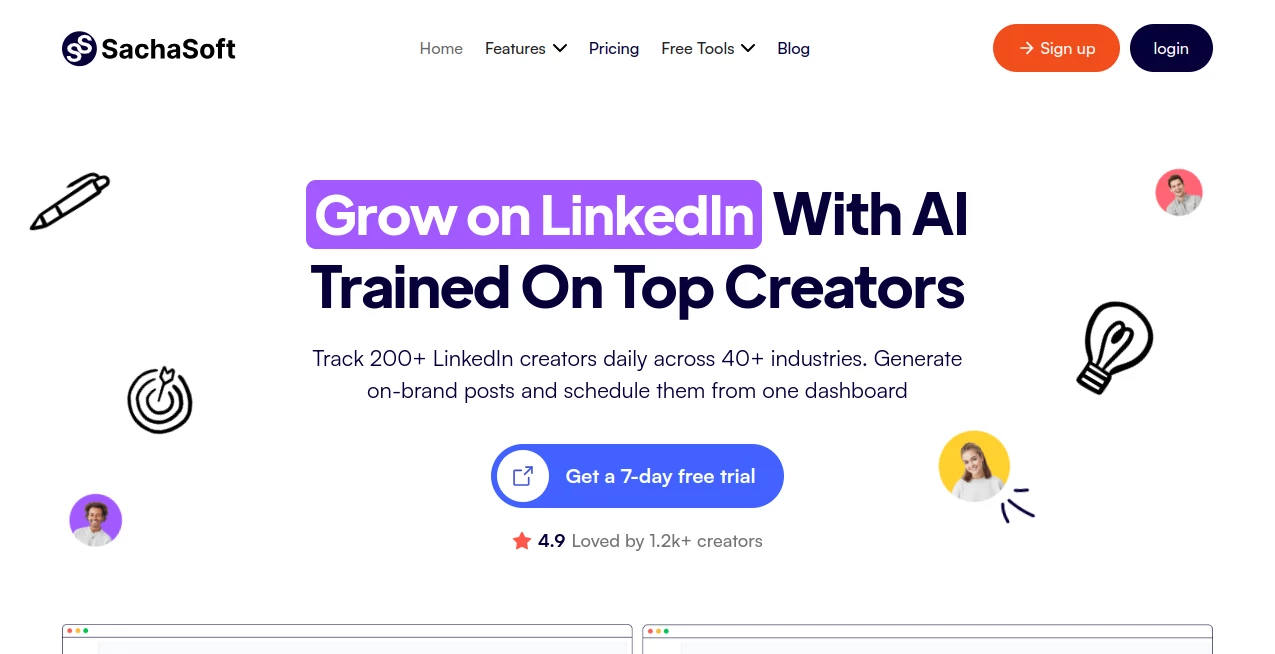
What is SachaSoft?
SachaSoft is an AI-powered writing assistant designed to help professionals, creators, and businesses create engaging LinkedIn content with less effort. The platform focuses on generating professional posts that match a user's communication style, helping individuals build a stronger personal brand and maintain a consistent presence on LinkedIn.
Creating valuable social media content every day can be challenging. Many professionals have ideas but struggle with writing, structure, or finding the right tone. This platform simplifies the process by transforming basic thoughts into polished posts that feel natural, relevant, and ready to share.
With a focus on professional networking and content growth, the tool is especially useful for founders, marketers, consultants, recruiters, and anyone who wants to improve their online visibility without spending hours writing every post.
Key Features
User Interface
The platform provides a simple and focused experience built around content creation. Users can quickly move from an idea to a complete LinkedIn post without dealing with complicated settings or unnecessary steps.
The clean workflow makes it easy for beginners while still offering useful customization options for experienced creators. Users can focus on their message while the AI helps improve structure, wording, and engagement potential.
Accuracy & Performance
The system is designed to understand professional writing patterns and generate content that fits the style expected on LinkedIn. Instead of producing generic paragraphs, it focuses on creating posts with stronger hooks, clearer messaging, and better audience appeal.
The platform helps users save time while maintaining quality. A professional who normally spends an hour planning and editing a post can create a strong draft much faster and spend more time engaging with their audience.
Capabilities
- AI LinkedIn Post Generation: Creates professional posts based on user ideas and goals.
- Personal Brand Support: Helps users maintain a consistent professional voice.
- Content Optimization: Improves structure, readability, and engagement.
- AI Writing Assistance: Helps overcome writer's block and generate fresh ideas.
- Content Scheduling Support: Helps creators maintain a regular publishing routine.
- Brand Voice Adaptation: Adjusts content style to better match individual preferences.
- Visual Content Support: Assists with creating more attractive social media content.
Security & Privacy
The platform is built for professional users who need a reliable environment for creating business and personal branding content. Users can work on their drafts and ideas while keeping control over their own publishing decisions.
As with any AI writing solution, users should review generated content before publishing to ensure accuracy and that the final message reflects their personal perspective.
Use Cases
This AI writing assistant can support a wide range of professionals and organizations. Some common use cases include:
- Entrepreneurs: Create thought leadership posts and share business insights regularly.
- Marketing Professionals: Produce engaging content campaigns for professional audiences.
- Recruiters: Build stronger employer branding and hiring-related content.
- Consultants: Share expertise and attract potential clients through valuable posts.
- Job Seekers: Improve their LinkedIn presence and showcase professional skills.
- Content Creators: Generate ideas and maintain a consistent posting schedule.
Pros and Cons
Pros
- Helps create professional social media content faster.
- Useful for users who struggle with writing ideas into complete posts.
- Supports personal branding and LinkedIn growth strategies.
- Reduces the time required for content planning and editing.
- Offers an easier way to maintain consistent publishing habits.
Cons
- Generated content may still require personal editing for the best results.
- The main focus is professional social content rather than general writing tasks.
- Users with very specific industry requirements may need additional customization.
Pricing Plans
The platform offers different pricing options designed for various levels of content creation needs. Users can start with a trial option to explore the features before choosing a paid subscription.
- Free Trial: Allows users to test the platform features before upgrading.
- Starter Plan: Suitable for individuals who need regular LinkedIn content assistance.
- Professional Plan: Designed for users who require higher content limits and additional features.
- Advanced Plan: Built for heavy users and professionals managing larger content workflows.
How to Use SachaSoft
Using the platform is straightforward. Users begin by providing their content idea, topic, or desired message. The AI then creates a structured draft that can be reviewed, edited, and customized before publishing.
- Create an account and access the writing dashboard.
- Choose the type of LinkedIn content you want to create.
- Provide your idea, topic, or preferred message.
- Review the generated draft and adjust it to your personal style.
- Publish the final version on LinkedIn.
Comparison with Similar Tools
Compared with general AI writing platforms, this solution focuses specifically on professional networking content. While many writing tools can generate articles, emails, or marketing copy, this platform is designed around the unique style and expectations of LinkedIn audiences.
Users who want a specialized assistant for building professional visibility may find this approach more practical than using a general-purpose writing tool. Its focus on LinkedIn-style communication makes it a useful option for people who want more targeted results.
Conclusion
Building a professional online presence requires consistency, creativity, and time. This AI-powered writing assistant helps simplify that process by turning ideas into polished LinkedIn posts that are easier to create and share.
Whether you are a founder growing your network, a professional sharing expertise, or a creator building a personal brand, the platform provides a practical way to create better content without spending hours writing from scratch.
Frequently Asked Questions (FAQ)
What is this AI writing assistant mainly used for?
It is mainly used for creating professional LinkedIn posts, improving content quality, and helping users maintain a consistent online presence.
Can it help improve personal branding?
Yes. It helps users create regular professional content that can support personal branding and audience growth.
Do users need writing experience to use it?
No. The platform is designed for both beginners and experienced professionals who want to create content more efficiently.
Should generated posts be edited before publishing?
Yes. Reviewing and adding personal insights can make posts feel more authentic and better aligned with individual goals.
Who can benefit most from this tool?
Entrepreneurs, marketers, consultants, recruiters, and professionals who want to improve their LinkedIn presence can benefit from using it.
Marketing , AI Content Generator , AI Social Media Assistant , AI Writing Assistants .
These classifications represent its core capabilities and areas of application. For related tools, explore the linked categories above.

SachaSoft Alternatives Product

Ai Book Publ…

Klyra AI

SonicPost

Reachara

SEOAuthori

Translators …

Techvorizon …

Bold Pilot

BlogBuster