


















SafetyDocs Ltd
What is SafetyDocs Ltd?
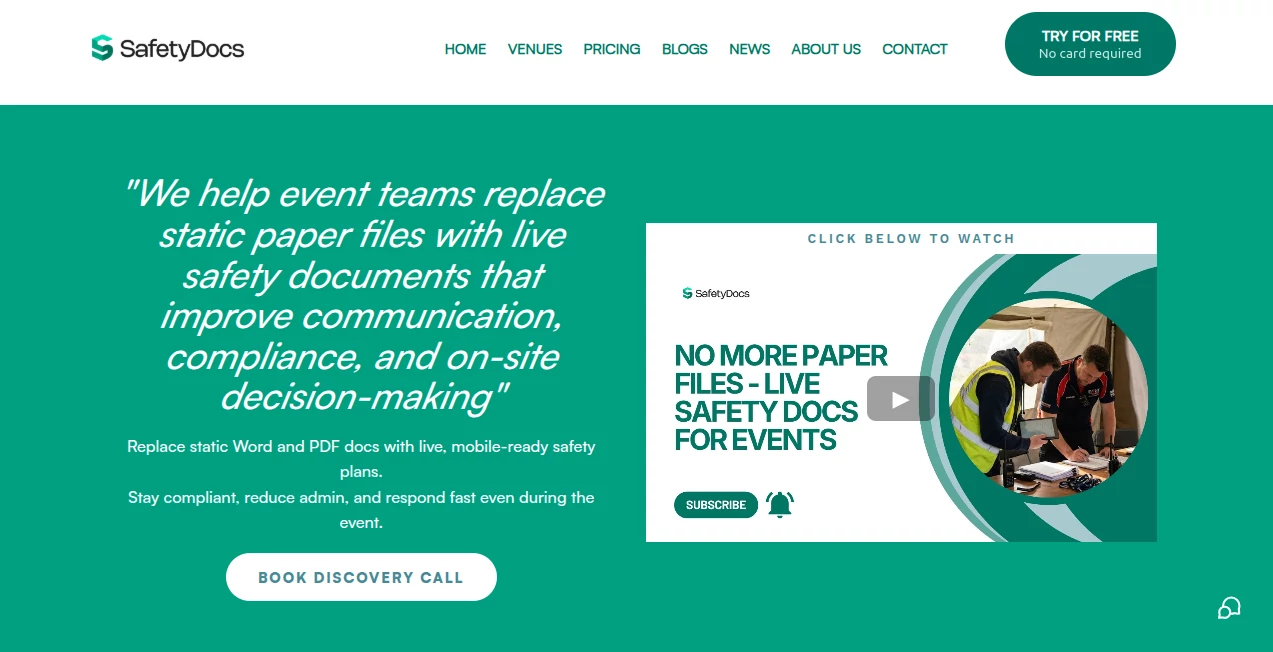
Planning a big event brings enough stress without worrying whether your safety files are up to date or if everyone on site has the latest version. This platform takes the headache out of safety documentation by turning static PDFs and Word files into live, synchronized documents that update across every team member’s phone in real time. I’ve spoken with event organizers who used to lose sleep over version control and emergency contacts, only to discover how much calmer things feel when the whole team carries the same accurate information in their pocket. It’s practical, reliable, and built by people who clearly understand the chaos of live events.
Introduction
Event safety isn’t just paperwork—it’s about keeping people protected when things get busy or unexpected. Traditional methods (shared drives, printed folders, emailed PDFs) often lead to confusion: outdated contacts, mismatched risk assessments, or critical info buried in the wrong document. SafetyDocs replaces all that with a centralized, mobile-first system where changes sync instantly, even offline. Whether you’re running a wedding, music festival, corporate conference, or large public gathering, it gives you confidence that everyone has the right information when it matters most. The mobile app and smart templates make it feel less like admin and more like a real safety partner.
Key Features
User Interface
The interface is straightforward and built for speed on site. You can create or upload documents, link them to a master data file so updates flow automatically, and organize everything into a clean event safety folder. The mobile app is especially well thought out—quick search, clear navigation, and offline access so staff aren’t stuck when signal drops. It doesn’t overwhelm you with options; it just makes the important things easy to find and update.
Accuracy & Performance
Live syncing means one change to emergency contacts or a risk assessment updates everywhere immediately. Templates are practical and based on real event needs, covering everything from crowd management to counter-terrorism measures. Performance stays solid even with large teams and big events. Organizers report far fewer version mix-ups and much faster access during incidents or inspections.
Capabilities
It includes ready-to-use templates for risk assessments, emergency procedures, method statements, and more. Master data syncing keeps contact details, venue info, and key policies consistent across all documents. Dedicated domains and branded apps are available for larger organizations. The system supports multiple languages and works well for events of all sizes, from small gatherings to major productions requiring 800+ attendees.
Security & Privacy
Documents are protected with proper access controls—you decide who sees what. The platform uses secure servers and follows best practices for handling sensitive event information. For organizers responsible for public safety and compliance, that controlled yet accessible approach provides real confidence.
Use Cases
A festival organizer updates the medical team contacts once and knows every steward has the latest version instantly. A corporate event planner keeps risk assessments synchronized across multiple venues and departments. A wedding coordinator manages contractor RAMS and emergency procedures without chasing paper copies. Large public events use it to demonstrate compliance quickly to authorities. Wherever safety documentation needs to stay accurate and accessible under pressure, it proves its worth.
Pros and Cons
Pros:
- Eliminates version control nightmares with true live syncing.
- Mobile app gives on-site teams fast, offline access.
- Practical templates save huge amounts of preparation time.
- Clear structure helps during inspections and emergencies.
- Scales from small events to major productions.
Cons:
- Best results come when you invest time setting up master data initially.
- Teams need a short period to get used to the mobile workflow.
- Advanced enterprise features (dedicated domains) are priced accordingly.
Pricing Plans
It offers flexible options starting with a free/demo mode for exploration. Individual and single-event plans suit smaller organizers, while corporate solutions provide dedicated environments and full support. The pricing reflects the peace of mind and time savings it delivers—many users find it pays for itself after just one well-run event through reduced admin and smoother operations.
How to Use SafetyDocs
Sign up and create your event folder. Upload existing documents or start with the built-in templates. Set up master data (contacts, venue info, key policies) so changes flow everywhere. Invite your team and assign appropriate access levels. On event day, everyone opens the mobile app for quick reference. When something changes, update it once and watch it sync. After the event, archive or export everything for records. The workflow is logical and becomes smoother with each use.
Comparison with Similar Tools
Shared drives and email chains lead to outdated files and confusion. Generic document platforms lack event-specific templates and live syncing. This solution is purpose-built for safety-critical events, combining practical templates, mobile access, and automatic consistency in one place. It feels more like a dedicated safety system than a general file-sharing tool, which is exactly what busy organizers need.
Conclusion
Event safety should never be compromised by outdated documents or poor communication. This platform brings clarity, speed, and confidence to an area that too often causes stress. It helps teams stay compliant, respond faster, and focus on delivering great experiences rather than chasing paper. For organizers who take safety seriously but don’t want to drown in admin, it’s a smart, practical solution that makes a genuine difference on the day.
Frequently Asked Questions (FAQ)
Can it work offline?
Yes—the mobile app allows access to documents even without signal, with changes syncing when connection returns.
How quickly do changes sync?
Updates appear almost instantly for everyone online and sync when others come back online.
Is it suitable for small events?
Absolutely—it scales well from intimate gatherings to large festivals.
Do you provide templates?
Yes, including risk assessments and full safety files tailored for different event types.
Can I brand it for my company?
Larger plans offer dedicated domains and custom branding options.
AI Workflow Management , AI Documents Assistant .
These classifications represent its core capabilities and areas of application. For related tools, explore the linked categories above.

SafetyDocs Ltd Alternatives Product

Flowmata AI

LaunchBoard

onuml

Mage Flow AI…

jpg to excel
AI Agent Ski…

Zapier

MindSnapz
HeyZinc
